> ## Documentation Index
> Fetch the complete documentation index at: https://docs.prophecy.ai/llms.txt
> Use this file to discover all available pages before exploring further.
# Send logs to Support
> How to download logs and send for support
## Collect diagnostic data
To help our team investigate and resolve your issue faster, include diagnostic data in your support request.
Use the table below to find what information to collect based on your issue.
| Issue | What to include |
| -------------------------------- | ------------------------------------------------------------------------------------------------------------------------------------------------------------------------------------------ |
| Can't attach pipeline to cluster | Connection logs from [Prophecy](./prophecy-details), Spark cluster [configuration](./spark-cluster-details), and [connectivity check](./spark-cluster-details#connectivity-check) results. |
| Pipeline fails during execution | Pipeline [logs](./prophecy-details), Spark [configuration](./spark-cluster-details#spark-configurations), and [connectivity check](./spark-cluster-details#connectivity-check) results. |
| Spark application errors | Pipeline [logs](./prophecy-details) and Spark [driver logs](https://docs.databricks.com/en/compute/troubleshooting/debugging-spark-ui.html#driver-logs). |
## Send runtime logs
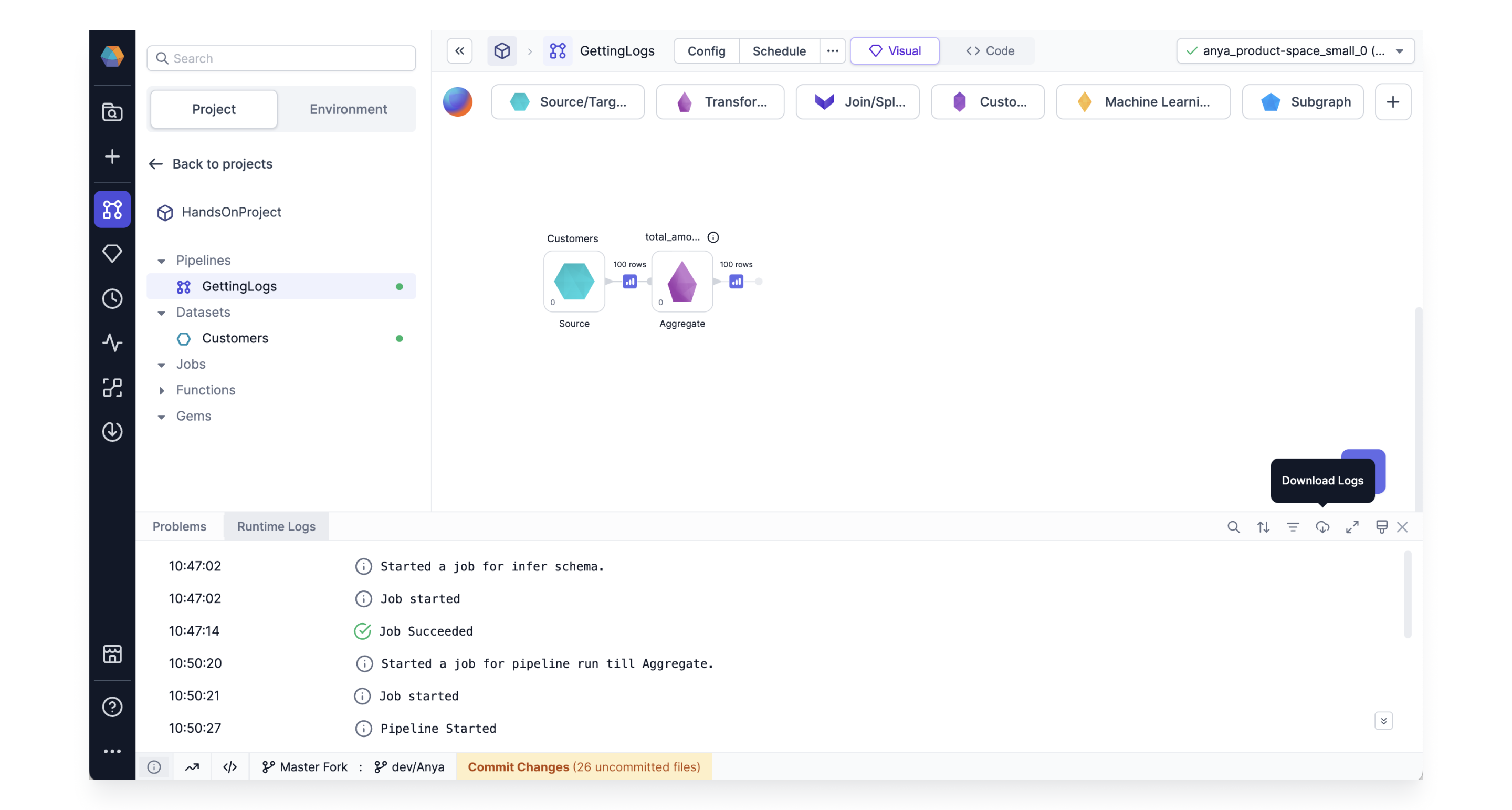
If you are having trouble running a pipeline, you can download the [runtime logs](/data-analysis/development/runs/runtime-logs).
Our Support team can review these logs to help troubleshoot your issue.
 ## Send connection logs
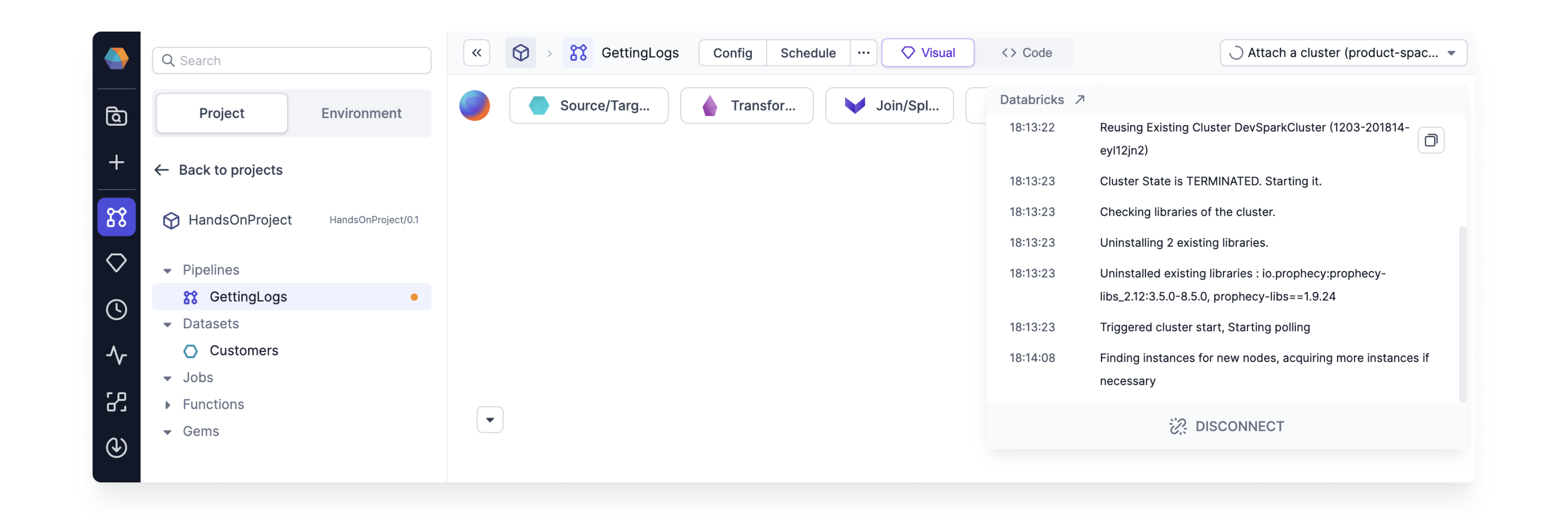
If you have trouble connecting to your fabric, send connection logs to Prophecy with the corresponding error [code](/administration/getting-help/diagnostics).
To retrieve the connection log, open the cluster connection in the top right corner of your project and click the **Copy** button.
## Send connection logs
If you have trouble connecting to your fabric, send connection logs to Prophecy with the corresponding error [code](/administration/getting-help/diagnostics).
To retrieve the connection log, open the cluster connection in the top right corner of your project and click the **Copy** button.