> ## Documentation Index
> Fetch the complete documentation index at: https://docs.prophecy.ai/llms.txt
> Use this file to discover all available pages before exploring further.
# Send Spark cluster details
> Helpful Spark cluster configurations to send to Support
Available for [Enterprise Edition](/administration/platform/editions) only.
There are helpful Spark cluster configurations and a connectivity check that you can send to us via the Prophecy [Support Portal](https://prophecy.zendesk.com/) for troubleshooting.
## Spark configurations
Two ways to access the configurations:
* Browsing the Spark UI
* Running a notebook
### Configurations in the UI
You can access your Spark cluster configurations directly from the Spark UI.
Please send screenshots of each configuration if possible.
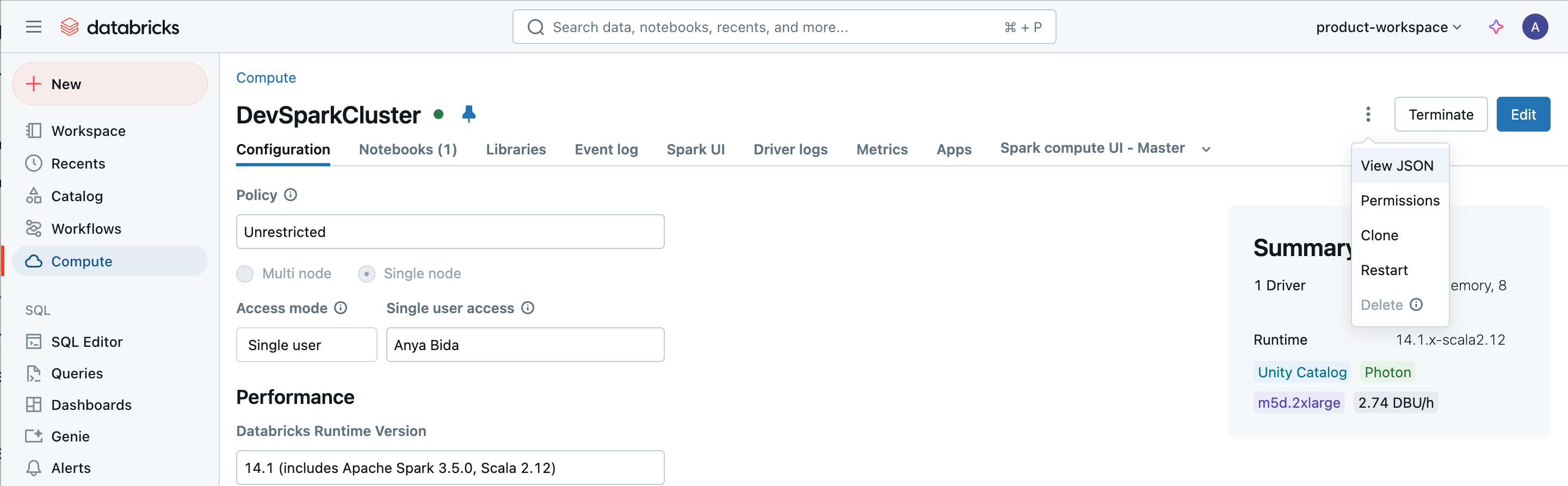
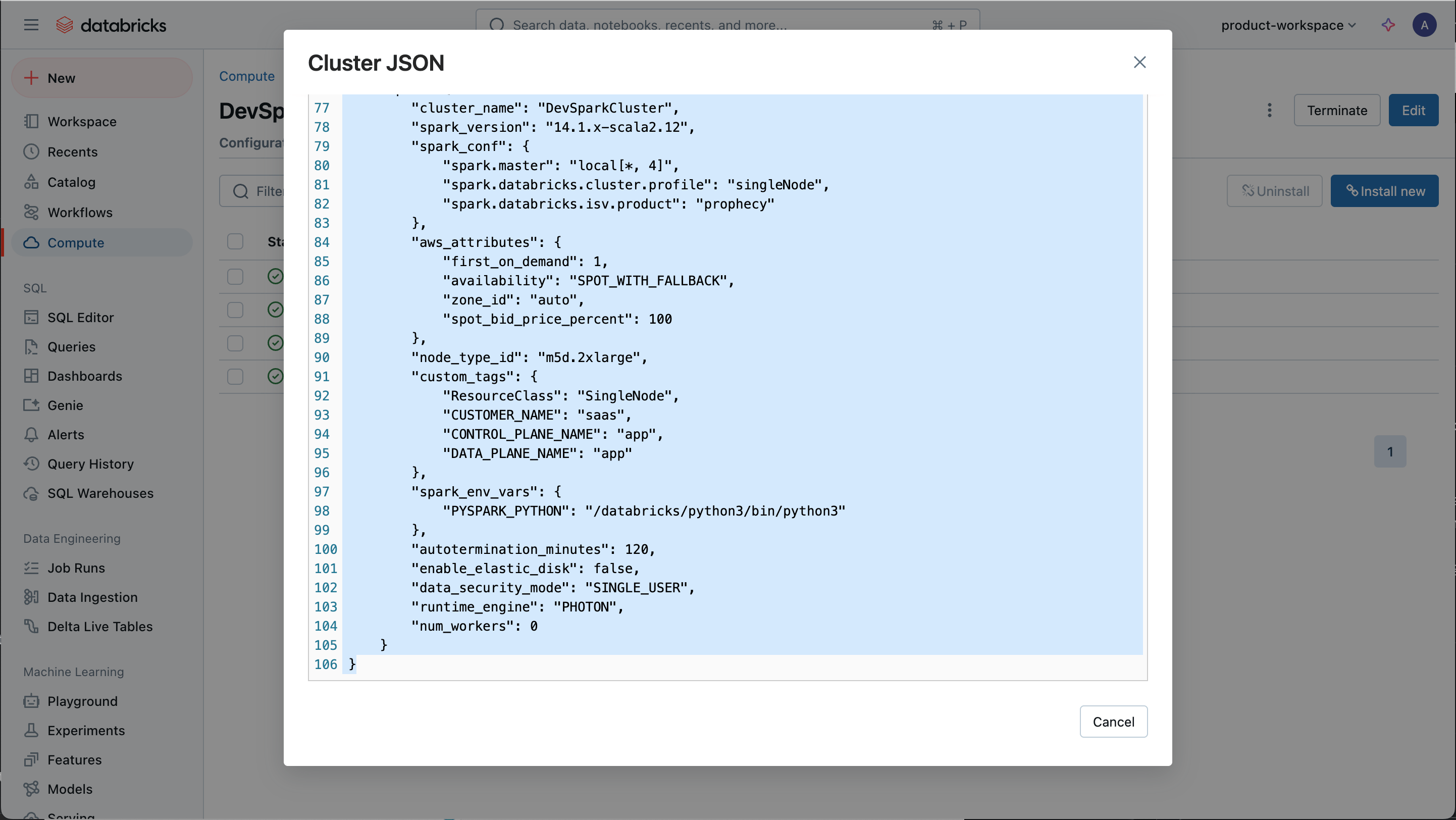
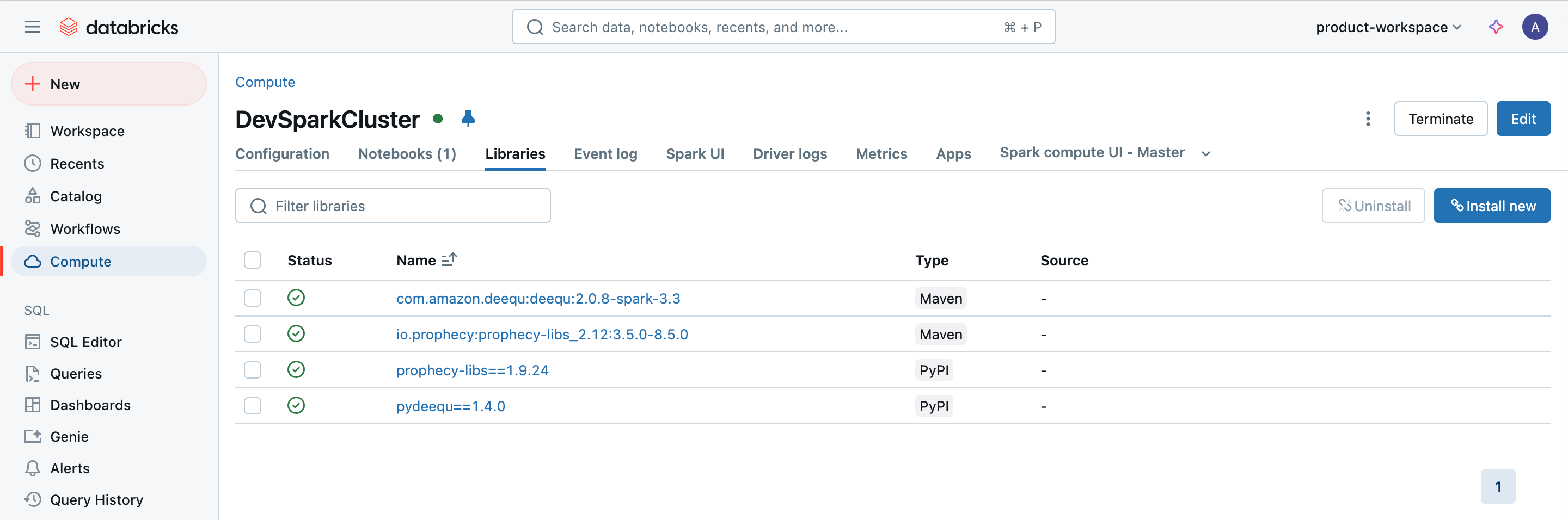
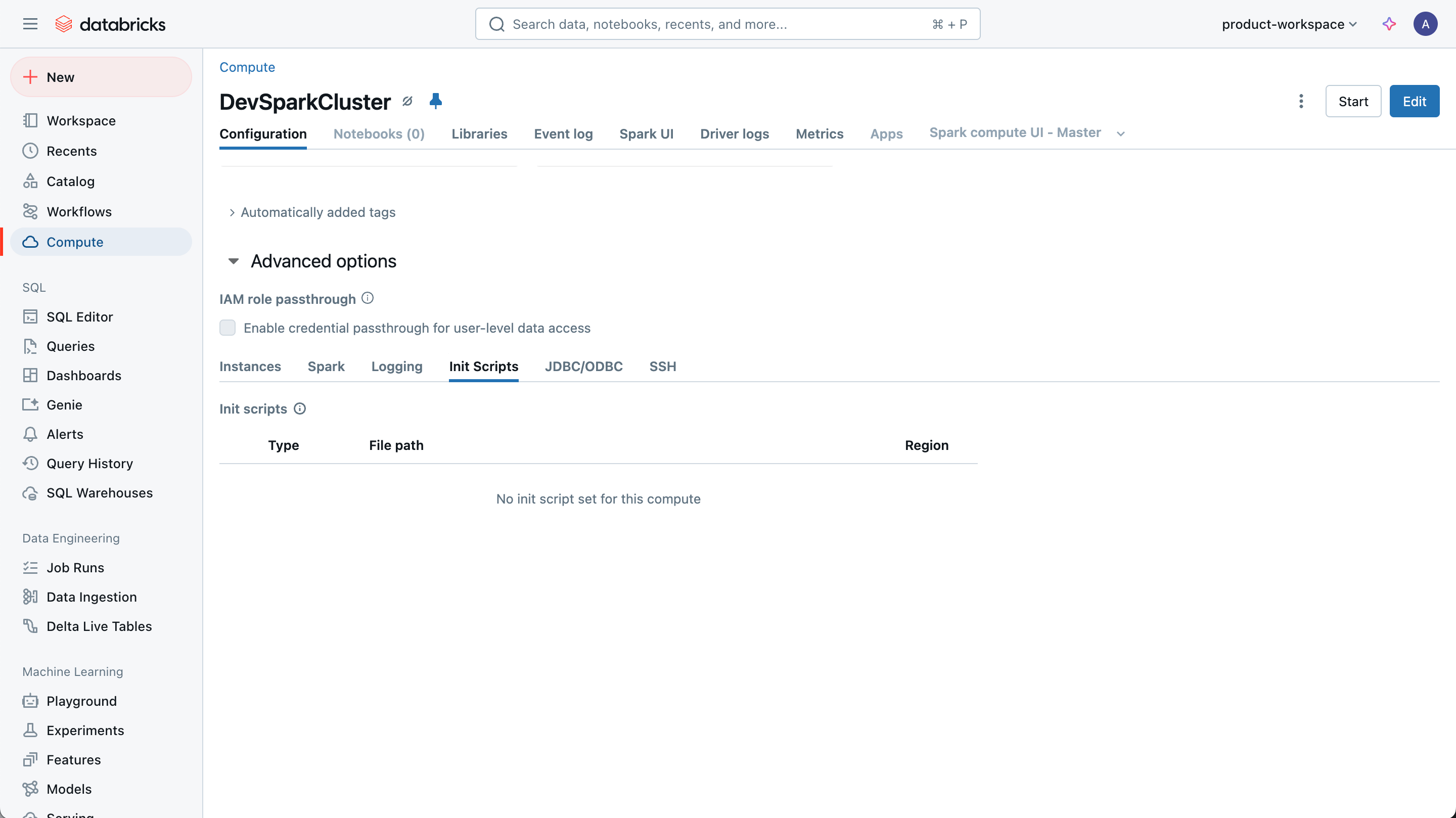
| Configuration to Send | Example |
| ------------------------------------------------------------------------------------------------------------------------------------- | ------------------------------------------------------------------------------------------------------------------------------------------------------------------------------------------------------------------------------------------------------------------------------------------------------------------------------------------------------------------------------------------------------------------------------------------------------------------------------------------------------------------------------------------------------------------------------------------------------------------------------------------------------------------------------------------------------------------------------------------------------------------------------------------------------------------------------------------------------------------------------------------------------------------------------------------------------------------------------------------------------------------------------------------------------------------------------------------------------------------------------------------------------------------------------------------------------------------------------------------------------------------------------------------------------------------------------------------------------------------------------------------------------------------------------------------------------------------------------------------------------------------------------------------------------------------------------------------------------------------------------------ |
| Overall cluster configuration (e.g., Spark version, Databricks runtime version, UC dedicated or UC standard) |
|
| Cluster JSON (edited to remove any private or sensitive information) |
|
| Libraries installed on the cluster |
|
| Init scripts run on the cluster. Include the script itself if possible. |
|
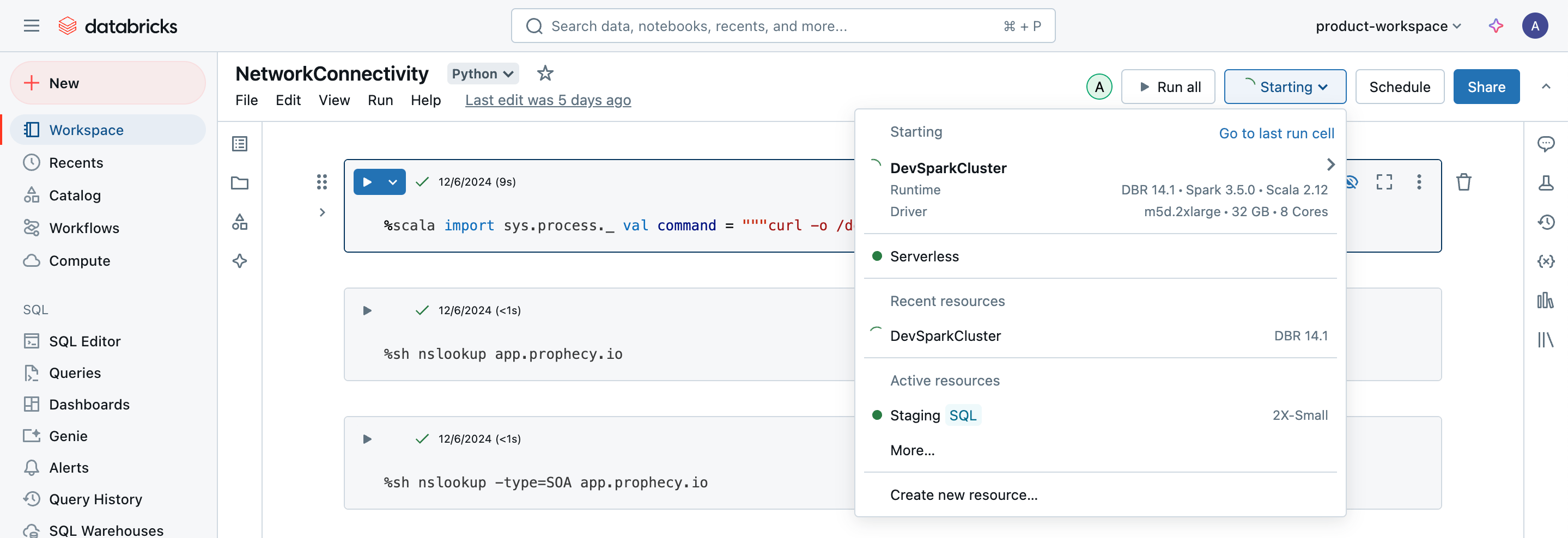
| Output of attaching cluster in a notebook. You may need to duplicate the tab and try attaching the same cluster in the duplicate tab. |
|
### Run a notebook
For those who prefer to use code, create a notebook (example below) and send the output via the Prophecy [Support Portal](https://prophecy.zendesk.com/).
Replace the workspace URL, personal access token, clusterID, and API token as appropriate.
```python theme={null}
# Databricks notebook source
import requests
#Get Databricks runtime of cluster
# Get the notebook context using dbutils
context = dbutils.notebook.entry_point.getDbutils().notebook().getContext()
# Retrieve the Databricks runtime version from the context tags
runtime_version = context.tags().get("sparkVersion").get()
# Print the runtime version
print(f"Databricks Runtime Version: {runtime_version}")
# Get Spark version
spark_version = spark.version
print(f"Spark Version: {spark_version}")
#Get the installed libraries and access mode details of the cluster
# Replace with your Databricks workspace URL and token
workspace_url = "replace_with_workspace_url"
token = "replace_with_token"
cluster_id = "replace_with_cluster_id"
# API endpoint to get info of installed libraries
url = f"{workspace_url}/api/2.0/libraries/cluster-status"
# Make the API request
response = requests.get(url, headers={"Authorization": f"Bearer {token}"}, params={"cluster_id": cluster_id})
library_info=response.json()
print("Libraries:")
for i in library_info['library_statuses']:
print(i)
# API endpoint to get access mode details
url = f"{workspace_url}/api/2.1/clusters/get"
# Make the API request
response = requests.get(url, headers={"Authorization": f"Bearer {token}"}, params={"cluster_id": cluster_id})
cluster_access_info=response.json()
print(f"Cluster Access Mode: {cluster_access_info['data_security_mode']}")
```
## Connectivity Check
Open a notebook on the Spark cluster and run the following command.
Replace the Prophecy endpoint.
```python theme={null}
import subprocess
command = 'curl -X GET "https://customer_prophecy_url/execution"'
output = subprocess.check_output(['/bin/bash', '-c', command], text=True)
print(output)
```
```scala theme={null}
%scala
import sys.process._
val command = """curl -X GET "https://customer_prophecy_url/execution""""
Seq("/bin/bash", "-c", command).!!
```
This command tests the reverse websocket protocol required by Prophecy to execute pipelines on Spark clusters. Please send the output from this command in the Support Portal.
**We look forward to hearing from you!**