> ## Documentation Index
> Fetch the complete documentation index at: https://docs.prophecy.ai/llms.txt
> Use this file to discover all available pages before exploring further.
# Data profiling for Data Analysts
> See statistics for data samples in your pipeline
Data profiling allows you to view statistics on interim datasets in your pipeline. When you open a dataset's profile in the [Data Explorer](/data-analysis/development/runs/data-explorer/data-explorer), you can visualize value distributions and data completeness to ensure your data matches expectations.
## Quick profile
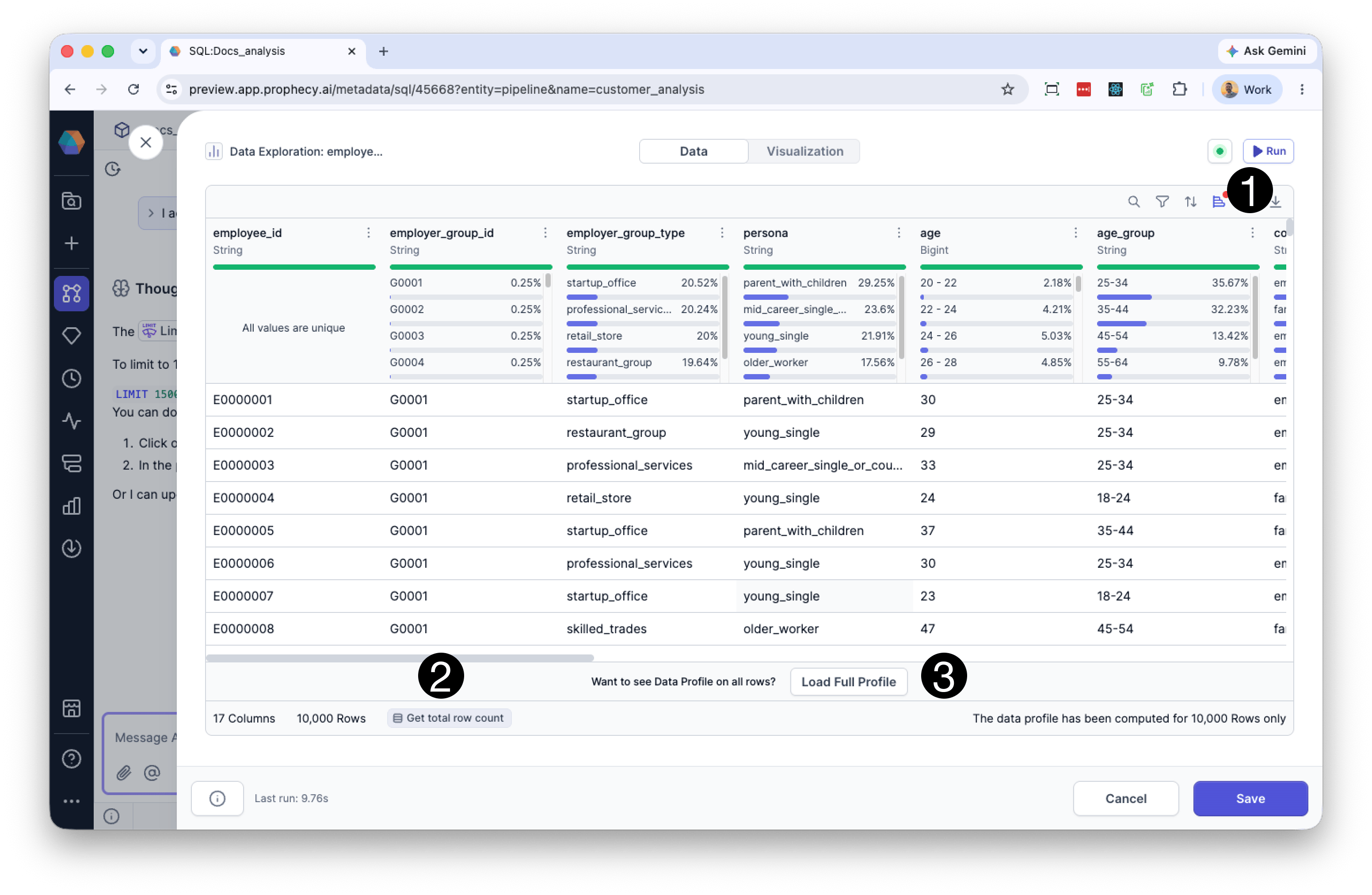
The Data Explorer includes data profiles that are generated on your sample data. You'll be able to see high-level statistics for each column, including:
* **Percent of non-blank values:** The percentage of values in the column that are not blank.
* **Percent of null values:** The percentage of values in the column that are null.
* **Percent of blank values:** The percentage of values in the column that are blank.
* **Most common values:** Displays the top four most frequent values in the column, along with the percentage of occurrences for each.
To view these statistics for your sample data, click **Profile** in the Data Explorer (1) to open the Data Profile view. Initially, Prophecy calculates Data Profile statistics using only the first 10,000 rows of data, but you can ask Prophecy to expand this calculation to the full data set.
Before you do so, we recommend checking total row count by clicking the **Total Row Count** button at the bottom of the Data Explorer (2). Next, click **Load Full Profile** to calculate statistics for the entire dataset (3).
 ## Expanded profile
You can view a more detailed profile for any column in your dataset. When you open the expanded profile, Prophecy generates a deeper analysis of the column based on your sample data.
All statistics in the expanded profile are computed on the same sample used in the Data Explorer.
To view the expanded profile:
1. Click the dropdown arrow on the column you want to expand.
2. Select **Show Expanded Profile**.
## Expanded profile
You can view a more detailed profile for any column in your dataset. When you open the expanded profile, Prophecy generates a deeper analysis of the column based on your sample data.
All statistics in the expanded profile are computed on the same sample used in the Data Explorer.
To view the expanded profile:
1. Click the dropdown arrow on the column you want to expand.
2. Select **Show Expanded Profile**.
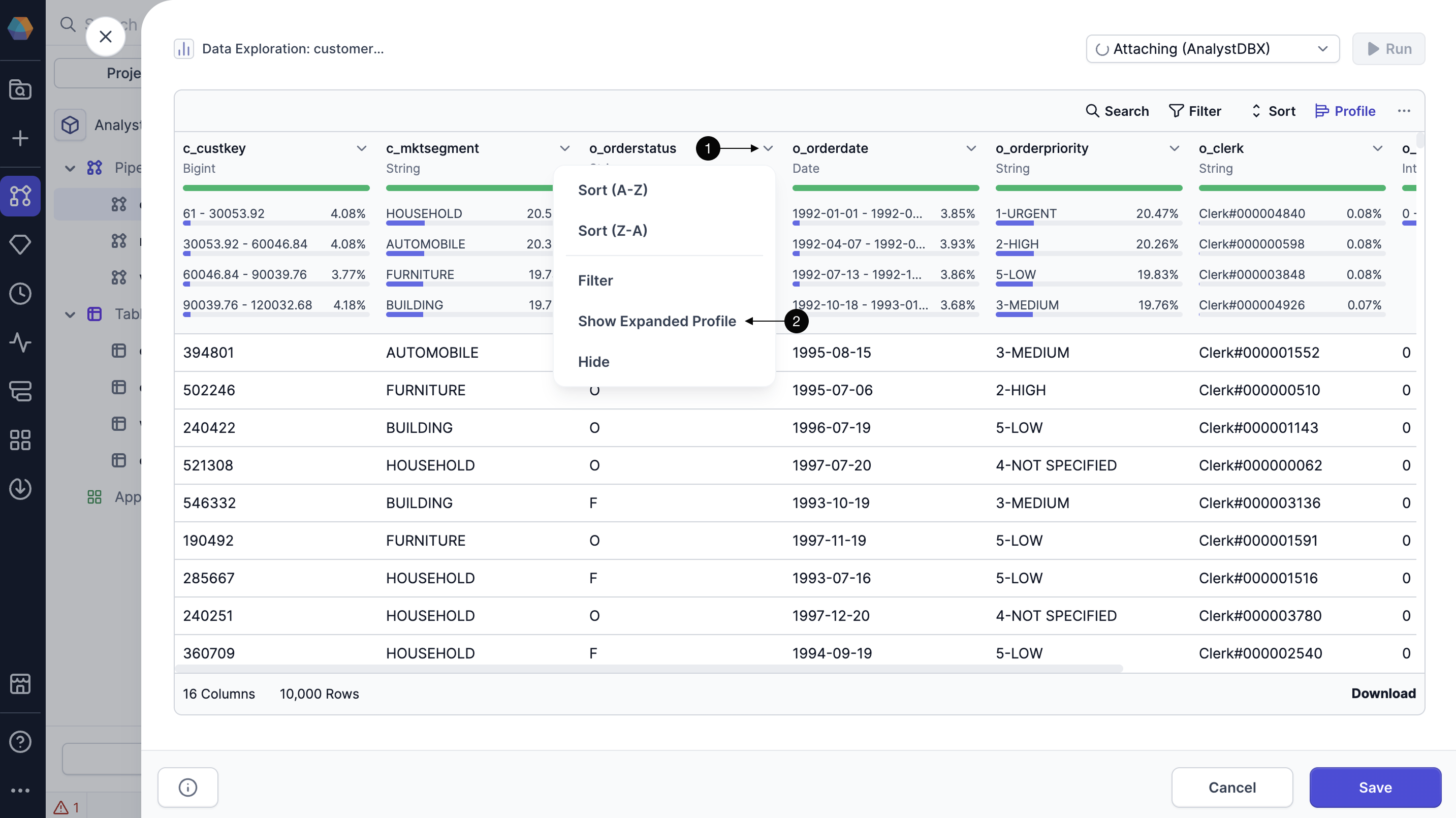 When you load the expanded data profile, Prophecy generates a more in-depth analysis on the sample data.
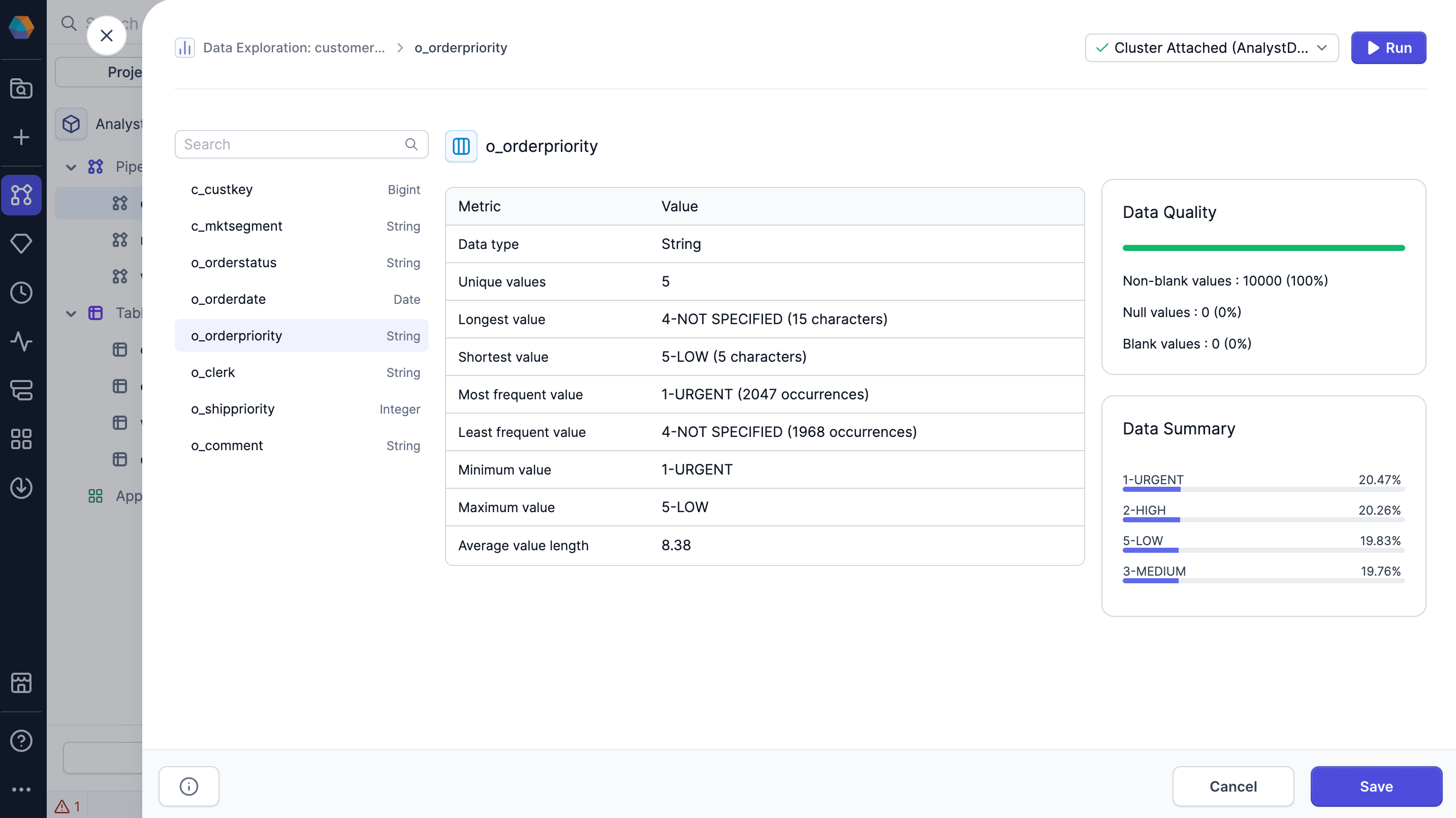 The expanded profile displays the following metrics:
| Metric | Description |
| ------------------------ | ----------------------------------------------------------------- |
| **Data type** | Data type of the column. |
| **Unique values** | Number of unique values in the column. |
| **Longest value** | Longest value in the column and its length. |
| **Shortest value** | Shortest value in the column and its length. |
| **Most frequent value** | Most frequent value in the column and its number of occurrences. |
| **Least frequent value** | Least frequent value in the column and its number of occurrences. |
| **Minimum value** | Minimum value in the column. |
| **Maximum value** | Maximum value in the column. |
| **Average value length** | Average length of each value in the column. |
| **Null values** | Percent and number of null values in the column. |
| **Blank values** | Percent and number of blank values in the column. |
| **Non-blank values** | Percent and number of non-blank values in the column. |
| **Data summary** | Overview of the most common values in the column. |
You can click between columns in the expanded profile for quick access.
The expanded profile displays the following metrics:
| Metric | Description |
| ------------------------ | ----------------------------------------------------------------- |
| **Data type** | Data type of the column. |
| **Unique values** | Number of unique values in the column. |
| **Longest value** | Longest value in the column and its length. |
| **Shortest value** | Shortest value in the column and its length. |
| **Most frequent value** | Most frequent value in the column and its number of occurrences. |
| **Least frequent value** | Least frequent value in the column and its number of occurrences. |
| **Minimum value** | Minimum value in the column. |
| **Maximum value** | Maximum value in the column. |
| **Average value length** | Average length of each value in the column. |
| **Null values** | Percent and number of null values in the column. |
| **Blank values** | Percent and number of blank values in the column. |
| **Non-blank values** | Percent and number of non-blank values in the column. |
| **Data summary** | Overview of the most common values in the column. |
You can click between columns in the expanded profile for quick access.