> ## Documentation Index
> Fetch the complete documentation index at: https://docs.prophecy.ai/llms.txt
> Use this file to discover all available pages before exploring further.
# Error fixing
> Fix gems errors with one click
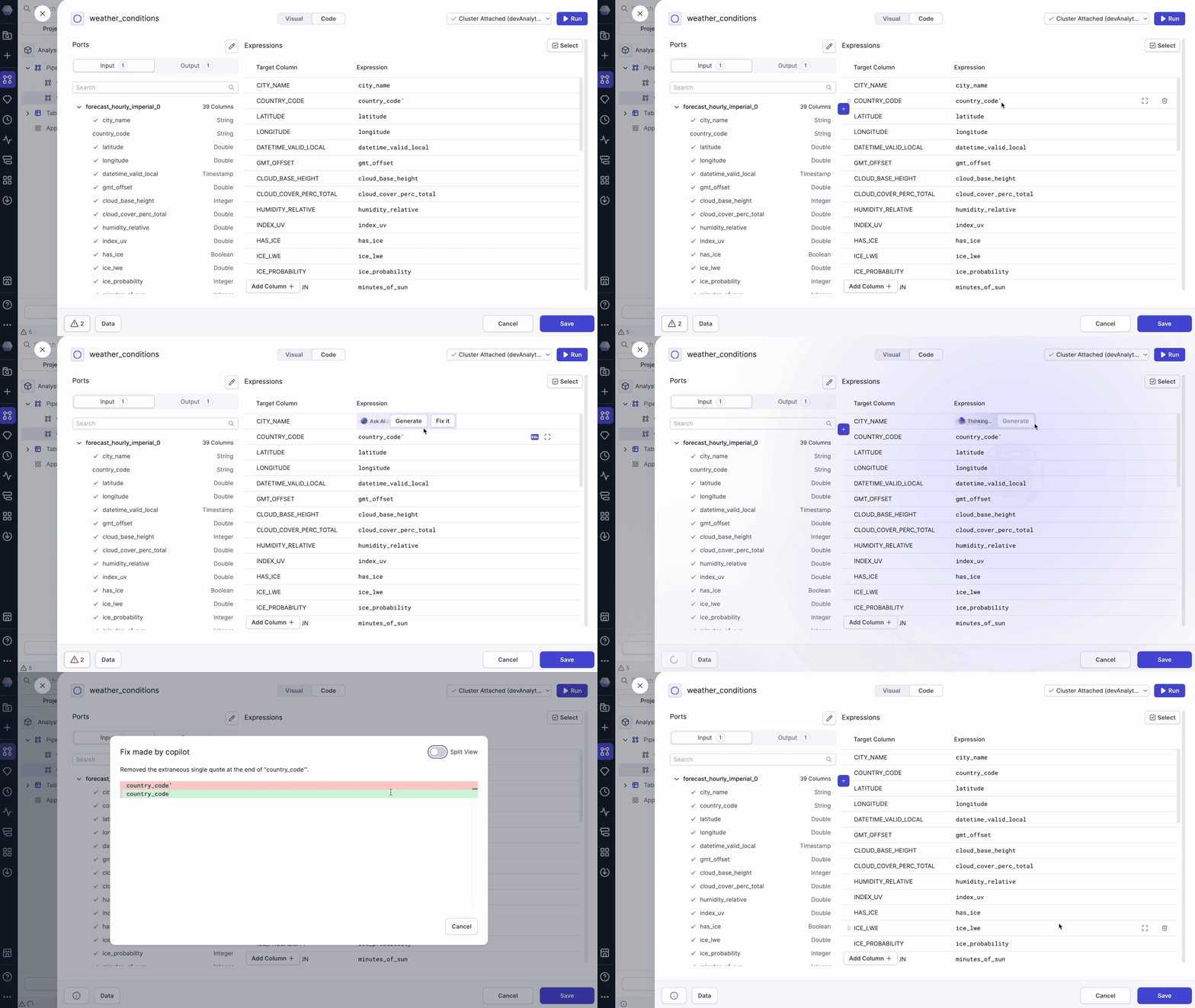
Troubleshooting pipeline errors manually can be time-consuming. Prophecy simplifies this process by offering multiple ways to detect and resolve issues quickly. After Copilot makes the fix, Prophecy will always provide a summary of the changes made.
## Inline fix
Click an expression inside a gem with an error and select **Fix it** to apply an automatic correction.
 ## Fix on save
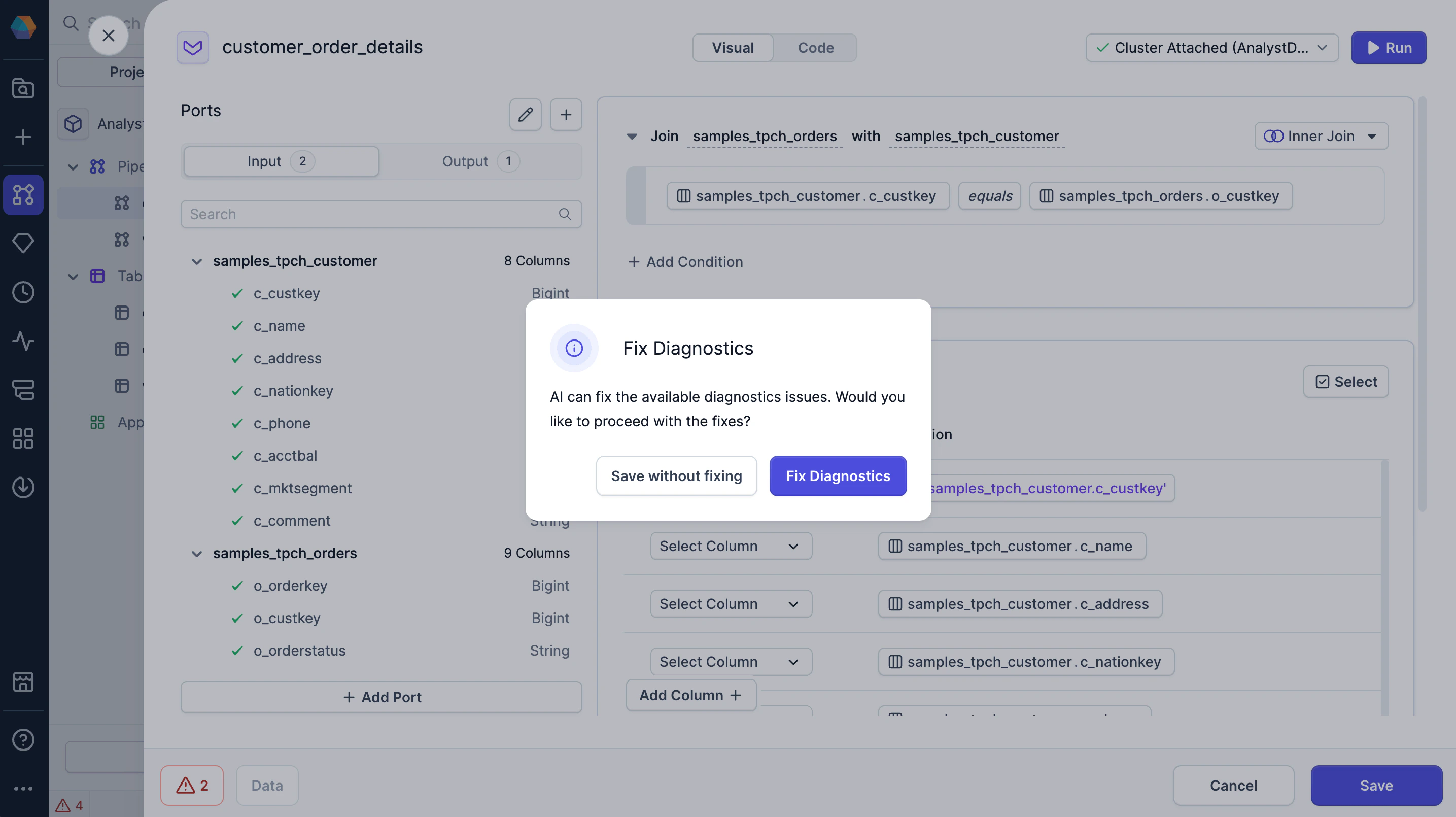
If you try to save a gem with detected errors, a **Fix Diagnostics** dialog appears.
* **Save without fixing**: Save the gem without fixing the errors.
* **Fix diagnostics**: Let Copilot fix the errors automatically.
## Fix on save
If you try to save a gem with detected errors, a **Fix Diagnostics** dialog appears.
* **Save without fixing**: Save the gem without fixing the errors.
* **Fix diagnostics**: Let Copilot fix the errors automatically.
 ## Gem-level fix
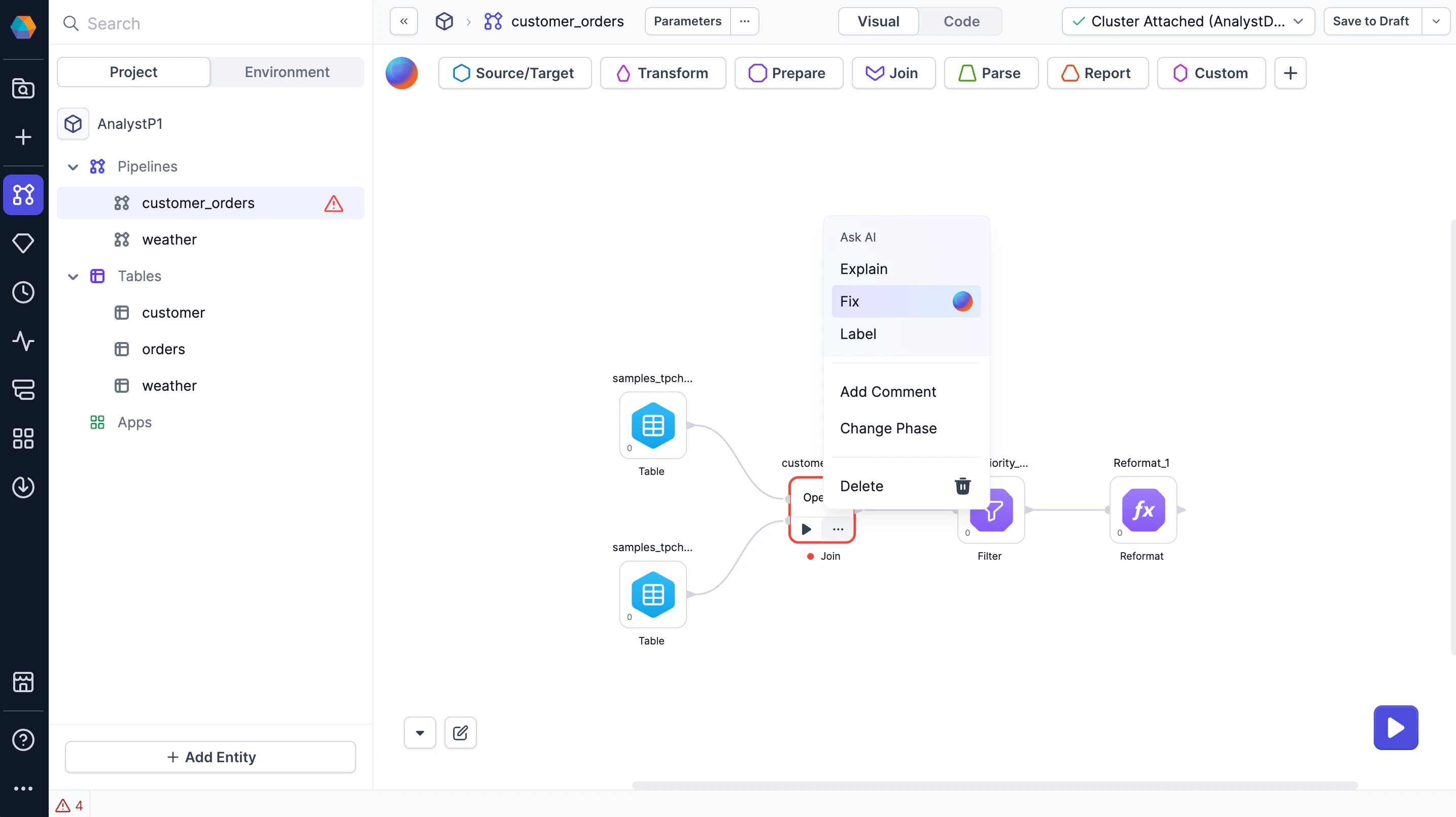
On the pipeline canvas, open a gem's action menu and select **Fix** to automatically correct errors within that component.
## Gem-level fix
On the pipeline canvas, open a gem's action menu and select **Fix** to automatically correct errors within that component.