> ## Documentation Index
> Fetch the complete documentation index at: https://docs.prophecy.ai/llms.txt
> Use this file to discover all available pages before exploring further.
# External release tags
> Use external release tags for deployment and dependency in Prophecy
Available for [Enterprise Edition](/data-engineering/administration/platform/editions) only.
If you use external CI-CD tools to merge and release your projects, you can use [release tags](https://git-scm.com/book/en/v2/Git-Basics-Tagging) from those tools within Prophecy for deployment and dependencies.
Once you've deployed an external tag in Prophecy, you can add that release as a dependency in a project.
## View external release tags
Any externally created release tag that you pull into Prophecy is visible on the **Releases & Deployments** tab of your project metadata.
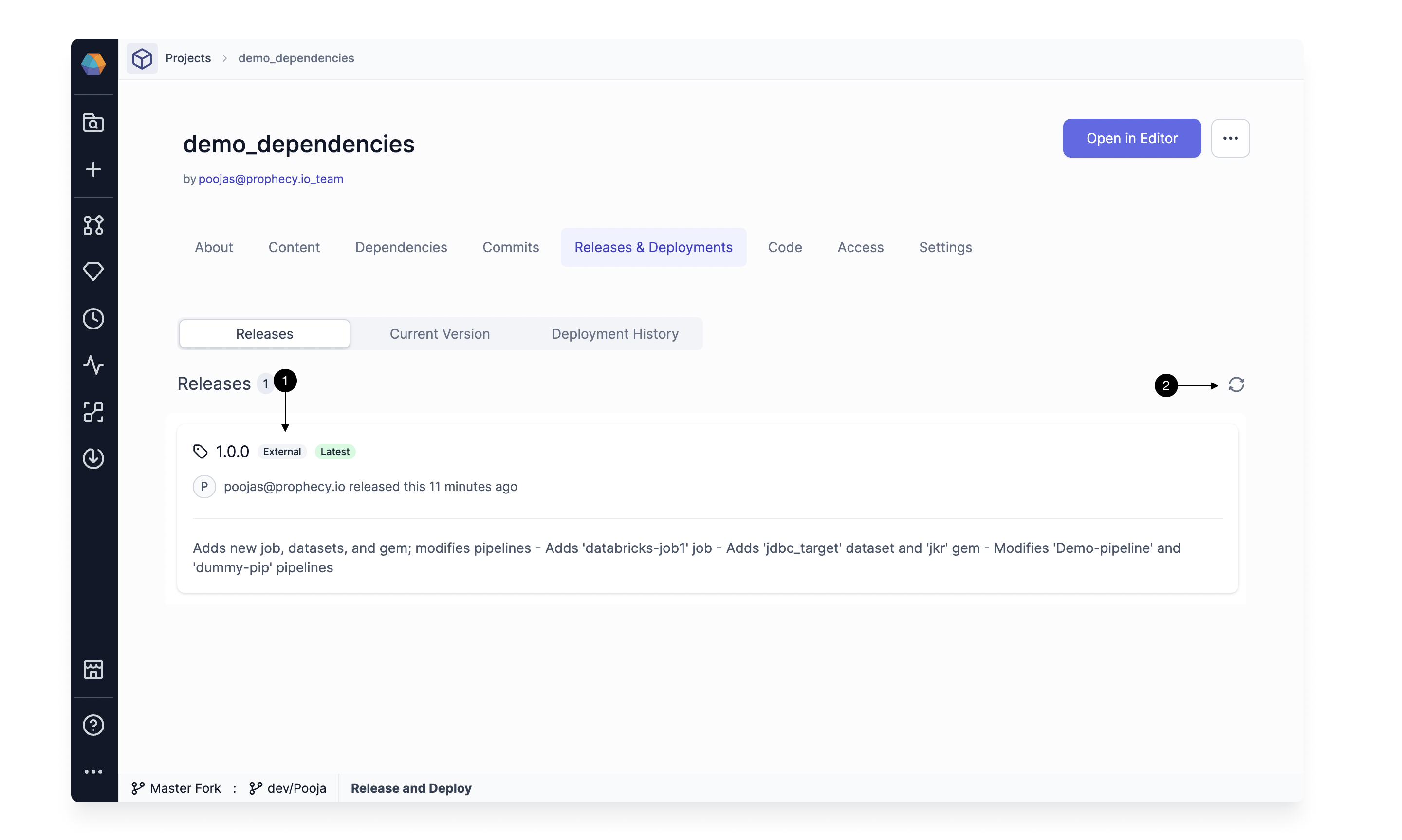 Tags that are created externally are labeled with an **(1) External** tag. If your latest tags aren't showing, click on the **(2) Refresh** button to refresh the list of tags.
## Deploy an external release tag
To deploy an existing tag, follow these steps:
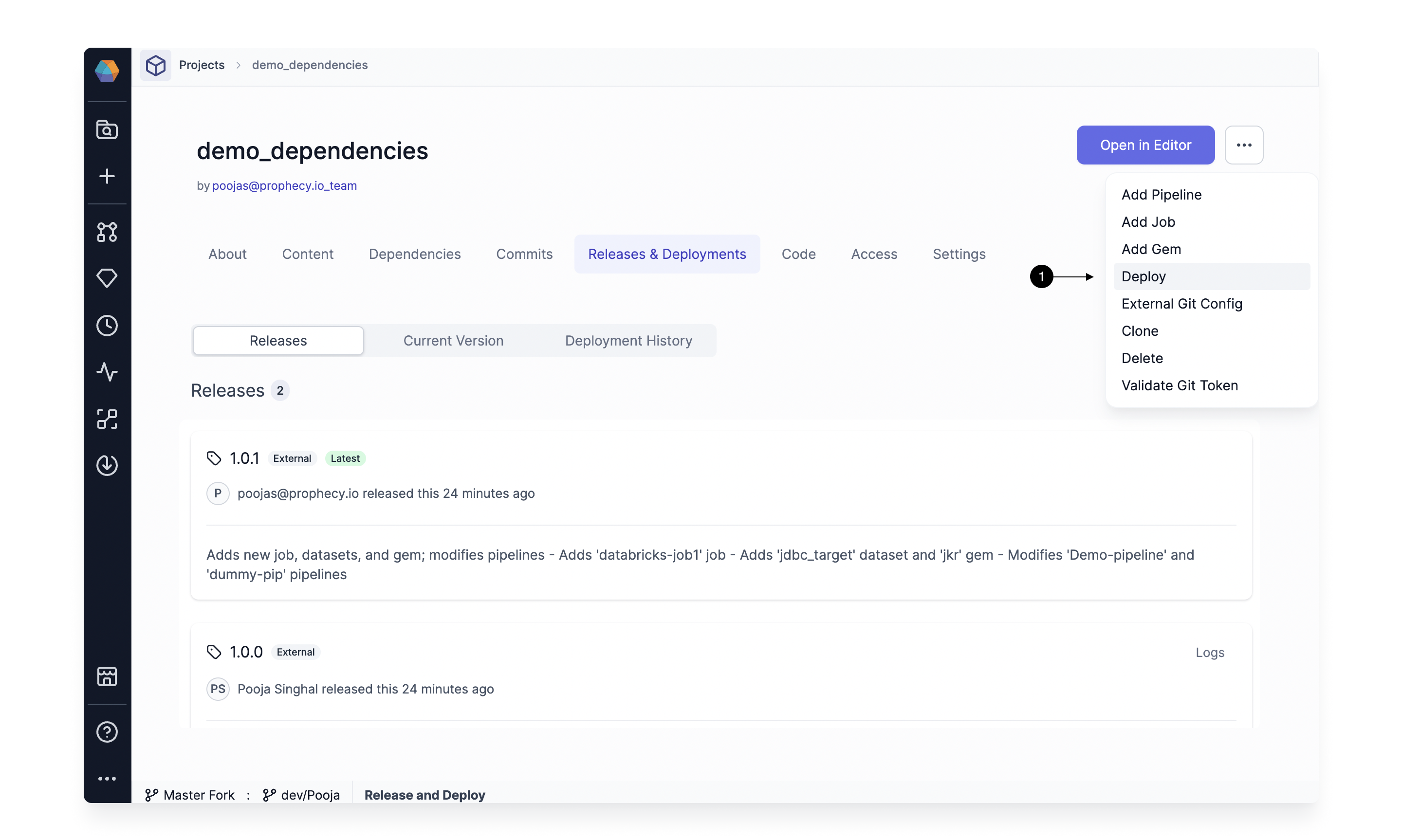
1. From `...` in the top right corner, select **(1) Deploy**. This opens the Deploy dialog.
Tags that are created externally are labeled with an **(1) External** tag. If your latest tags aren't showing, click on the **(2) Refresh** button to refresh the list of tags.
## Deploy an external release tag
To deploy an existing tag, follow these steps:
1. From `...` in the top right corner, select **(1) Deploy**. This opens the Deploy dialog.
 2. Select a release version you wish to deploy by using the **(1) Choose a release** dropdown. Once you select a version, the table below shows the jobs that are going to be modified (there might not be any jobs). Click **(2) Deploy** to start the deployment.
 If you have enabled [Selective Job Deployment](./deployment#deployment-modes), then you can pick the jobs you wish to deploy. Additionally, you have the option to override the fabrics for these jobs. Job selection **is not required** to deploy the release.
This deploys a new release. You can access deployment logs from the Deployment History tab.
## Use the release as a dependency
Once you've deployed a tag, you can use the release as a dependency in a project.
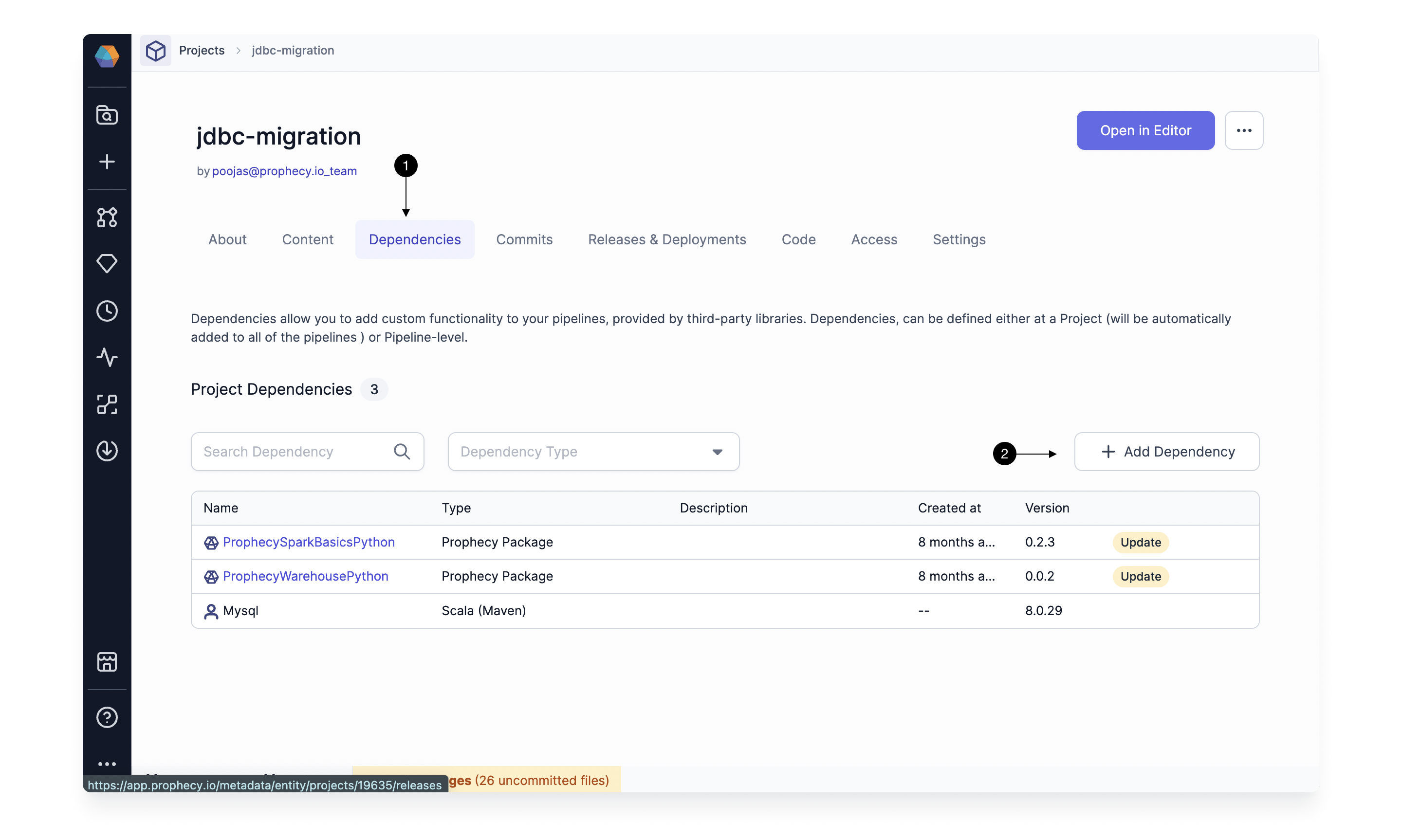
First, navigate to the **(1) Dependencies** tab of the relevant project and click **(2) + Add Dependency**.
If you have enabled [Selective Job Deployment](./deployment#deployment-modes), then you can pick the jobs you wish to deploy. Additionally, you have the option to override the fabrics for these jobs. Job selection **is not required** to deploy the release.
This deploys a new release. You can access deployment logs from the Deployment History tab.
## Use the release as a dependency
Once you've deployed a tag, you can use the release as a dependency in a project.
First, navigate to the **(1) Dependencies** tab of the relevant project and click **(2) + Add Dependency**.
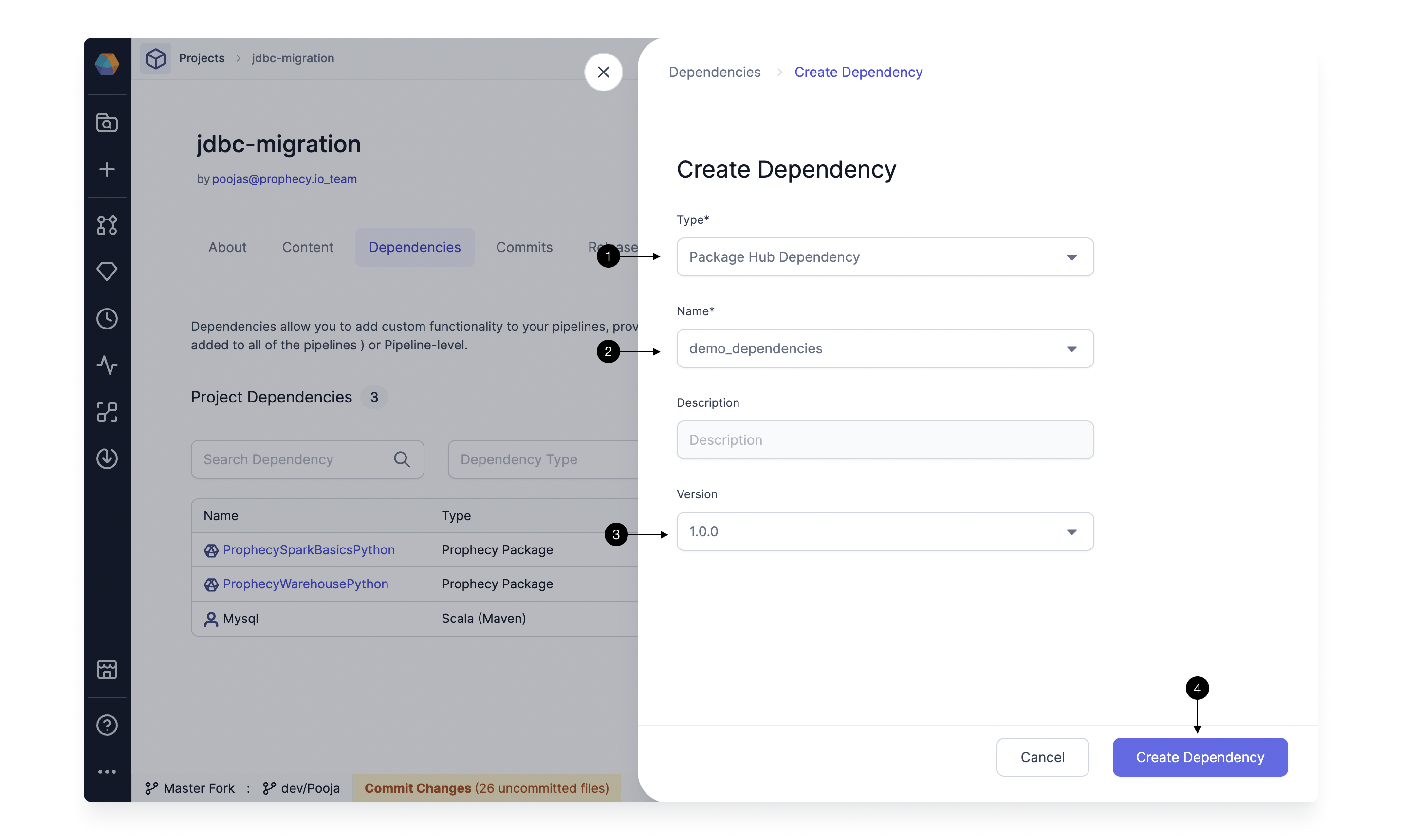
 Next, in the **Create Dependency** dialog:
1. For **Type**, select **Package Hub Dependency**.
2. For **Name**, choose the project that contains the external release tag.
3. For **Version**, select the option that matches your external release tag.
4. Click **Create Dependency**.
Next, in the **Create Dependency** dialog:
1. For **Type**, select **Package Hub Dependency**.
2. For **Name**, choose the project that contains the external release tag.
3. For **Version**, select the option that matches your external release tag.
4. Click **Create Dependency**.
 You can also edit a dependency and update its version to an externally released version.
## FAQ
**How does Prophecy support tags from a repo that is linked to multiple Prophecy projects?**
A Git tag is a pointer to a specific commit in the repo. It's not linked to a subfolder in the repo. So in this case, if you create a tag, it would be available for all projects linked to the repo.
**Do the tags have to follow a certain pattern to be recognized?**
No. Prophecy supports all tag patterns supported in Git. Prophecy automatically recognizes external tags after you visit the Release and Deployment page or refresh the page.
You can also edit a dependency and update its version to an externally released version.
## FAQ
**How does Prophecy support tags from a repo that is linked to multiple Prophecy projects?**
A Git tag is a pointer to a specific commit in the repo. It's not linked to a subfolder in the repo. So in this case, if you create a tag, it would be available for all projects linked to the repo.
**Do the tags have to follow a certain pattern to be recognized?**
No. Prophecy supports all tag patterns supported in Git. Prophecy automatically recognizes external tags after you visit the Release and Deployment page or refresh the page.