> ## Documentation Index
> Fetch the complete documentation index at: https://docs.prophecy.ai/llms.txt
> Use this file to discover all available pages before exploring further.
# Model sources and targets
> Use models to read and write data
Available for [Enterprise Edition](/data-engineering/administration/platform/editions) only.
Model sources and targets vary slightly from those of a pipeline. The primary difference is that all model sources and targets must point to tables in the SQL warehouse.
## Sources
When you create a new model, you need to define an input data source. The data source can be:
* Another model. You can drag a model from the Project tab of the left sidebar onto your canvas to use it as a source.
* A [Table gem](/data-analysis/gems/source-target/source-target). You can either use preconfigured tables from the Project tab of the left sidebar, or you can browse SQL warehouse tables in the Environment tab of the left sidebar.
## Targets
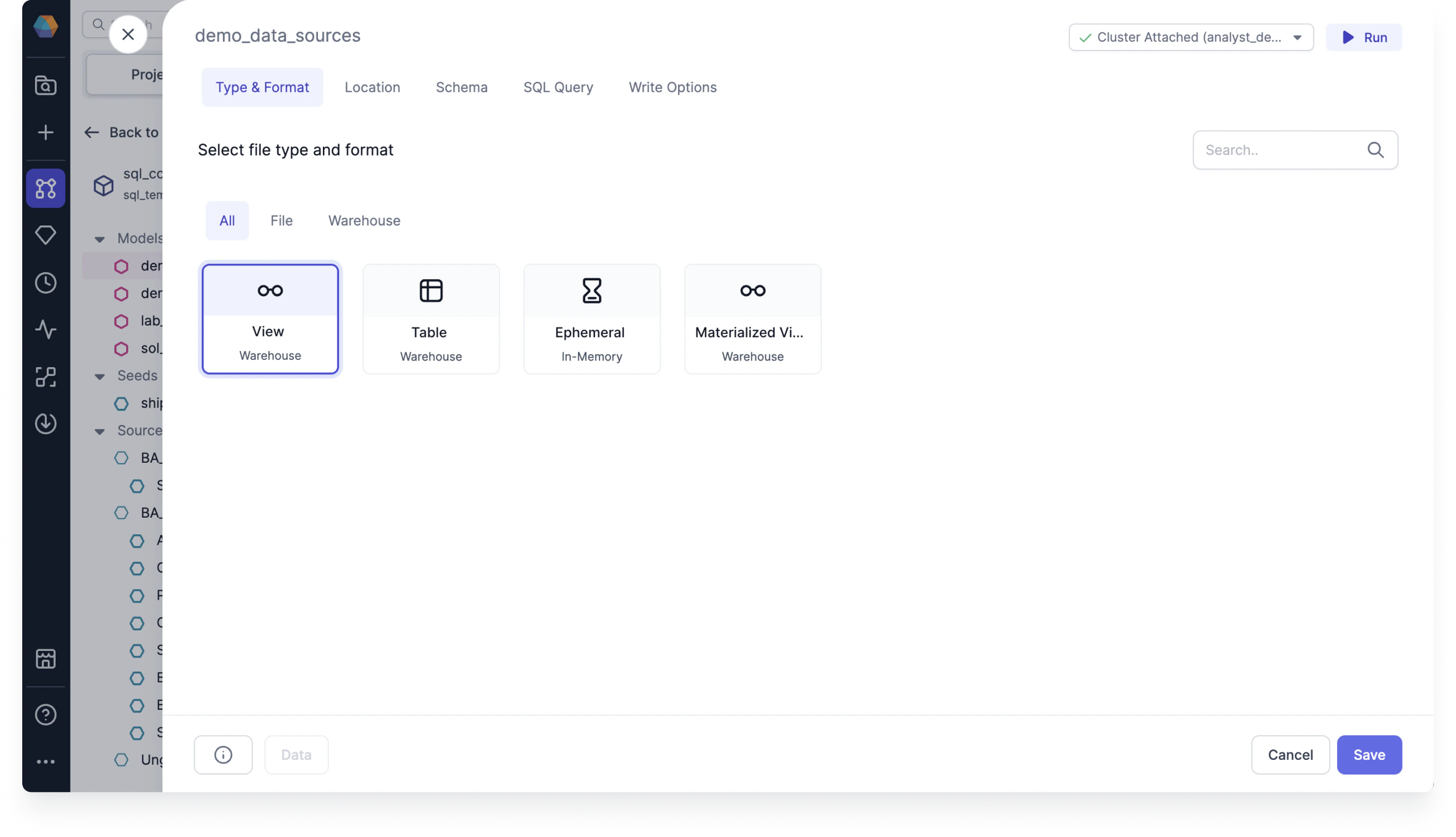
Target models let you define how you want to materialize your data using write formats. When you open a target model configuration, you'll see the following tabs:
* **Type & Format**: Update the format of the model between different table materialization types.
* **Location**: Update the location by overwriting the database, schema, or alias.
* **Schema**: Make schema changes and set optional dbt properties.
* **SQL Query**: Enable and create a custom SQL query to include at the end of the target model.
* **Write Options**: Choose a specific write mode such as overwrite, append, and merge.