 ## Databricks Auto Loader
Databricks fabrics can utilize [Auto Loader](https://docs.databricks.com/ingestion/auto-loader/index.html).
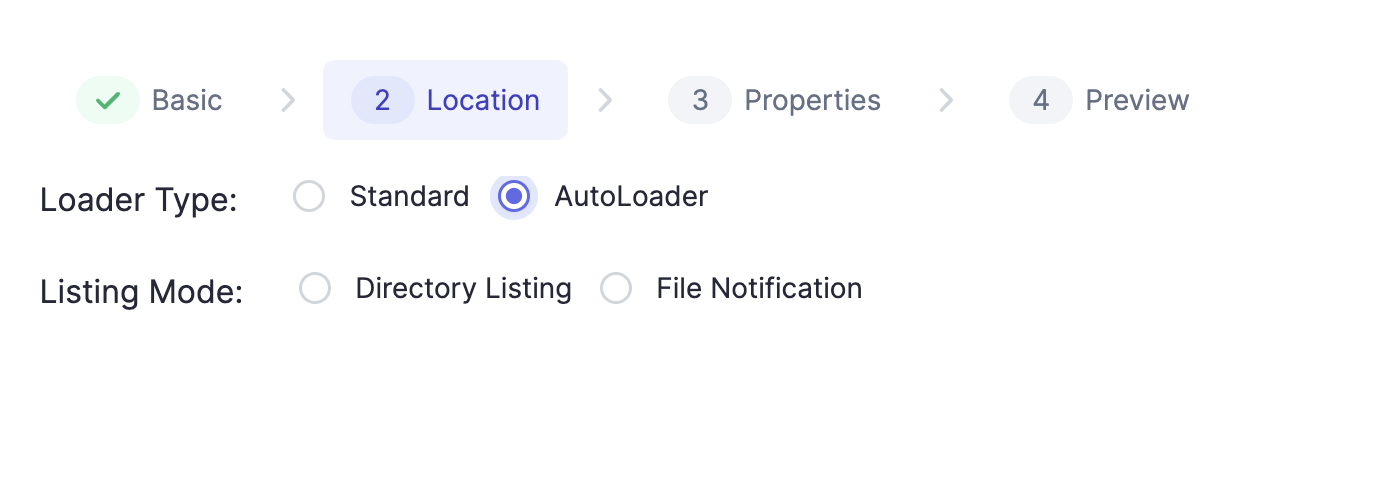
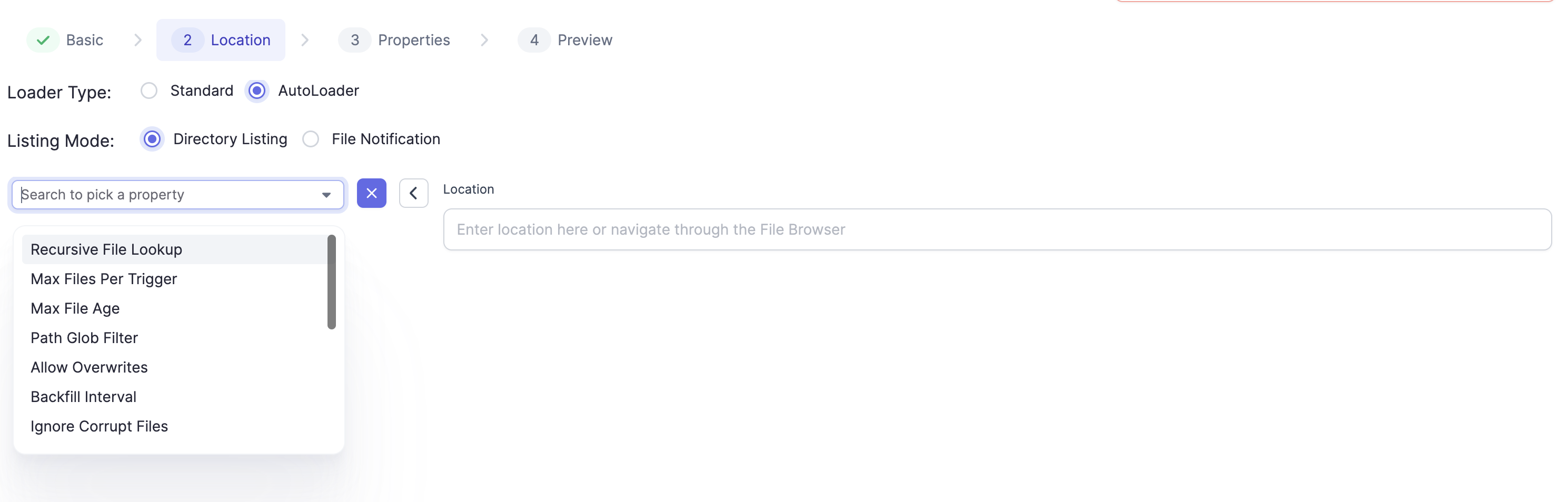
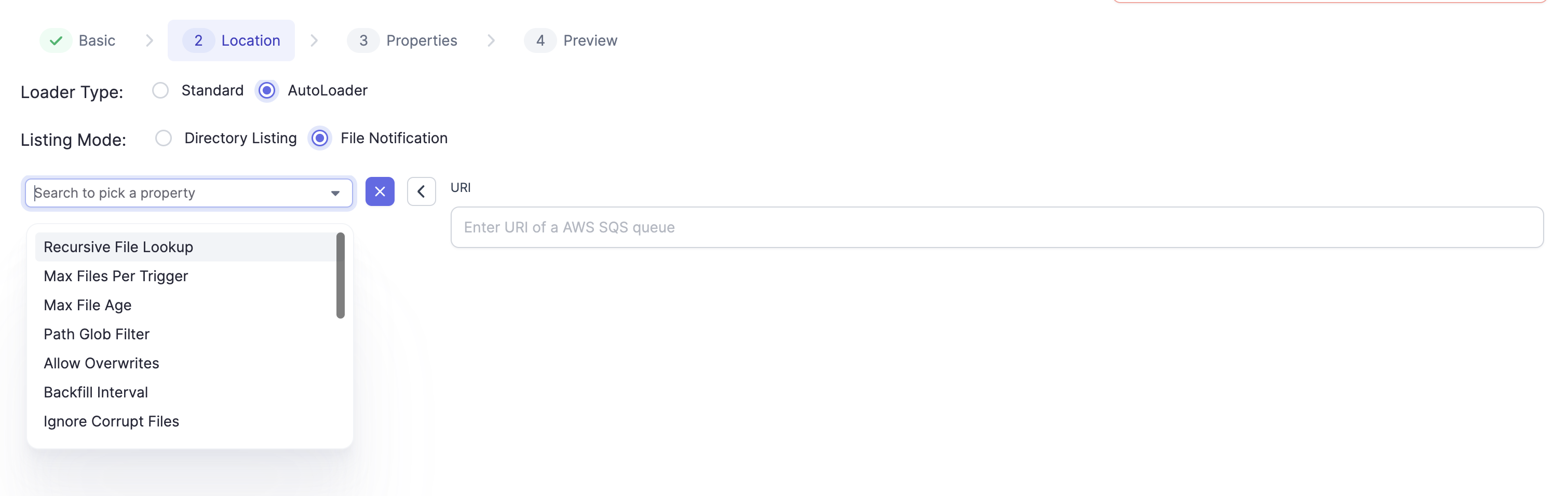
Auto Loader supports loading data directory listing as well as using AWS's Simple Queue Service (SQS) file notifications. More on this [here](https://docs.databricks.com/ingestion/auto-loader/file-detection-modes.html). Stream sources using Auto Loader allow [configurable properties](https://docs.databricks.com/ingestion/auto-loader/options.html#file-format-options) that can be configured using the Field Picker on the gem:
## Databricks Auto Loader
Databricks fabrics can utilize [Auto Loader](https://docs.databricks.com/ingestion/auto-loader/index.html).
Auto Loader supports loading data directory listing as well as using AWS's Simple Queue Service (SQS) file notifications. More on this [here](https://docs.databricks.com/ingestion/auto-loader/file-detection-modes.html). Stream sources using Auto Loader allow [configurable properties](https://docs.databricks.com/ingestion/auto-loader/options.html#file-format-options) that can be configured using the Field Picker on the gem:
 ## Formats Supported
The following file formats are supported. The gem properties are accessible under the Properties Tab by clicking on `+` :
1. JSON: Native Connector Docs for Source [here](https://spark.apache.org/docs/3.5.8/api/python/reference/pyspark.ss/api/pyspark.sql.streaming.DataStreamReader.json.html). Additional Autoloader Options [here](https://docs.databricks.com/aws/en/ingestion/cloud-object-storage/auto-loader/options#json-options).
2. CSV: Native Connector Docs for Source [here](https://spark.apache.org/docs/3.5.7/api/python/reference/pyspark.ss/api/pyspark.sql.streaming.DataStreamReader.csv.html). Additional Autoloader Options [here](https://docs.databricks.com/aws/en/ingestion/cloud-object-storage/auto-loader/options#csv-options).
3. Parquet: Native Connector Docs for Source [here](https://spark.apache.org/docs/3.5.8/api/python/reference/pyspark.ss/api/pyspark.sql.streaming.DataStreamReader.parquet.html). Additional Autoloader Options [here](https://docs.databricks.com/aws/en/ingestion/cloud-object-storage/auto-loader/options#parquet-options).
4. ORC: Native Connector Docs for Source [here](https://spark.apache.org/docs/3.5.7/api/python/reference/pyspark.ss/api/pyspark.sql.streaming.DataStreamReader.orc.html).Additional Autoloader Options [here](https://docs.databricks.com/ingestion/auto-loader/options.html#orc-options).
5. Delta: A quickstart on Delta Lake Stream Reading and Writing is available [here](https://docs.databricks.com/structured-streaming/delta-lake.html#delta-table-as-a-source). Connector Docs are available [here](https://docs.delta.io/latest/delta-streaming.html). Note, that this would require installing the Spark Delta Lake Connector if the user has an on prem deployment. We have additionally provided support for Merge in the Delta Lake Write Connector. (uses `forEatchBatch` behind the scenes).
## File-based Streaming Tutorial
## Formats Supported
The following file formats are supported. The gem properties are accessible under the Properties Tab by clicking on `+` :
1. JSON: Native Connector Docs for Source [here](https://spark.apache.org/docs/3.5.8/api/python/reference/pyspark.ss/api/pyspark.sql.streaming.DataStreamReader.json.html). Additional Autoloader Options [here](https://docs.databricks.com/aws/en/ingestion/cloud-object-storage/auto-loader/options#json-options).
2. CSV: Native Connector Docs for Source [here](https://spark.apache.org/docs/3.5.7/api/python/reference/pyspark.ss/api/pyspark.sql.streaming.DataStreamReader.csv.html). Additional Autoloader Options [here](https://docs.databricks.com/aws/en/ingestion/cloud-object-storage/auto-loader/options#csv-options).
3. Parquet: Native Connector Docs for Source [here](https://spark.apache.org/docs/3.5.8/api/python/reference/pyspark.ss/api/pyspark.sql.streaming.DataStreamReader.parquet.html). Additional Autoloader Options [here](https://docs.databricks.com/aws/en/ingestion/cloud-object-storage/auto-loader/options#parquet-options).
4. ORC: Native Connector Docs for Source [here](https://spark.apache.org/docs/3.5.7/api/python/reference/pyspark.ss/api/pyspark.sql.streaming.DataStreamReader.orc.html).Additional Autoloader Options [here](https://docs.databricks.com/ingestion/auto-loader/options.html#orc-options).
5. Delta: A quickstart on Delta Lake Stream Reading and Writing is available [here](https://docs.databricks.com/structured-streaming/delta-lake.html#delta-table-as-a-source). Connector Docs are available [here](https://docs.delta.io/latest/delta-streaming.html). Note, that this would require installing the Spark Delta Lake Connector if the user has an on prem deployment. We have additionally provided support for Merge in the Delta Lake Write Connector. (uses `forEatchBatch` behind the scenes).
## File-based Streaming Tutorial