> ## Documentation Index
> Fetch the complete documentation index at: https://docs.prophecy.ai/llms.txt
> Use this file to discover all available pages before exploring further.
# Package hub for Data Engineering
> Create and share reusable pipeline components
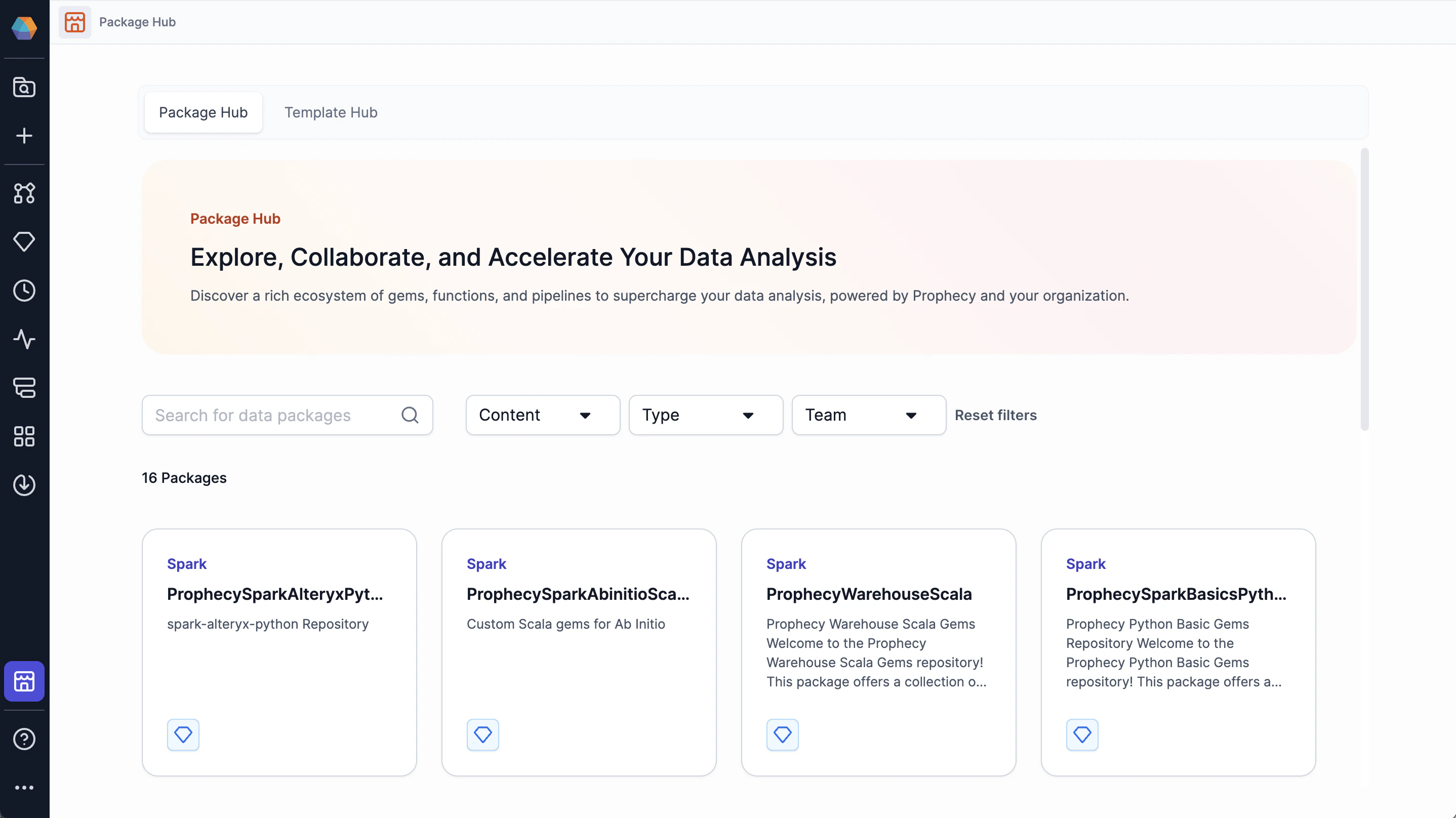
To extend the functionality of a project, you can download **packages** from the Package Hub. Packages are versioned projects that contain shareable components, such as pipelines, gems, business rules, user-defined functions, jobs, macros, models, and more.
 ## Publish to the Package Hub
To create reusable components for yourself and others:
1. Create a project.
2. Build the component(s).
3. Release the project (create a new project version).
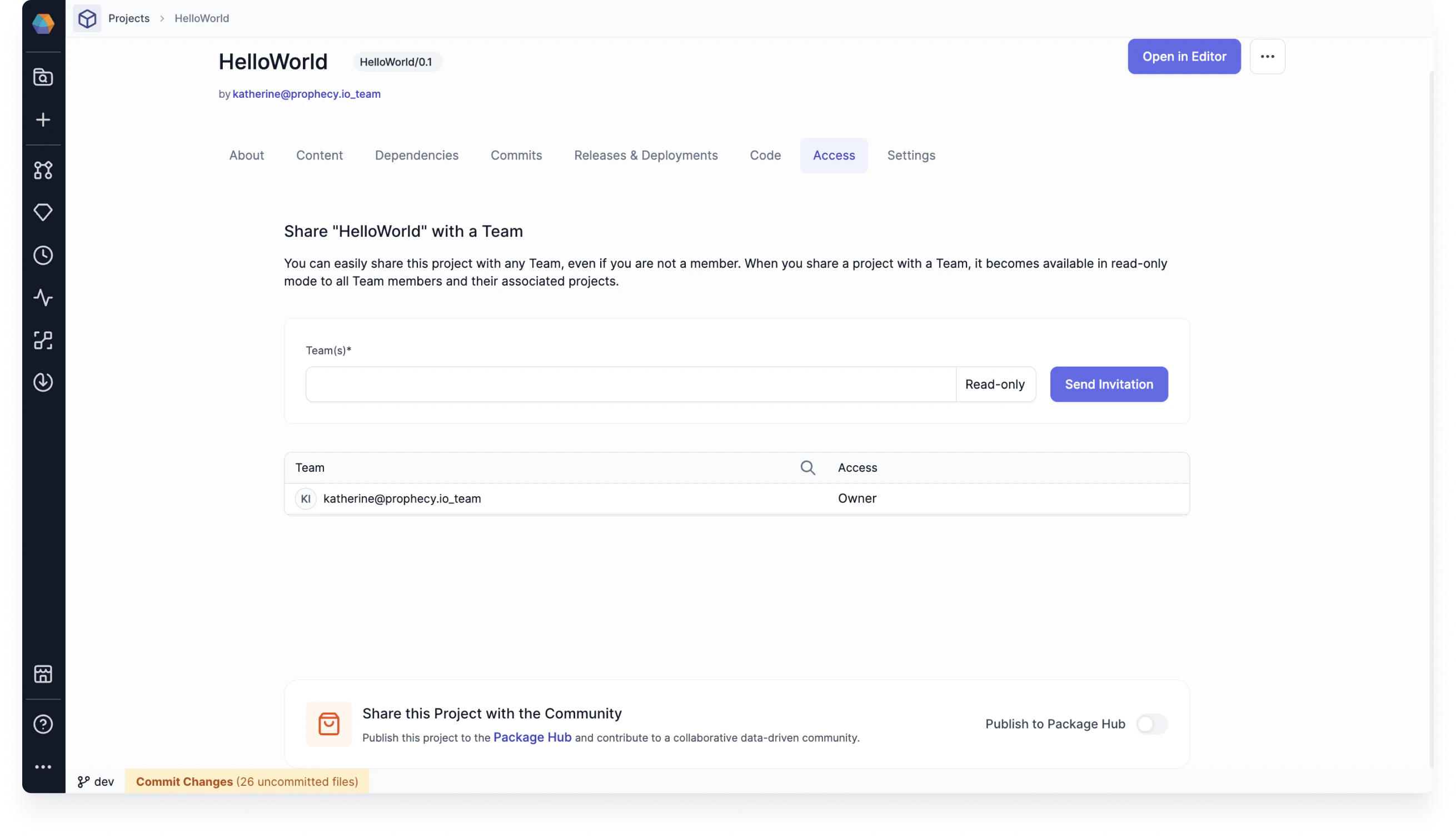
4. Share your project with other teams in the Access tab of the project metadata page.
5. Publish the project to the Package Hub.
Importantly, if you add a project to the Package Hub, **all of its components will be available for reuse**.
## Publish to the Package Hub
To create reusable components for yourself and others:
1. Create a project.
2. Build the component(s).
3. Release the project (create a new project version).
4. Share your project with other teams in the Access tab of the project metadata page.
5. Publish the project to the Package Hub.
Importantly, if you add a project to the Package Hub, **all of its components will be available for reuse**.
 ## Access and permissions
Packages in the Package Hub are only available to users in teams that you have shared the project with.
After you share your dependency with a team, users in the team can add your project as a dependency to their new or existing projects. If the team does not see the package listed when they try to add it as a dependency, be sure the new project and dependent project use the same language, such as SQL, Scala or Python.
For example, if the new project is a SQL project, only SQL Packages can be added as dependencies.
## Create a new package version
When you update a project that is published as a package, the changes will only be available in the Package Hub when you release the project as a new version.
The release must be made from the branch specified on project creation (usually `main` or `master`). This ensures that teams will review the code before releasing the project.
If you want to change how the package works for a particular project without changing the original
package, clone the packaged project and make your changes.
## Import a package as a project dependency
There are a few different ways to add a package to a project:
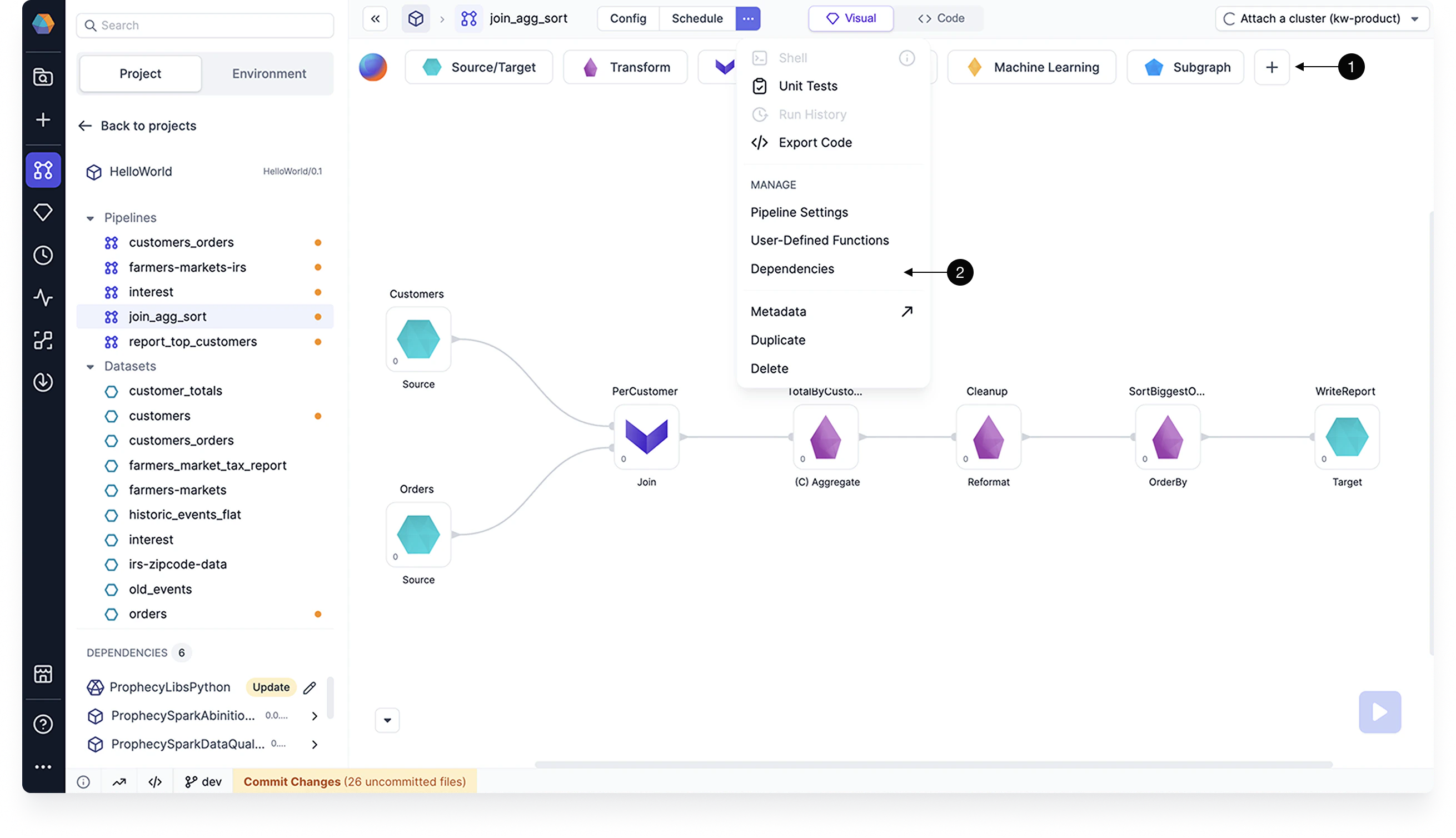
* Open the project and click **+** in the Gem Drawer.
* Open the project dependencies and add a dependency.
* Open the package in Package Hub and select **Use Package**.
## Access and permissions
Packages in the Package Hub are only available to users in teams that you have shared the project with.
After you share your dependency with a team, users in the team can add your project as a dependency to their new or existing projects. If the team does not see the package listed when they try to add it as a dependency, be sure the new project and dependent project use the same language, such as SQL, Scala or Python.
For example, if the new project is a SQL project, only SQL Packages can be added as dependencies.
## Create a new package version
When you update a project that is published as a package, the changes will only be available in the Package Hub when you release the project as a new version.
The release must be made from the branch specified on project creation (usually `main` or `master`). This ensures that teams will review the code before releasing the project.
If you want to change how the package works for a particular project without changing the original
package, clone the packaged project and make your changes.
## Import a package as a project dependency
There are a few different ways to add a package to a project:
* Open the project and click **+** in the Gem Drawer.
* Open the project dependencies and add a dependency.
* Open the package in Package Hub and select **Use Package**.
 You cannot change package components from the target project. You can only change the components
from the source project. In other words, imported components are **read-only**.
## Prophecy-provided packages
Explore Prophecy-provided packages in the Package Hub to find extra gems and pipelines that may be helpful for your projects. Browse the Package Hub to explore what components may work for you.
Each Prophecy-provided gem has corresponding documentation in the [Gem
reference](/data-analysis/gems/gems).
You cannot change package components from the target project. You can only change the components
from the source project. In other words, imported components are **read-only**.
## Prophecy-provided packages
Explore Prophecy-provided packages in the Package Hub to find extra gems and pipelines that may be helpful for your projects. Browse the Package Hub to explore what components may work for you.
Each Prophecy-provided gem has corresponding documentation in the [Gem
reference](/data-analysis/gems/gems).