> ## Documentation Index
> Fetch the complete documentation index at: https://docs.prophecy.ai/llms.txt
> Use this file to discover all available pages before exploring further.
# Script gem for Data Engineering
> Provide a place to use a SparkSession and whatever code you wish to use
Cluster requirements:
* UC dedicated clusters 14.3+ supported
* UC standard clusters 14.3+ supported
* Livy clusters 3.0.1+ supported
Provides a `SparkSession` and allows you to run custom PySpark code.
## Parameters
| Parameter | Meaning | Required |
| :------------------ | :------------------------- | :------- |
| Input DataFrame(s) | Input DataFrame(s) | False |
| Output DataFrame(s) | Output DataFrame(s) | False |
| Code | Custom code to be executed | True |
To edit or remove input and output DataFrame(s), click on the **pen** icon next to **Ports** to open edit mode.
## Schema
When executing a custom script gem, the output schema is not known by Prophecy so it must be inferred from a sample computation result. Click the `Custom Schema` button and `Infer from cluster` as shown in the gem [output port tab](/data-engineering/gems/gems#output-ports). The schema will be inferred according to the script and the Spark version running on the connected cluster.
## Examples
***
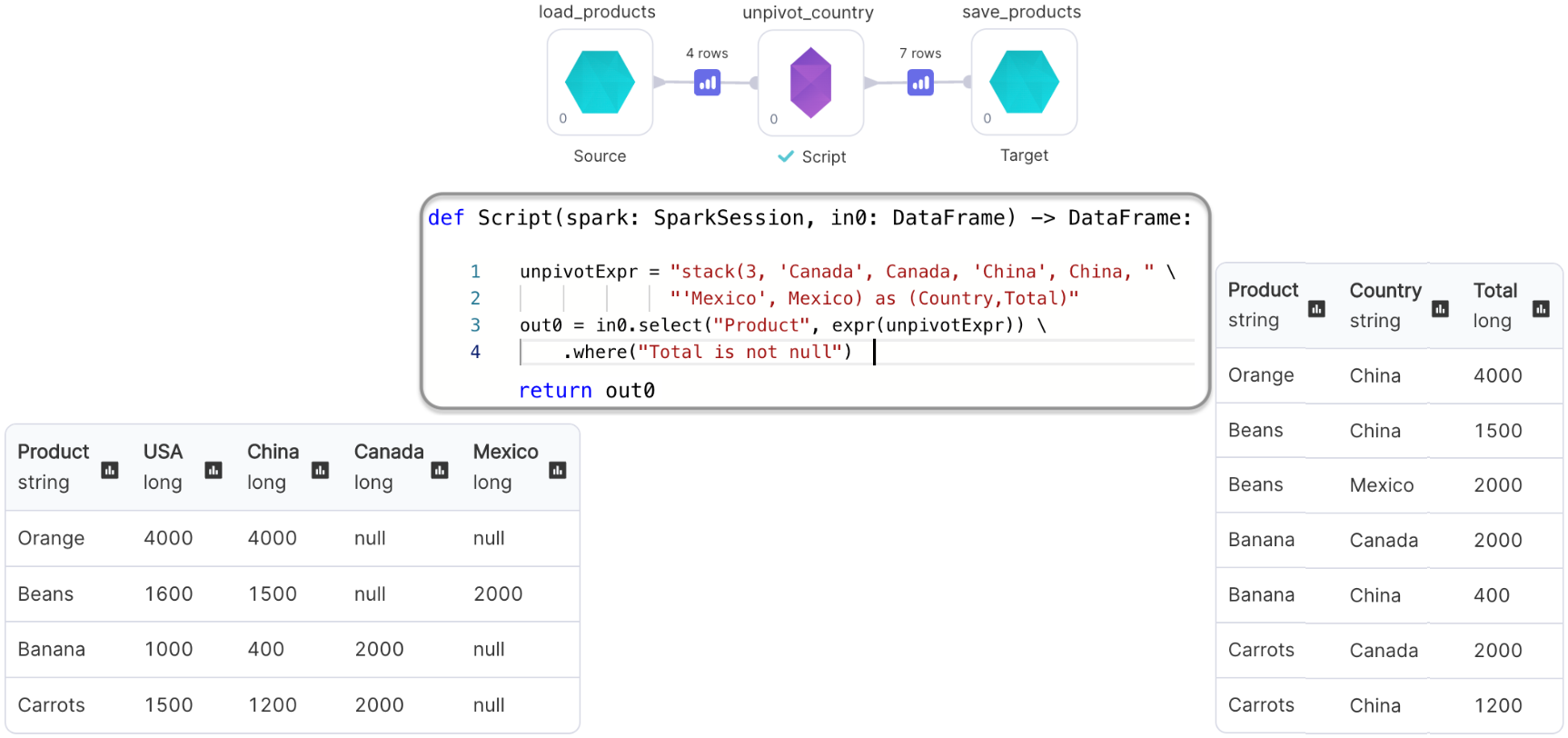
### Script gem with Input and Output: Un-pivoting a DataFrame
We'll perform the `unpivot` operation using our custom code
 ***
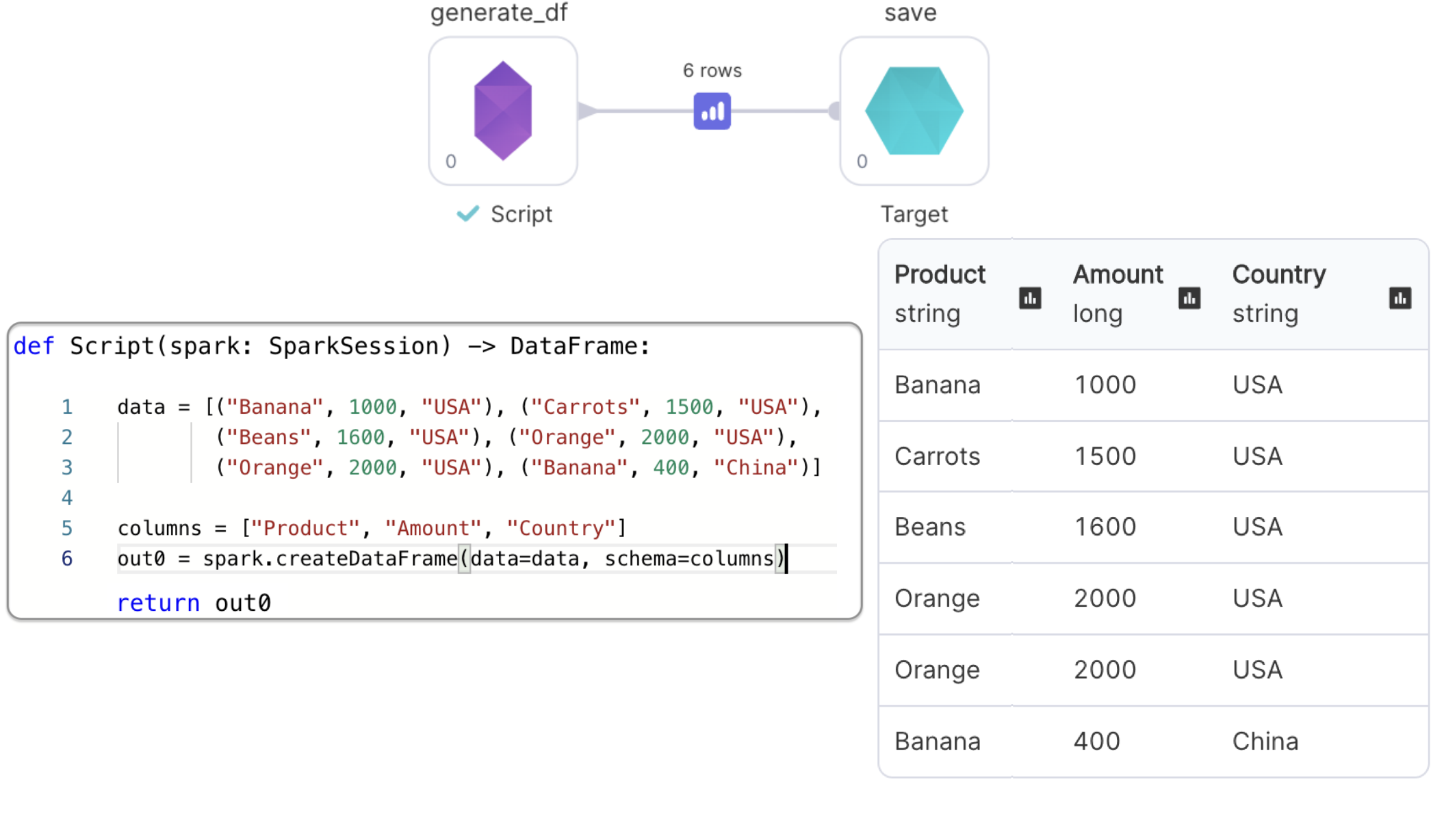
### Script gem with only Output: Generating a DataFrame
We'll use the provided `SparkSession` to create and return a DataFrame
Since we removed the input port, we don't see input DataFrame in the method signature
***
### Script gem with only Output: Generating a DataFrame
We'll use the provided `SparkSession` to create and return a DataFrame
Since we removed the input port, we don't see input DataFrame in the method signature