> ## Documentation Index
> Fetch the complete documentation index at: https://docs.prophecy.ai/llms.txt
> Use this file to discover all available pages before exploring further.
# ColumnParser
> Parse XML or JSON inside a table
Dependencies:
* ProphecySparkBasicsPython 0.2.27+
* ProphecyLibsPython 1.9.16+
* ProphecyLibsScala 8.2.1+
Cluster requirements:
* UC dedicated clusters 14.3+ supported
* UC standard clusters 14.3+ supported
* Livy clusters not supported
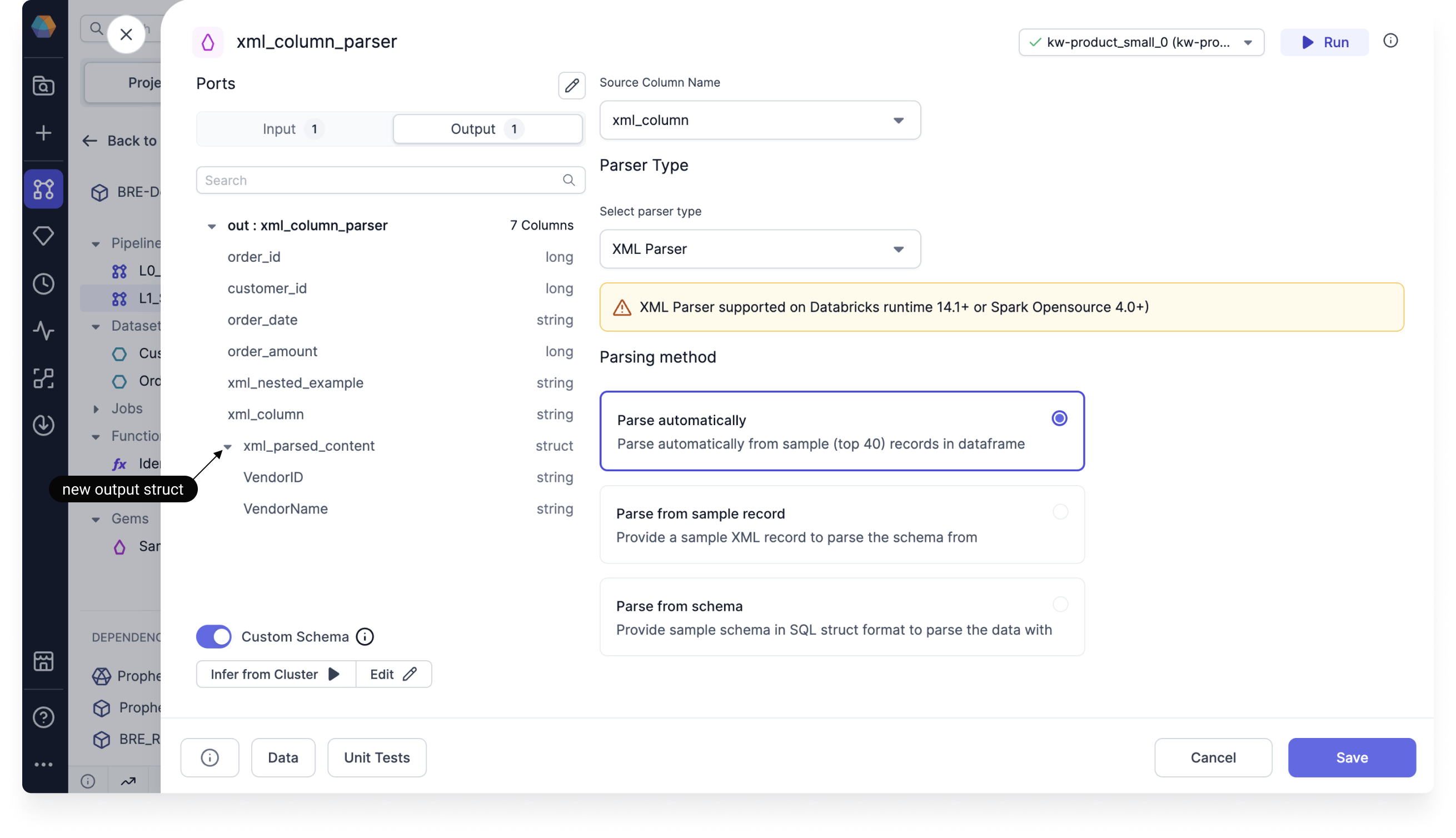
The ColumnParser lets you parse XML or JSON that is included in a column of your table.
## Parameters
| Parameter | Description |
| ------------------ | ------------------------------------------------------------------------ |
| Source Column Name | Name of the column that contains the XML or JSON records. |
| Parser Type | Format of the column you want to parse (XML or JSON). |
| Parsing Method | How Prophecy will derive the schema that will be used to parse the data. |
When you select a parsing method, you have three options:
* **Parse automatically.** Prophecy infers the schema by reading the first 40 records.
* **Parse from sample record.** Prophecy uses the schema that you provide in the sample record.
* **Parse from schema.** Prophecy uses the schema that you provide in the form of a schema struct.
## Output
The schema of the ColumnParser gem output includes the parsed content as a **struct** data type, in addition to all of the input columns.
 ## Example code
To see the compiled code of your project, [switch to the Code view](/data-engineering/development/pipelines/pipelines#project-editor) in the project header.
This example shows the code to parse XML.
```python example.py theme={null}
def xml_column_parser(spark: SparkSession, in0: DataFrame) -> DataFrame:
from prophecy.libs.utils import xml_parse
return xml_parse(in0, "XML", "parseAuto", None, None)
```
## Example code
To see the compiled code of your project, [switch to the Code view](/data-engineering/development/pipelines/pipelines#project-editor) in the project header.
This example shows the code to parse XML.
```python example.py theme={null}
def xml_column_parser(spark: SparkSession, in0: DataFrame) -> DataFrame:
from prophecy.libs.utils import xml_parse
return xml_parse(in0, "XML", "parseAuto", None, None)
```