> ## Documentation Index
> Fetch the complete documentation index at: https://docs.prophecy.ai/llms.txt
> Use this file to discover all available pages before exploring further.
# FlattenSchema gem for Data Engineering
> Flatten nested data
Dependencies:
* ProphecySparkBasicsPython 0.0.1+
* ProphecySparkBasicsScala 0.0.1+
Cluster requirements:
* UC dedicated clusters 14.3+ supported
* UC standard clusters 14.3+ supported
* Livy clusters 3.0.1+ supported
When processing raw data it can be useful to flatten complex data types like structures and arrays into simpler, flatter schemas.
 ## The Input
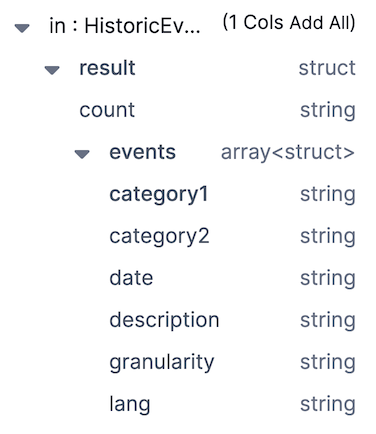
FlattenSchema works on DataFrames that have nested columns that you'd like to extract into a flat schema.
For example, with an input schema like so:
## The Input
FlattenSchema works on DataFrames that have nested columns that you'd like to extract into a flat schema.
For example, with an input schema like so:
 And the data looks like so:
 We want to extract `count` from *result* and all of the columns from *events* into a flattened schema.
## The Expressions
Having added a FlattenSchema gem to your pipeline, all you need to do is click the column names you wish to extract and they'll be added to the **Expressions** section. Then, you can change the values in the **Target Column** to change the name of output columns.
We want to extract `count` from *result* and all of the columns from *events* into a flattened schema.
## The Expressions
Having added a FlattenSchema gem to your pipeline, all you need to do is click the column names you wish to extract and they'll be added to the **Expressions** section. Then, you can change the values in the **Target Column** to change the name of output columns.
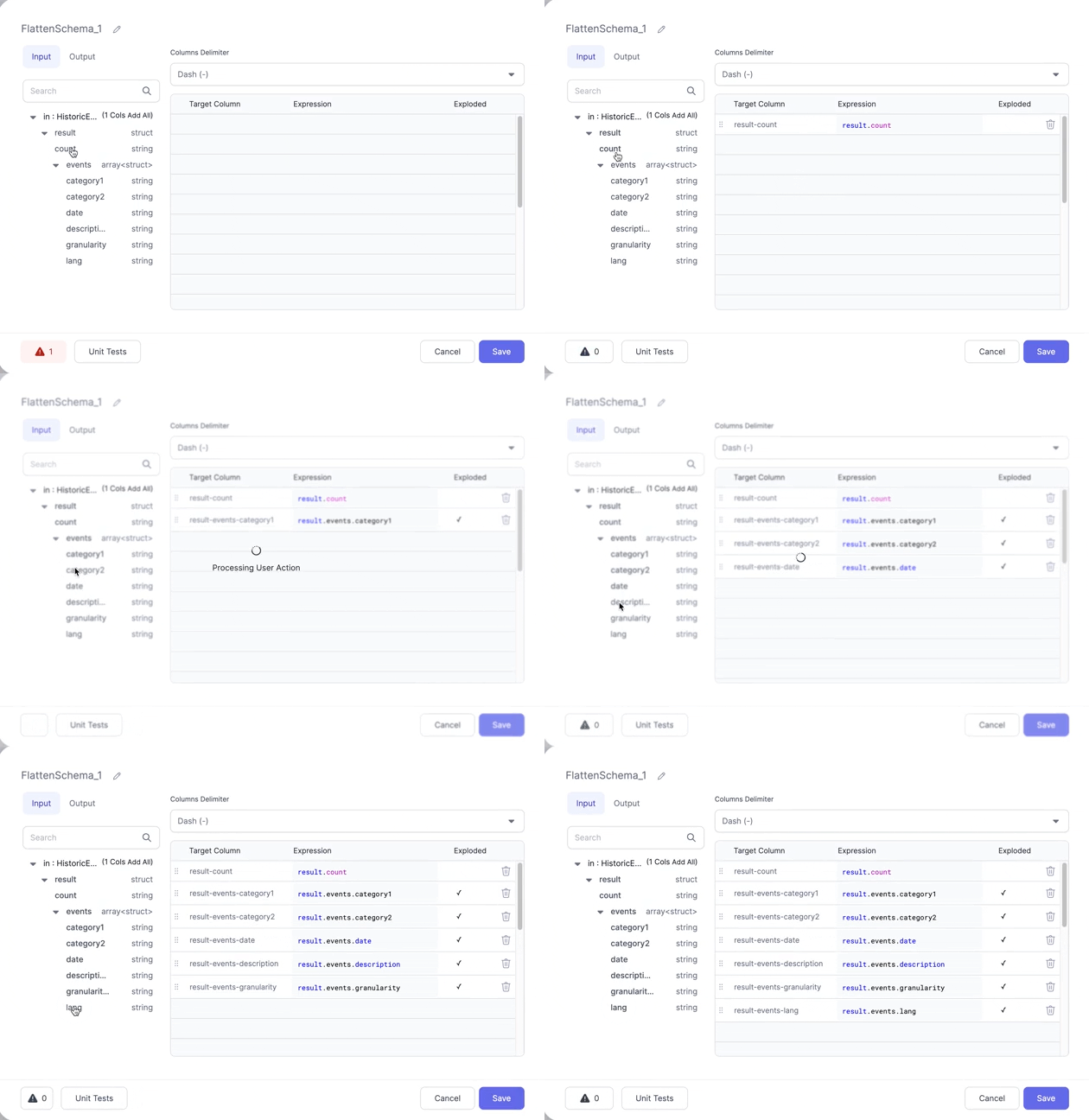 The **Columns Delimiter** dropdown allows you to control how the names of the new columns are derived. Currently dashes and underscores are supported.
## The Output
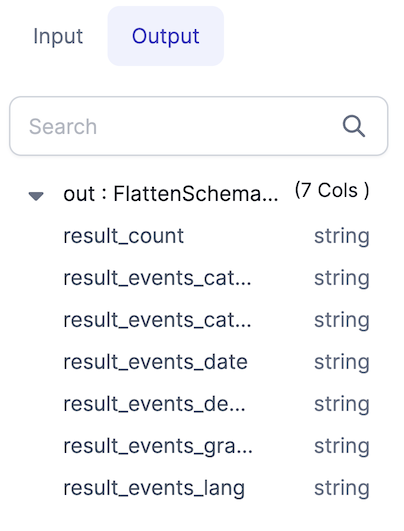
If we check the **Output** tab in the gem, you'll see the schema that we've created using the selected columns.
The **Columns Delimiter** dropdown allows you to control how the names of the new columns are derived. Currently dashes and underscores are supported.
## The Output
If we check the **Output** tab in the gem, you'll see the schema that we've created using the selected columns.
 And here's what the output data looks like:
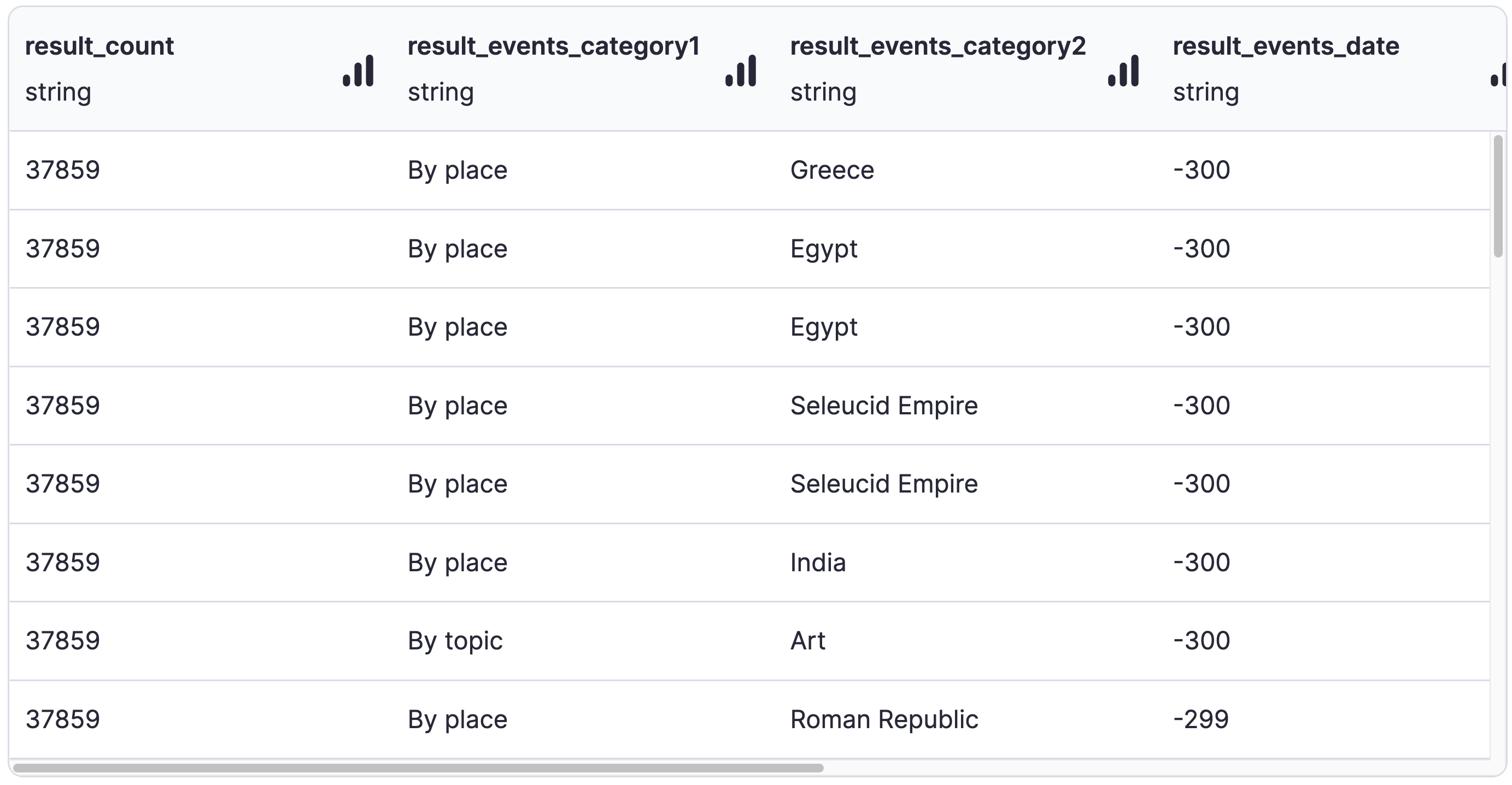 No more nested structures!
For more advanced use cases, the Spark `explode` function is available to use in the
[Reformat](./reformat.md) gem, [Custom SQL](../custom/sql-statement.md) gem, or anywhere else that
accepts Spark expressions.
No more nested structures!
For more advanced use cases, the Spark `explode` function is available to use in the
[Reformat](./reformat.md) gem, [Custom SQL](../custom/sql-statement.md) gem, or anywhere else that
accepts Spark expressions.