> ## Documentation Index
> Fetch the complete documentation index at: https://docs.prophecy.ai/llms.txt
> Use this file to discover all available pages before exploring further.
# Limit gem for Data Engineering
> Limit the number of rows
Dependencies:
* ProphecySparkBasicsPython 0.0.1+
* ProphecySparkBasicsScala 0.0.1+
Cluster requirements:
* UC dedicated clusters 14.3+ supported
* UC standard clusters 14.3+ supported
* Livy clusters 3.0.1+ supported
Limits the number of rows in the output.
## Parameters
| Parameter | Description |
| :-------- | :------------------------------------------------------------------------ |
| DataFrame | Input DataFrame |
| Limit | Number of rows required in output. Allowed range: \[0, 231 -1] |
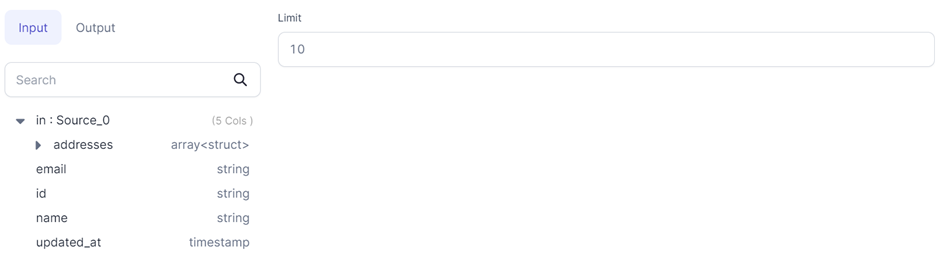
## Limit to 10 rows
If you want to limit your output to 10 rows, you can input `10` in the Limit gem.
 [Data samples](/data-engineering/development/runs/execution) generated before the Limit gem might also be limited. This is because Spark tries to push the limit down to earlier stages of execution to minimize data processing. This means Spark may reduce the number of rows fetched from the source or processed in earlier transformations.
## Code
```python example.py theme={null}
def limit(spark: SparkSession, in0: DataFrame) -> DataFrame:
return in0.limit(10)
```
```scala example.scala theme={null}
object limit {
def apply(spark: SparkSession, in: DataFrame): DataFrame =
in.limit(10)
}
```
[Data samples](/data-engineering/development/runs/execution) generated before the Limit gem might also be limited. This is because Spark tries to push the limit down to earlier stages of execution to minimize data processing. This means Spark may reduce the number of rows fetched from the source or processed in earlier transformations.
## Code
```python example.py theme={null}
def limit(spark: SparkSession, in0: DataFrame) -> DataFrame:
return in0.limit(10)
```
```scala example.scala theme={null}
object limit {
def apply(spark: SparkSession, in: DataFrame): DataFrame =
in.limit(10)
}
```