
Prophecy operates as a distributed system built on microservices architecture, orchestrated by Kubernetes across multiple cloud platforms. The platform consists of several core components that work together to provide data transformation, orchestration, and management capabilities.

Architecture by Edition

Free and Professional Edition

The Free and Professional Editions provide a complete data platform with managed components.
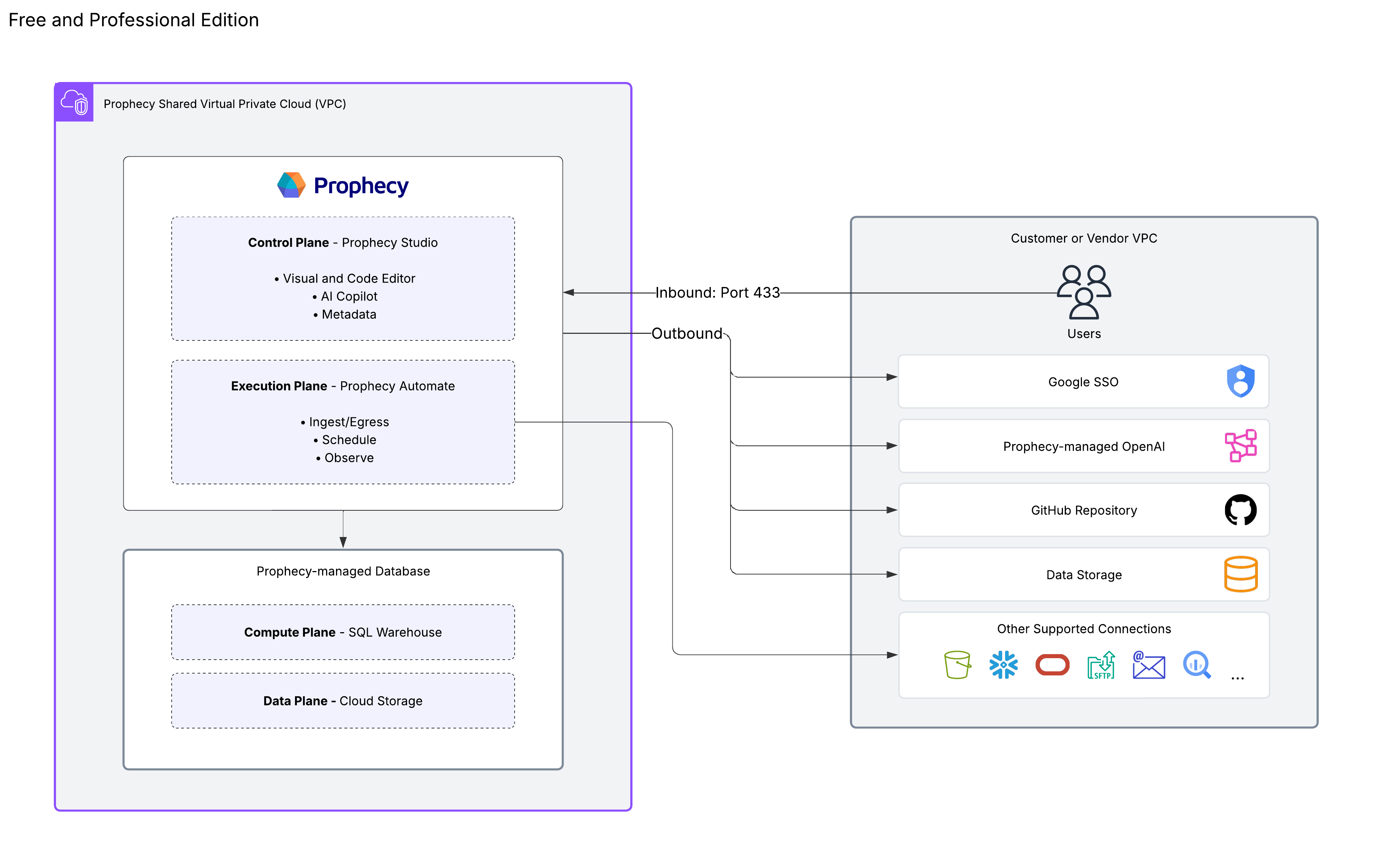
ComponentDescription
Prophecy StudioThe control plane that provides the user interface for developing visual data pipelines and managing projects.
Prophecy AutomateThe native runtime designed for data ingestion, egress, and built-in scheduling capabilities.
Prophecy In MemoryThe Prophecy-managed SQL warehouse that processes data transformations.
Data storageData outside of the execution environment that will flow in and out of the pipeline.
AI endpointProphecy-managed LLM subscription and endpoint.
Version controlGit integration supporting both Prophecy-managed and external Git repositories.
Deployment modelSaaS only. Learn more in Deployment models.
Free and Professional Edition Architecture

Express Edition

The Express Edition provides enterprise-grade features scoped to leverage your existing SQL warehouse infrastructure.
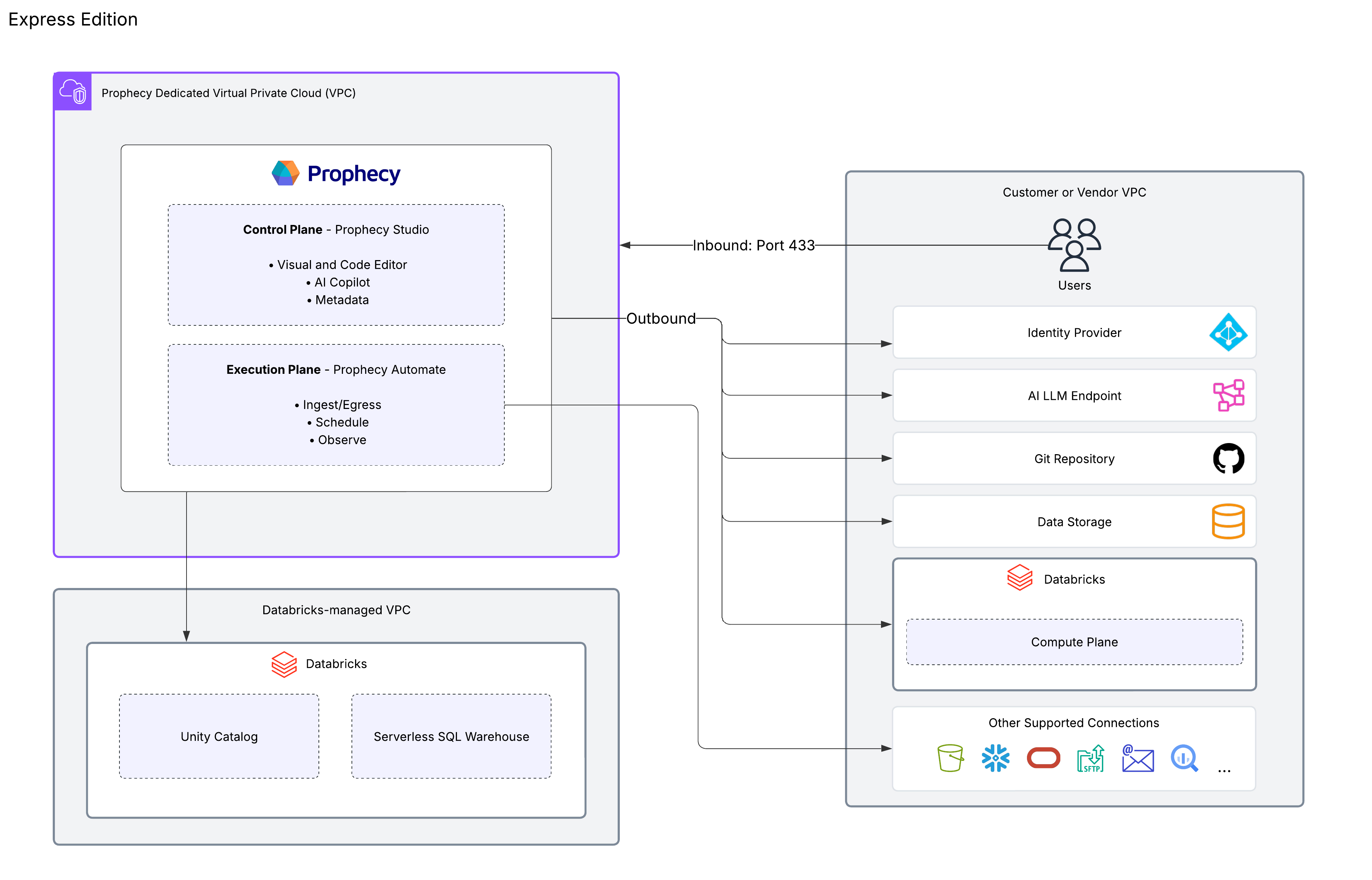
ComponentDescription
Prophecy StudioThe control plane that provides the user interface for developing visual data pipelines and managing projects.
Prophecy AutomateThe native runtime designed for data ingestion, egress, and built-in scheduling capabilities.
External SQL WarehouseYour own Databricks SQL engine that executes data transformations.
Data storageData outside of the execution environment that will flow in and out of the pipeline.
AI endpointCustomer-managed LLM subscription and endpoint.
Version controlGit integration supporting both Prophecy-managed and external Git repositories.
Deployment modelDedicated SaaS only. Learn more in Deployment models.
Enterprise and Express Edition Architecture
This diagram shows the architecture for the Express Edition. Users on the Enterprise Edition can also leverage this architecture. However, Enterprise users can also connect to additional SQL warehouses, like BigQuery and Snowflake.

Enterprise Edition

The Enterprise edition offers maximum flexibility with multiple execution engine options and deployment models.
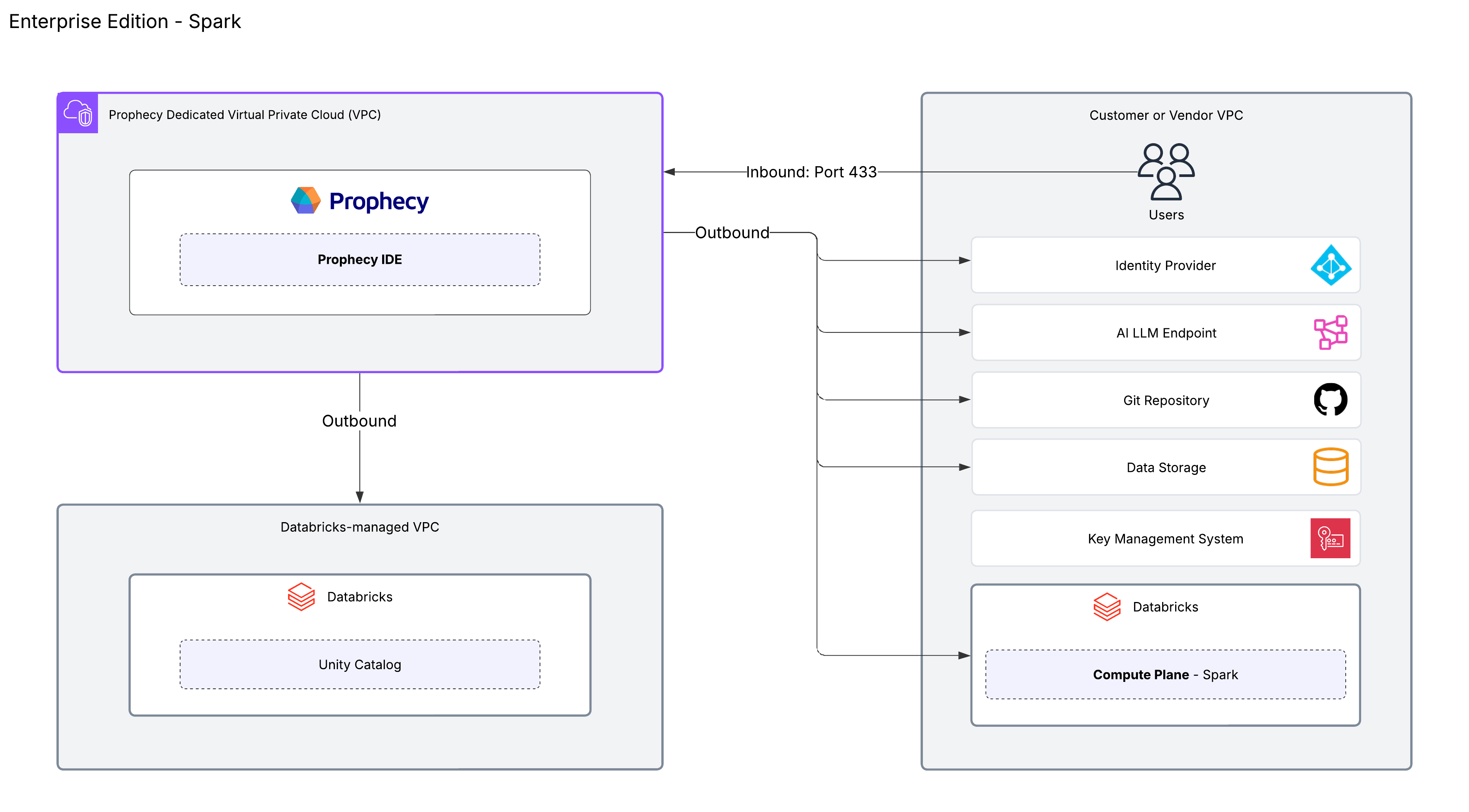
ComponentDescription
Prophecy StudioThe control plane that provides the user interface for developing visual data pipelines and managing projects across various data platforms.
Execution engineFlexible compute options including Spark clusters or external SQL warehouses combined with Prophecy Automate. Prophecy executes data transformations on your chosen execution environment. Fabrics enable users to execute pipelines on these platforms. Prophecy does not persist your data.
Data storageData outside of the execution environment that will flow in and out of the pipeline.
AICustomer-managed LLM subscription and endpoint.
Version controlGit integration supporting both Prophecy-managed and external Git repositories.
Deployment modelDedicated SaaS preferred and SaaS available. Learn more in Deployment models.
Enterprise Edition Spark Architecture The Enterprise Edition supports both SQL-based and Spark-based architectures. The diagram above shows the architecture for a deployment using Spark. Prophecy can accommodate a wide variety of architectures beyond this diagram. For example:
  • The diagram demonstrates Databricks as the execution engine. You can connect to other platforms like Amazon EMR and Google Cloud Dataproc, or use another Spark engine through Apache Livy.
  • The diagram displays a connection to an external Git repository. You can connect to a variety of providers such as GitHub, Bitbucket, GitLab, and more.

What is Prophecy Automate?

Prophecy Automate is the native runtime available across all Prophecy editions. It extends pipeline execution by providing orchestration, external data handling, and observability for both SQL and PySpark pipelines.
  • Ingress / Egress: Automate enables pipelines to interact with external systems such as databases, file storage, and APIs.
  • Orchestration: Automate manages pipeline execution across environments through time-based and trigger-based scheduling, as well as orchestration APIs for programmatic control. It also supports dynamic execution patterns through features like the DynamicInput gem, which adapts queries based on incoming data, and the Directory gem, which enumerates files and folders from storage systems.
  • Observe: Automate provides visibility into pipeline activity, including run history and status tracking, project deployment tracking, and monitoring of active pipeline schedules.
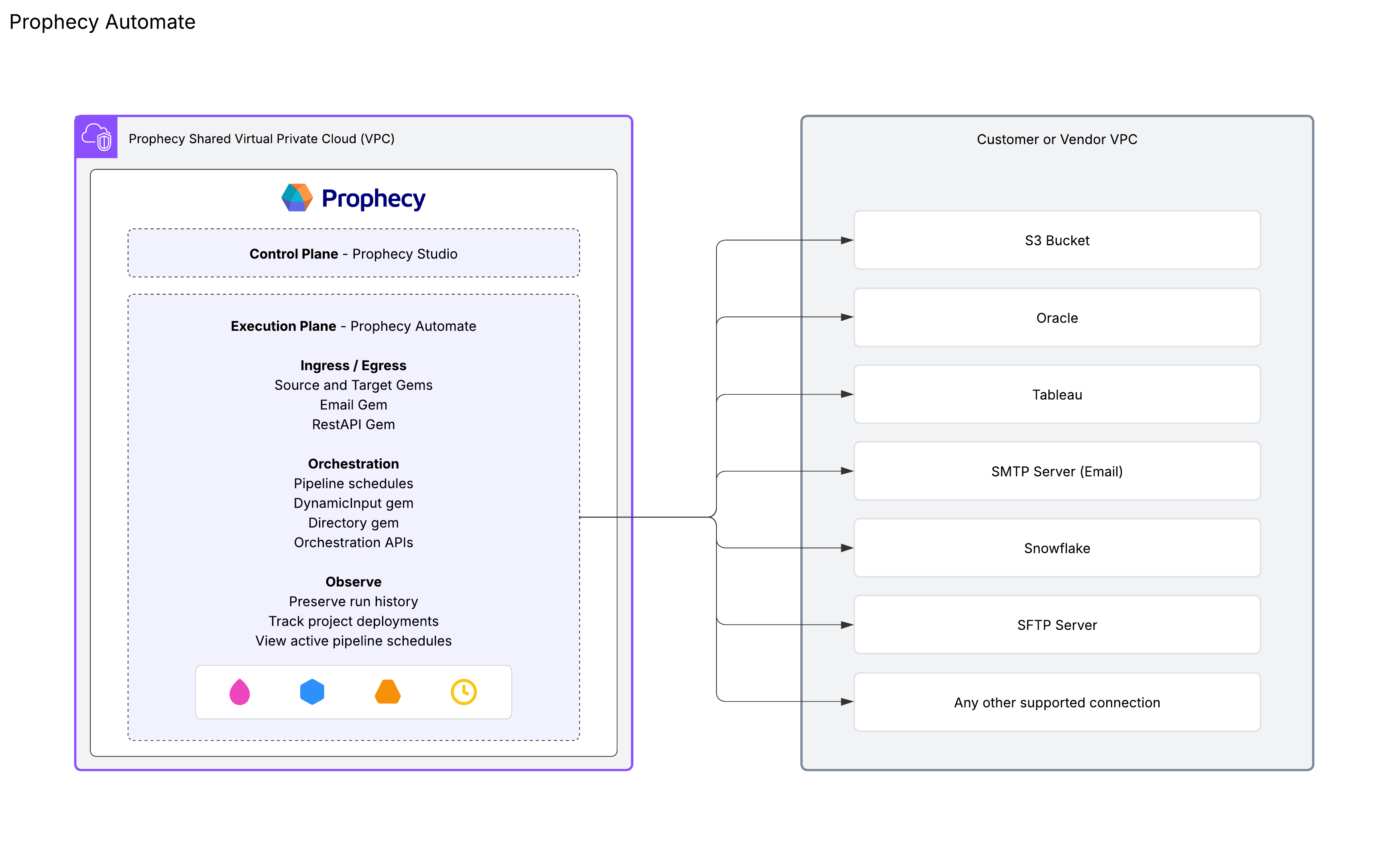
Prophecy Automate connections diagram

Supported compute engines

ProviderSQL PipelinesSpark PipelinesSQL Models
Prophecy In Memory
Databricks
BigQuery
Snowflake
EMR
Dataproc
Synapse
Livy