


Available only in Enterprise Edition.
Create a fabric
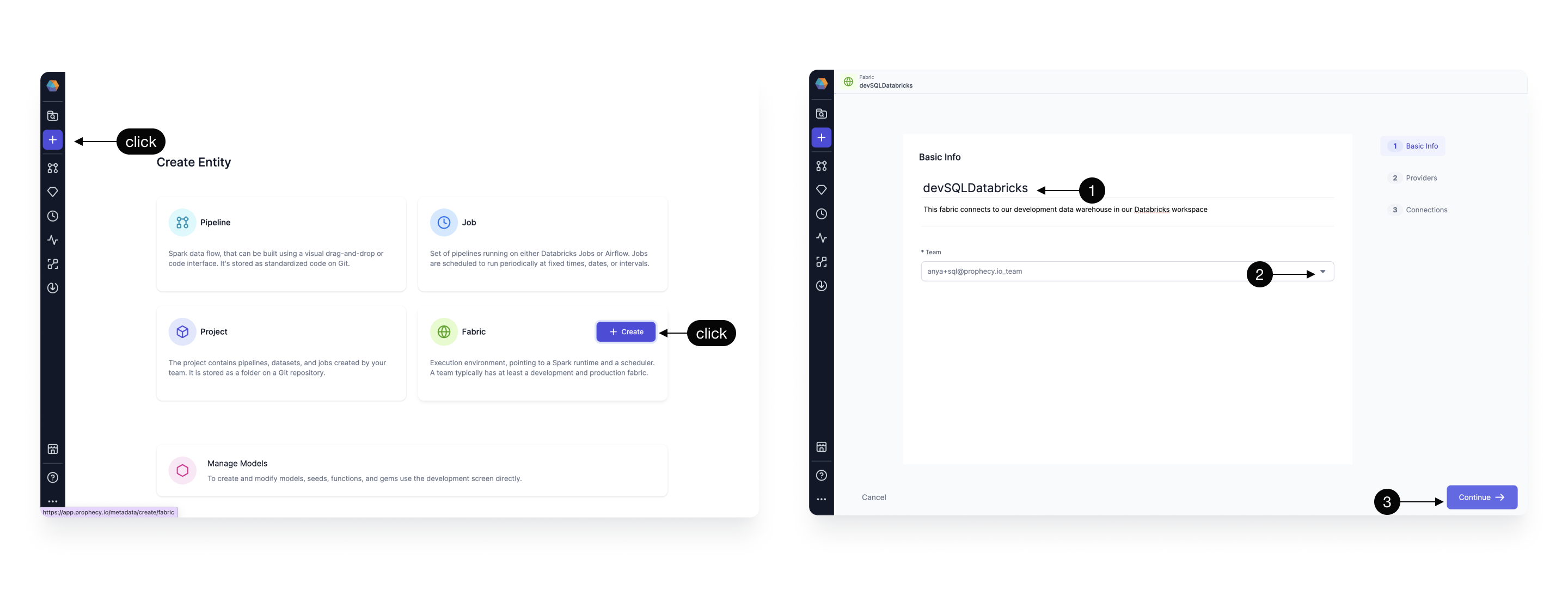
Fabrics define your Prophecy project execution environment. To create a new fabric:- Click on the Create Entity button from the left navigation bar.
- Click on the Fabric tile.
Basic Info
Next, complete the fields in the Basic Info page.- Provide a fabric title. It can be helpful to include descriptors like
devorprodin your title. - (Optional) Provide a fabric description.
- Select a team to own this fabric. Open the dropdown to see the teams you belong to.
- Click Continue.
Provider
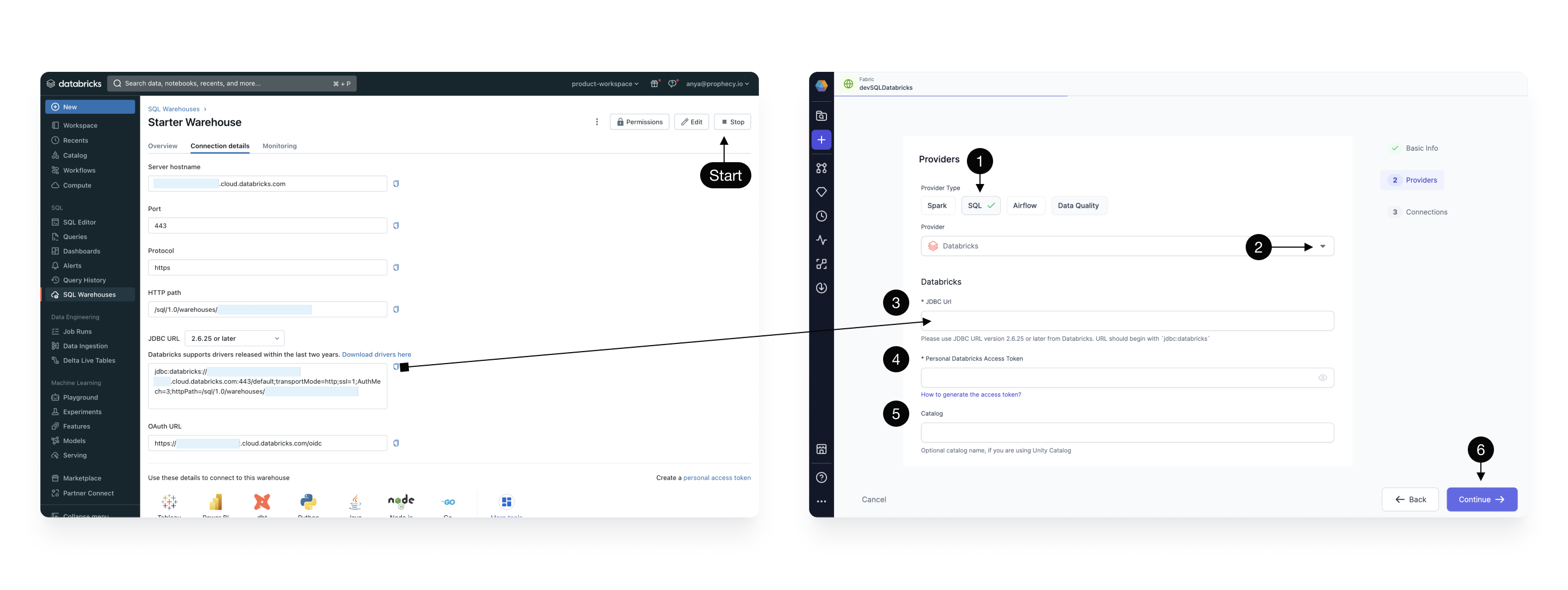
The SQL provider is both the storage warehouse and the execution environment where your SQL code will run. To configure the provider:- Select SQL as the Provider type.
- Click the dropdown menu for the list of supported Provider types, and select Databricks.
- Copy the JDBC URL from the Databricks UI as shown. This is the URL that Prophecy will connect for SQL Warehouse data storage and execution.
If using self-signed certificates, addAllowSelfSignedCerts=1to your JDBC URL. - Select Personal Access Token or OAuth (recommended) for authentication with Databricks.
- Enter the catalog and schema to be used as the default write location for target models.
- Click Continue.
Prophecy supports Databricks Volumes. When you run a Python or Scala pipeline via a job, you must
bundle them as whl/jar artifacts. These artifacts must then be made accessible to the Databricks
job in order to use them as a library installed on the cluster. You can designate a path to a
Volume for uploading the whl/jar files under Artifacts.