

Overview
Analyze is available during the import process. The Analyze tool can help you understand the outcome of your Alteryx transpilation before conducting the actual migration (that is, before clicking Transpile). To use the Analyze tool:- Open the Import tool from the left sidebar in Prophecy.
- Select Alteryx as source type.
- Fill in import bundle details, including the language, team, and project where the imported pipeline(s) and other artifacts will reside.
- Upload your Alteryx workflows.
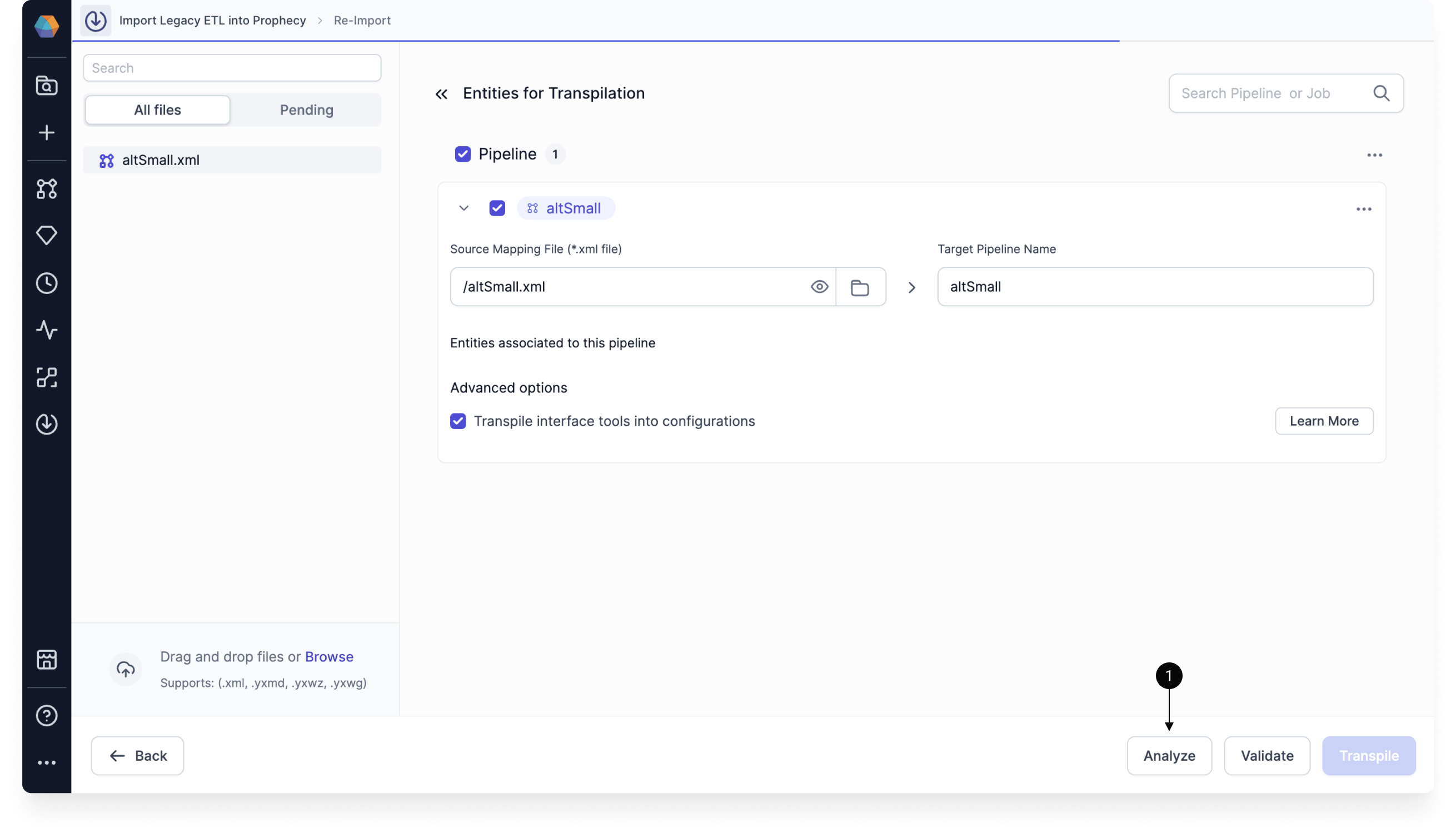
- In the Entities for Transpilation page, add pipelines to be included in the analysis.
- Before you click Validate or Transpile, click Analyze. The Analyzer engine produces a report that evaluates each pipeline, checks migration coverage, and scores complexity.
- Click Download Analysis Report and open the resulting Excel file.
The analysis is based on the tools, functions, and patterns Prophecy can currently migrate “out of the box.” Anything not yet supported is flagged so you can plan ahead.
Analysis report format
The analysis report contains multiple tabs, each of which highlights a different aspect of migration readiness, helping you understand both what will migrate and how much effort may be required after Import.Summary tab
The Summary tab provides a high-level summary of three other tabs: import coverage for workflows and tools, patterns support for tools and functions, and workflow complexity classifications indicating expected migration effort. For details on these topics, click their respective tabs.Coverage tab
For each workflow analyzed, the Coverage tab reports:- Migration Status: whether the workflow can be successfully processed by Import.
- Tools Migrated Successfully: number of tool occurrences that can be successfully migrated.
- Tools Migration Failed: number of tool occurrences that cannot be migrated (and which will require adjustments after Import).
- Total Tool Occurrences: total number of tools in the workflow.
- Workflows Coverage: percentage of workflows that can be successfully migrated.
- Tools Coverage: percentage of tools successfully migrated.
Workflows coverage
This section describes the percentage of workflows that Import can process end-to-end. A workflow is considered successfully migrated even if one or more tools within the workflow fail to migrate. Sample output:Tools Coverage
This section lists the number of individual tool occurrences that Import can migrate successfully. Sample output:Tools breakdown
The Tools breakdown section of the Summary tab lists the number of occurrences of each tool type within each workflow. This helps you:- Identify workflows dominated by certain tool patterns.
- Understand why tool coverage may be high or low.
- Anticipate where most manual remediation effort will be required.
Tools that appear frequently and have higher tool type complexity ratings (for example, Summarize or Multi Row Formula) often contribute disproportionately to overall migration effort.
Patterns Support tab
Patterns Support reports whether the types of tools and functions in your workflows have supported mappings in Prophecy. It does not reflect whether every individual tool instance can be migrated successfully. The Patterns Support features two sections:- Tools: evaluates whether each tool type used in the workflow has a supported migration pattern.
- Functions: evaluates whether the expressions and functions used within tools can be mapped to Prophecy-supported equivalents.
- Prioritize review of tools that appear frequently in the workflow.
- Confirm whether custom expressions rely on unsupported functions.
- Identify whether migration issues are due to unsupported patterns.
Workflows Complexity tab
The Workflows Complexity tab assigns each workflow an overall complexity classification of low, medium, or high, based on the following factors:- Workflow size complexity: reflects the number of tools in the workflow.
- Tool type complexity: reflects the mix of simple, advanced, and unsupported tools.
- Diagnostic complexity: reflects the number of compilation diagnostics produced during analysis.
- Low: overall score between 0 and 1
- Medium: overall score between 1 and 2
- High: overall score between 2 and 3
Tool Type Complexity tab
This tab rates tools according to support coverage and behavioral difficulty. For example, Alteryx tools such as Summarize are rated medium due to multiple configuration paths, while Alteryx tools such as Multi Row Formula are rated hard due to ordering and row-dependency semantics. Sample output:Summary of Analyze tool
To summarize, running the Analyze tool before migration helps you:- Estimate effort: Identify complex workflows and unsupported tools ahead of time; complexity scores and diagnostics help predict how much manual adjustment will be needed after Import.
- Plan fixes: Know which components will require manual conversion or adjustments.
- Reduce migration risk: Catch potential blockers before investing in a full migration.
- Prioritize work: Focus on the highest-value or lowest-effort workflows first.