

This gem runs in .
Overview
Flattening a dataset schema helps you simplify complex, hierarchical data. Use the FlattenSchema gem to convert arrays or other nested data types into flat or lateral columns. This page describes how to use this gem according to your SQL warehouse provider.Variant data
When you import tables with variant data into Prophecy, you’ll see one or more nested columns in your dataset schema. These will appear as a variant data type, which is an array of values with more than one data type. Variant types can be flattened. This data type is specific to Databricks and Snowflake.Parameters
Configure the following parameters for the FlattenSchema gem.Example
Assume you have the following JSON file that includes data you would like to flatten. The data includes information about multiple businesses with nested contact information for each business.- Databricks
- Snowflake
- BigQuery
Databricks accepts JSON files with a top-level array of JSON objects.
Expressions
The FlattenSchema gem allows you to extract variant data into a flattened schema. For example, to flatten your variant data:-
In the Input tab, hover over the
in0field and click the Add 12 Columns button. Now, all the nested lowest-level values of your object are visible as columns in theExpressionssection.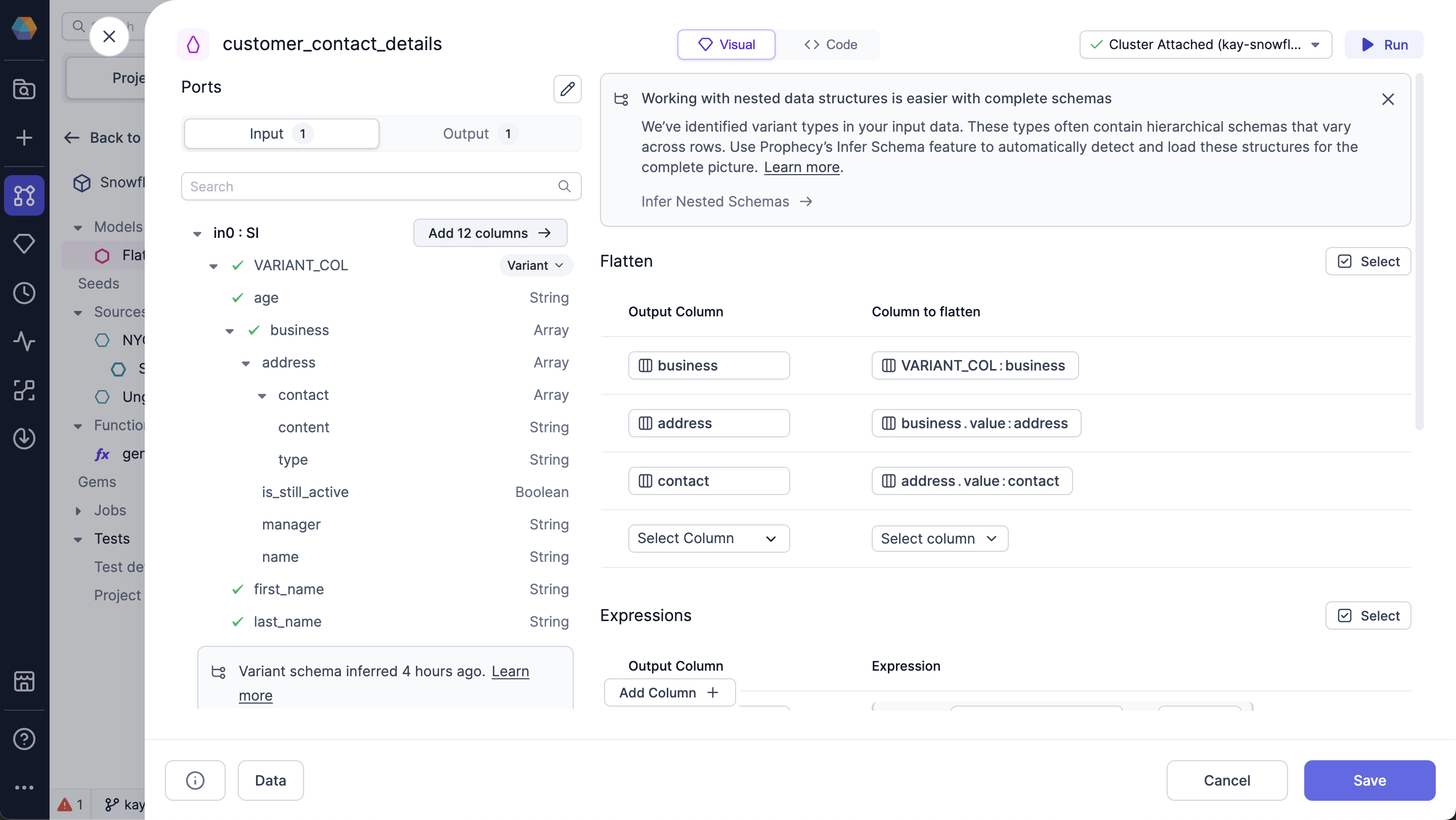
-
(Optional) To change the name of the column in the output, change the value in the
Output Columnfor the row. - Click Run.
Output
After you run the FlattenSchema gem, click the Data button to see your schema based on the selected columns: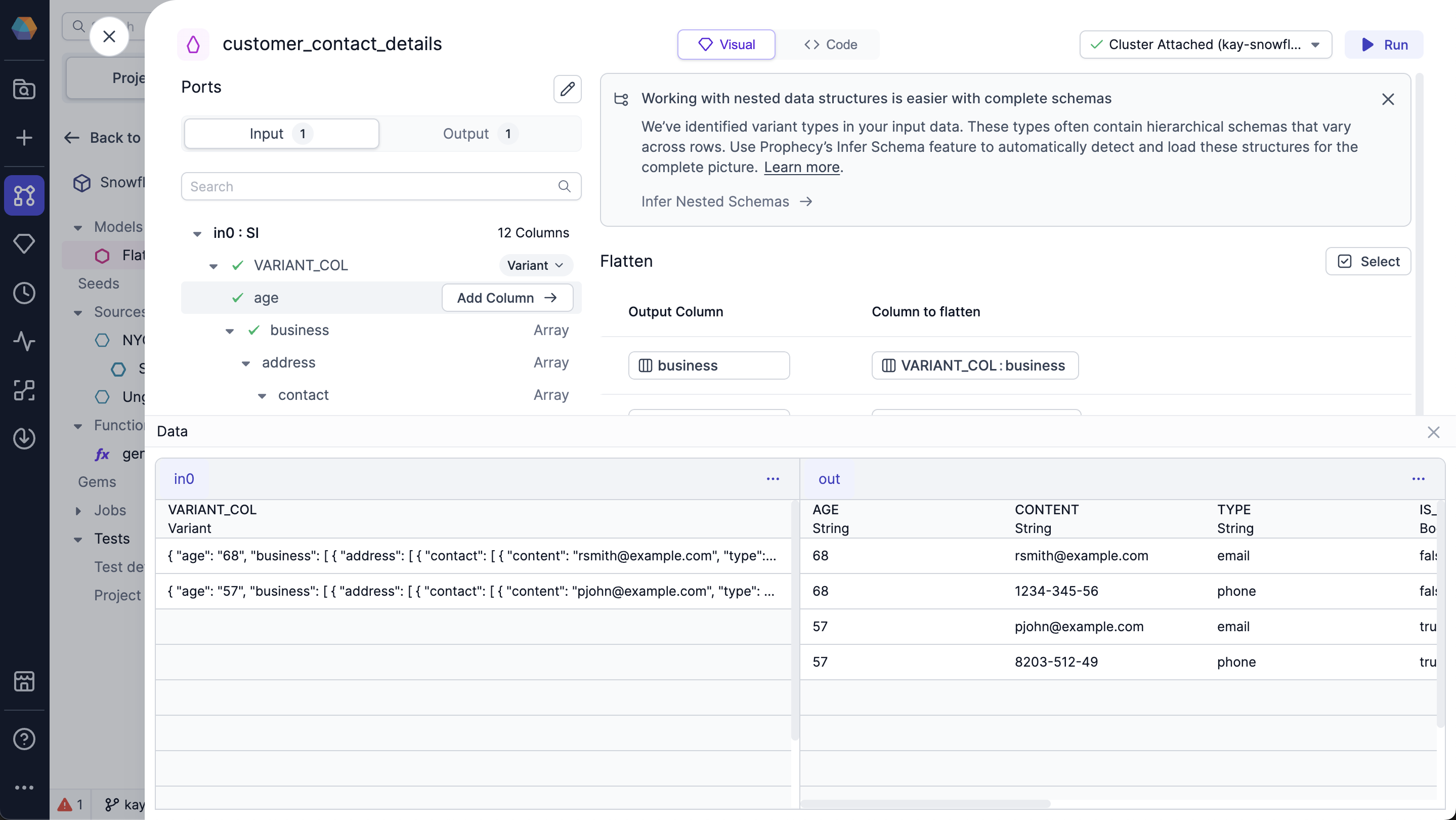
Snowflake advanced settings
You can use advanced settings with your Snowflake source to customize the optional column arguments. To use the advanced settings:- Hover over the column you want to flatten.
-
Click the dropdown arrow.
You can customize the following options: