

This gem runs in .
Overview
Use the Reformat gem to:- rename columns
- create calculated columns
- modify existing column values
- change data types
- select which columns appear in the output dataset
Common transformation examples
Parameters
If no columns are selected, then all columns are passed through to the output.
Preview transformed data
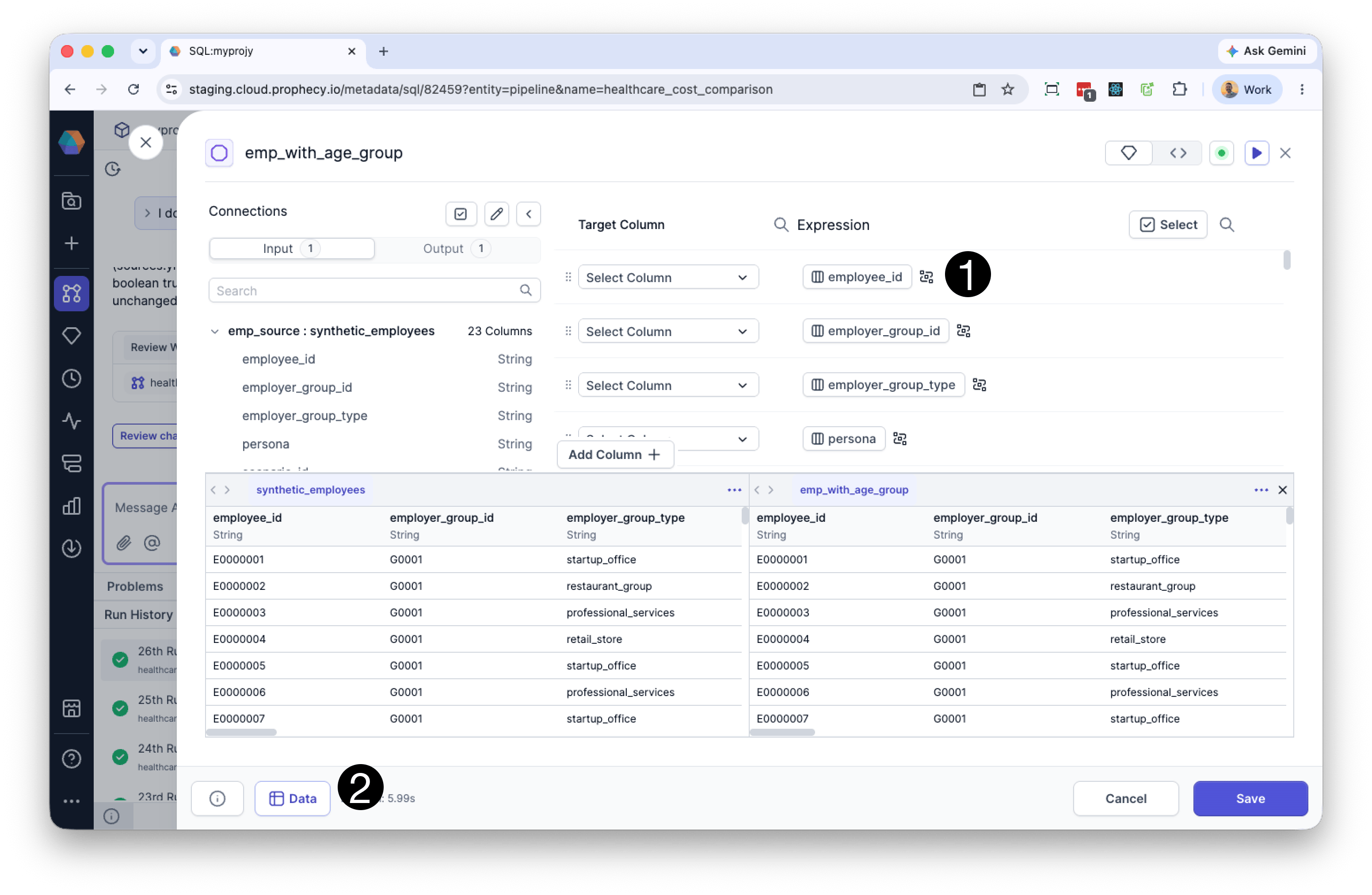
Run the Reformat gem to generate preview results. After the initial run, the Data tab displays how your transformations affect the output dataset. As you edit expressions, the preview updates automatically so you can immediately verify the results of your changes.Visualize data flow
You can preview the changes that the Reformat gem will make by either:- Clicking the the Visualize Data Flow icon to the right of an expression, or
- Clicking the Data button at the bottom of the Reformat gem visual editor.
- Input columns referenced by the expression are highlighted in the input data preview.
- The output column produced by the expression is highlighted in the output preview highlights update automatically as you edit the expression.
You must run the Reformat gem at least once before preview data and data flow visualizations are available.
Common issues
Column not found
Verify that:- The column name exists in the input dataset.
- The column name uses the correct capitalization.
- The column reference is spelled correctly.
Type mismatch errors
Some functions and operators require specific data types. For example:- Numeric calculations require numeric columns.
- String functions require text values.
CAST() to convert values when needed.
Null values causing unexpected results
Some expressions returnNULL when one or more input values are NULL.
Use COALESCE() to replace null values with defaults.
Duplicate column names
Output column names must be unique.Similar tools and concepts
The Reformat gem can be used to:- rename columns
- create calculated fields
- modify existing column values
- select output columns
- SQL
SELECTexpressions and aliases - the Alteryx Formula and Select tools
- PySpark
select()andwithColumn() - Pandas column transformations