

Generated column types
The following generated column types are supported for SAP HANA:GENERATED ALWAYS AS IDENTITYGENERATED BY DEFAULT AS IDENTITYGENERATED ALWAYS AS (expression)
GENERATED ALWAYS AS IDENTITY
When a column has theGENERATED ALWAYS AS IDENTITY type, it:
- Accepts sequence parameters such as
START WITHandINCREMENT BYto control how values are generated. - Generates values automatically based solely on the sequence parameters.
- Creates an IDENTITY column managed entirely by SAP HANA.
- Ignores values provided during an insert.
- Column:
user_id - Type:
GENERATED ALWAYS AS IDENTITY - Always As:
START WITH 1 INCREMENT BY 1
user_id will automatically start at 1 and increment by 1 for every new row. Attempts to insert values will be ignored.
GENERATED BY DEFAULT AS IDENTITY
When a column has theGENERATED BY DEFAULT AS IDENTITY type, it:
- Accepts sequence parameters such as
START WITHandINCREMENT BYto control how values are generated. - Generates values automatically when no value is provided in an insert.
- Creates an IDENTITY column that can accept manual values if they are included in the insert.
- Adjusts the internal sequence automatically if a manually provided value is higher (or lower, in the case of a negative increment) than the current sequence.
- Column:
customer_id - Type:
GENERATED BY DEFAULT AS IDENTITY - Always As:
START WITH 1000 INCREMENT BY 1
For more information on sequence parameters, see CREATE SEQUENCE
Statement.
This includes reference information on syntax and default values.
GENERATED ALWAYS AS (expression)
When a column has theGENERATED ALWAYS AS (expression) type, it:
- Computes values using a defined expression based on other columns in the table.
- Updates automatically whenever referenced columns change.
- Cannot be manually overridden; all values are derived from the expression.
- Column:
full_name - Type:
GENERATED ALWAYS AS - Expression:
first_name || ' ' || last_name
full_name will always reflect the first_name and last_name. It cannot be manually changed.
Define generated columns
To define a column as an IDENTITY column in a new target table:- Add a new Target gem to your pipeline canvas.
- In the Type tab, select HANA as the target type.
- In the Location tab, configure the location where the new table is written.
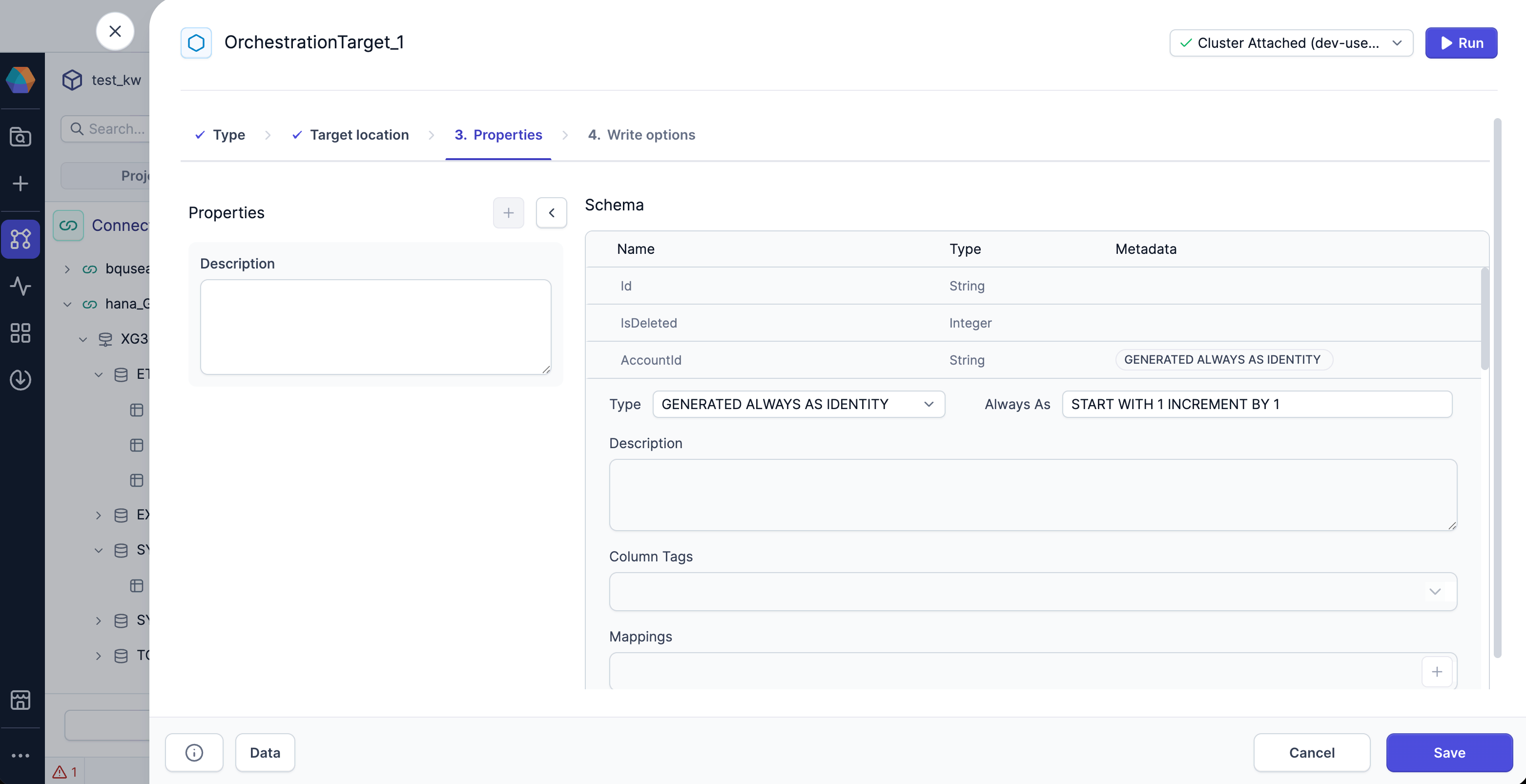
- In the Properties tab, review the schema of the target table.
-
To define a column as an IDENTITY column:
- Click on the dropdown arrow that appears on column hover. This expands the column metadata options.
- Select a generated column type from the Type dropdown.
- Provide a sequence parameter or expression in the Always As field.
- Click Save to save your changes to the gem.
GENERATED ALWAYS AS IDENTITY column, Prophecy automatically excludes it from insert operations to avoid conflicts with SAP HANA’s internal sequence generation.
For GENERATED BY DEFAULT AS IDENTITY columns, Prophecy can insert values when they are explicitly provided in your dataset. Otherwise, SAP HANA automatically generates the value.
Write to tables with generated columns
If you write to a HANA table that already contains an IDENTITY column, the HANA Gem:- Automatically detects the column in your target table
- Lets SAP HANA handle the auto-increment process
Prophecy does not label generated columns in metadata when the table originates from SAP HANA.
This does not affect write behavior, but you might not catch that the column is generated.
What’s next
For detailed information on functionality and constraints, see the<col_gen_as_expression> and <col_gen_as_ident> sections of the CREATE TABLE Statement page in the SAP HANA documentation.