Available for Enterprise Edition only.
View external release tags
Any externally created release tag that you pull into Prophecy is visible on the Releases & Deployments tab of your project metadata.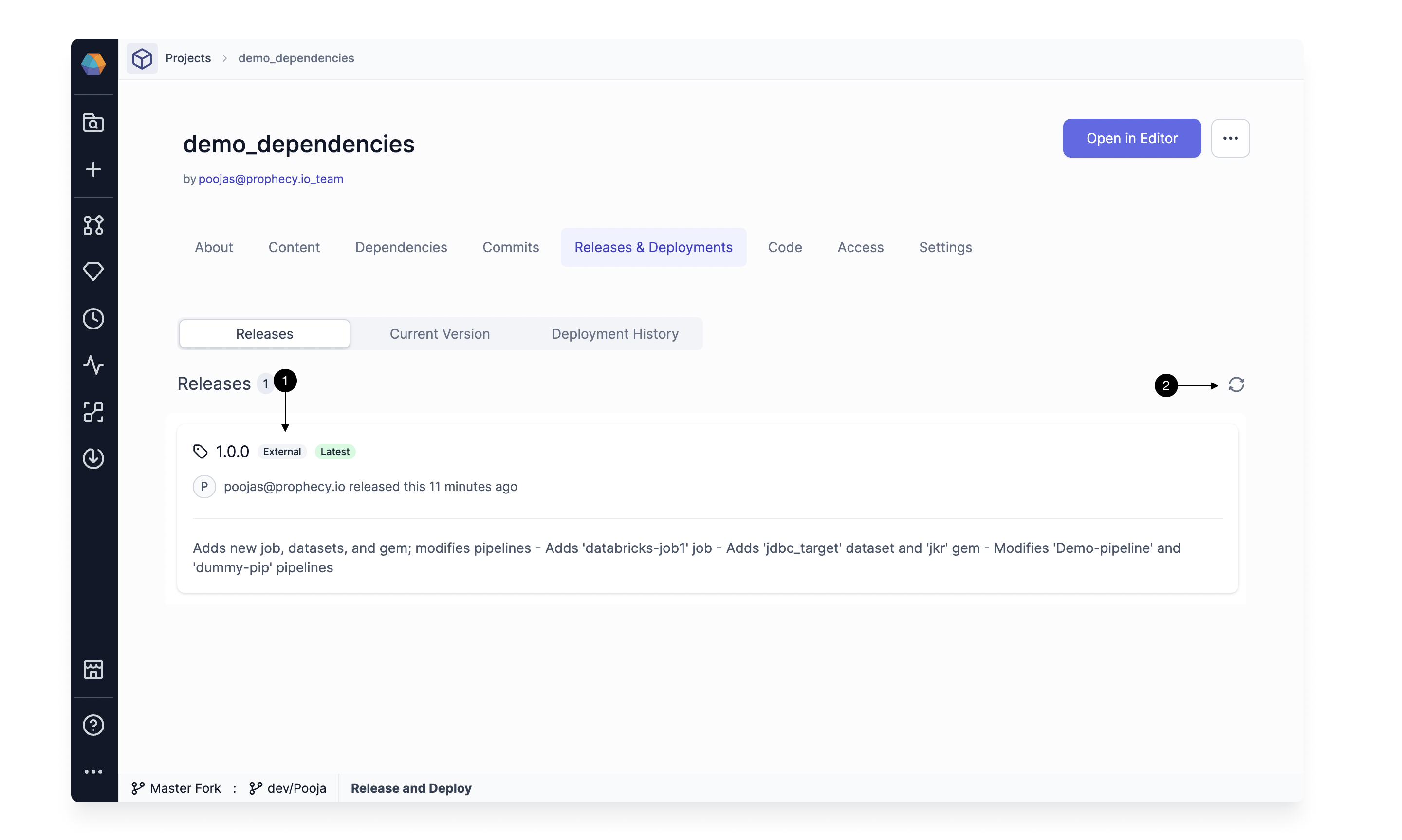
Deploy an external release tag
To deploy an existing tag, follow these steps:-
From
...in the top right corner, select (1) Deploy. This opens the Deploy dialog.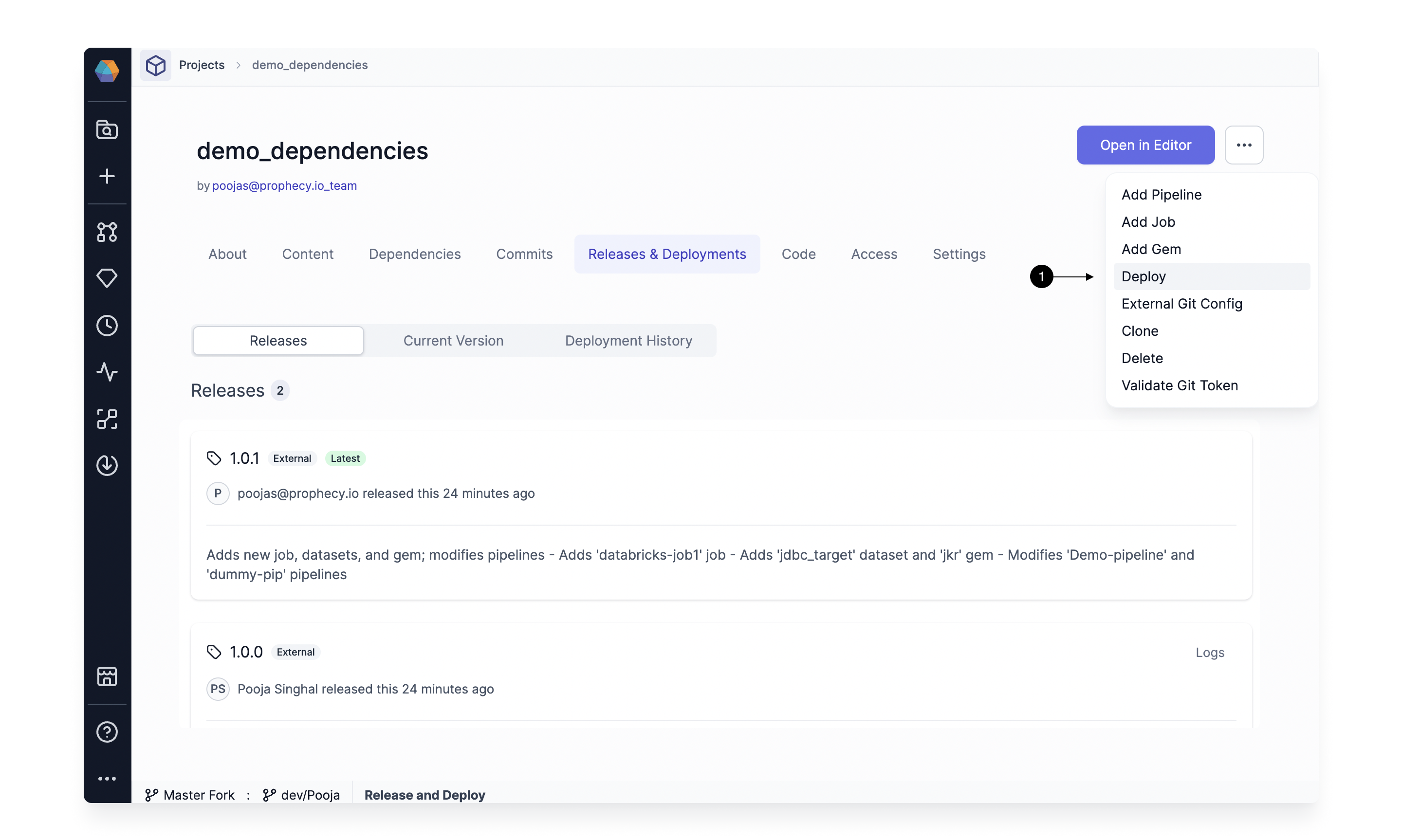
-
Select a release version you wish to deploy by using the (1) Choose a release dropdown. Once you select a version, the table below shows the jobs that are going to be modified (there might not be any jobs). Click (2) Deploy to start the deployment.
 If you have enabled Selective Job Deployment, then you can pick the jobs you wish to deploy. Additionally, you have the option to override the fabrics for these jobs. Job selection is not required to deploy the release.
Use the release as a dependency
Once you’ve deployed a tag, you can use the release as a dependency in a project. First, navigate to the (1) Dependencies tab of the relevant project and click (2) + Add Dependency.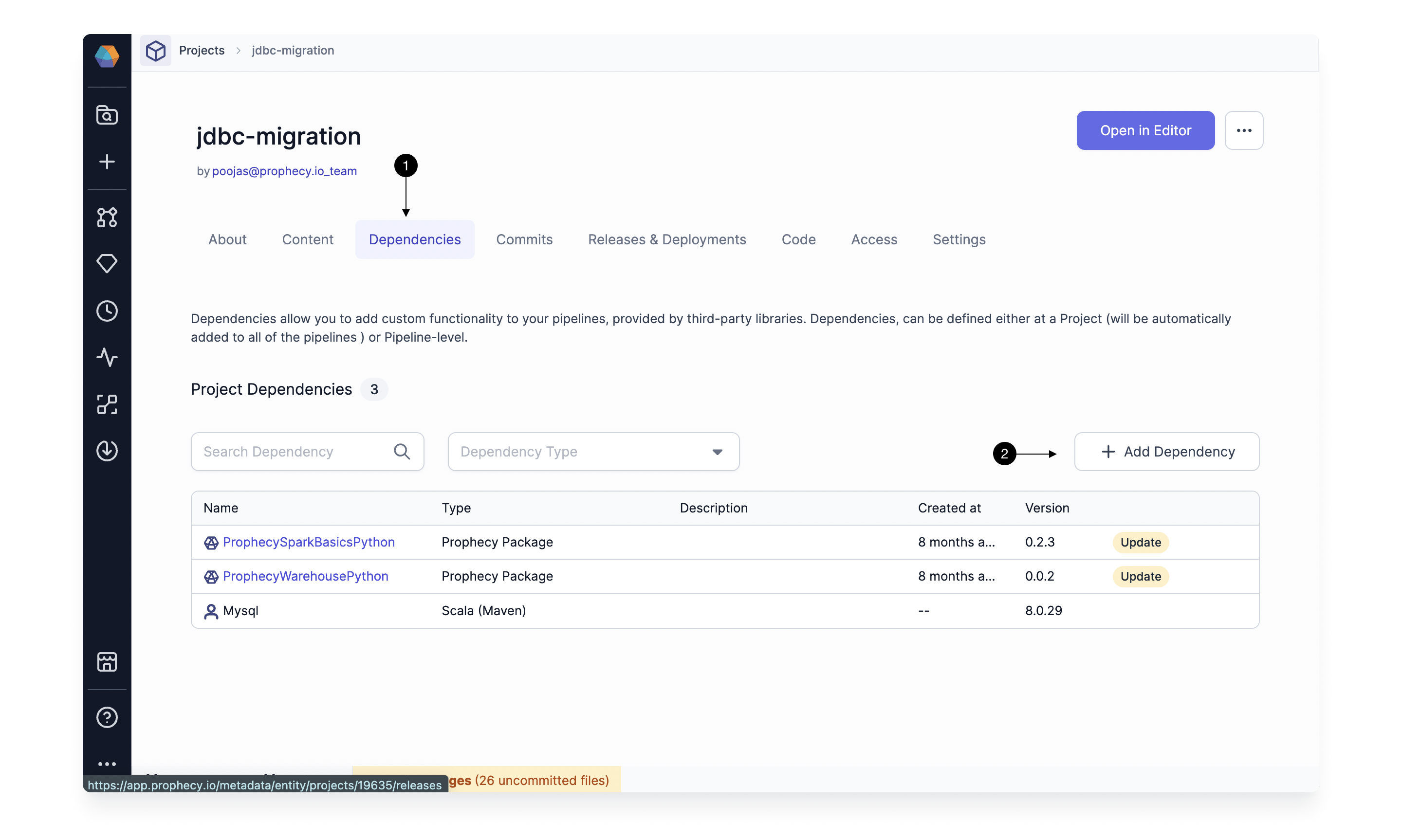
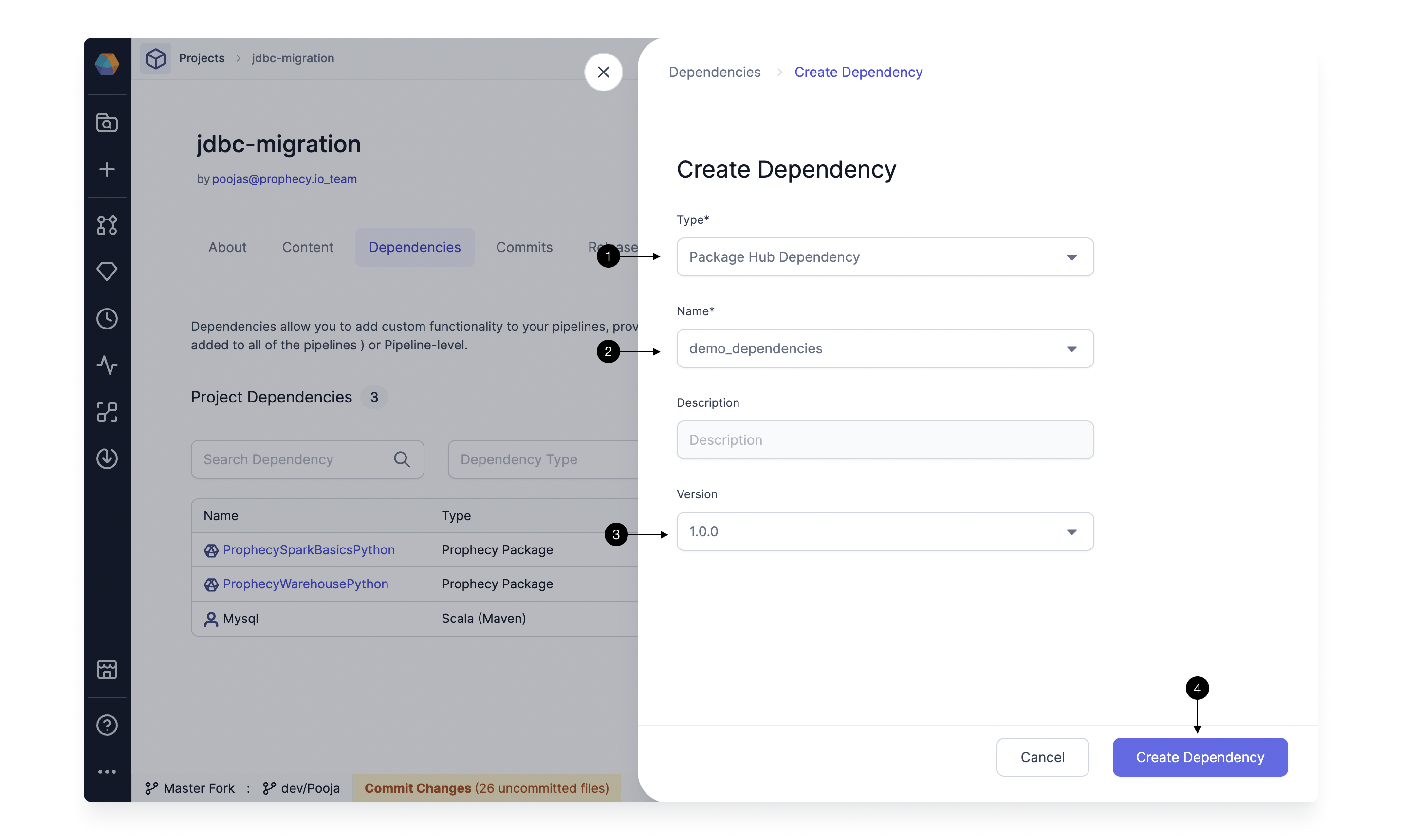
- For Type, select Package Hub Dependency.
- For Name, choose the project that contains the external release tag.
- For Version, select the option that matches your external release tag.
- Click Create Dependency.