

Overview
To minimize and ideally avoid conflicts in your pull requests:- Have each user create their own feature branches.
-
Keep feature branches modular, which means:
- Only modify assets as needed on your feature branch
- Avoid modifying assets that other users are modifying in parallel feature branches
Deep dive: Branching Strategy
Use a proper Git branching strategy that aligns with your team’s goals.Small teams
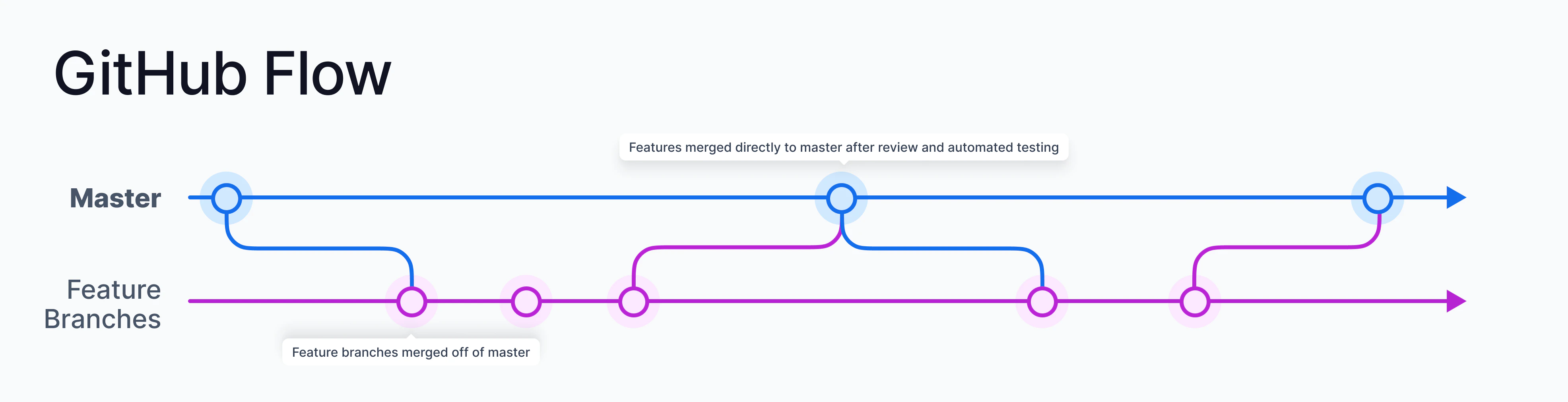
- Have a main branch for developers to merge in their changes.
- (Optional) Create a release branch to use as a staging area for releases across different environments.
- Check out a new feature branch off the main branch for any new features.
- Pull in the latest changes and resolve all merge conflicts on your feature branch before merging it into the main branch.
- Have one developer work on a pipeline at any given time. A Prophecy merge conflict resolution occurs at the entity level, and a pipeline is considered as a single entity.
- Have your admin enable pull requests for specific projects. This encourages teams to perform code reviews and collaborate, which ensures higher code quality and fewer bugs.
Large teams
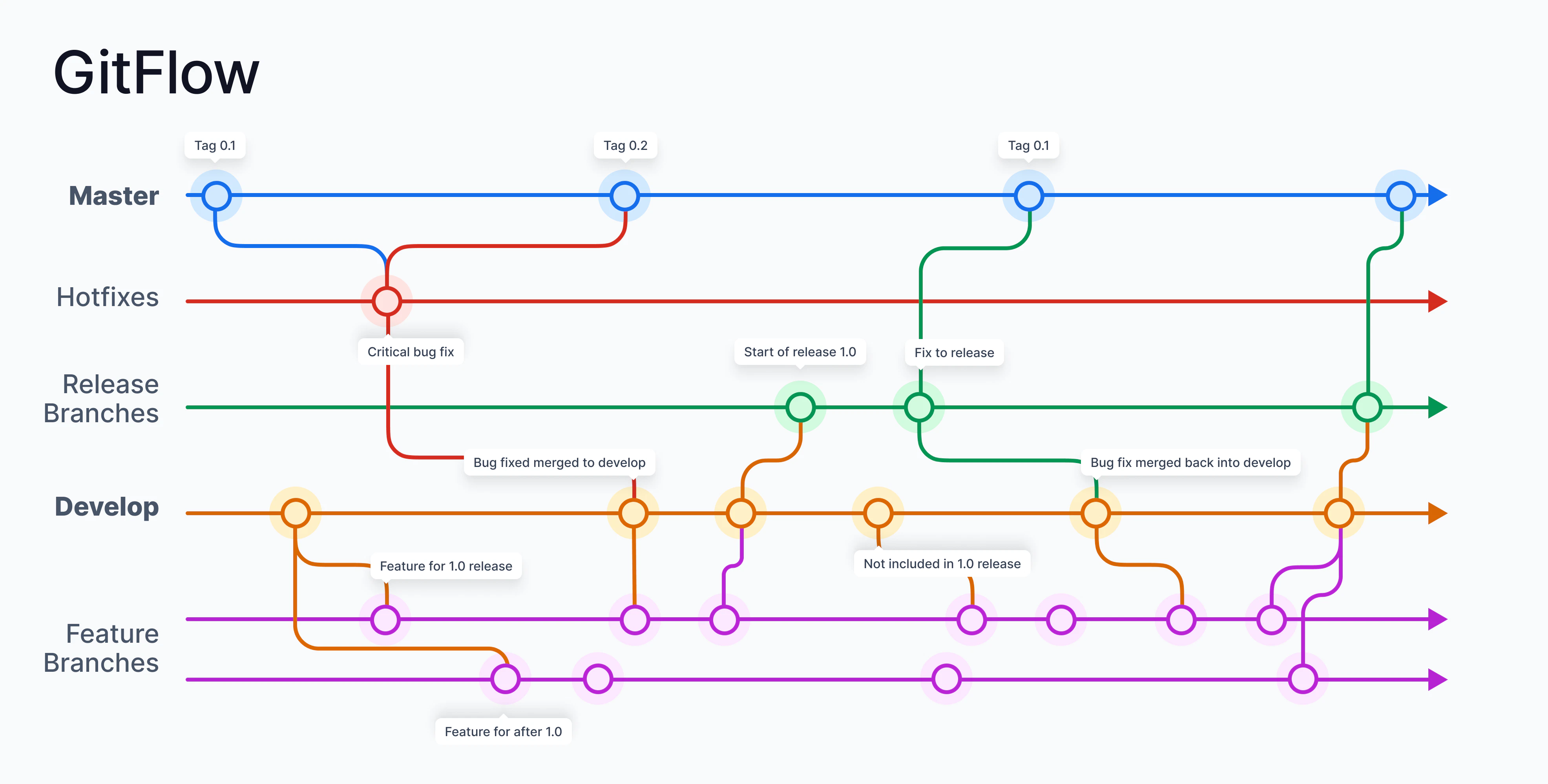
-
Create the following branches:
main,release,develop, and feature branches -
Correspond each branch to different execution environment:
For example, the following branches may correspond to the following execution environments: