Cluster requirements
Cluster requirements
Cluster requirements:
- UC dedicated clusters 14.3+ supported
- UC standard clusters 14.3+ supported
- Livy clusters 3.0.1+ supported
SparkSession and allows you to run custom PySpark code.
Parameters
To edit or remove input and output DataFrame(s), click on the pen icon next to Ports to open edit mode.
Schema
When executing a custom script gem, the output schema is not known by Prophecy so it must be inferred from a sample computation result. Click theCustom Schema button and Infer from cluster as shown in the gem output port tab. The schema will be inferred according to the script and the Spark version running on the connected cluster.
Examples
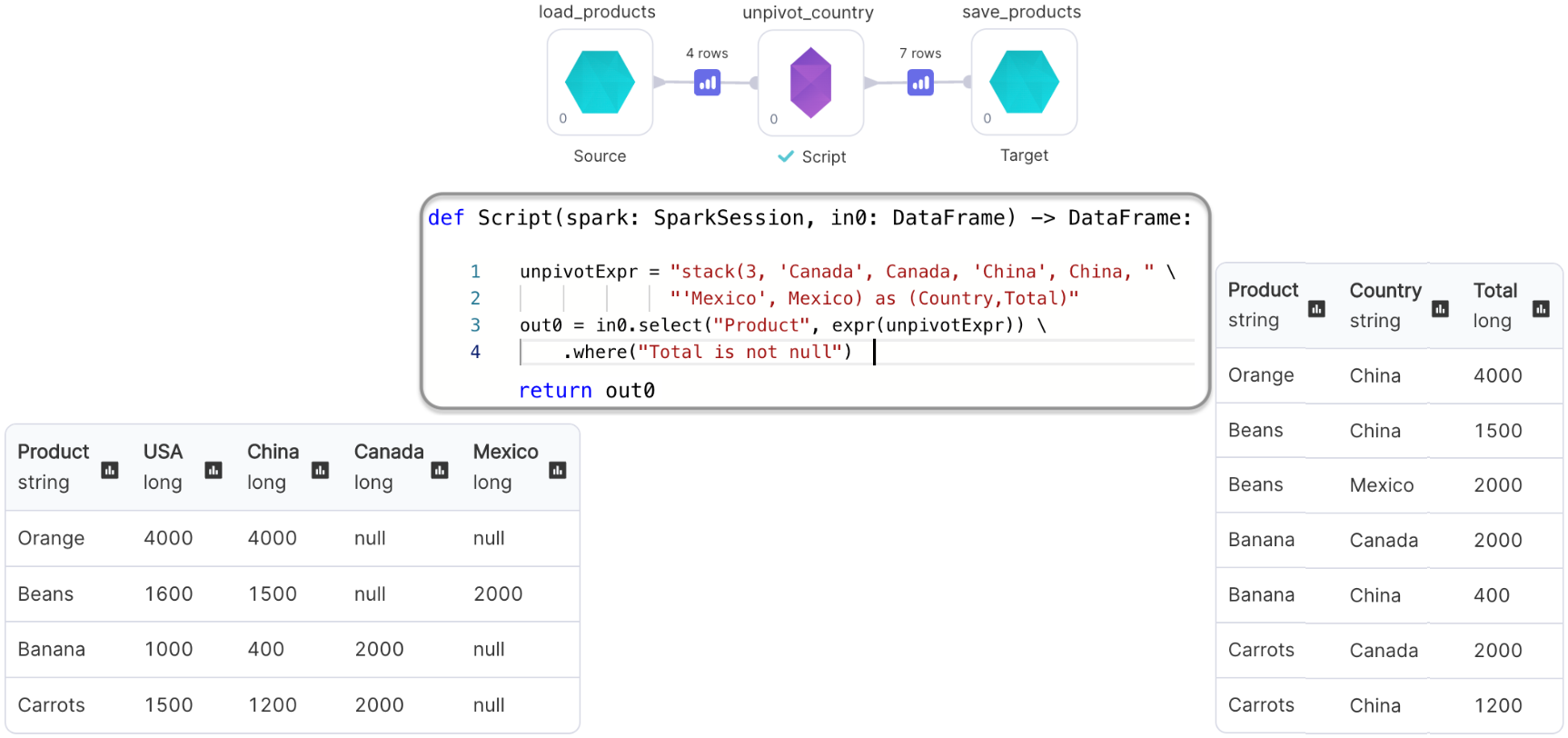
Script gem with Input and Output: Un-pivoting a DataFrame
We’ll perform theunpivot operation using our custom code
Script gem with only Output: Generating a DataFrame
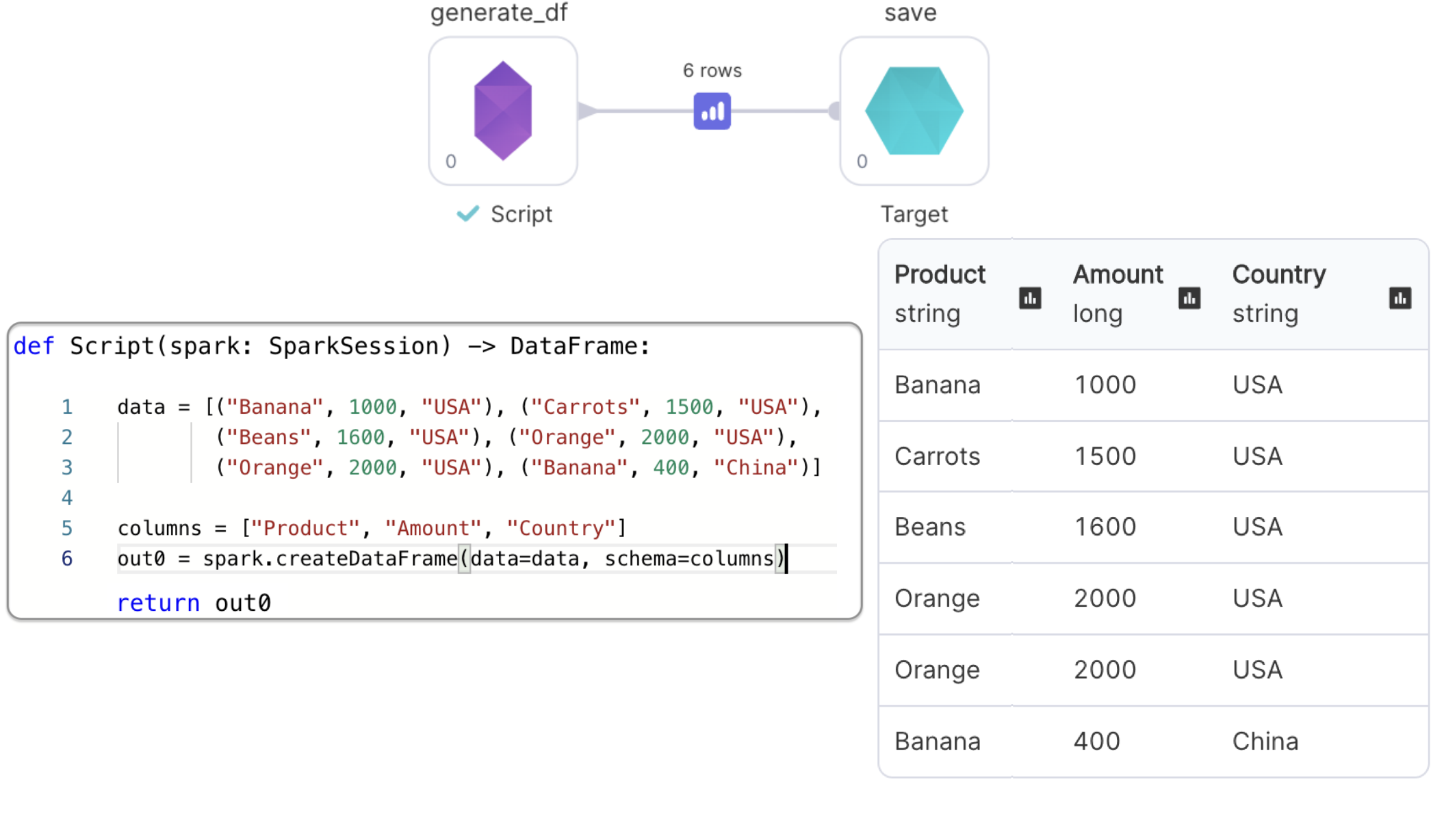
We’ll use the providedSparkSession to create and return a DataFrame
Since we removed the input port, we don’t see input DataFrame in the method signature