

Cluster requirements
Cluster requirements
Cluster requirements:
- UC dedicated clusters 14.3+ supported
- UC standard clusters 15.4+ supported
- Livy clusters 3.0.1+ supported
Lookups are implemented as user-defined functions under the hood in Prophecy. Learn about UDF
support in Databricks on our documentation on cluster access
modes.
Parameters
Use a Lookup gem
After creating a Lookup gem, you can use the lookup in other gem expressions.Column-based lookups
Assume you created this Lookup gem with the following configurations: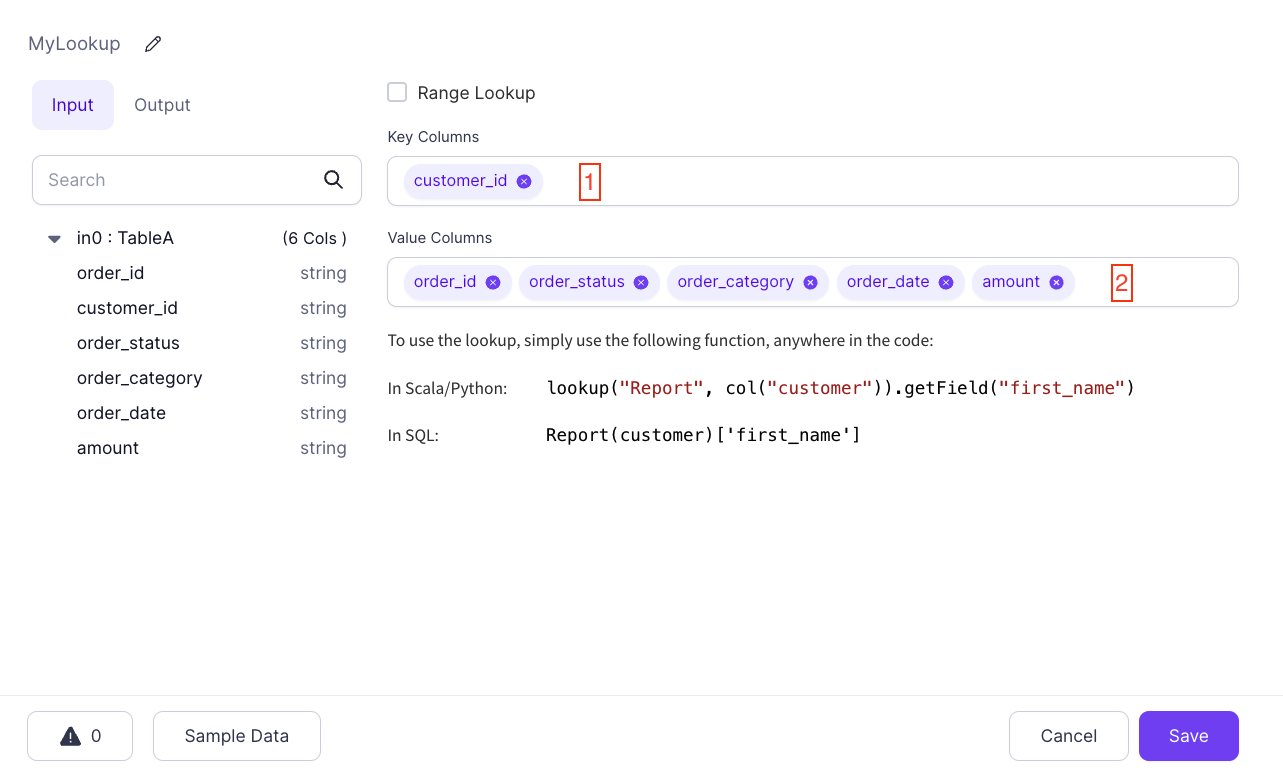

category that is set to the value of MyLookup(c_id)['order_category'] in SQL Expression mode. Whatever the value of order_category is for the key found in the c_id column, which is compared to the source customer_id key column, the Lookup gem uses it for a new column.
Literal lookups
You can use any column reference in a Lookup expression. This means that you can use Lookups with static keys:order_category where customer_id is 0000. This is useful in situations where you want to have a table of predefined keys and their values available in expressions.