

Dependencies & cluster requirements
Dependencies & cluster requirements
Dependencies:
- ProphecySparkBasicsPython 0.2.15+
- UC dedicated clusters not supported
- UC standard clusters not supported
- Livy clusters not supported
Required Settings
To use the Source gem with the Iceberg catalog table type, you must configure the following required settings at the environment, initialization, and runtime stages.Environment Setting
Configure the following Spark JAR dependency package in your fabric environment:https://repo1.maven.org/maven2/org/apache/iceberg/iceberg-spark-runtime-3.3_2.12/1.5.0/iceberg-spark-runtime-3.3_2.12-1.5.0.jar
This dependency is available on your compute platform where you installed Spark, such as your Databricks cluster, EMR, or Dataproc.
Initialization Settings
Configure the following Spark session property during the Spark session initialization.- Key:
spark.sql.extensions - Value:
org.apache.iceberg.spark.extensions.IcebergSparkSessionExtensions
Runtime Settings
The following properties allow you to configure multiple catalogs and your respective metastores for Iceberg tables and data management. To configure Spark conf properties:-
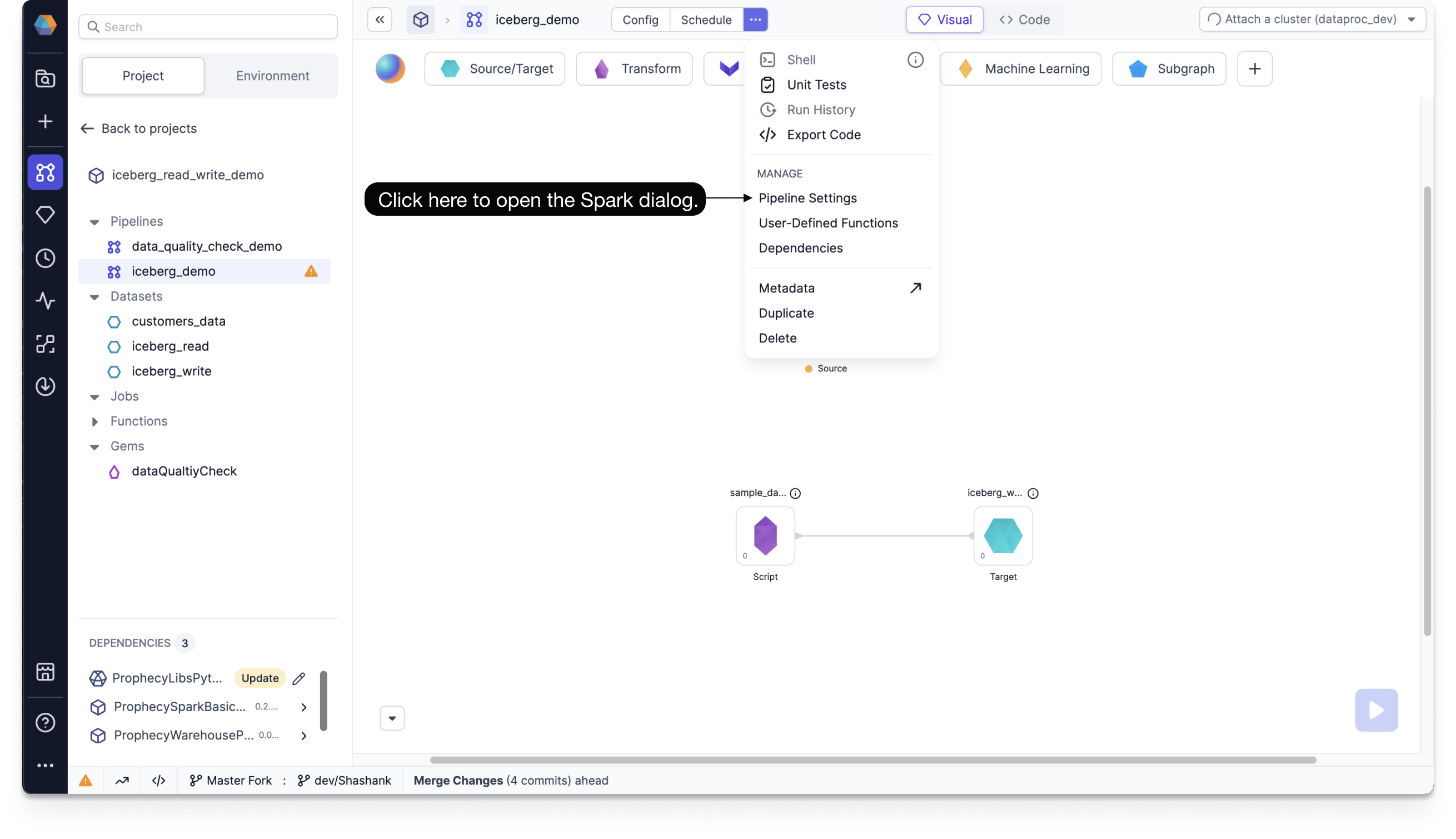
Navigate to Pipeline Settings.
- Click … at the top of the Prophecy canvas.
- Under Manage, click Pipeline Settings.
-
In your Spark tab, under Spark Configuration, add your Spark conf properties.
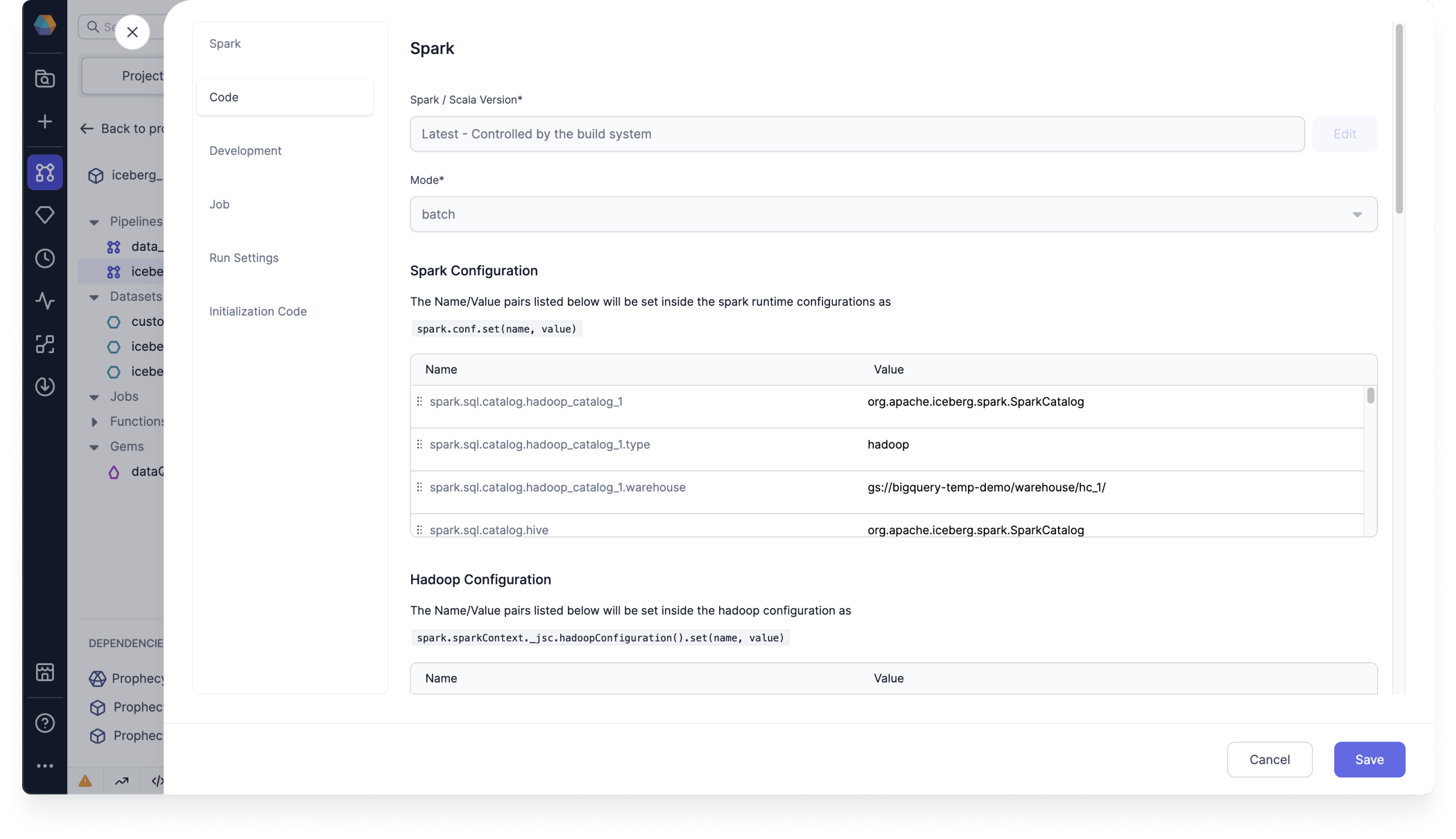
spark.sql.catalog.<catalog_name>=org.apache.iceberg.spark.SparkCatalogspark.sql.catalog.<catalog_name>.type=hadoopspark.sql.catalog.<catalog_name>.warehouse=gs://<bucket>/<folder_1>/<folder_1>/
spark.sql.catalog.<catalog_name>=org.apache.iceberg.spark.SparkCatalogspark.sql.catalog.<catalog_name>.type=hivespark.sql.catalog.<catalog_name>.warehouse=gs://<bucket>/<folder_1>/<folder_1>/spark.sql.catalog.<catalog_name>.uri=thrift://10.91.64.30:9083
Parameters
The Source and Target gems require the following parameters to read from and write to Iceberg:Source
The Source gem reads data from Iceberg and allows you to optionally specify the following additional properties.Source properties
You can only select
Read timestamp or Read snapshot, not both.If you don’t use a time travel option, the Source gem fetches the most recent version of each row by default.