Prerequisites
To view data profiles, you need to:- Work on a PySpark project.
- Upgrade the ProphecyLibsPython dependency 1.9.40 or later.
- Use selective data sampling mode in the pipeline.
Quick profile
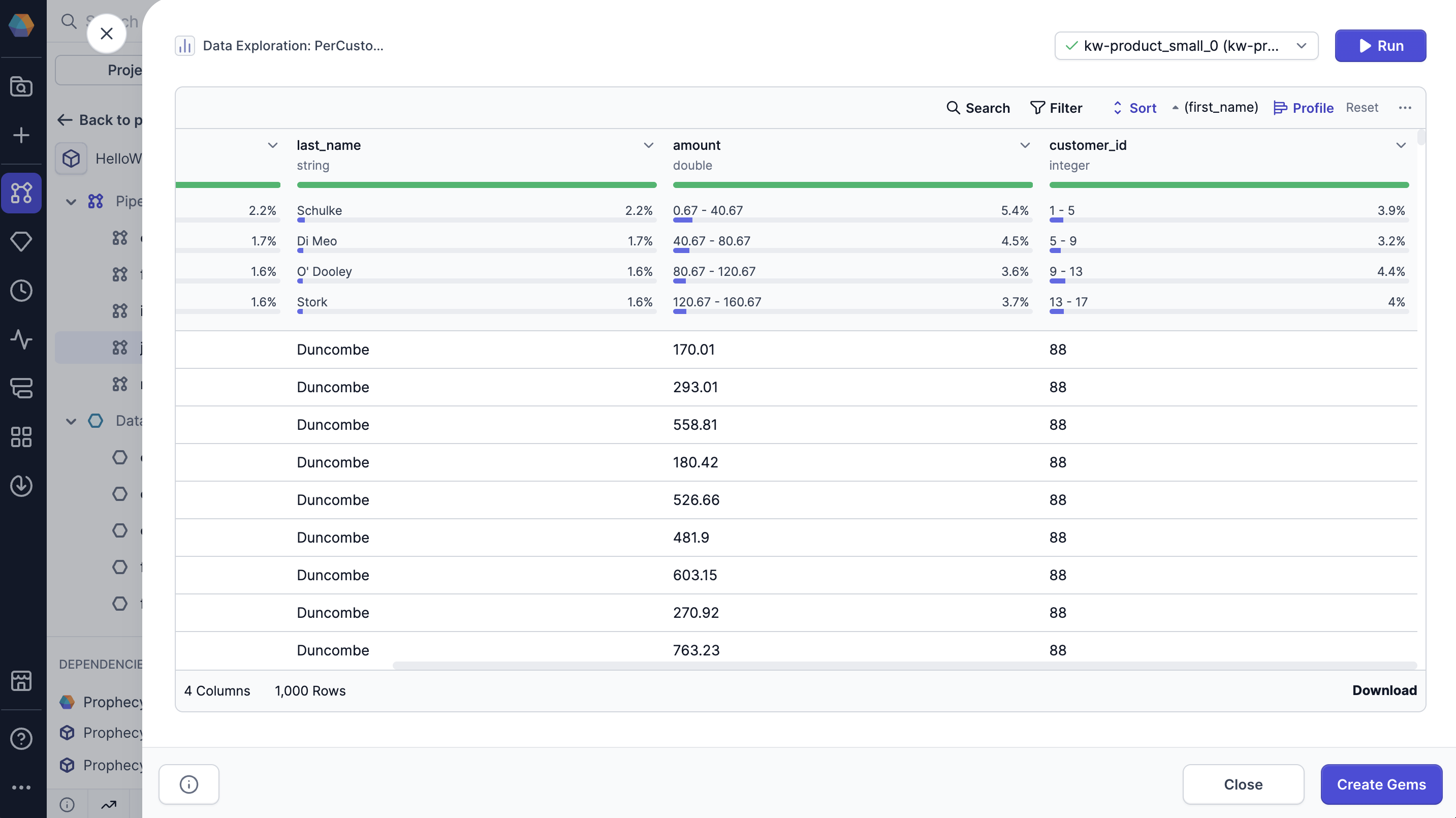
The Data Explorer includes data profiles that are generated on your sample data. You’ll be able to see high-level statistics for each column, including:- Percent of non-blank values: The percentage of values in the column that are not blank.
- Percent of null values: The percentage of values in the column that are null.
- Percent of blank values: The percentage of values in the column that are blank.
- Most common values: Displays the top four most frequent values in the column, along with the percentage of occurrences for each.
Expanded profile
When you open the Data Explorer, you’ll only see the data profile of the data sample. When you load the expanded data profile, Prophecy generates a more in-depth analysis on all of the records in the interim dataset.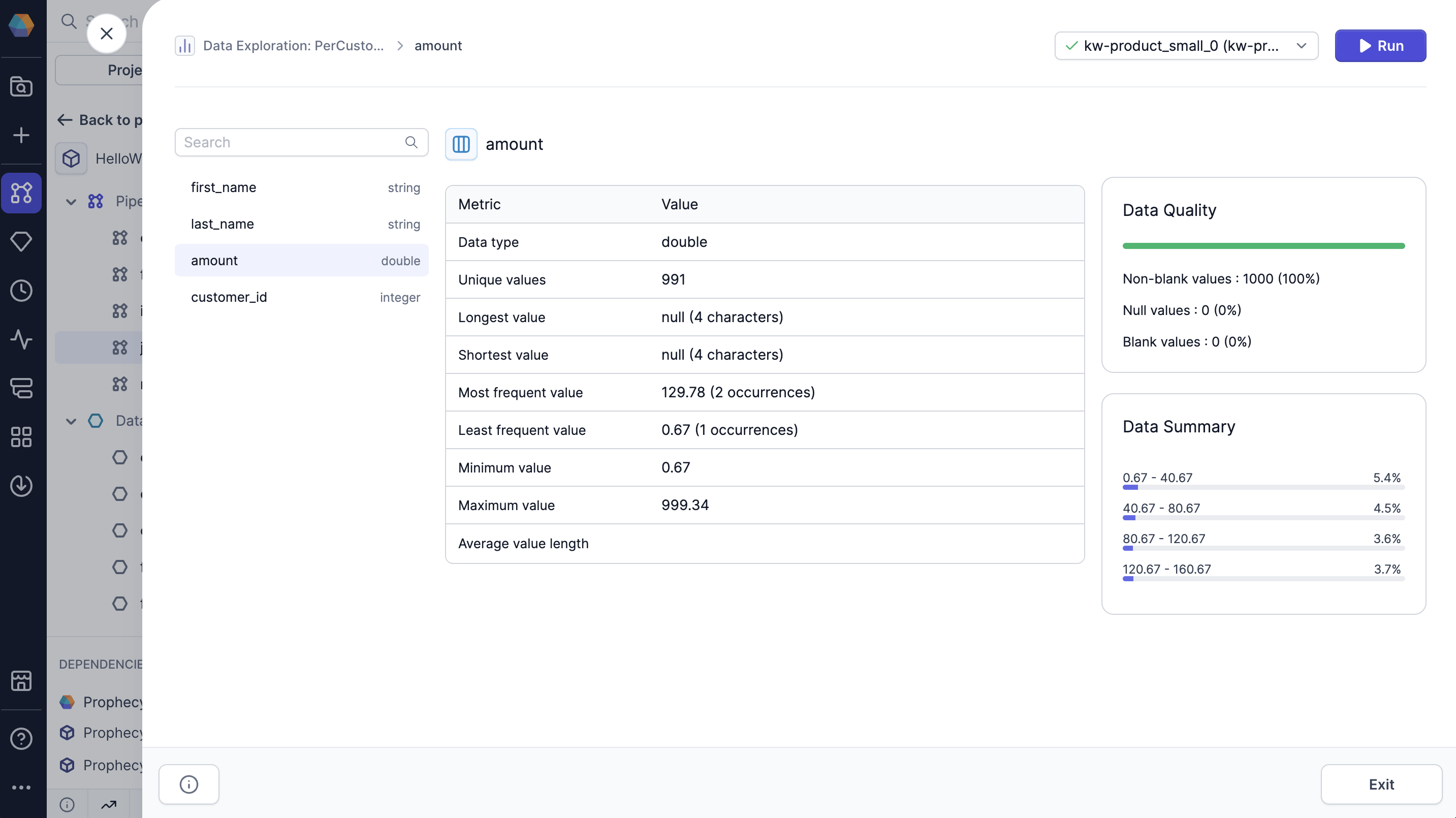
- Data type: The data type of the column.
- Unique values: The number of unique values in the column.
- Longest value: The longest value in the column and its length.
- Shortest value: The shortest value in the column and its length.
- Most frequent value: The most frequent value in the column and its number of occurrences.
- Least frequent value: The least frequent value in the column and its number of occurrences.
- Minimum value: The minimum value in the column.
- Maximum value: The maximum value in the column.
- Average value length: The average length of each value in the column.
- Null values: The percent and number of null values in the column.
- Blank values: The percent and number of blank values in the column.
- Non-blank values: The percent and number of non-blank values in the column.
- Data summary: An overview of the most common values in the column.
Open expanded profile
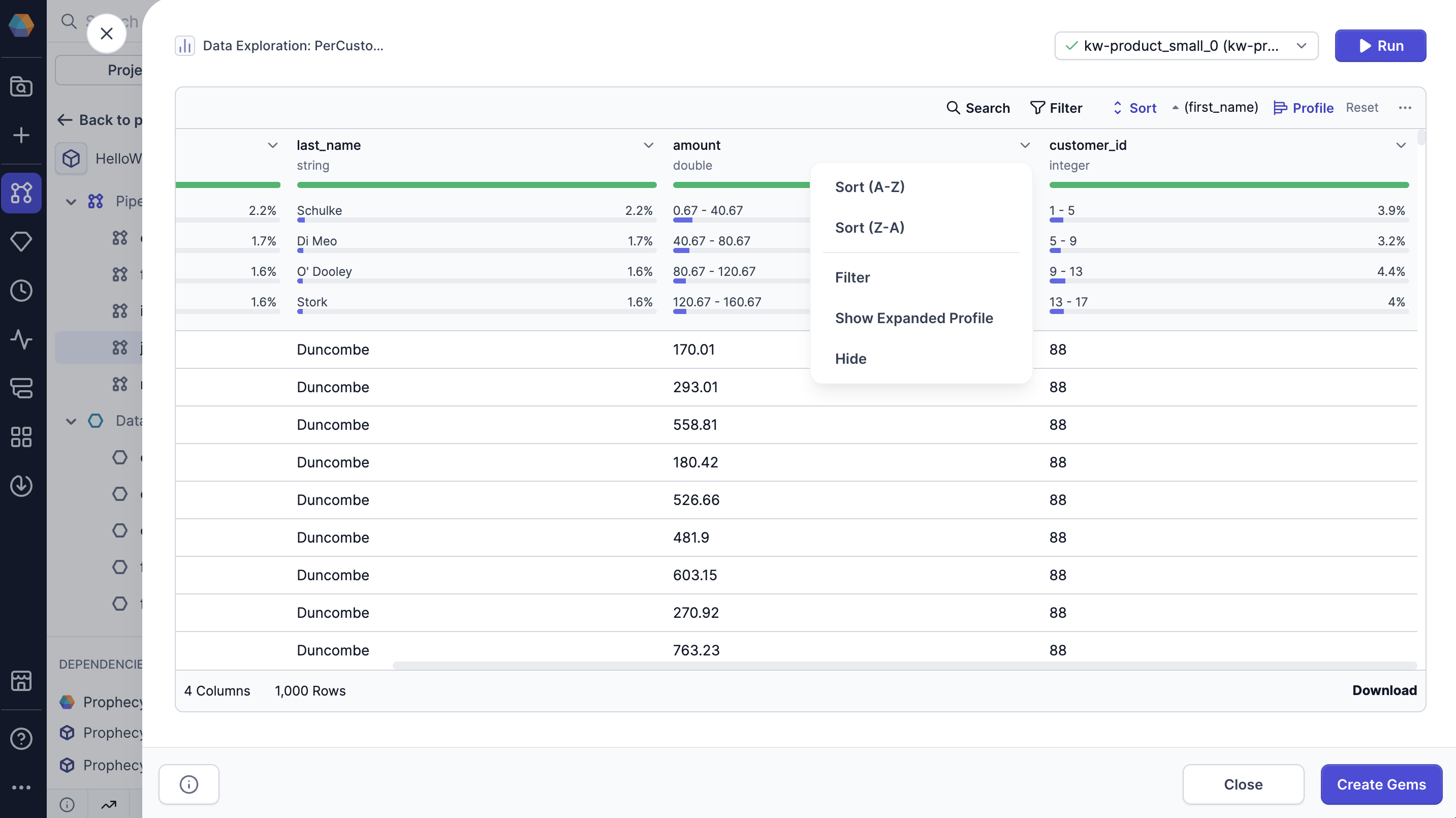
To view the expanded profile:- Click the dropdown arrow on the column you want to expand.
- Select Show Expanded Profile.