


Available for Enterprise Edition only.
- Gem level: Turn sampling on or off for individual or multiple gems.
- Pipeline level: Set the sampling mode used during interactive runs.
- Fabric level: Enable or disable data sampling for pipelines running on particular fabrics.
Interactive run configuration
You can adjust data sampling settings for each pipeline through the Interactive Run Configuration panel. You can also access the same settings in Pipeline Settings.- Hover the large play button in the canvas.
- Click on the ellipses that appears on hover.
- Toggle data sampling on or off.
- When data sampling is on, select your preferred mode from the Data Sampling dropdown.
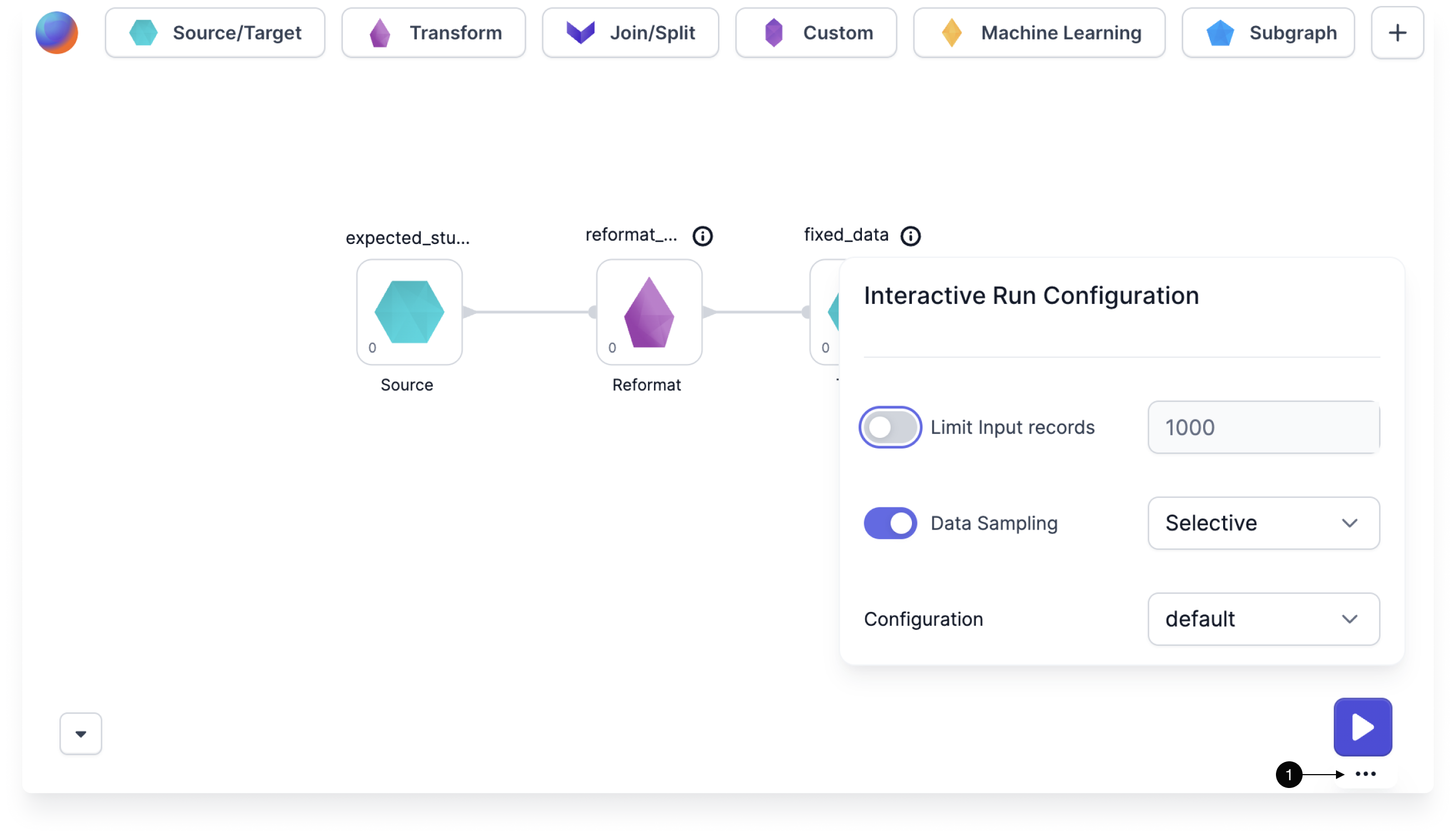
Data sampling modes
Prophecy provides the following data sampling modes.Selective sampling
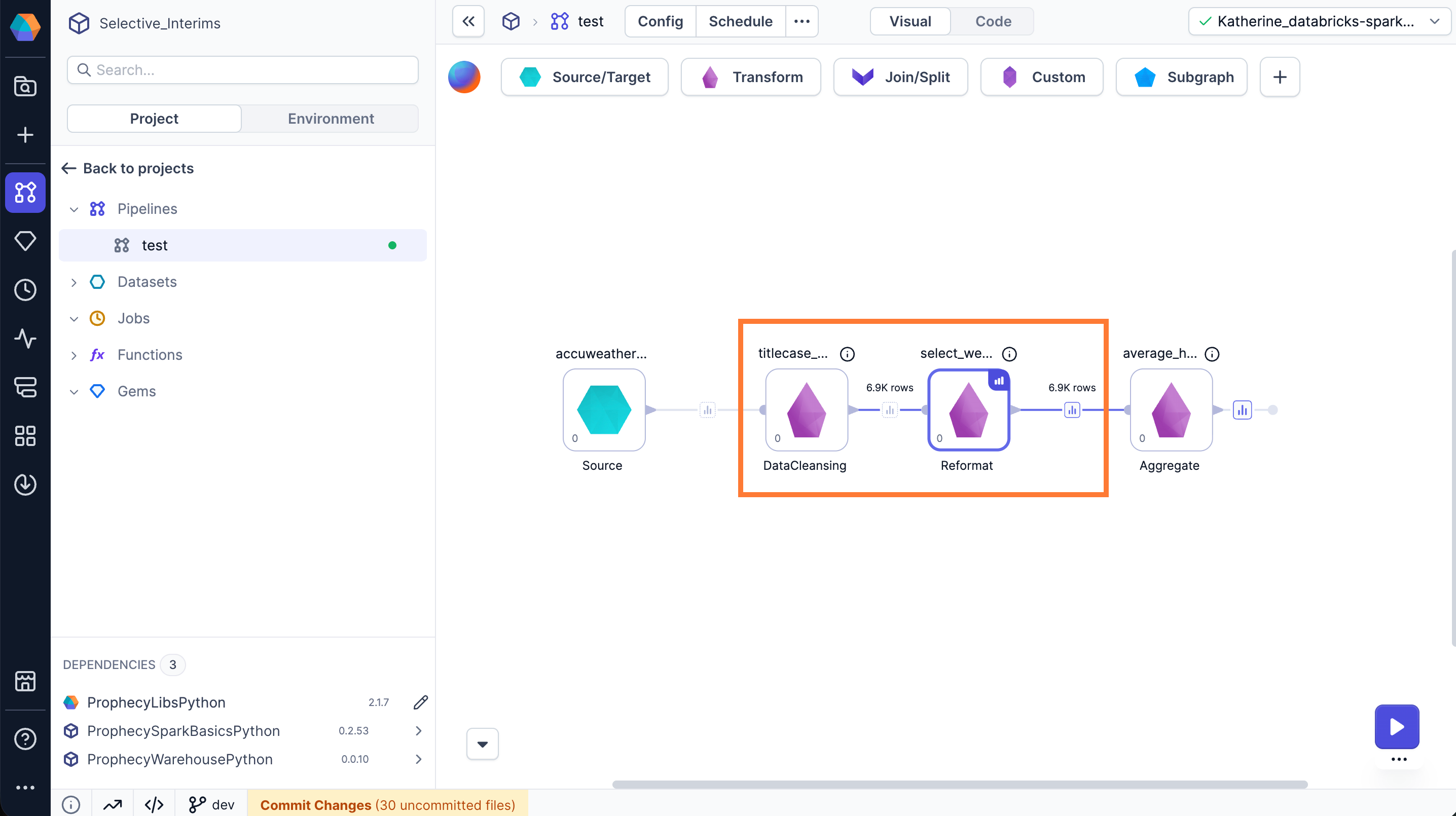
Selective data sampling gives you granular control by letting you enable or disable data samples for individual gems. To control data sampling for gems:- Single gem: Select the Data Preview checkbox in the gem’s action menu.
- Multiple gems: Select multiple gems by dragging, then click the Data Preview button in the bottom menu.
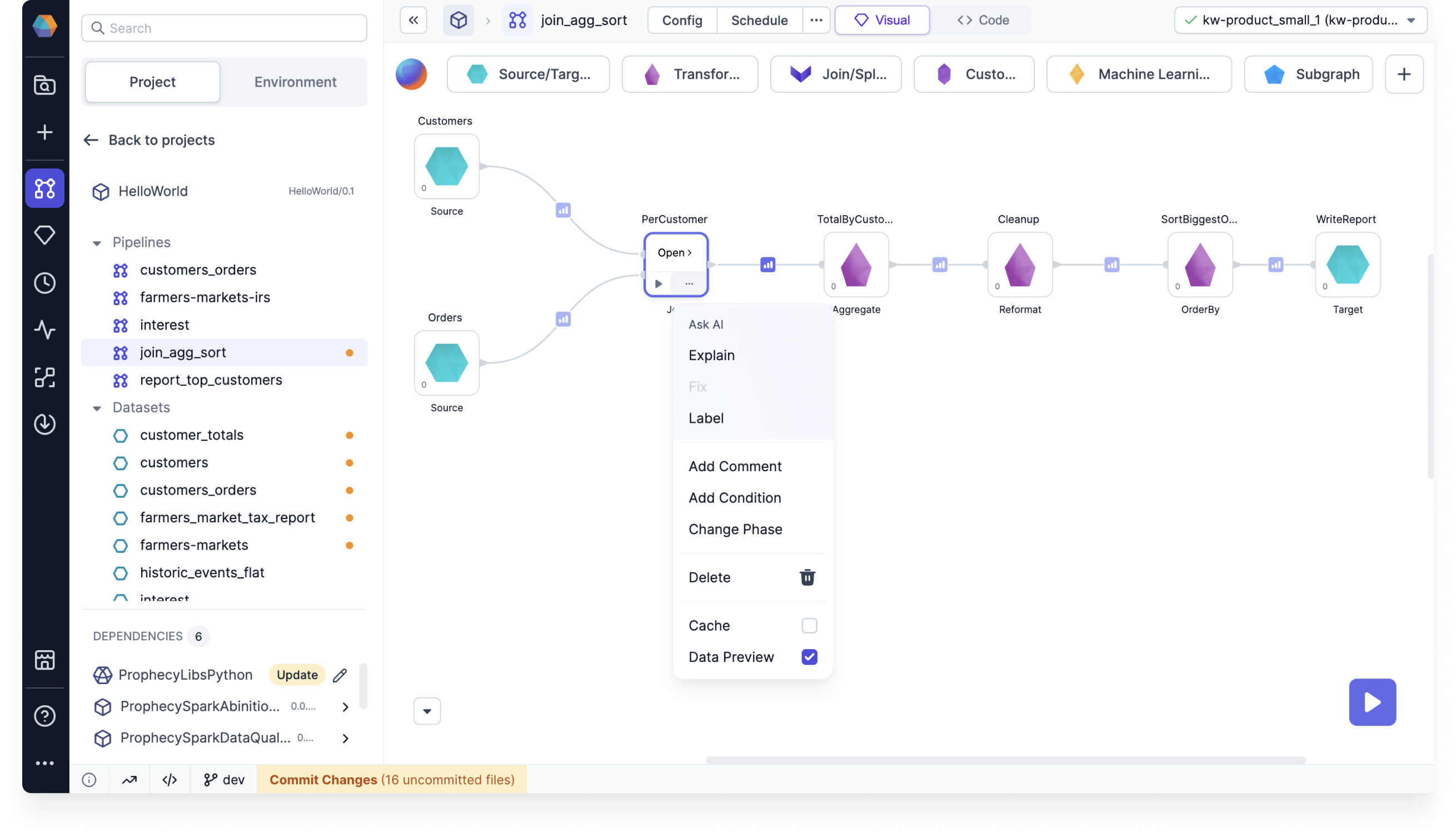
Modify the behavior of selective sampling
Modify the behavior of selective sampling
Selectively-generated samples load up to 10,000 rows (or 2 MB payload) by default. Set the following environment variables for your Spark cluster to modify this behavior:
EXECUTION_DATA_SAMPLE_LOADER_MAX_ROWS: Max number of rows (default is 10,000 rows).EXECUTION_DATA_SAMPLE_LOADER_PAYLOAD_SIZE_LIMIT: Max payload size (default 2 MB).EXECUTION_DATA_SAMPLE_LOADER_CHAR_LIMIT: Per column character limit (default 200 KB). Values exceeding the limit are truncated.
Cached interims
When you change data sampling settings and re-run a pipeline, some data samples may appear grayed out. These cached samples are from previous runs and may not reflect your current data or pipeline changes.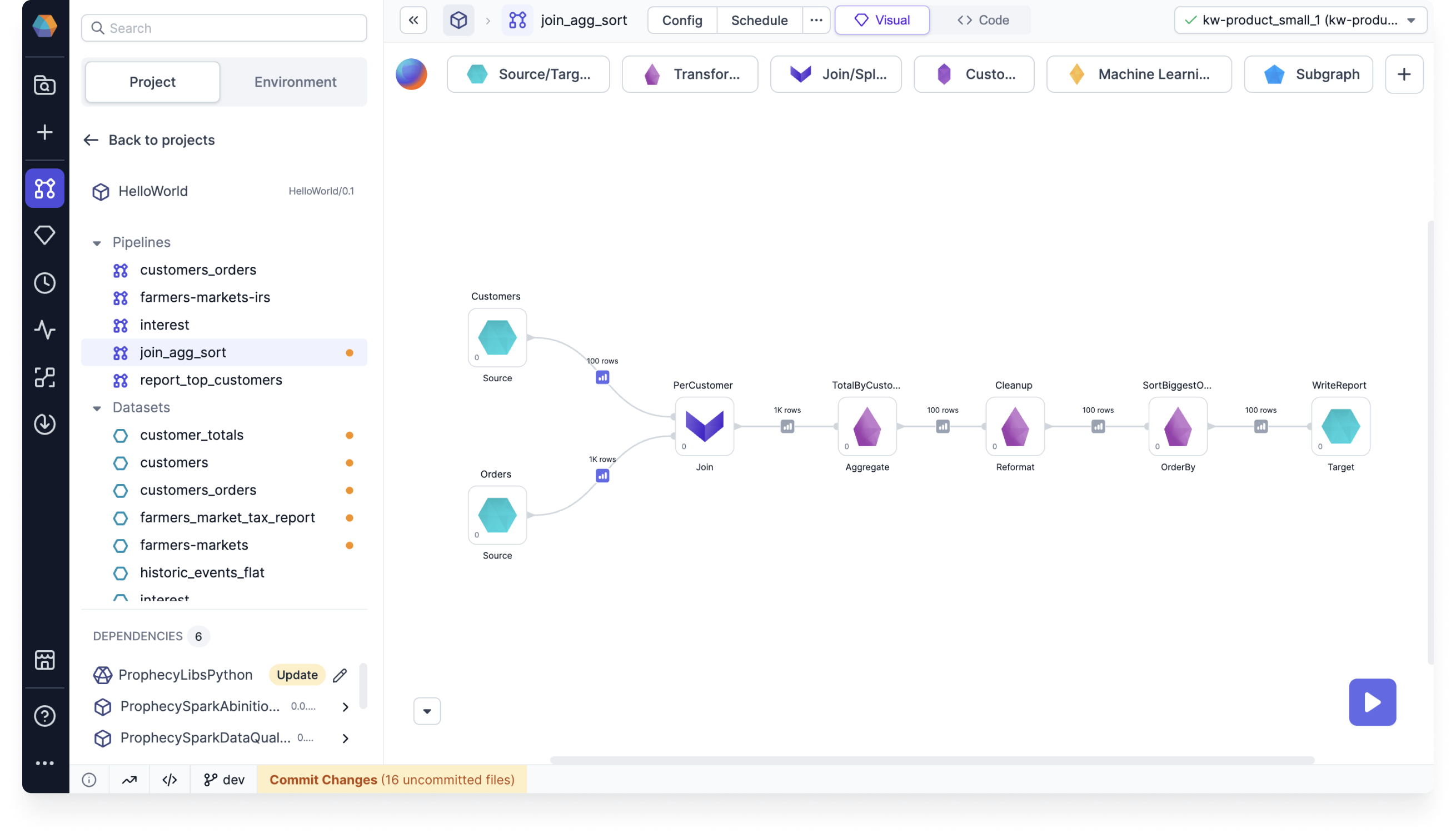
Record counts
In addition to data samples, Prophecy can also display the total record count of datasets between gems. This works for selective data sampling mode only. To display the record count for a certain gem output:- Click the … (ellipsis) on the gem.
- Select the Record Count checkbox.
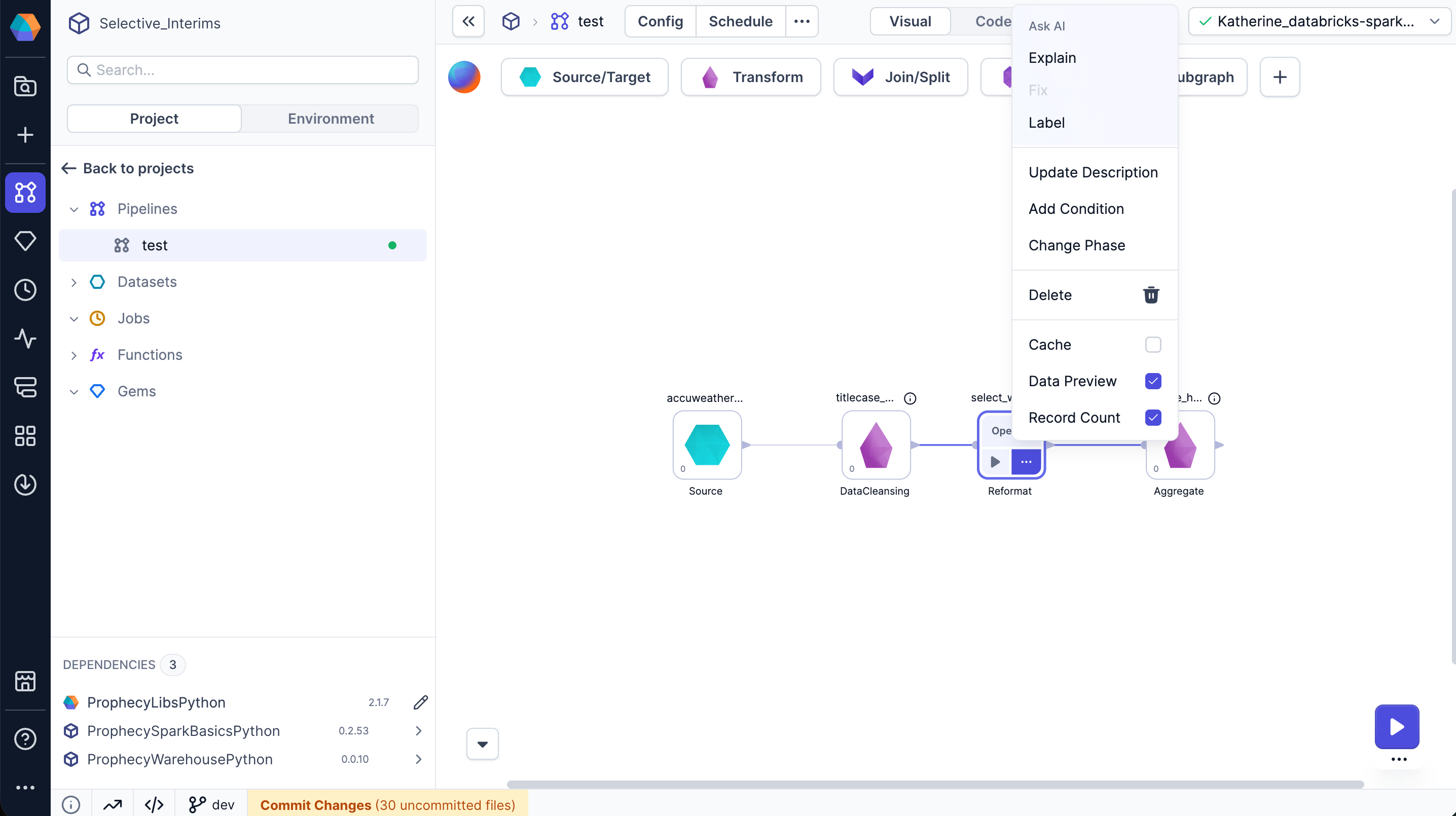
Fabric settings
In a fabric, you can enable or disable data sampling and override pipeline-level settings when a pipeline runs on that fabric. You can access this option in the Advanced tab of a fabric. A common use case is preventing sample data generation in production pipelines.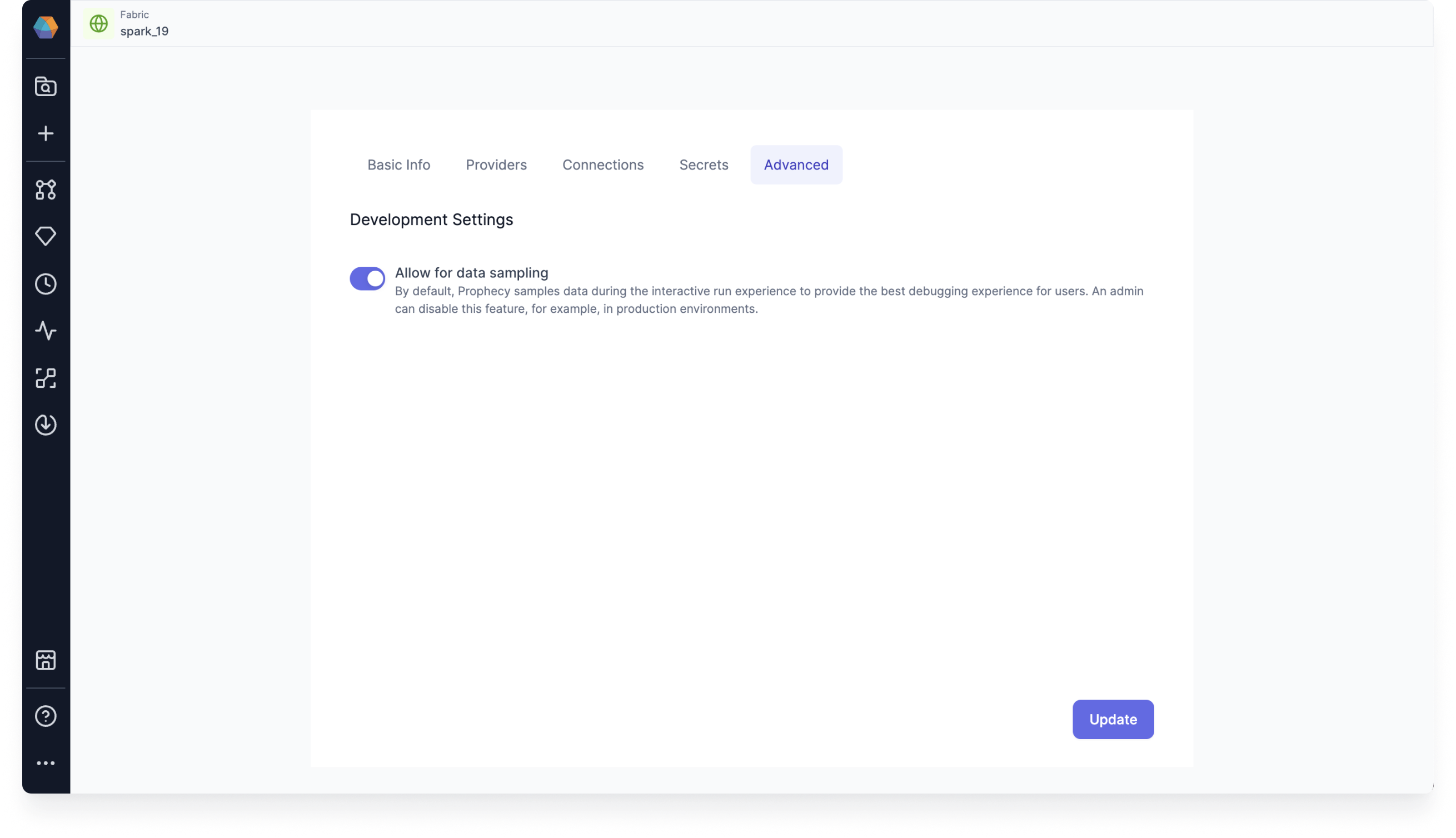
ALLOW_FABRIC_ACCESS_CLUSTER_ADMIN: Grants cluster admins full access to fabrics, even if they are not team admins.DISALLOW_FABRIC_CODEDEPS_UPDATE_TEAM_ADMIN: Prevents team admins from modifying the data sampling settings within a fabric.