

Dependencies & cluster requirements
Dependencies & cluster requirements
Dependencies:
- ProphecySparkBasicsPython 0.0.1+
- ProphecySparkBasicsScala 0.0.1+
- UC dedicated clusters 14.3+ supported
- UC standard clusters 14.3+ supported
- Livy clusters 3.0.1+ supported
Parameters
If no columns are selected, then all columns are passed through to the output
Example
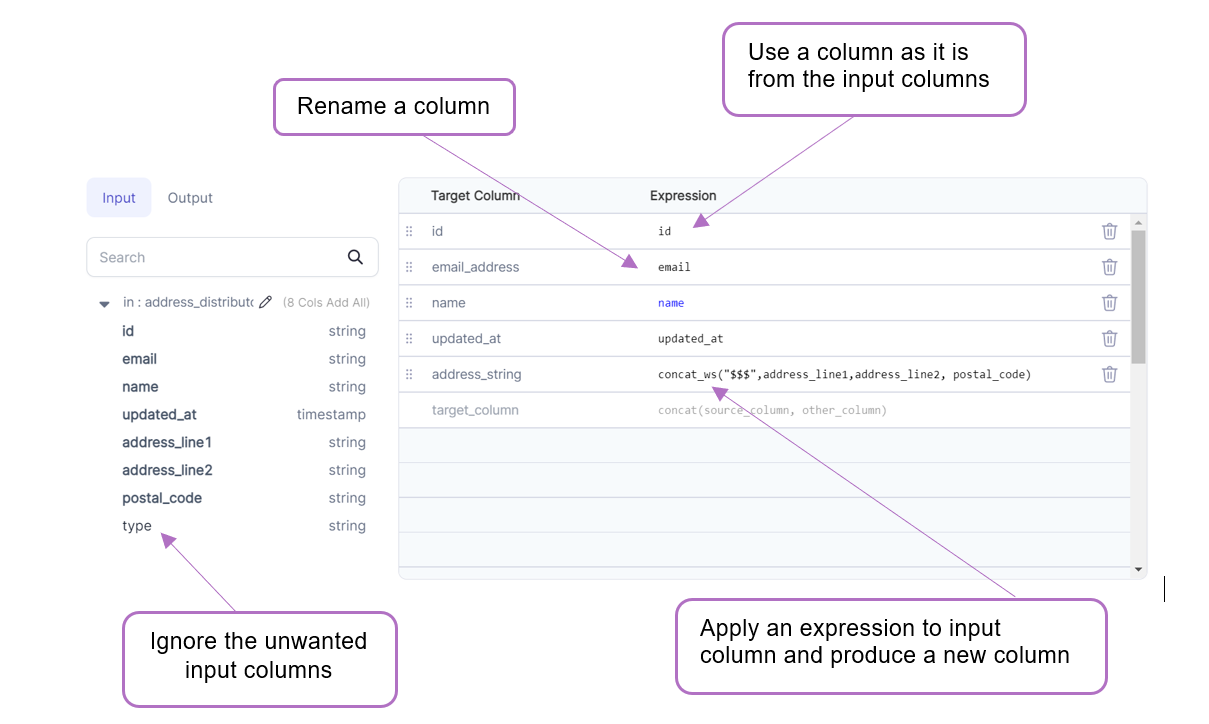
Spark Code
Reformat converts to a SQLSelect or in relational terms into a projection, unlike SchemaTransform gem which uses underlying withColumn construct
Advanced Import
The Advanced Import feature allows you to bulk import statements that are structured similarly to CSV/TSV files. This can be useful if you have your expressions/transformation logic in another format and just want to quickly configure aReformat gem based on this logic.
Using Advanced Import
-
Click the
Advancedbutton in the `Reformat UI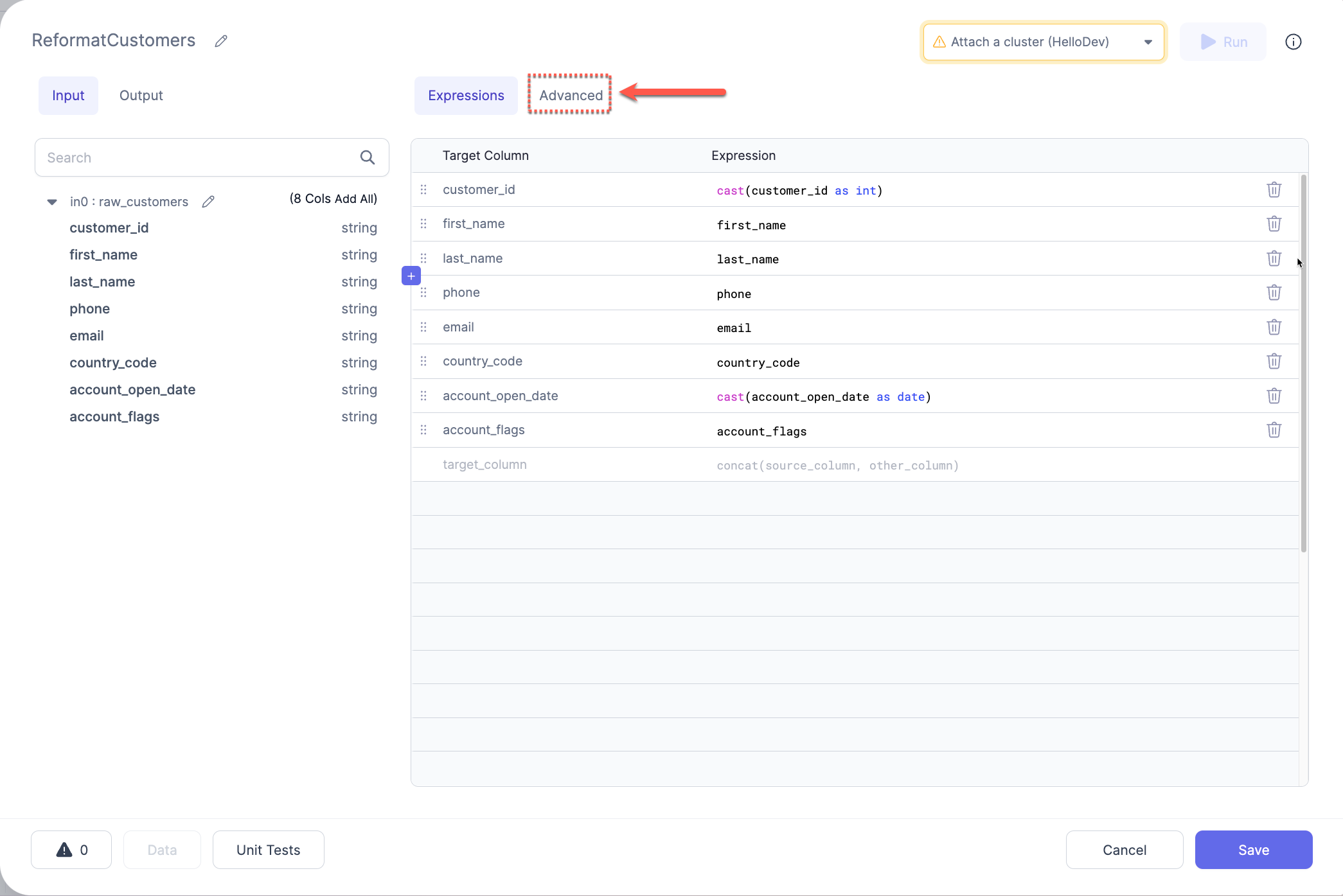
-
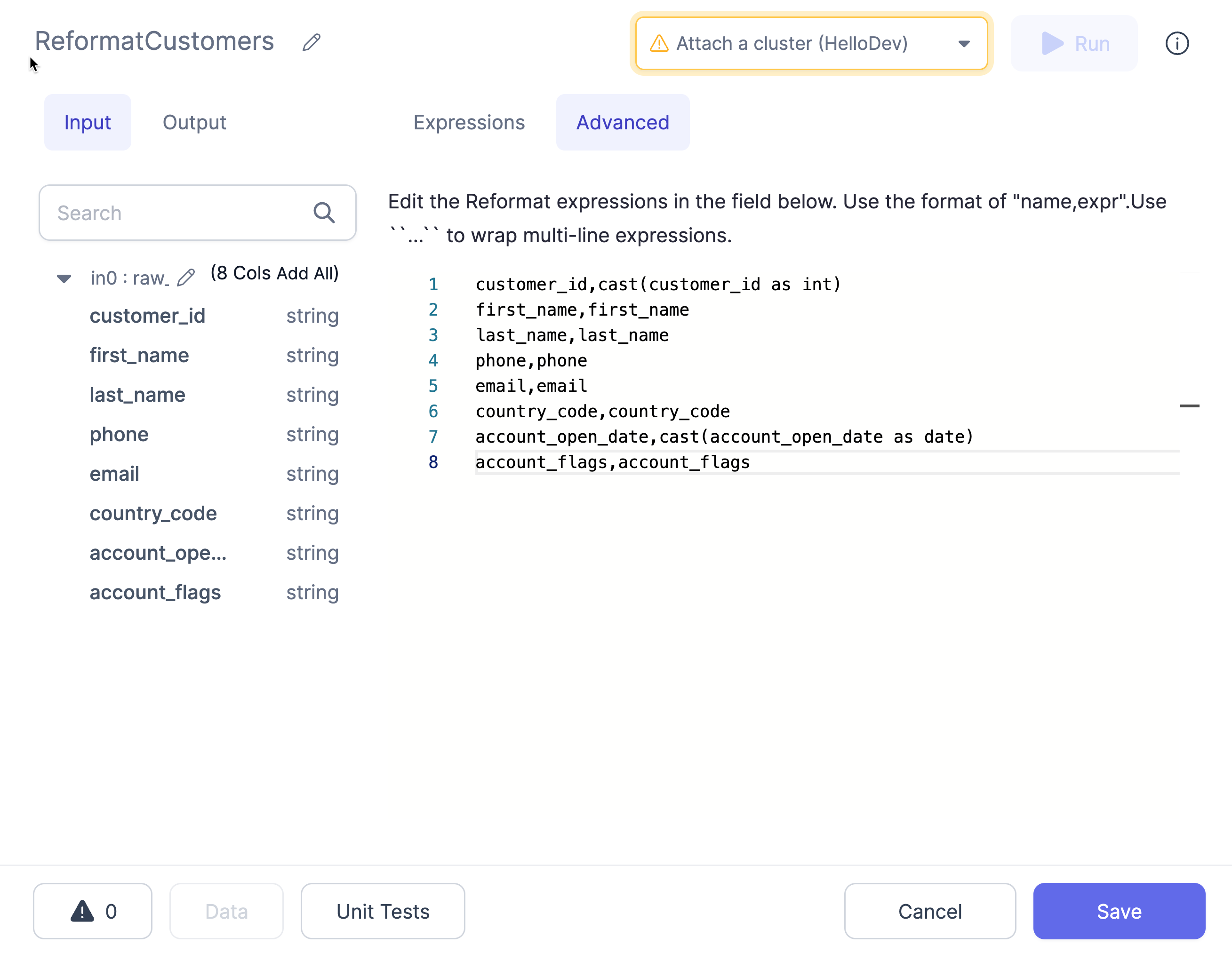
Enter the expressions into the text area using the format as described below:
-
Use the button at the top (labeled
Expressions) to switch back to the expressions view. This will translate the expressions from the CSV format to the table format and will show any errors detected.
Format
The format of these expressions istarget_name,target_expr, where target_name is the desired new column name and target_expr is the Spark expression that will be used to generate the new column.