

- Problem: When any important files (like Mp, Xfr, Pset or Dml) are missing from the uploaded artifacts, then Transpiler is not able to parse the Ab Initio code and thus end up throwing errors.
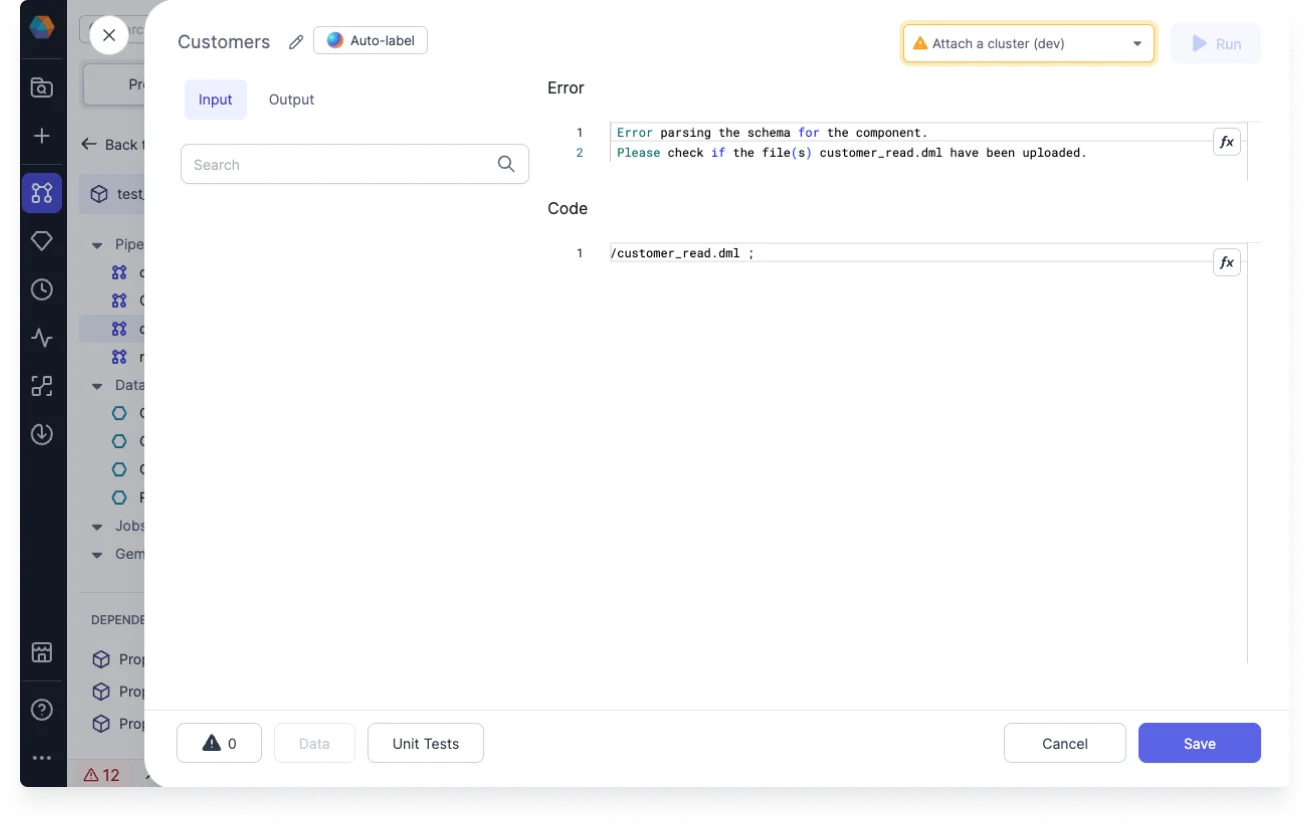
- Example: When dml file is missing for the Ab Initio Input component, then following error message is shown:
- Resolution:
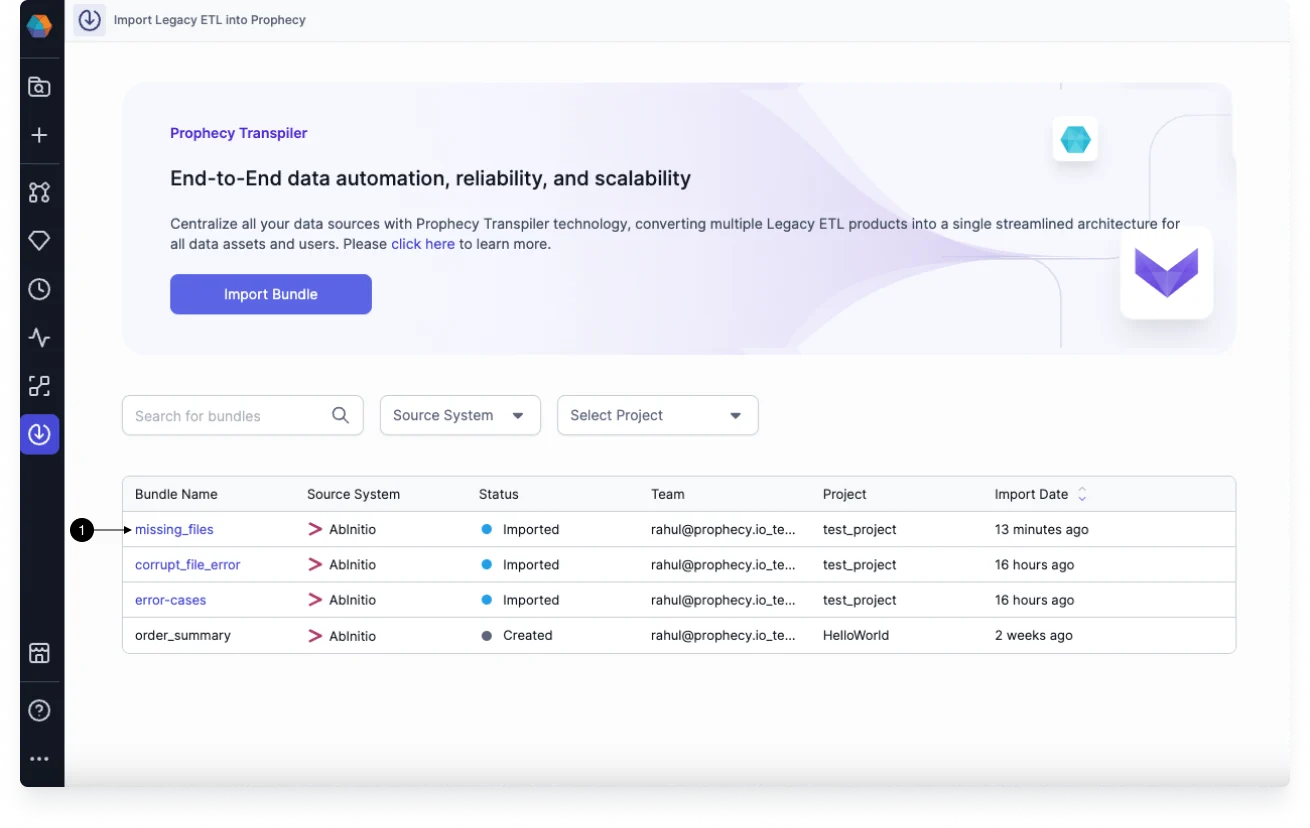
- Go to Transpiler section and select the (1) Bundle which the pipeline was part of:
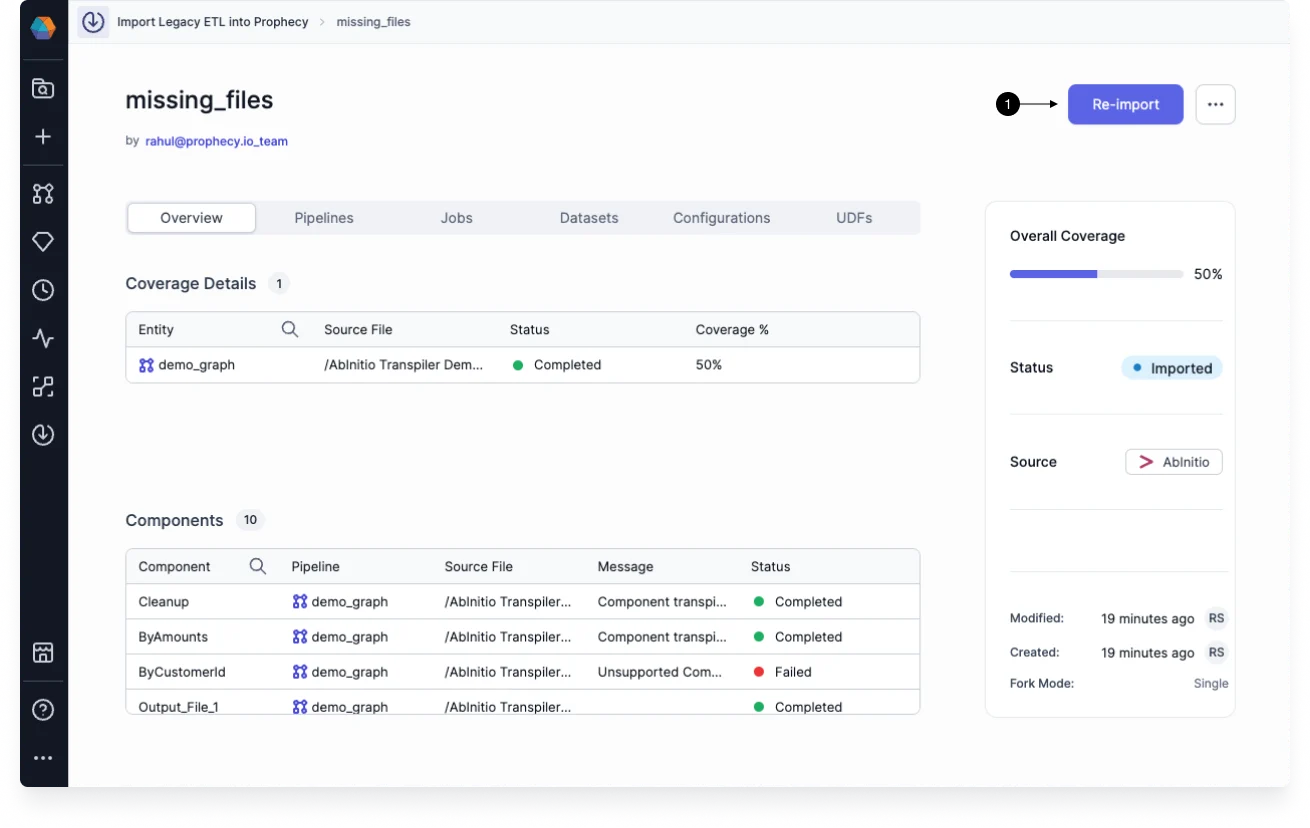
- Click on the (1) Re-import button as shown below:
- Click on Next button until you reach the Entity page as shown below:
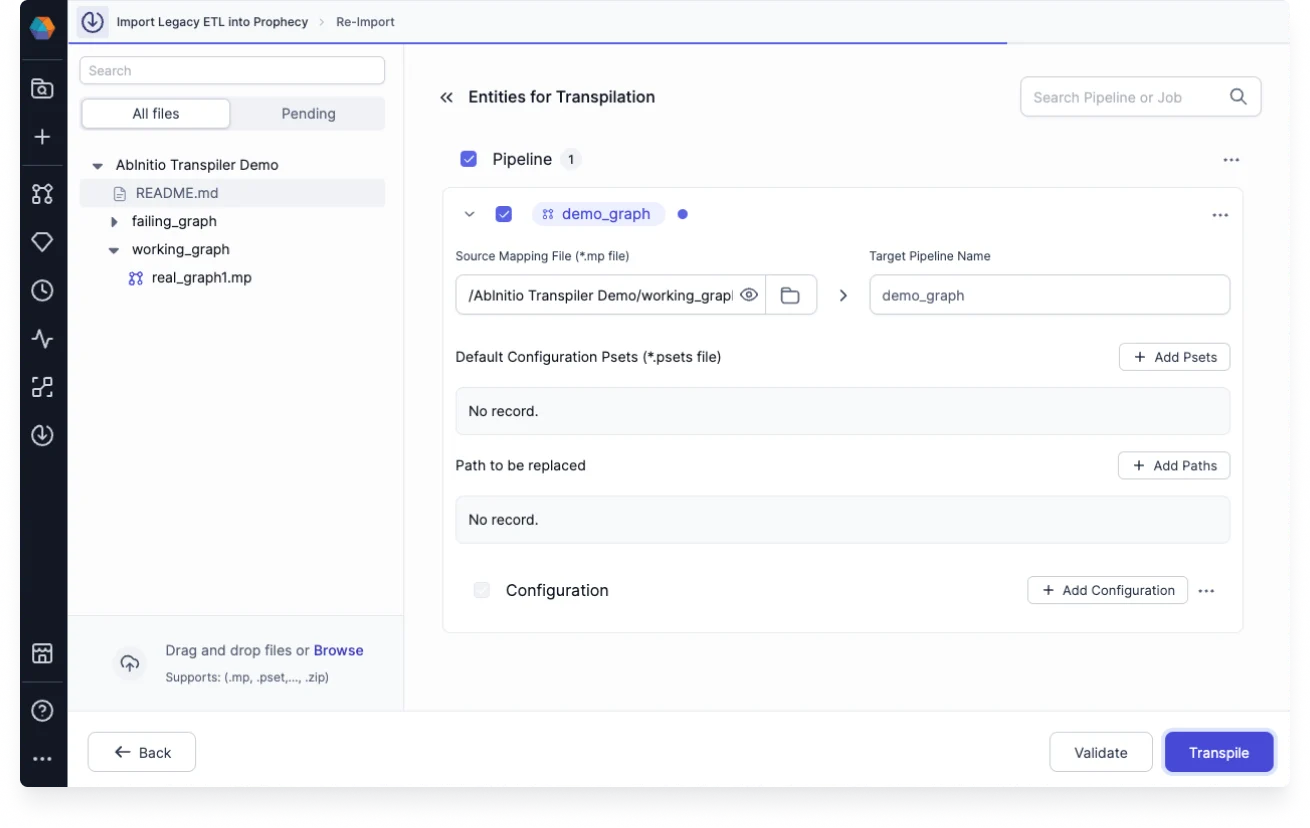
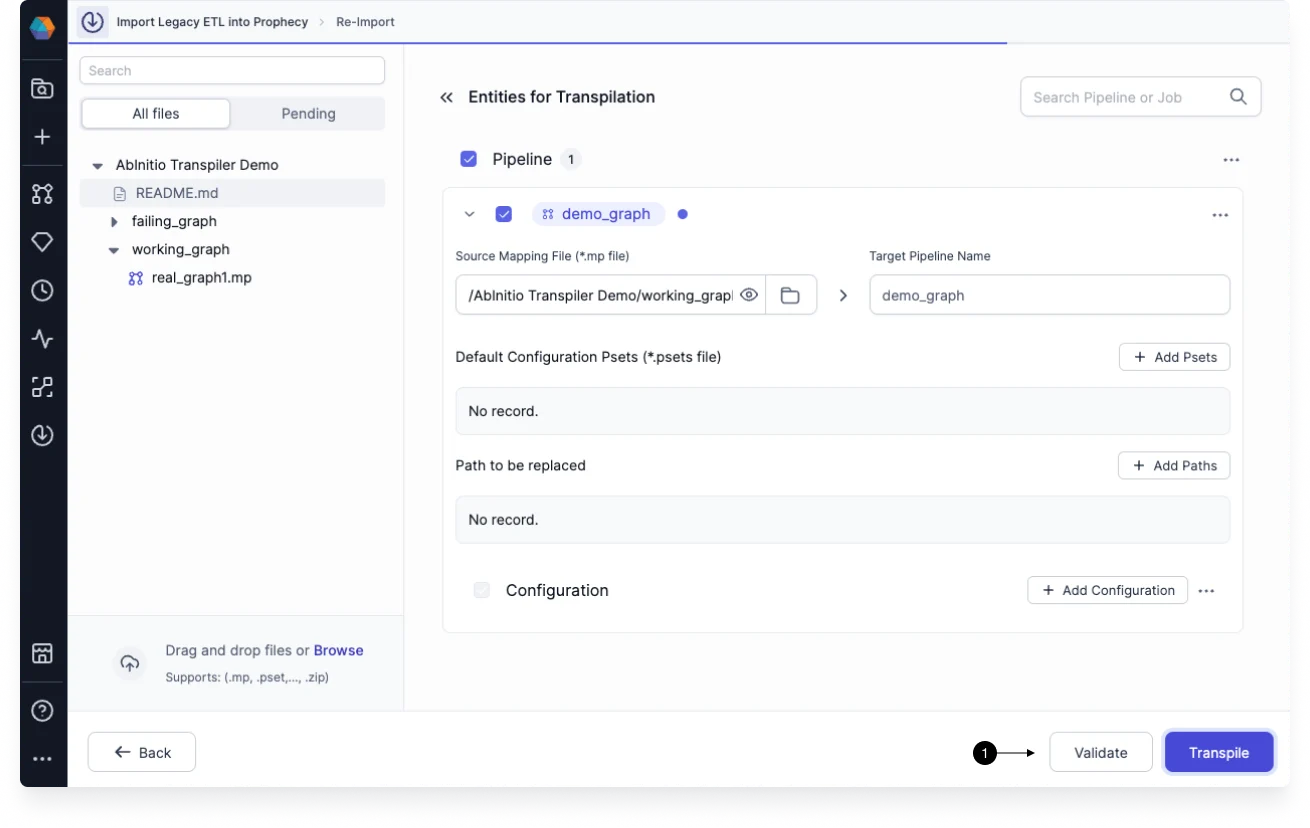
- Click on (1) Validate button to see the details of missing files:
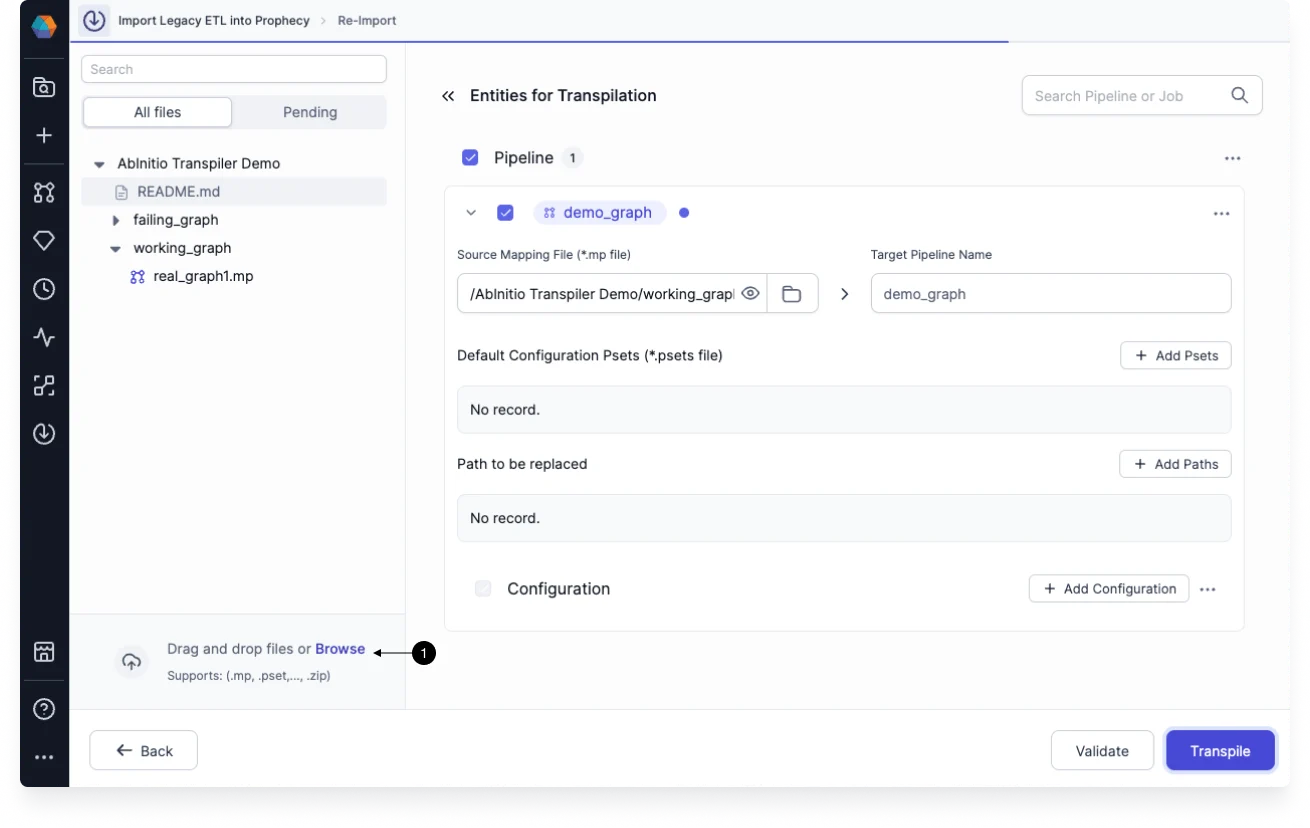
- Upload all the missing files by (1) simple drag and drop mechanism as shown:
- Now transpile the graph again and the errors due to missing artifacts will be resolved.
- Go to Transpiler section and select the (1) Bundle which the pipeline was part of:
Troubleshooting
Missing Artifacts
A tutorial on how to deal with missing files
This article describes how to troubleshoot parsing errors that are caused due to missing artifacts (mp,xfr,pset and dml) at the time of graph transpilation: