


Available for Enterprise Edition only.
Use case
Assume you want to use one database location during development and interactive execution, but you want to write to a different database for schedules running in production. You can use a configuration variable to do so.Create the variable
First, you will have to create the variable:- Open the project settings menu beside the project name and select Configuration.
- Make sure you are in Project Configuration.
- Create a variable and make the default value the name of the development database you want to use during interactive execution. The value should be a string.
Overwrite the default model location
Next, you need to add the variable to your target model location.- Open a target model gem.
- Click on the Location tab.
- Enable the Overwrite toggle for the database.
- Click on Advanced Mode on the right side of the database field.
- From the dropdown that appears, select Configuration Variable.
- Choose the configuration variable you created in the previous section.
- Save your changes.
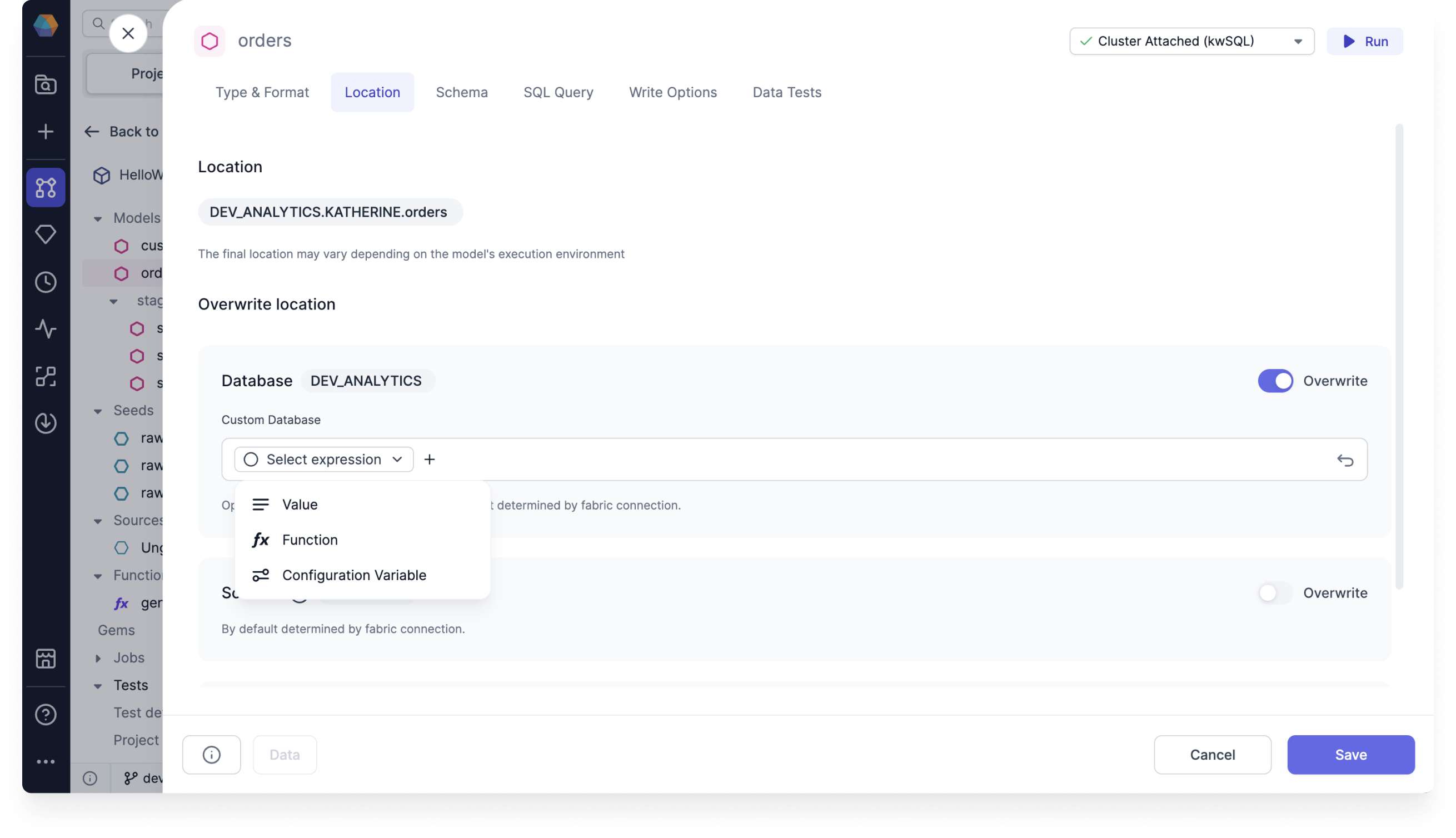
Assign the variable a value
Then, let’s change the variable to save to a production database.- Create a job that includes your model.
- Open the model configuration and add the Supply variables to project dbt property.
- Add your project variable and assign it the name of the production database. This will override the default value provided when you configured the variable.