- Compute text embeddings
- Answer a question, where the user has the option to provide context
1. Compute text embeddings
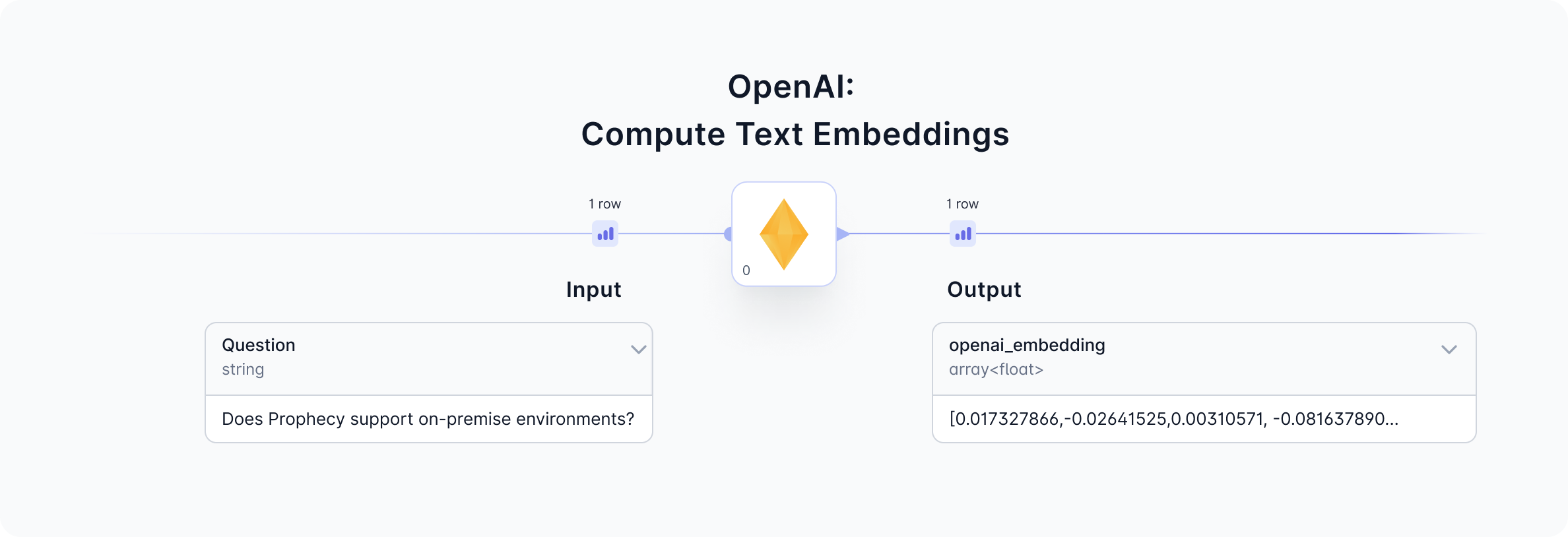
Given a question input, the OpenAI gem will return a text embedding by calling the OpenAI ada-002 model. View the input and output from this gem to understand the data formats and sample.
1a. Configure
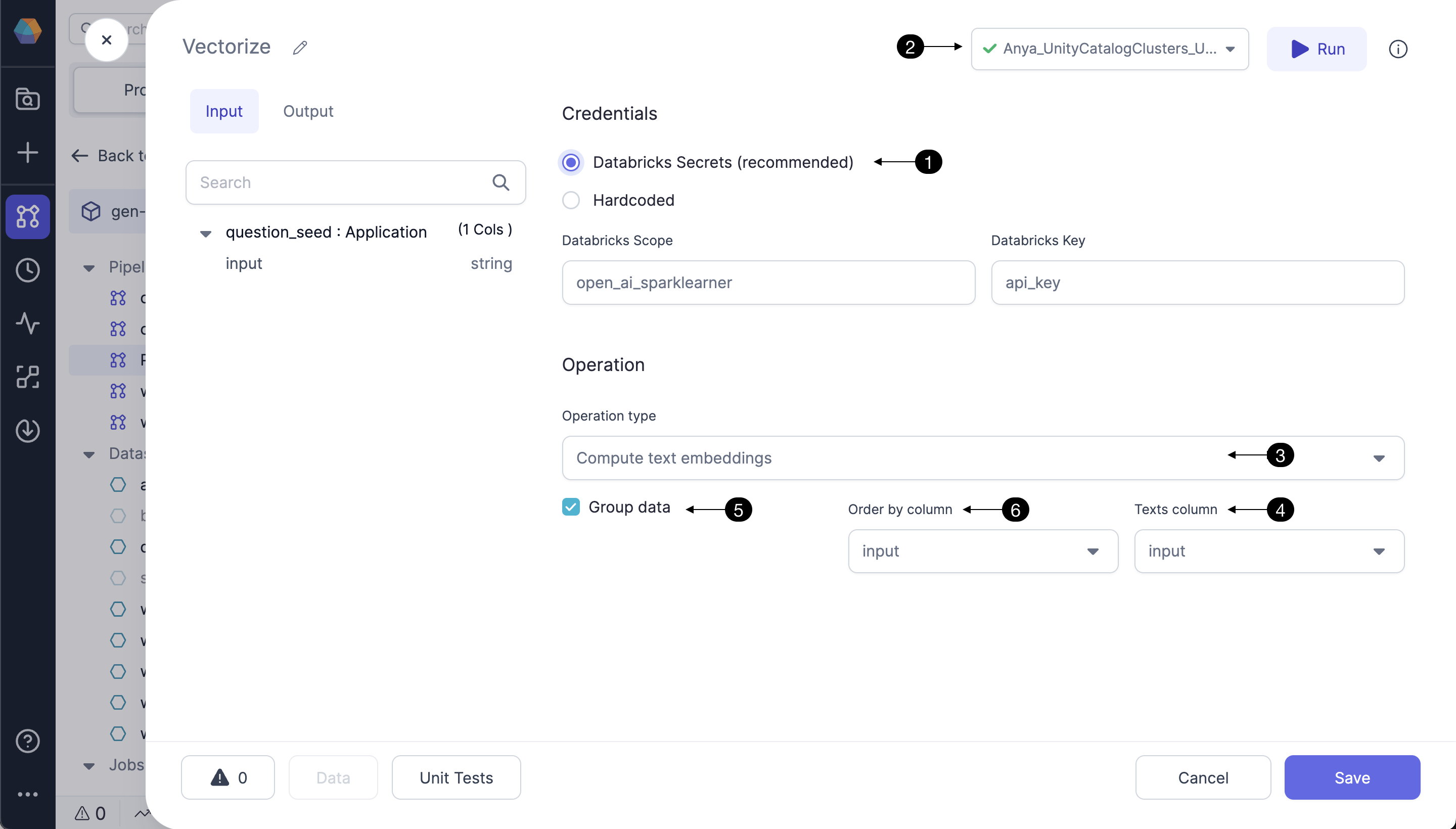
Follow the steps below to configure the OpenAI gem to compute text embeddings.
1b. Input
| Column | Description | Required |
|---|---|---|
| Question/Text | string - a question or text string of interest | True |
1c. Output
| Column | Description |
|---|---|
| openai_embedding | array(float) - The vector embedding returned from OpenAI corresponding to the input question/text. Each record is an array of 1536 floating point numbers, such as [-0.0018493991, -0.0059955865, ... -0.02498541]. |
| openai_error | string - this column is provided to display any error message returned from the OpenAI API; helpful for troubleshooting. |
1d. Generated code
All the visual designs are converted to code and committed to the Prophecy user’s Git repository. See below for a sample of the code which calls the OpenAI API to compute text embeddings.2. Answer a question with a given context
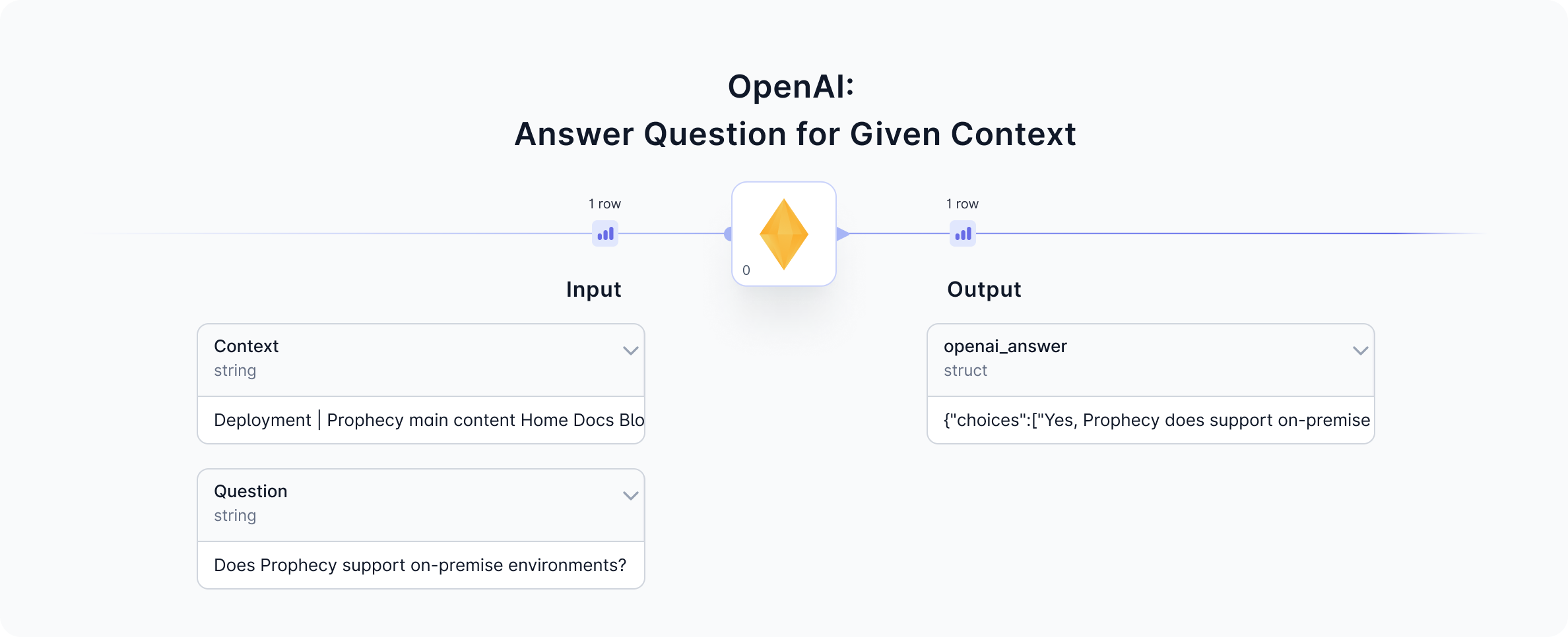
In addition to computing text embeddings, OpenAI’s ada-002 model is also very good at answering questions. The Prophecy interface allows users to input a question (and optionally provide a context) as components of theprompt sent to OpenAI. In response, OpenAI’s ada-002 model returns an answer(s) to the question. See the input and output data previews before and after the OpenAI gem to understand the operation.

2a. Configure
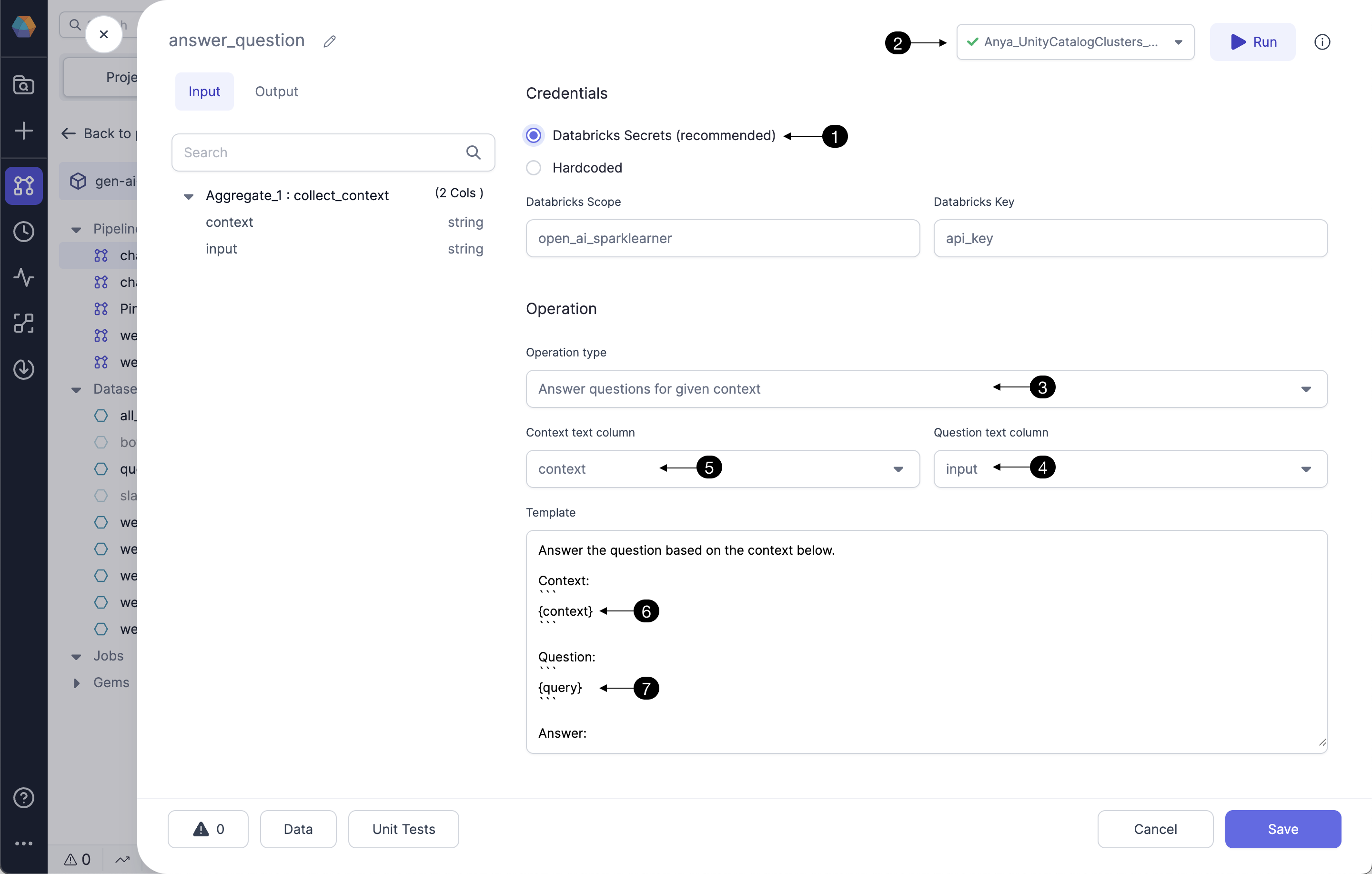
Follow the steps below to configure the OpenAI gem to answer a question, and to understand how to provide a context if desired.
Answer questions will prompt OpenAI’s ada-002 model to answer the provided question using the datasets the model was trained on, which have some blindness. For many users, you’ll want to provide some context as part of your prompt. The operation (3) Answer questions for given context will likely generate answers more related to the context. Select the input column which has the question of interest as the (4) Question text column. To provide context in addition to the question, select (5) Context text column. For example, if the question is Does Prophecy support on-premise environments?, an appropriate context would be some section of Prophecy’s documentation. The (6) context and (7) question (query) comprise the prompt sent to OpenAI.
2b. Input
| Column | Description | Required |
|---|---|---|
| Question | string - a question of interest to include in the prompt sent to OpenAI. Example: What is Prophecy's AI Assistant feature? | True |
| Context | string - a text corpus related to the question of interest, also included in the prompt sent to OpenAI. Frequently the context column should undergo data transformations in the gems preceding the OpenAI gem. See this guide for a great example of preparing the text corpus and transforming sufficiently to include in a useful prompt. | False |
2c. Output
Since OpenAI’s models are probabalistic, they return at least one, and frequently more than one, answer. These responses are formatted as a json array of answer choices. The user would usually select the best answer from the choices; we recommend selecting the first answer if you wish to select one by default. This can be done in the gem following the OpenAI gem as in this example.| Column | Description |
|---|---|
| openai_answer | struct - this column contains the response from OpenAI in as a json array. Example: {"choices":["Prophecy's AI Assistant feature is called Data Copilot."]} Select/filter from multiple answer choices in a gem following the OpenAI gem. |
| openai_error | string - this column is provided to display any error message returned from the OpenAI API; helpful for troubleshooting. |