

- Parameters: Configure the parameters needed to call the Pinecone API.
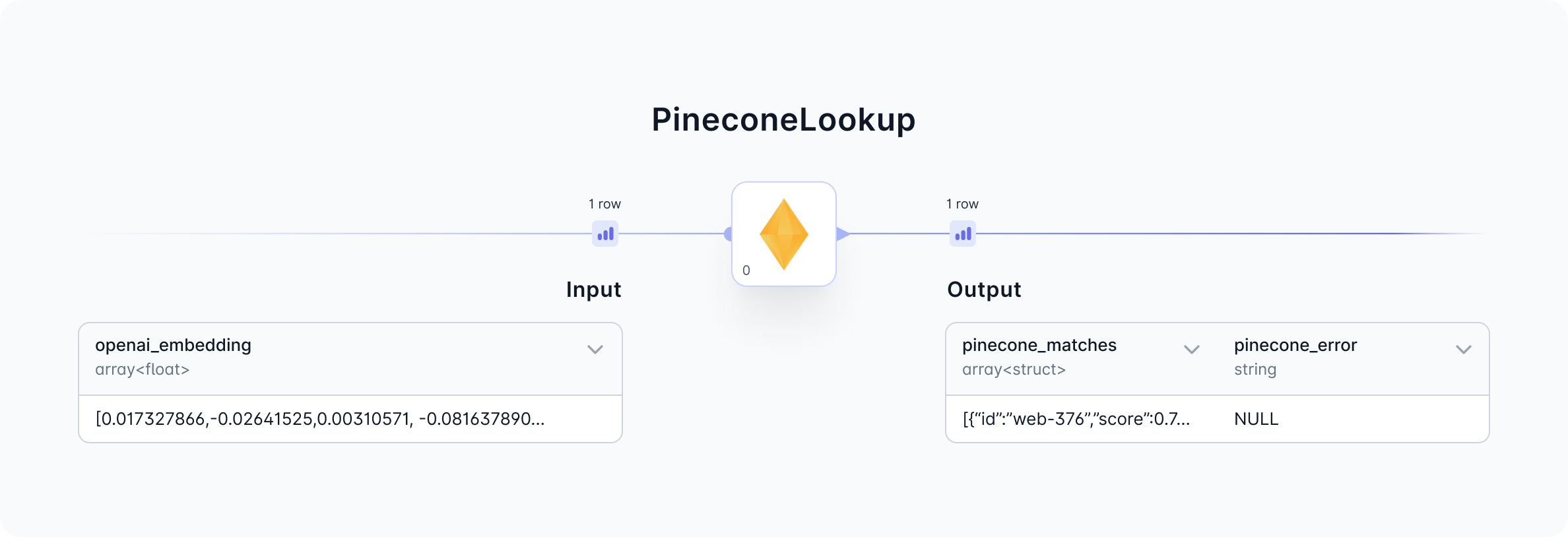
- Input: This gem requires an embedding as input. The embedding is provided by a foundational model like OpenAI.
- Output: This gem outputs an array of IDs with corresponding similarity scores.
Gem Parameters
Credentials
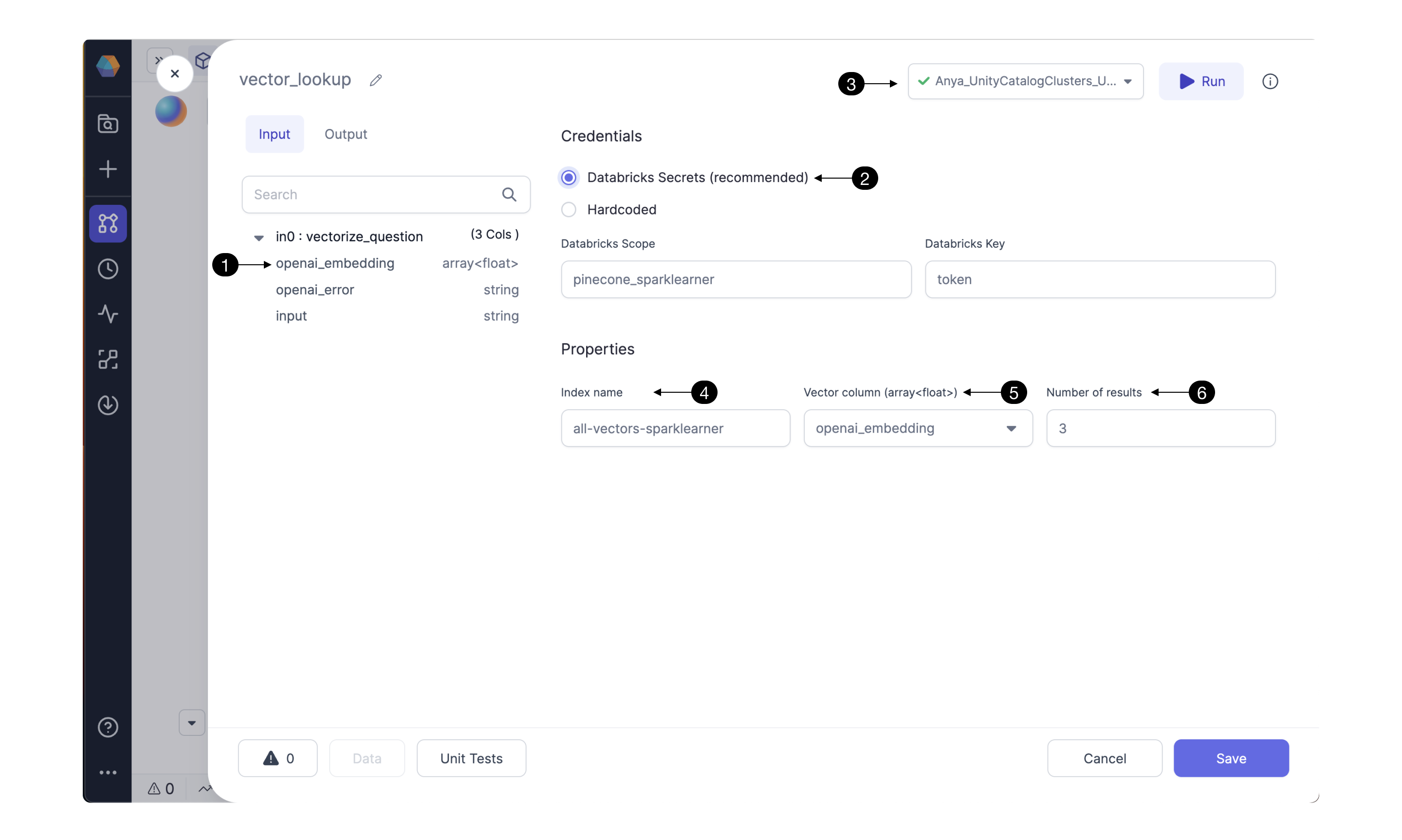
Configure the Pinecone API credentials here. Storing the Pinecone API token as a (2) Databricks Secret is highly recommended. For instructions click here. Be sure to use the (3) Fabric connection to the Databricks workspace which contains the Databricks scope and secrets configured in this gem. Hardcoding the Pinecone credential is not recommended. Selecting this option could send credentials to be stored hardcoded in Git; reach out to understand the integrations with other secret managers.Properties
Pinecone DB uses indexing to map the vectors to a data structure that will enable faster searching. The PineconeLookup gem searches through a Pinecone index to identify embeddings with similarity to the input embedding. Enter the Pinecone (4) Index name which you’d like to use for looking up embeddings. Select one of the gem’s input columns with vector embeddings as the (5) Vector column to send to Pinecone’s API. The column must be compatible with the Pinecone Index. To change the column’s datatype and properties, configure the gem(s) preceding the PineconeLookup gem. Pinecone’s API can return multiple results. Depending on the use case, select the desired (6) Number of results sorted by similarity score. The result with highest similarity to the user’s text question will be listed first.Input
PineconeLookup requires a model_embedding column as input. Use one of Prophecy’s Machine Learning gems to provide the model_embedding. For example, the OpenAI gem can precede the PineconeLookup gem in the pipeline. The OpenAI gem, configured toCompute a text embedding, will output an openai_embedding column. This is a suitable input for the PineconeLookup gem.
Output
The output dataset contains the pinecone_matches and pinecone_error columns. For each input content entry, this gem adds an array to the pinecone_matches column. The output array will have Number of Results entries.
Prophecy converts the visual design into Spark code available on the Prophecy user’s Git repository. Find the Spark code for the PineconeLookup gem below.