

What happens when two users are working on the same project simultaneously?
When other users are active, you can see their presence indicated by a user icon on each entity. You can view these entities, but you can’t make changes until the other user closes the entity or you request to take over.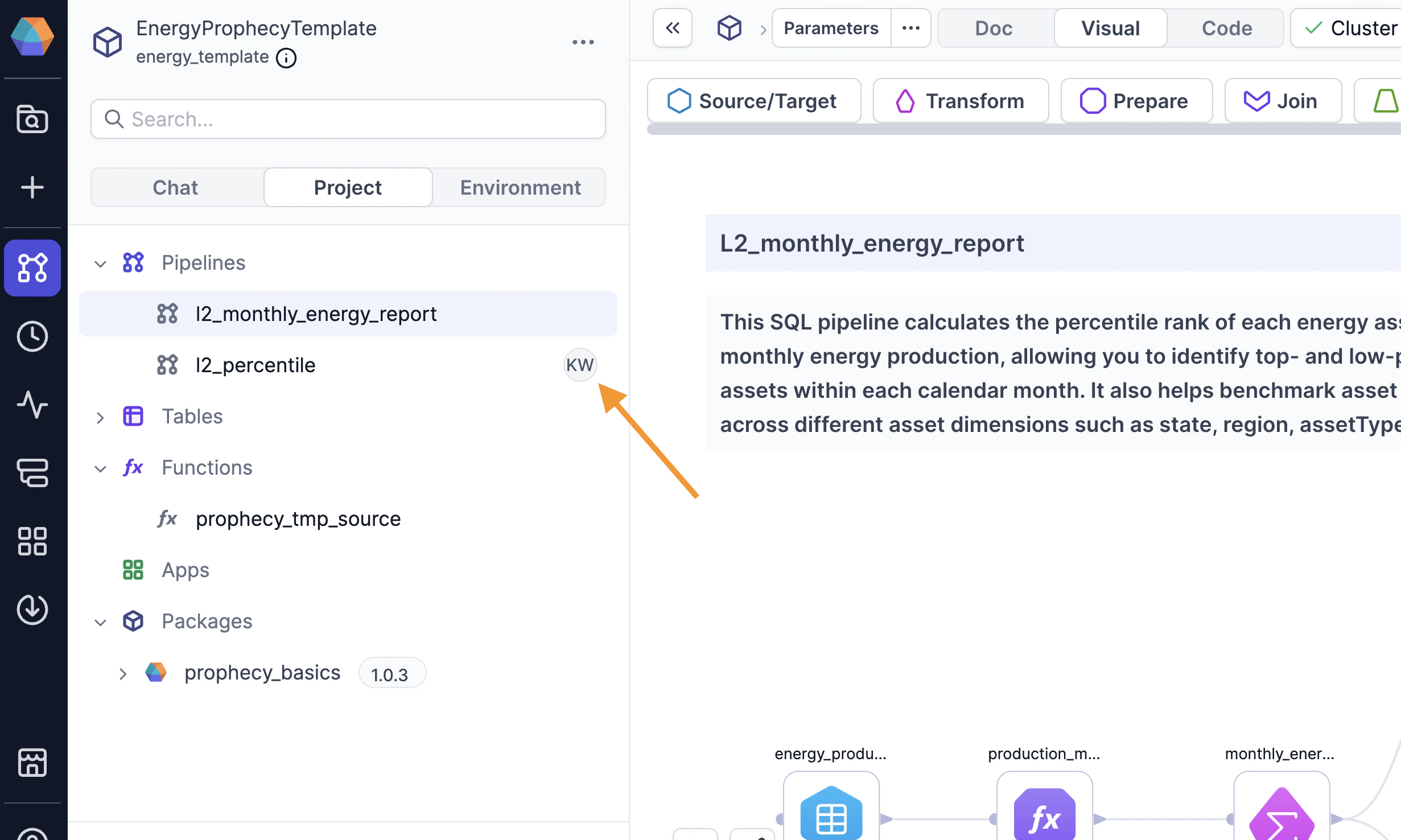
- Open the entity you want to edit.
- Click Take Over in the canvas footer.
- Wait for the other user to respond. If the other user is idle and doesn’t respond within 30 seconds, Prophecy grants you control automatically.
How does this relate to version control?
Prophecy projects are versioned using Git. We’ve simplified Git’s typical branching workflow into a straightforward save and publish workflow. As a result, everyone works on the same copy of a project, which is why simultaneous editing isn’t allowed. In a typical Git workflow, every user gets their own copy of a project. When individual work is done, users merge their copies into one place. If changes overlap, users must resolve the conflicts manually. Prophecy’s simplified workflow avoids conflicts entirely by preventing simultaneous edits. To learn more about the typical Git workflow and how it integrates with Prophecy, see Git.I see a conflict. How did this happen?
Conflicts should not occur on projects using Simple Git; however, they can happen if you are using an external Git repository. This means there is another place where changes can be made to the project, and Prophecy can’t prevent them. (Typically, Simple Git projects are hosted on Prophecy-managed Git, so this is not a concern. Users can’t edit the project code directly in the Prophecy-managed Git repository.) To be more specific, if a user makes a conflicting change to thedev or main branch of the external Git repository:
- You will have to pull (integrate) these changes from the external Git into your project in Prophecy.
- These external changes may conflict with changes made in your project in Prophecy, and you will need to resolve them.