

Cluster requirements
Cluster requirements
Cluster requirements:
- UC dedicated clusters 14.3+ supported
- UC standard clusters 14.3+ supported
- Livy clusters 3.0.1+ supported
- Multiple times inside one pipeline
- Across different pipelines in the same project
- Across different pipelines in different projects
Create a basic subgraph
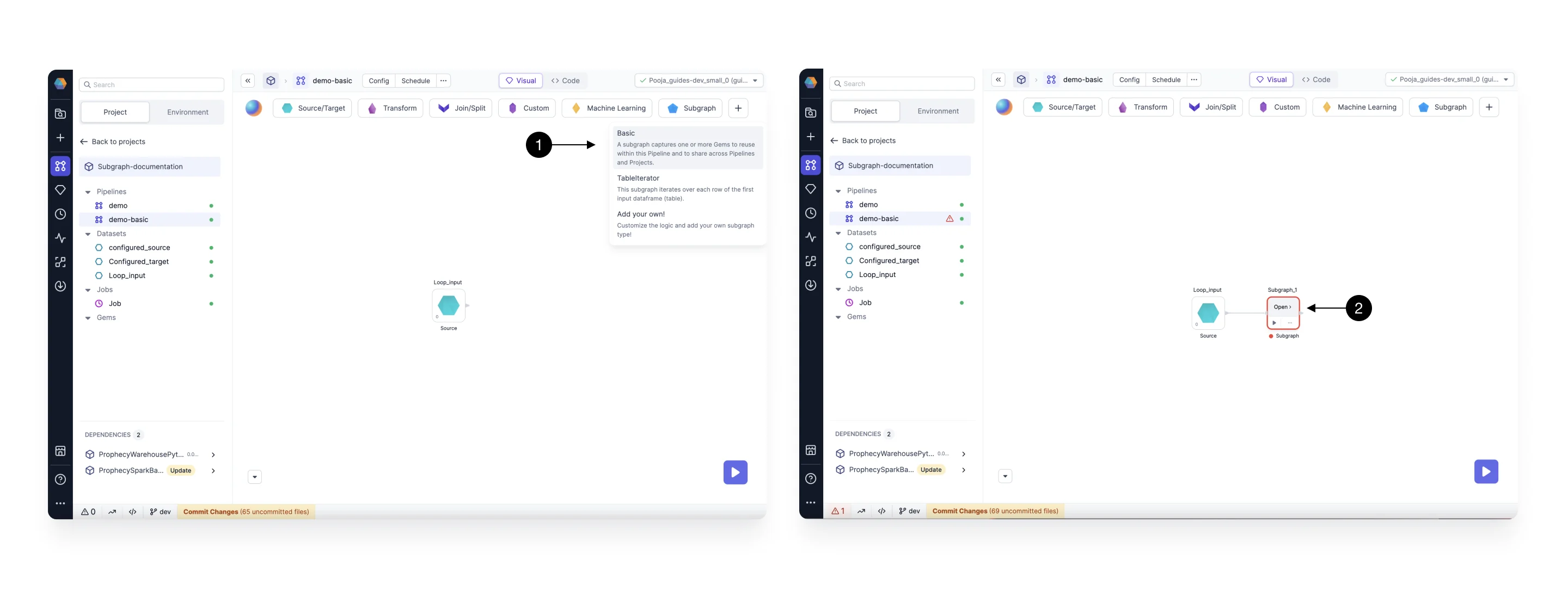
To create a basic subgraph:- Add the Basic Subgraph gem from the Subgraph menu to the canvas. Connect it to another gem on your canvas.
- Once you’ve added the gem, click Open. This opens the subgraph canvas, where you can add gems just as you would on the pipeline canvas.
Add/Remove Port
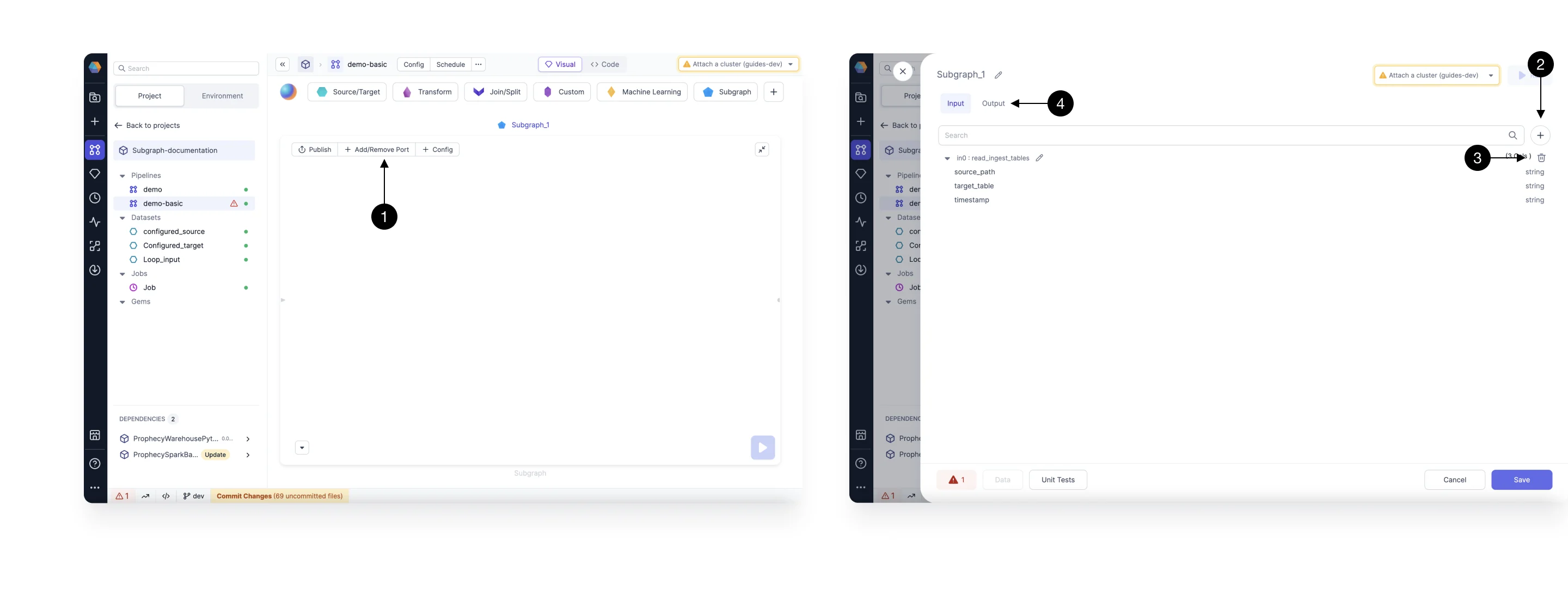
While using a subgraph, you can control the input and output ports as per the requirements. Click on the (1) Add/Remove Part Button to open the port settings dialog. In this dialog, you can add or remove the input or output ports.- To add an input port, click the (2) + button.
- To remove an input port, click the (3) delete icon next to the input port you want to delete.
- To manage output ports, switch to the (4) Output tab.
Subgraph Configurations
Subgraphs support configurations just like pipelines do. You can apply configurations in two ways:- Copy pipeline-level configurations
- Define configurations specific to the subgraph only