

Relationship to pipelines
Analyses are generated within the context of a pipeline and depend on that pipeline’s outputs. Pipelines prepare and transform data. Analyses interpret and present insights from those outputs for decision-making. Because Analyses are tied to pipelines:- They reflect the logic defined in the underlying transformations.
- Updates to pipeline logic affect Analysis results.
- A single pipeline can support multiple Analyses focused on different business questions.
What an Analysis includes
An Analysis may include:- Key insights summarizing findings.
- Bar charts and other visualizations.
- Key recommendations based on results.
- Supporting metrics and data details.
- Interactive configuration controls.
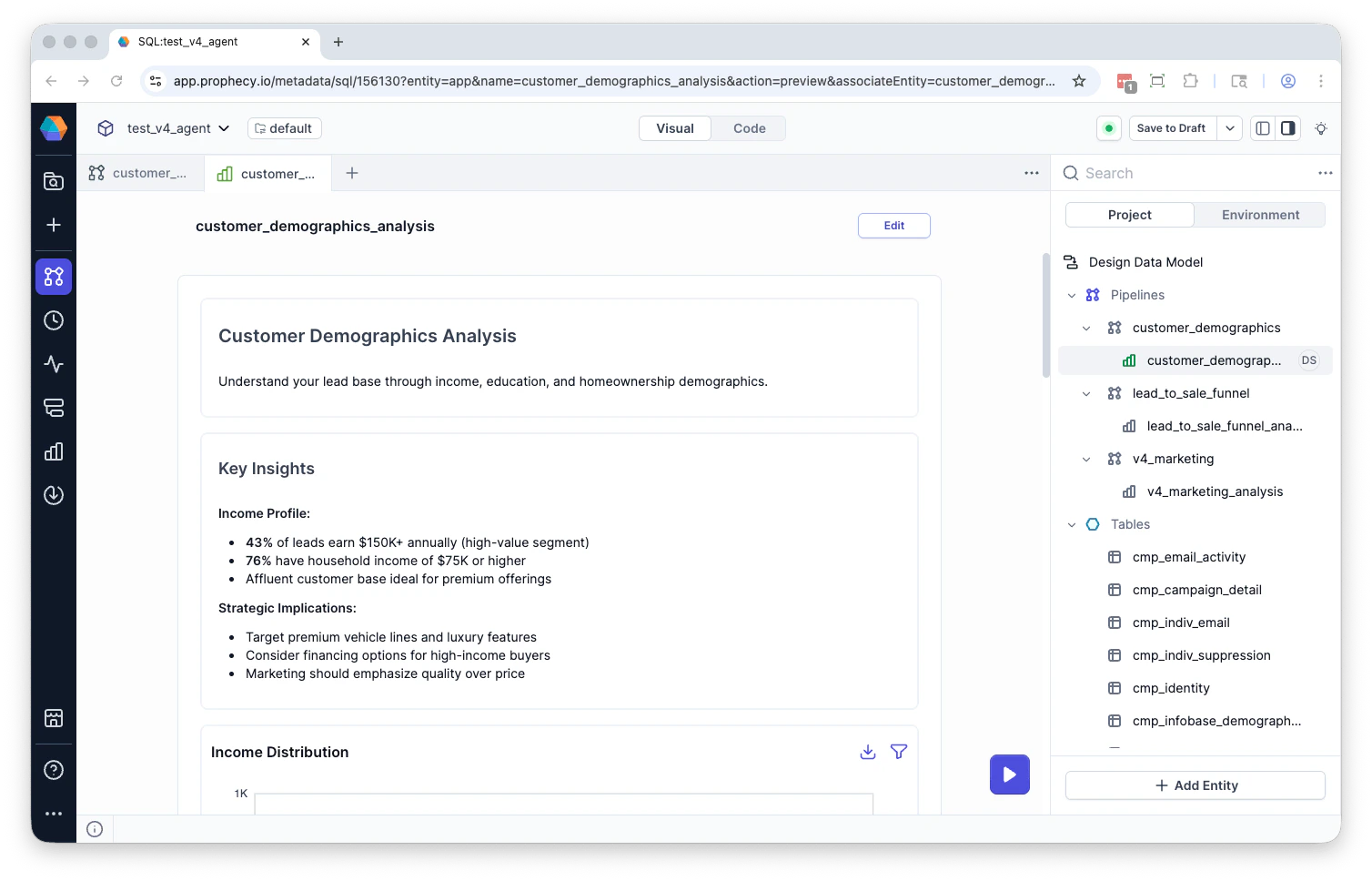
Creating Analyses with the Agent
Analyses are generated by the Agent in response to business questions. When you ask a question, the Agent can:- Identify relevant datasets and pipeline outputs.
- Generate or modify SQL models.
- Create an Analysis beneath the pipeline.
- Populate the Analysis with insights, charts, and recommendations.
Reuse and refinement
Once created, an Analysis can be reused and refined without rebuilding the underlying pipeline. You can modify an Analysis by:- Updating filters or scoring thresholds in the parent pipeline.
- Adjusting business rules.
- Editing insight summaries.
- Adding or removing visualizations.
- Rearranging the order of sections within the dashboard.