

Project tests are based on dbt singular data
tests.
Understand project test flow
Project tests evaluate data through a two-step process:- Pipeline execution: Your visual pipeline executes and returns data. The pipeline can filter, transform, or aggregate data to prepare it for evaluation.
- Data Test evaluation: The Data Test gem applies the Failure Calculation to the pipeline output, then evaluates the Error If and Warning If conditions against that calculated value to determine the test result.
Data Test gem parameters
When you create a project test, a Data Test gem appears on an otherwise empty canvas. The Data Test gem evaluates the rows returned by your pipeline and determines whether the test passes or fails based on the following parameters:If you leave all parameters empty, Prophecy uses the default values. Customize parameters when you
need more control over test behavior.
- Applies the Failure Calculation expression, producing a single value.
- Evaluates the Error If condition against the calculated value (if severity is
error). - If the Error If condition is not met, evaluates the Warning If condition.
- Returns the test result.
Example configurations
Example configurations
Build and run a test
The following example procedure creates a test namedassert_total_payment_amount_is_positive that validates payment data.
For each order, there might be multiple transactions, where negative transactions represent refunds. The total payment amount for an order is the sum of all transaction amounts and should never be negative.
If we use the default parameters, we need to build a pipeline that:
- Aggregates payments by order to calculate total amounts
- Filters to return only orders with negative totals (violations)
- Passes these violation rows to the Data Test gem
count(*) and Error If !=0, if any orders have negative totals, the Data Test gem receives rows, the count is greater than 0, and the test fails. If no orders have negative totals, the count is 0, and the test passes.
1. Create a project test entity
To develop a project test, start by opening a project:- In the left sidebar, click + Add Entity.
- Hover the Tests option and select Project tests.
- Enter a name for your test, such as
assert_total_payment_amount_is_positive. - Keep the default path
testswhere Prophecy will store the test. - Click Create.
2. Build the test pipeline
Build a pipeline that returns data for the Data Test gem to evaluate. In this example, we’ll return only rows that violate the business rule, which works well with default parameters.-
Drag a table onto the canvas.
In this example, we’ll use a
paymentstable: -
Add an Aggregate gem after the
paymentstable. -
Configure the Aggregate gem to sum the
amountcolumn grouped byorder_id. - Add a Filter gem after the Aggregate gem.
-
Configure the Filter gem with the condition
amount_sum < 0to return only orders where the total amount is negative. - Connect the Filter gem to the Data Test gem.
Because
ORD-003 has a negative total amount (100.00 + (-150.00) = -50.00), the test will
return an error.3. Review the Data Test gem
Since we are using the default parameters, we don’t need to configure the Data Test gem. However, we can review the default parameters and the SQL query to understand how the test works.- Open the Data Test gem.
- Keep the default parameters. Without modifying the parameters, the test returns an error if the input to the Data Test gem has any rows.
- Review the Final Query code editor. This displays the SQL query generated from your visual pipeline. The test executes this query against your data warehouse. You don’t need to edit it, but reviewing it helps verify the test logic.
- Click Save.
4. Run the project test
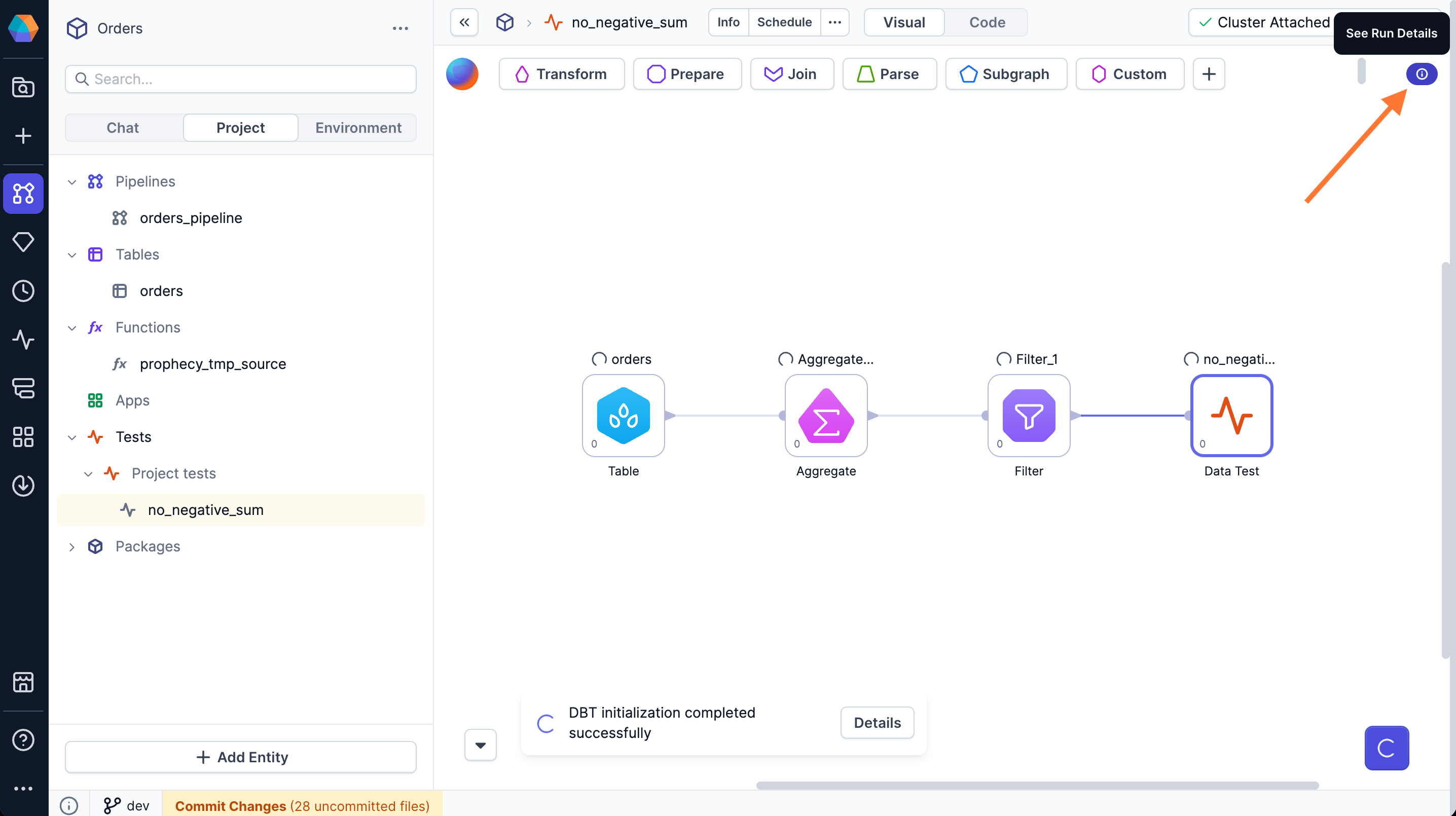
Run the whole pipeline to see the test result.- Click the Play button on the canvas or on the Data Test gem.
- The test executes the SQL query from the Final Query against your data warehouse.
-
Click See Run Details in the top right of the canvas to view the test summary.
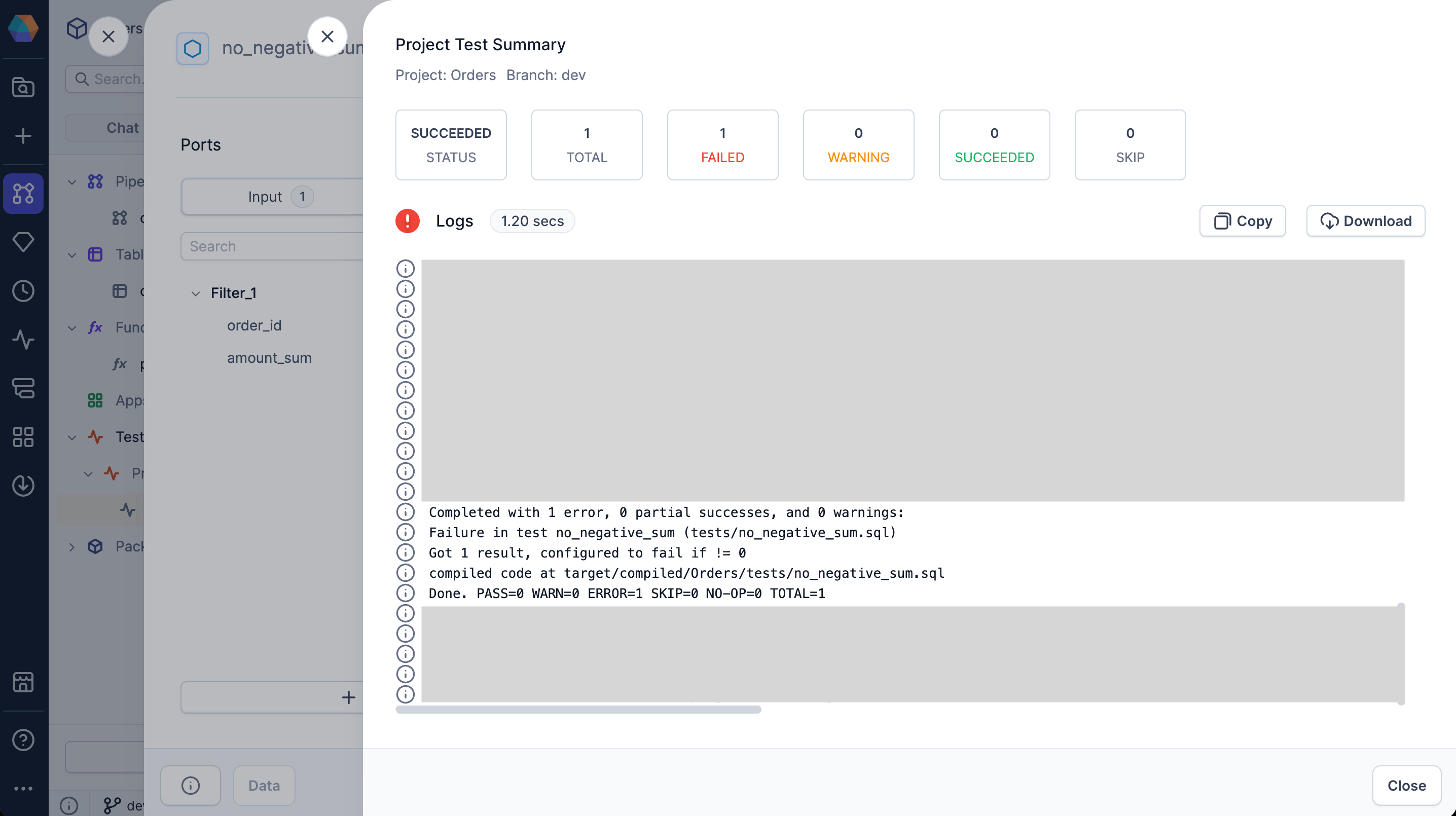
- Review the test status: succeeded, warning, or failed.
-
For failed tests, expand the logs section to view detailed dbt execution logs. The logs show the SQL query that was executed and the test result.
You can execute a partial pipeline run by clicking play on an intermediate gem. However, since the
execution stops before reaching the Data Test gem, the test will not run.
5. Schedule test runs
- Pipeline schedules
- Model schedules
Project tests can run as part of a pipeline schedule.
- Open the pipeline you want to associate with project tests.
- In the project header, click … > Schedule.
- Edit the existing schedule or configure a new schedule.
- Under Project level tests, select the tests you want to run.
- Click Confirm to save the changes.
You must enable the schedule and publish the project to activate the automation.Learn more in Schedule activation.
Troubleshooting test failures
When a project test fails, determine whether the failure indicates a data quality issue or a configuration problem.Test failure (data quality issue)
The test evaluates the pipeline output using the configured Failure Calculation and Error If or Warning If conditions, and the conditions are met, indicating that your data violates the test criteria. The test is working correctly, but your data doesn’t meet the expected criteria. When this happens, you should review the test logs to see which conditions were met. Either fix the data issue or consider adjusting the Error If or Warning If thresholds if the current values are too strict or too lenient. For example, in theassert_total_payment_amount_is_positive test with default parameters, if the query returns rows and the count is greater than 0, it means there are orders with negative total payment amounts. You would need to investigate why those orders have negative totals.
Execution error (configuration or setup issue)
The test cannot run properly due to a technical problem. Common causes include:- The input table no longer exists or the input data sources are inaccessible.
- The Failure Calculation function is invalid or contains syntax errors.
- The Error If or Warning If conditions are invalid or contain syntax errors.
- The SQL query itself has syntax errors.