

When to use table tests
Use table tests when you need reusable, parameterized tests that can be applied across multiple tables or models. Table tests are written as “test definitions,” which are essentially stored SQL queries with parameters. They are useful for:- Parameterization: Leverage parameters (like
modelandcolumn_name). - Sharing: Share tests with other teams through Prophecy packages.
- Standardization: Establish consistent data quality checks across your project.
When to use project tests
Use project tests when your validation logic doesn’t need to be reused elsewhere. Project tests provide the following benefits:- No SQL required: Prepare data for testing using the visual pipeline builder.
- Workflow-specific: Validate specific combinations of models or tables that are unique to a particular pipeline or workflow.
Example: Comparing row counts between two tables
Both table tests and project tests can validate the same data quality requirement. This example demonstrates how to verify that two tables have the same number of rows using each approach.Scenario
You need to ensure thatcustomers and customers_cleaned tables have matching row counts. If the counts differ, the test should fail.
Approach 1: Table test
Create a parameterized test definition that you can apply to any table.-
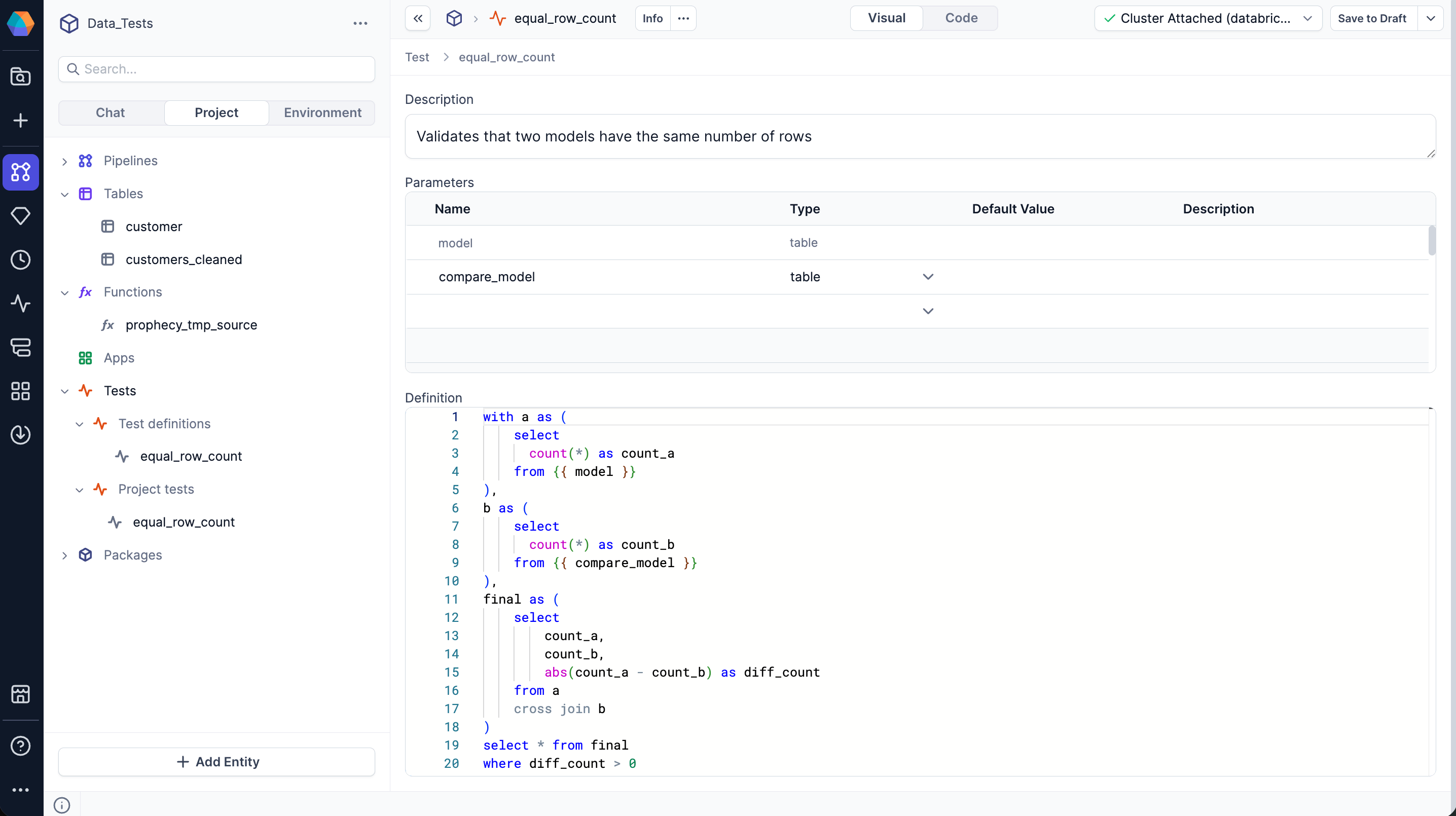
Create a new test definition.
-
Define the parameters
{{ model }}and{{ compare_model }}to accept any two tables. -
Define the SQL query for the test. The query returns rows only when the counts differ (test fails).
-
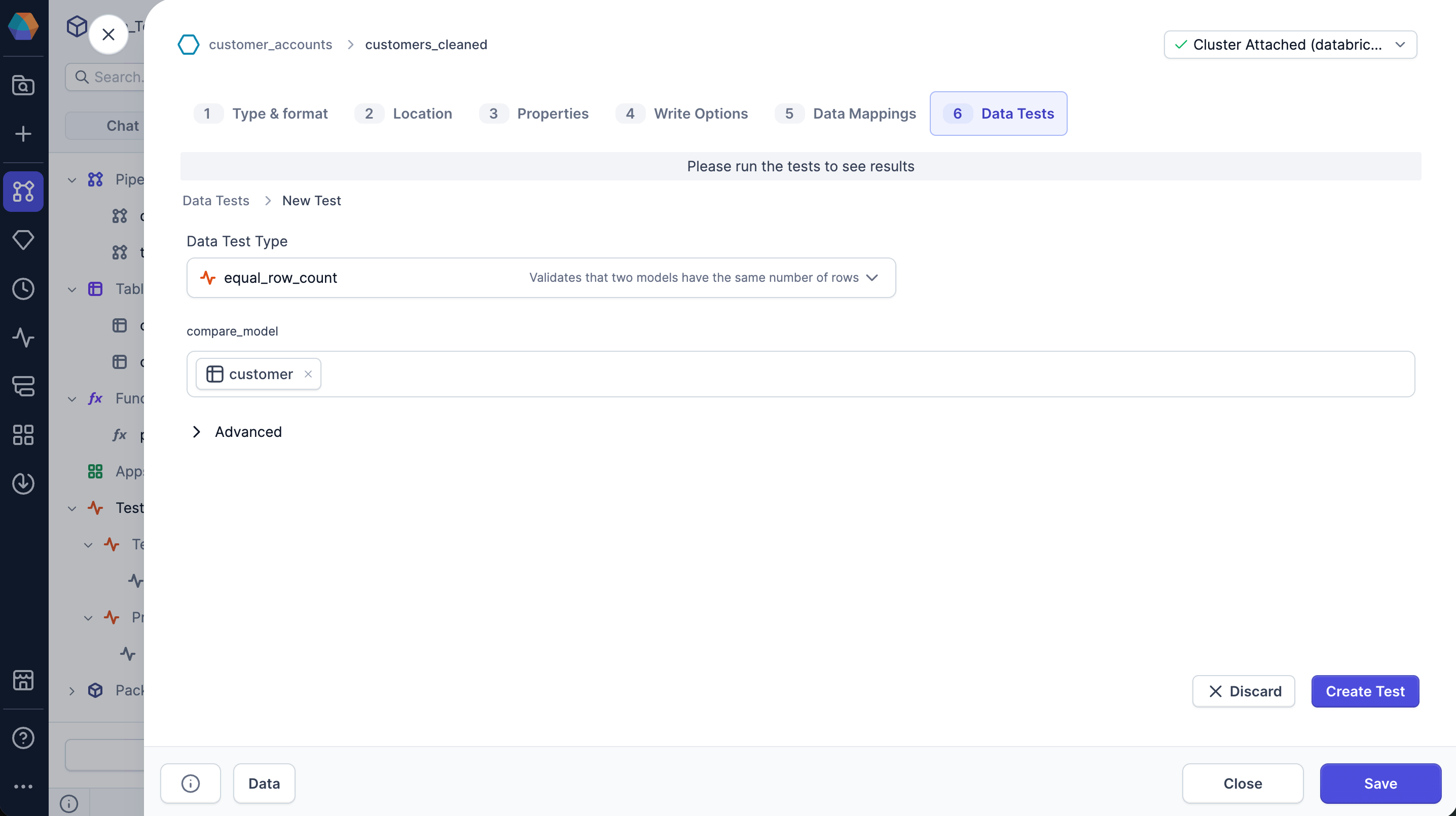
Add the test to a table in a pipeline.
- Prophecy sets the value of the
modelparameter to the current table. - You specify the
compare_modelparameter to the table you want to compare.
- Prophecy sets the value of the
- Run the test.
Approach 2: Project test
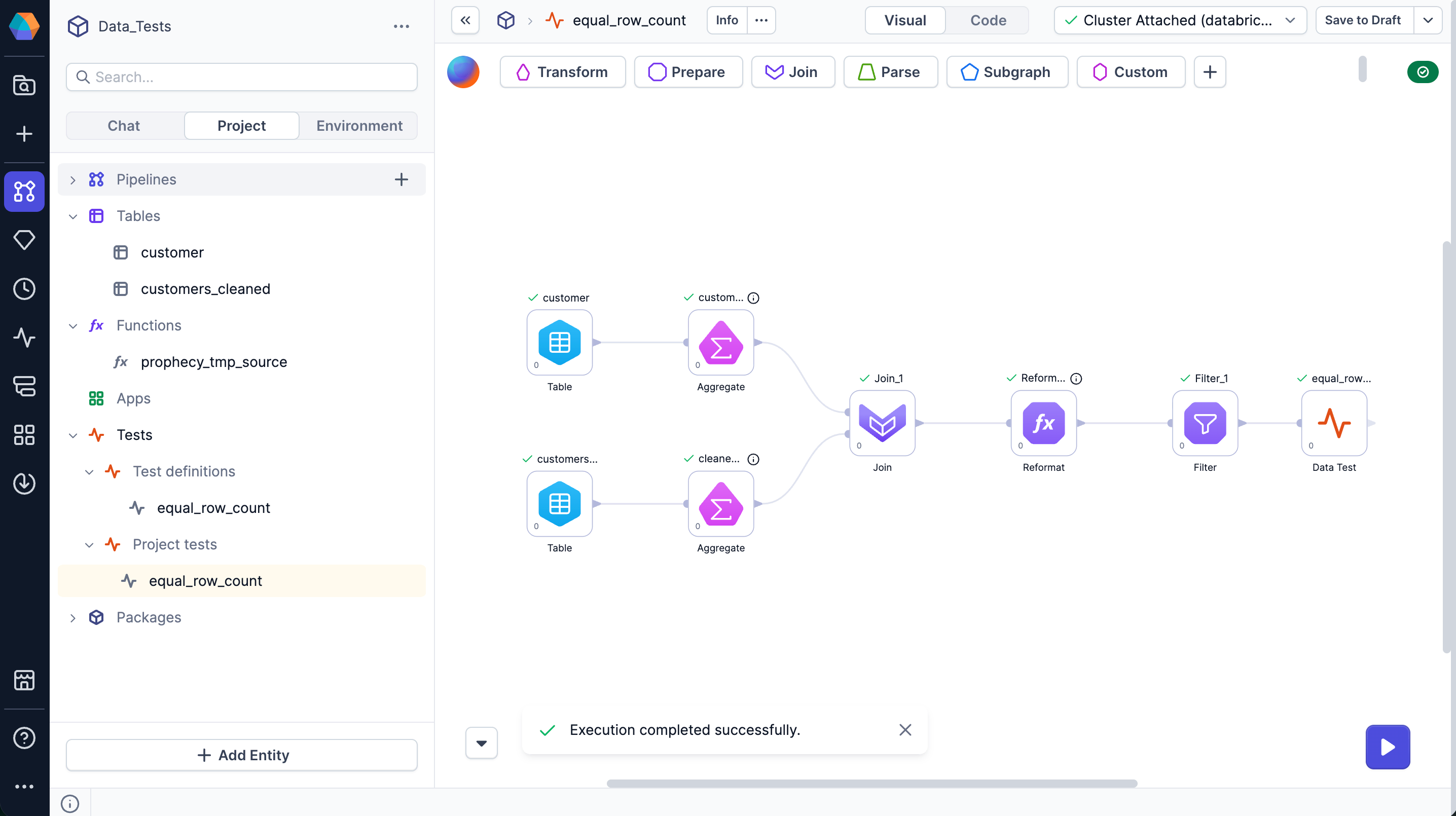
Build a visual pipeline that performs the same validation using gems instead of SQL.- Add two Table gems to the pipeline to read
customersandcustomers_cleaned. - Add two Aggregate gems to count rows in each table.
- Add a Join gem to combine the counts into a single row.
- Add a Reformat gem to calculate the difference between counts.
- Add a Filter gem to return rows only when the difference is greater than
0. - Connect to the Data Test gem to evaluate the result: if any rows exist, the test fails.
customers and customers_cleaned tables. To test different tables, you must create a new project test.