

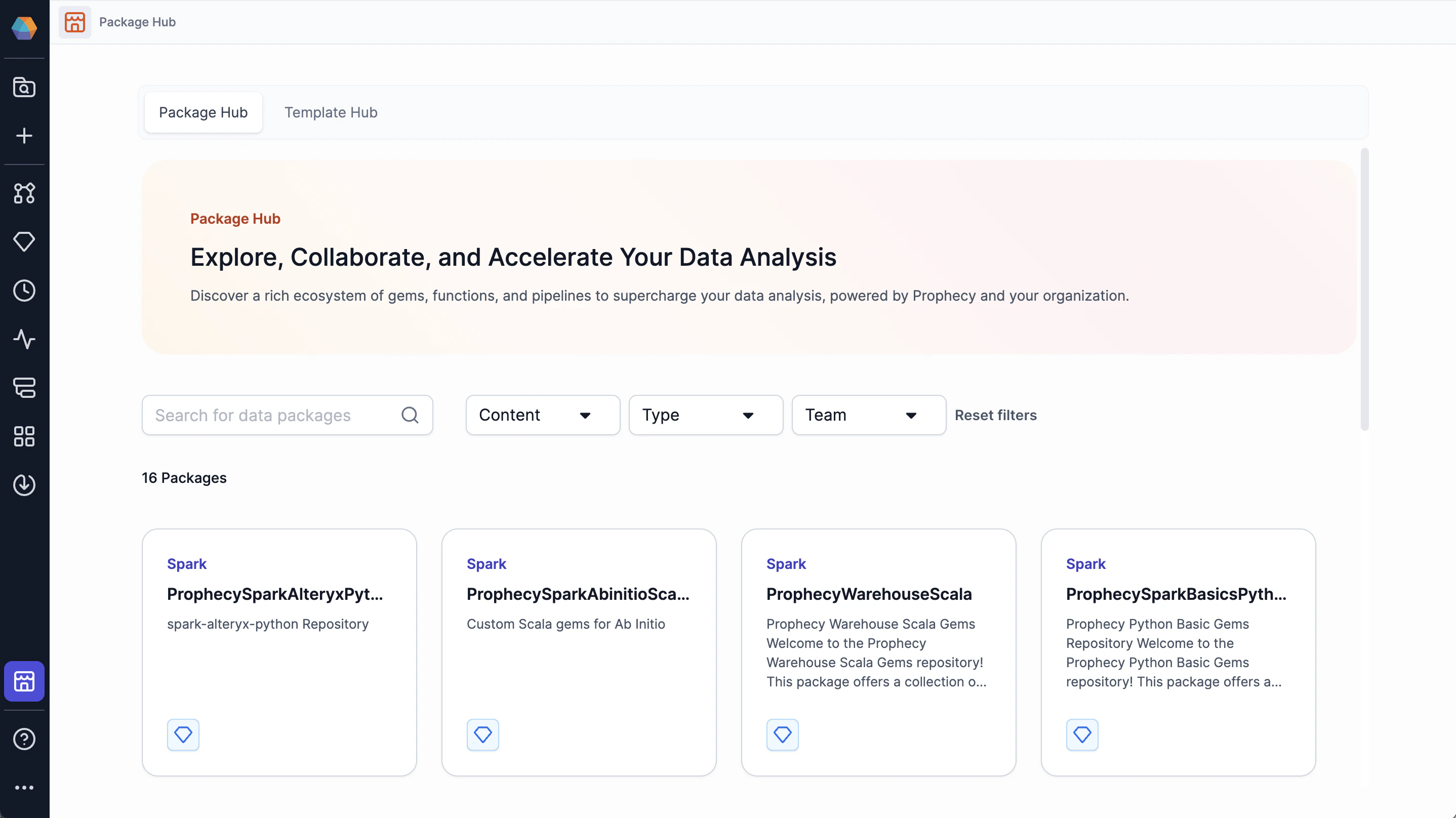
Publish to the Package Hub
To create reusable components for yourself and others:- Create a project.
- Build the component(s).
- Release the project (create a new project version).
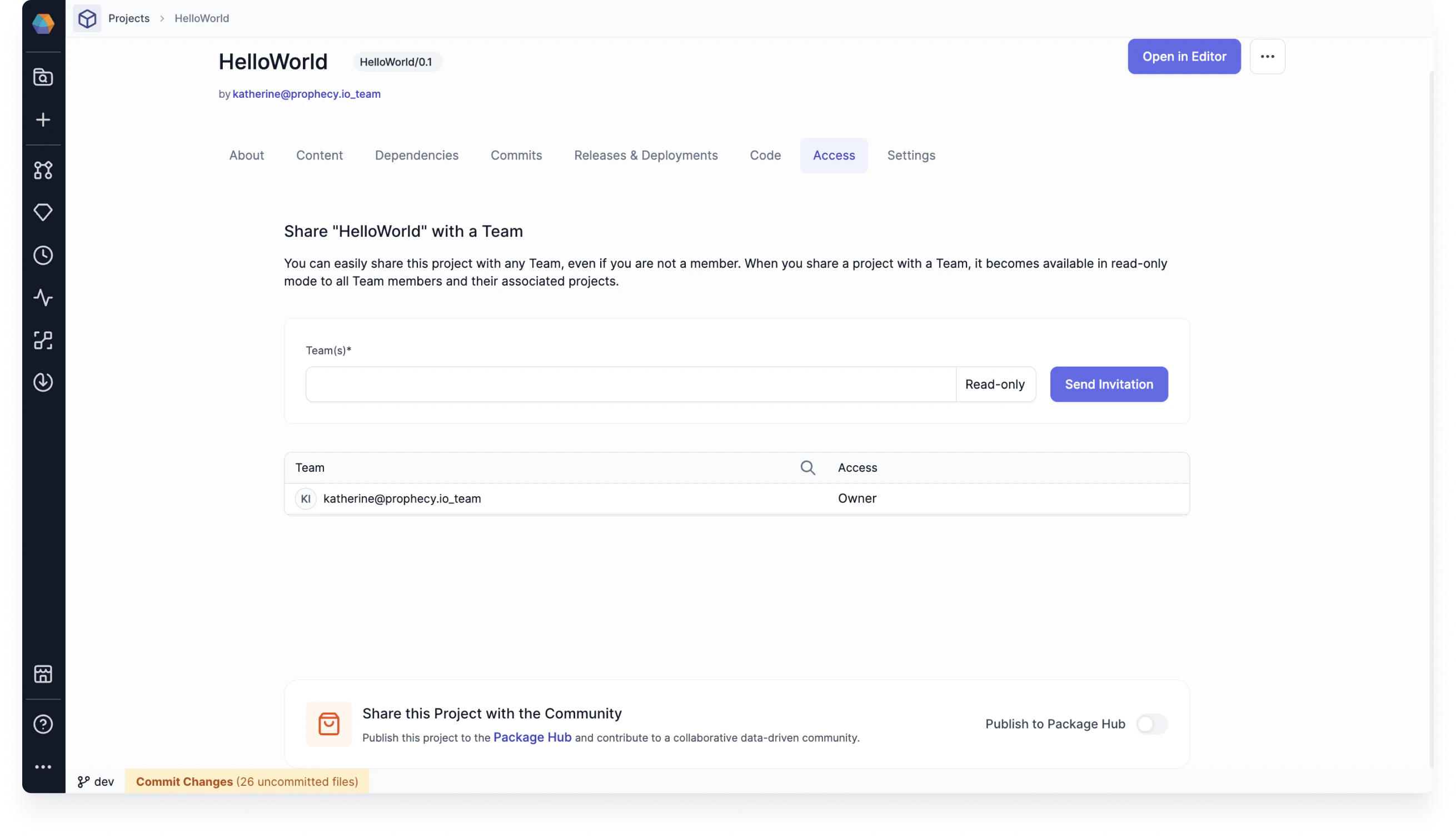
- Share your project with other teams in the Access tab of the project metadata page.
- Publish the project to the Package Hub.
Access and permissions
Packages in the Package Hub are only available to users in teams that you have shared the project with. After you share your dependency with a team, users in the team can add your project as a dependency to their new or existing projects. If the team does not see the package listed when they try to add it as a dependency, be sure the new project and dependent project use the same language, such as SQL, Scala or Python. For example, if the new project is a SQL project, only SQL Packages can be added as dependencies.Create a new package version
When you update a project that is published as a package, the changes will only be available in the Package Hub when you release the project as a new version. The release must be made from the branch specified on project creation (usuallymain or master). This ensures that teams will review the code before releasing the project.
Import a package as a project dependency
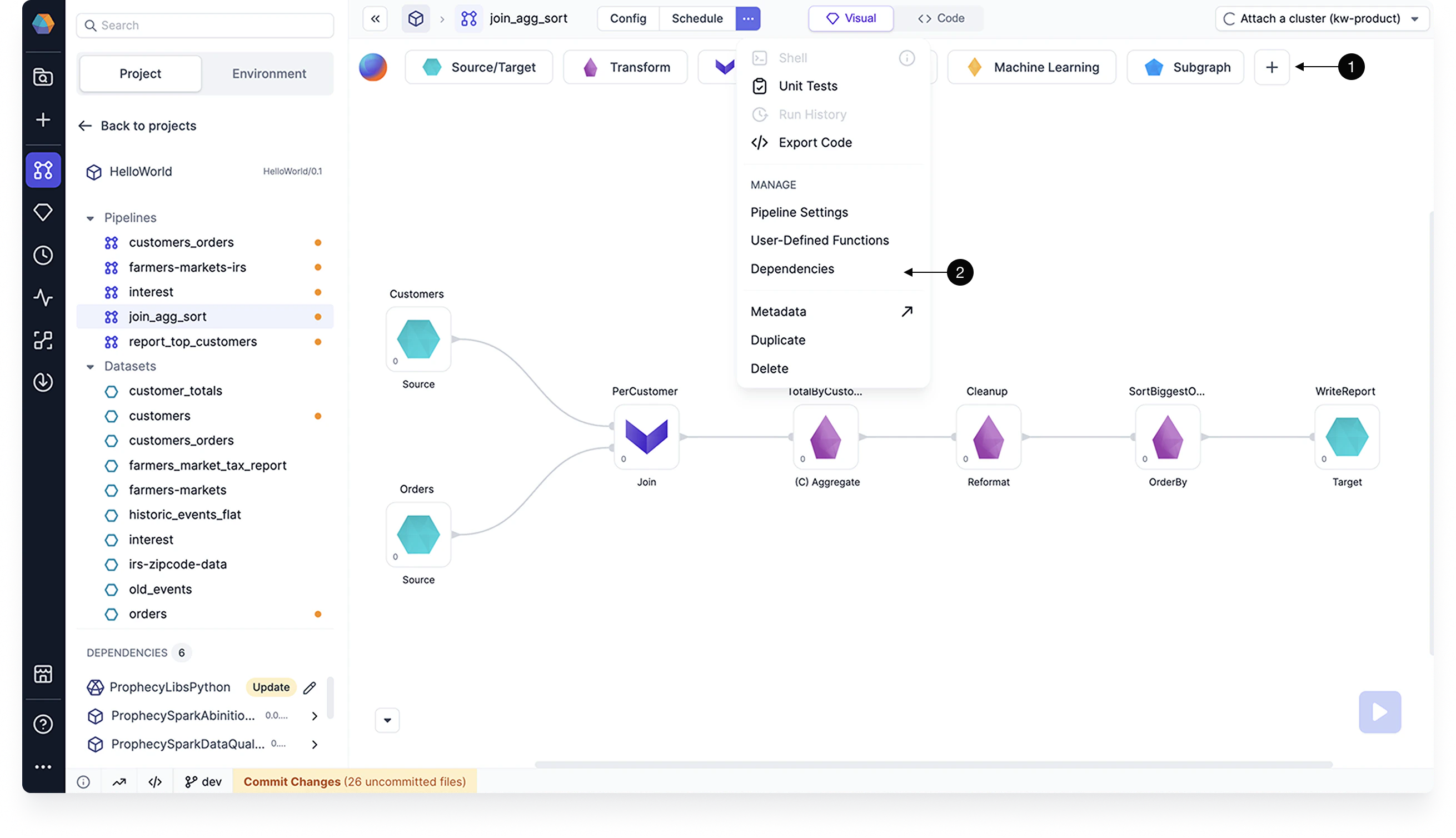
There are a few different ways to add a package to a project:- Open the project and click + in the Gem Drawer.
- Open the project dependencies and add a dependency.
- Open the package in Package Hub and select Use Package.
You cannot change package components from the target project. You can only change the components
from the source project. In other words, imported components are read-only.
Prophecy-provided packages
Explore Prophecy-provided packages in the Package Hub to find extra gems and pipelines that may be helpful for your projects. Browse the Package Hub to explore what components may work for you.Each Prophecy-provided gem has corresponding documentation in the Gem
reference.