


Available for Enterprise Edition only.
Gem language
The SQL Gem Builder supports Databricks SQL and Snowflake SQL. It’s built on dbt Core™, allowing you to build upon existing dbt libraries to define new macros to use in your custom gem. You can create a gem that writes a reference to either of the following options:- A new user-defined macro
- An existing macro present in a dependency (such as
dbt-utils)
Getting started
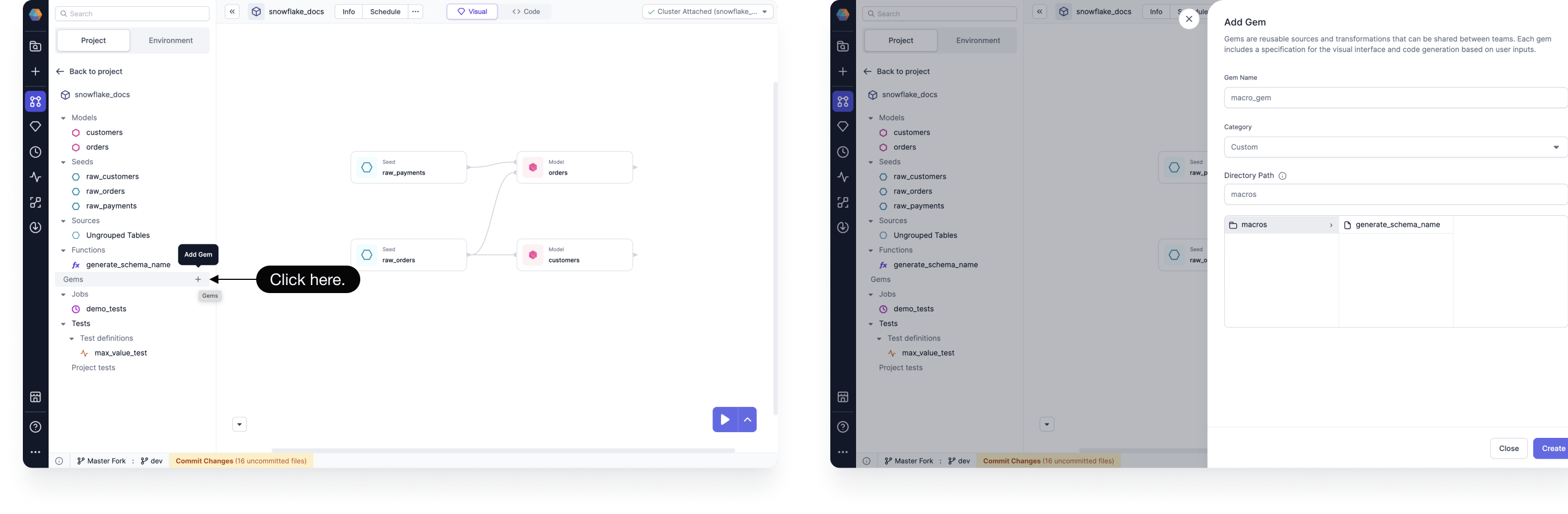
Get started creating your own gem:- Open a SQL project, and the click Add Gem.
- Enter a Gem Name.
- Choose a Category.
- Verify the Directory Path where your gem SQL query will be stored.
- Click Create. This will open the files you will need to edit to define your custom gem.
Steps
A gem is made up of multiple components that determine the UI and logic of the gem. The Gem Builder breaks these components into steps for you while you create your gem. There are three parts to creating a gem: First, you’ll define the SQL query using a new or existing macro. You’ll then need to customize the UI and logic of your gem. Finally, you can preview your gem.Create a SQL query
Prophecy gems are powered by macros. Therefore, you can either define a new macro or leverage an existing one for your custom gem.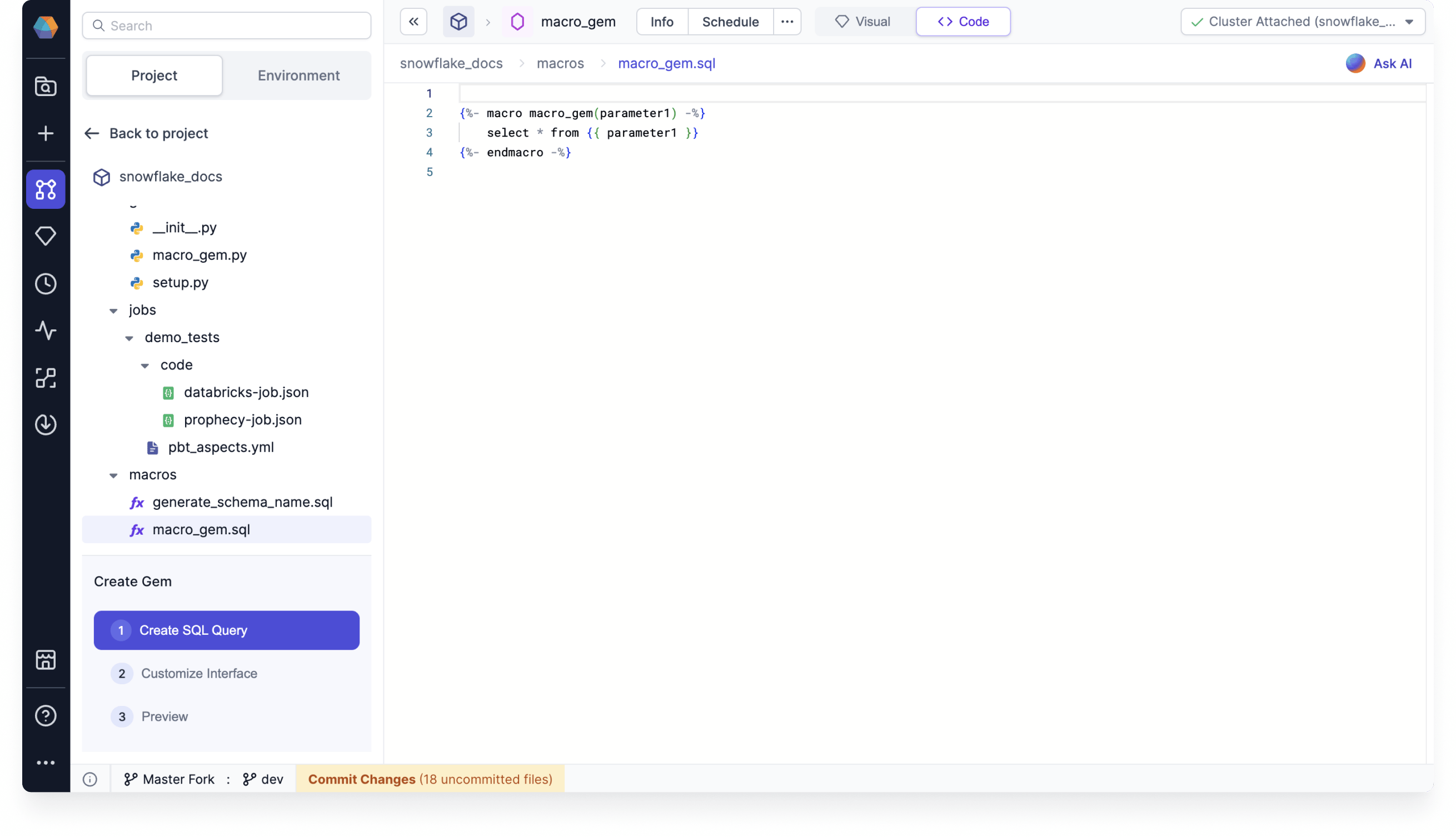
Customize the interface
Customizing your gem involves editing the code for specific classes, functions, and methods.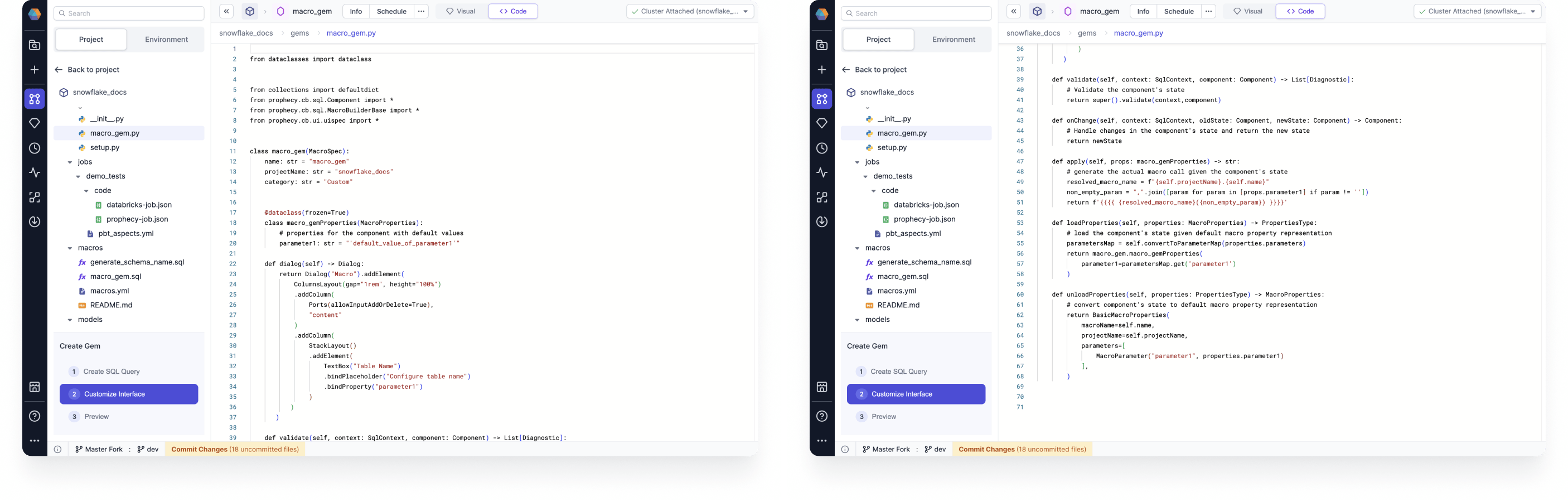
Parent class
Every gem class needs to extend a parent class from which it inherits the representation of the overall gem. This includes the UI and the logic. You can determine the name and category of your gem, which are"macro_gem" and "Custom" in this template.
Properties classes
There is one class that contains a list of the properties to be made available to the user for this particular gem. Think of these as all the values a user fills out within the template of this gem, or any other UI state that you need to maintain.- A collection of input tables, represented as input ports (optional).
- A configurable set of additional parameters through the dialog (optional).
dialog function by taking input from user-controlled UI elements.
The properties are then available for reading in the following functions:
validate, onChange, and apply.
Dialog (UI)
Thedialog function contains code specific to how the gem UI should look to the user.
- Automatically generated based on parameters (default).
- Custom dialogs using Python or visual configurations.
Dialog needs to be defined.
Column selector
You can use the column selector property if you want to select the columns from UI and then highlight the used columns using theonChange function. The function defines the changes that you want to apply to the gem properties once changes have been made from the UI. For example, in the reformat component provided by Prophecy, based on the columns used on the expression table onChange highlights the columns used on the input schema.
It is recommended to try out this dialog code in gem builder UI and see how each of these elements looks in UI.
Validation
Thevalidate method performs validation checks so that in the case where there’s any issue with any inputs provided for the user an Error can be displayed. You can add any validation on your properties.
- Optional functions such as
onChangeorvalidate, which are executed on user actions. They can dynamically alter the state of how the gem works based on the user input.
State changes
TheonChange method is given for the UI State transformations. You are given both the previous and the new incoming state and can merge or modify the state as needed. The properties of the gem are also accessible to this function, so functions like selecting columns, etc. are possible to add from here.
Apply
The code for invoking the macro with the gem logic is defined in theapply function. Here the above User Defined properties are accessible using self.projectName.{self.name}.
Macro properties
When Prophecy parses a macro invocation, it represents a macro definition in a default state.MacroProperties consists of the following:
- macro name
- project name
- parameters used
loadProperties.
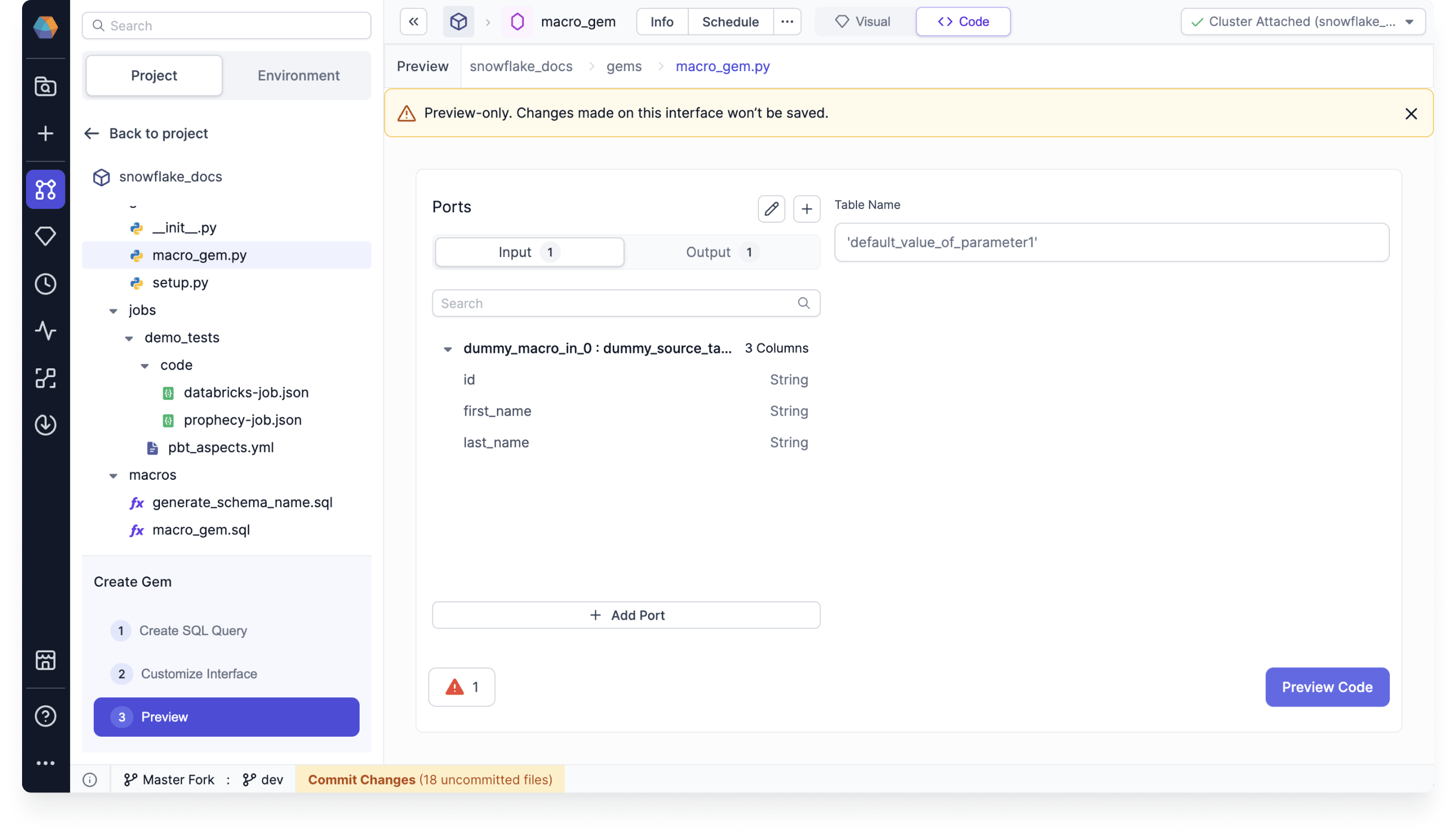
Preview your gem
You can preview the component in the gem builder to see how it looks. You can modify the properties and then save it to preview the generated code which will eventually run on your cluster.Custom gem logic can be shared with other users within the Team and Organization. Navigate to the gem listing to review Prophecy-defined and User-defined gems. When your gem is ready, publish it so that it is available to use in other models.
Example code
This is an example specification of a gem for an existing deduplicate macro fromdbt utils.