

- Encodes business logic in a visual workflow.
- Can be iteratively refined.
- Produces consistent, reusable outputs.
- Can be versioned.
- Pipelines handle data preparation.
- Analyses handle exploration, visualization, and interpretation.
Working with pipelines
A pipeline contains a connected sequence of gems that you can edit in Prophecy’s Studio. See Data analysis gems for more information on gems. Pipelines appear in the project browser alongside other project artifacts.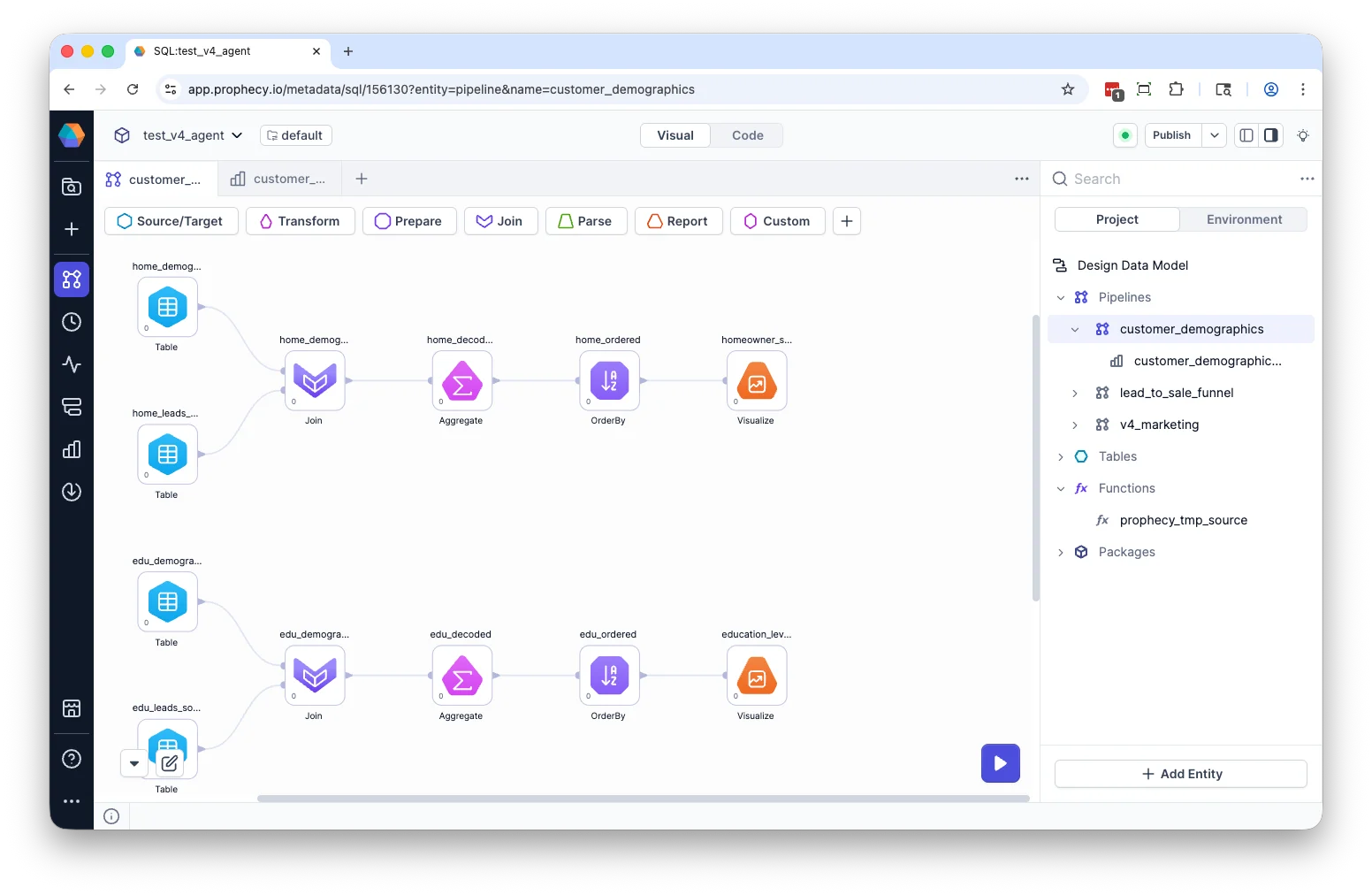
Build a pipeline
Build a pipeline with the Transform Agent
The Transform Agent can generate or modify pipelines using natural language. The Agent accelerates development, but all transformations remain visible and editable. When using the Agent, you:- Describe the transformation you want.
- Review generated gems and connections.
- Inspect compiled SQL.
- Validate results before finalizing changes.
Build a visually in the pipeline canvas
You can also create a pipeline from the project landing page or the Project Browser. When creating a pipeline, you provide:- Pipeline name — A unique name within the project.
- Directory path — The location where the pipeline is stored in the project.
Open pipeline
To open a pipeline, click its name in the Project Browser or on the project landing page.Modify pipeline
Once you have created a pipeline, you can:- Drag gems onto the canvas and connect gems to define data flow.
- Configure gems to produce desired output.
- Preview results using the Data Explorer.
- Inspect SQL in code view.
- Run the pipeline.
Rename pipeline
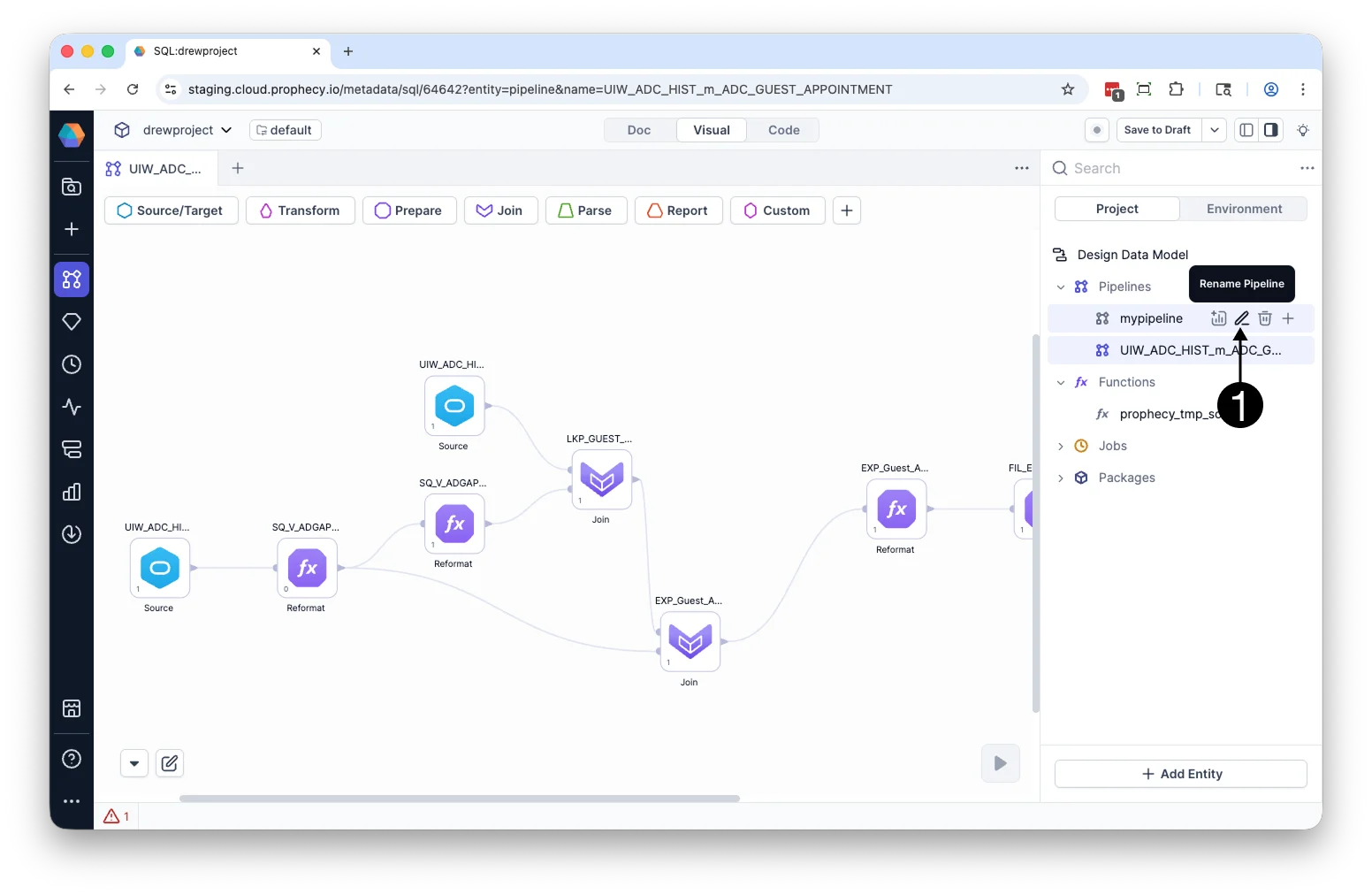
To rename a pipeline:- Hover over the pipeline in the Project Browser.
- Click the Rename icon.
- Enter a new pipeline name and click Rename.
Duplicate pipeline
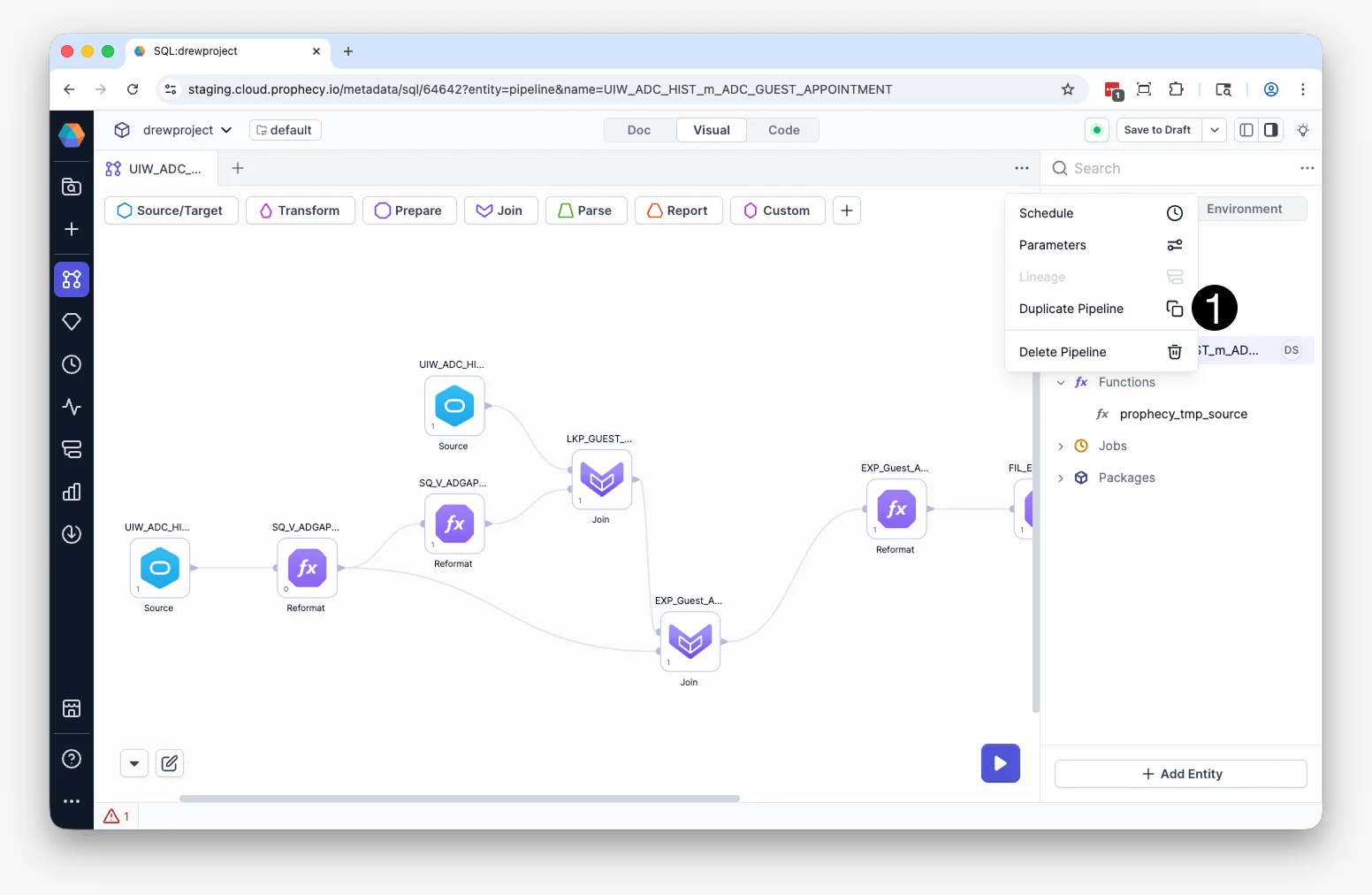
You can duplicate entire pipelines. To duplicate a pipeline:- Open the Pipeline in Studio.
- Click … menu in the upper-right corner of the pipeline canvas.
- Click Duplicate in the dialog box.
<pipeline-name>_copy.
Mark pipeline as draft
You can mark a pipeline asdraft. This lets you keep working on it, while excluding changes from the project’s next published version. For more on how this affects publication, see Draft pipelines.
To mark a pipeline as draft:
- Open the pipeline in Studio.
- Click the … menu in the upper-right corner of the pipeline canvas.
- Click Keep as draft.
- Confirm the change.
- Its in-progress changes aren’t included in the next published version. If it’s already been published before, it ships unchanged in the new version; if it hasn’t, it’s left out of the version entirely.
- Existing schedules on the pipeline keep running — publishing doesn’t take it down or interrupt it.
- You can’t rename or delete the pipeline.
- Open the pipeline in Studio.
- Click the … menu in the upper-right corner of the pipeline canvas.
- Click Remove draft.
- Confirm the change.
Draft pipelines are available only for projects that use Simple Version Control.
Execution and validation
Pipelines move through development, production, and reporting stages. You can run them interactively in the canvas, schedule automated runs, or trigger execution through analyses. When you run a pipeline:- Each transformation is translated into warehouse-native SQL that runs directly in your connected warehouse.
- Execution respects your existing permissions.
- Output datasets are updated based on the defined transformations.
Human in the loop
Whether you build pipelines manually or generate them with the Transform Agent, pipelines remain under your control. You can:- Inspect every transformation.
- Modify generated logic.
- Validate schema changes.
- Re-run transformations as needed.