

Dependencies & cluster requirements
Dependencies & cluster requirements
Dependencies:
- ProphecySparkBasicsPython 0.2.32+
- UC dedicated clusters 14.3+ supported
- UC standard clusters 15.4+ supported
- Livy clusters not supported
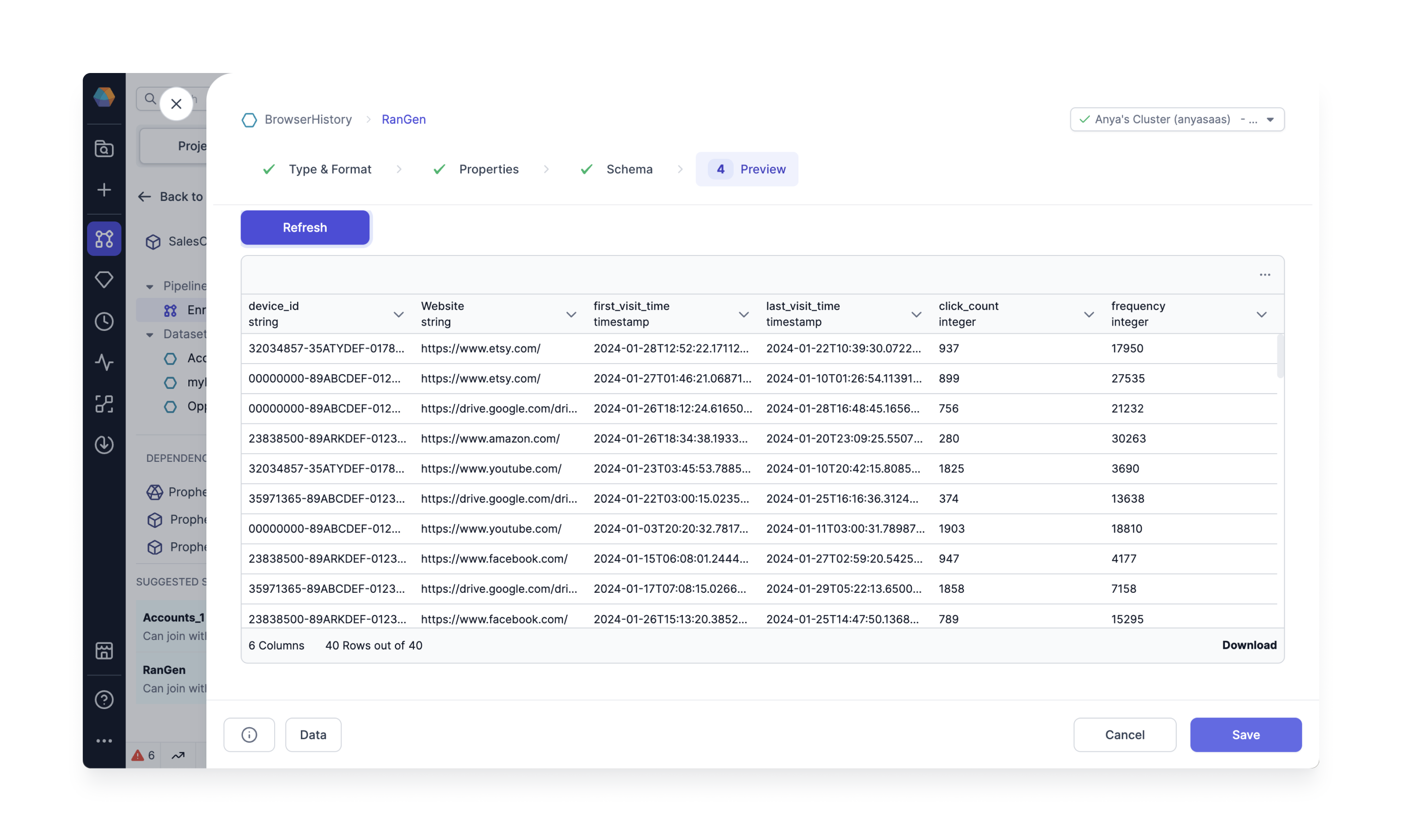
The Data Generator gem can only be a Source gem. It cannot be a Target gem.
Cluster requirements
Create a fabric and configure the Job Size, or login to an existing Spark cluster UI. To create a fabric and configure the job size in the Spark Cluster UI:- Login to your Databricks account.
- Verify your Databricks Runtime uses Python version >= 3.8.
Prophecy requirements
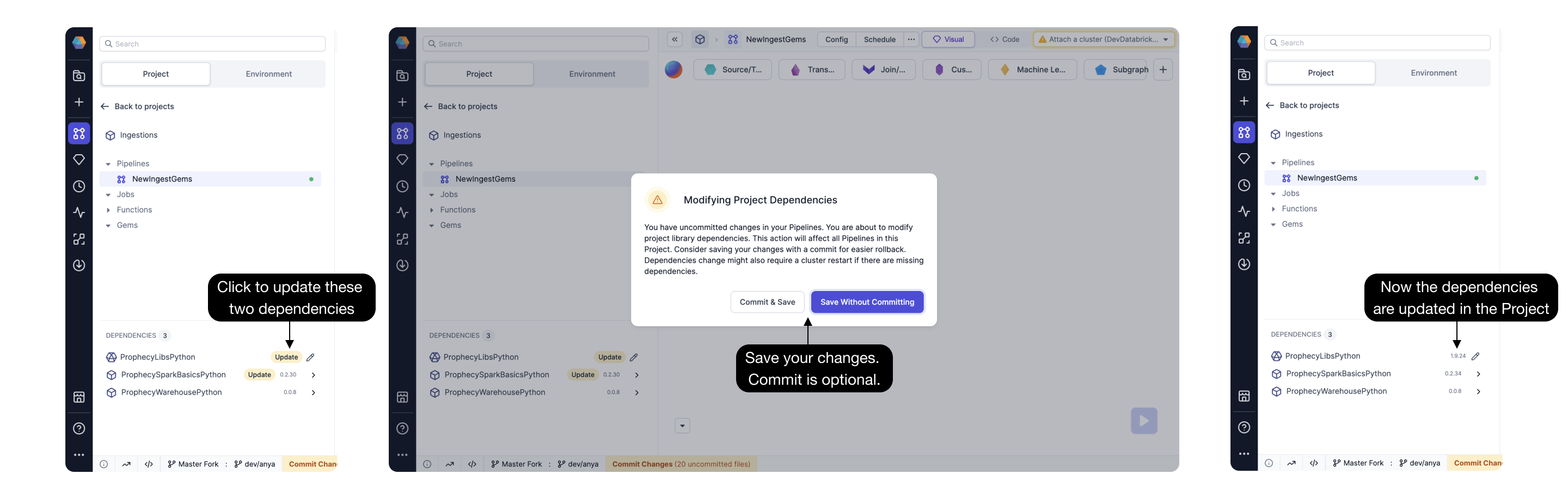
Open a Prophecy project and upgrade theProphecySparkBasicsPython Dependency to 0.2.32 or later.
Connecting a Prophecy project to a Spark cluster with a different dependency version prompts the
Spark cluster to restart.
Source properties
The Source gem requires the following properties.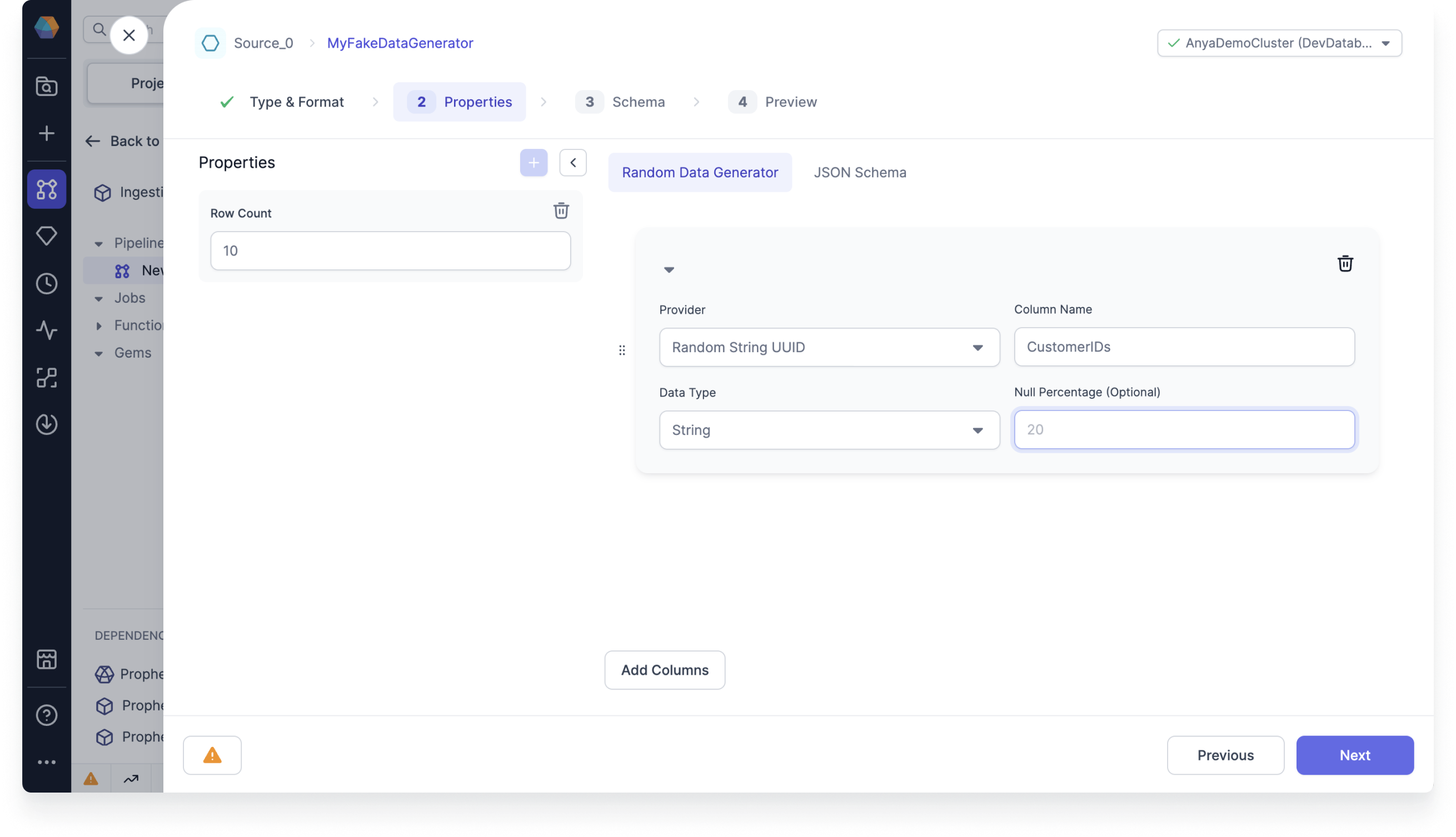
Providers
Prophecy offers the following data providers.Store the data
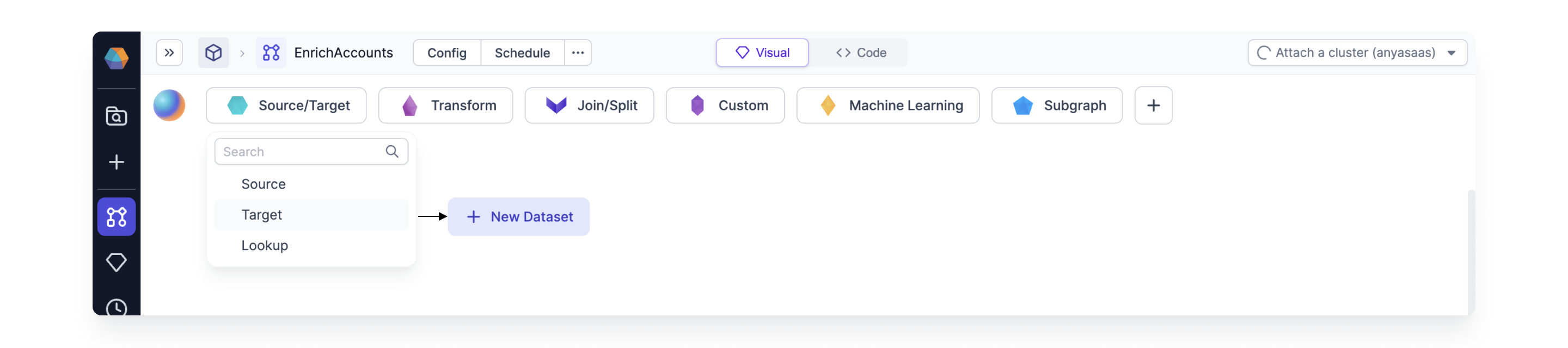
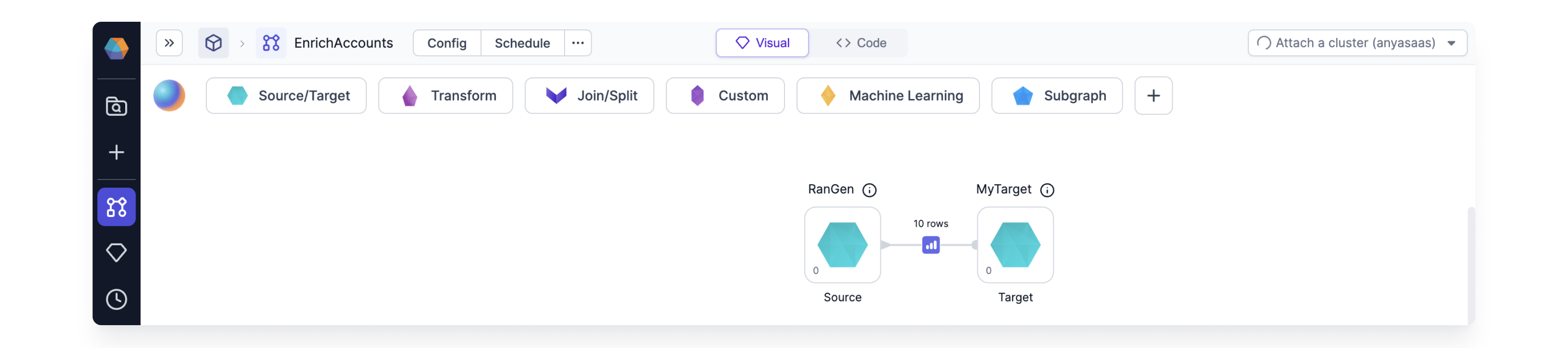
By default, the Source gem does not save the newly generated data. To save the data, store the data in a Target gem:-
Create a Target gem.
-
Connect your Source gem to your Target gem.
-
Configure the
Write Modeproperty for the Target gem. This is very important because there is a new random seed each time you run the Source gem.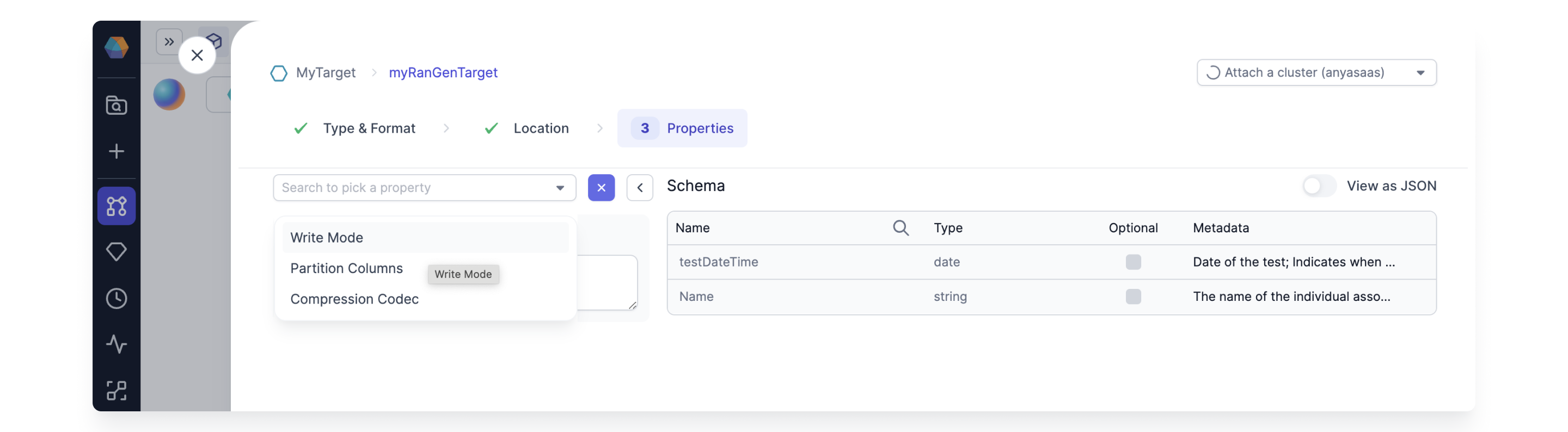
To see if Prophecy supports this gem in the Unity Catalog standard access mode clusters, see
Unity Catalog standard cluster
support.