Cluster requirements:
  • UC dedicated clusters 14.3+ supported
  • UC standard clusters 14.3+ supported
  • Livy clusters 3.0.1+ supported
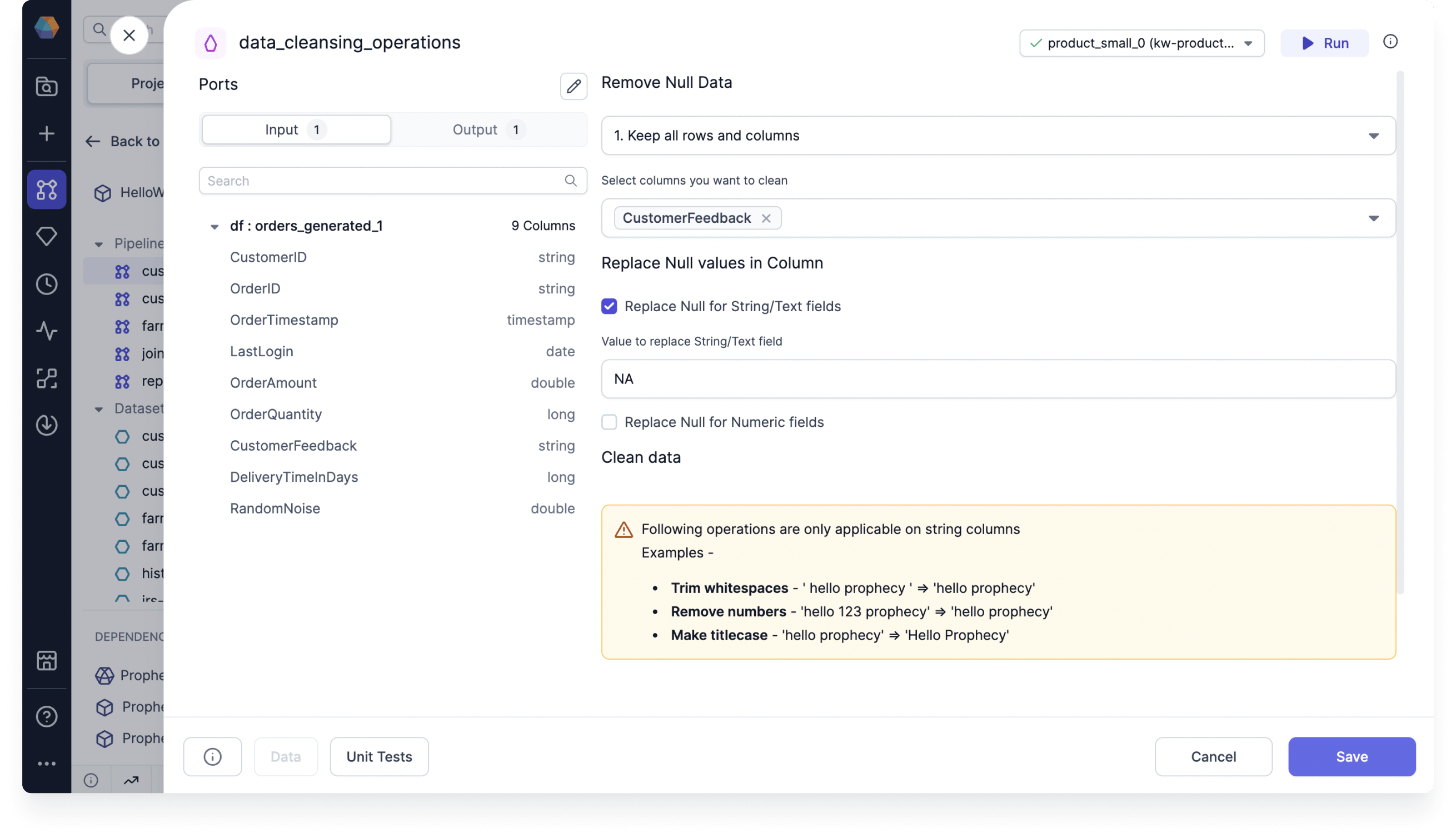
Use the DataCleansing gem to standardize data formats and address missing or null values in the data.

Parameters

ParameterDescription
Select columns you want to cleanThe set of columns on which to perform cleaning transformations
Remove null dataThe method used to remove null data
Replace null values in columnThe method used to replace null values
Clean dataDifferent ways to standardize the format of data in columns

Example

Assume you have a table that includes customer feedback on individual orders. In this scenario, some customers may not provide feedback, resulting in null values in the data. You can use the DataCleansing gem to replace null values with the string NA. Replace null with string

Example code

To see the compiled code of your project, switch to the Code view in the project header.
def data_cleansing_customer_id(spark: SparkSession, df: DataFrame) -> DataFrame:
 from pyspark.sql.functions import col, trim, regexp_replace, lower, upper, initcap
 from pyspark.sql.types import StringType, IntegerType, FloatType, DoubleType, LongType, ShortType
 transformed_columns = []

 # Check if column exists after null operations
 if "customer_id" not in df.columns:
 print("Warning: Column 'customer_id' not found after null operation. Skipping transformations for this column.")
 else:
 col_type = df.schema["customer_id"].dataType

 # If the column is a string type, apply text-based operations
 if isinstance(df.schema["customer_id"].dataType, StringType):
 df = df.na.fill({"customer_id" : "NA"})
 transformed_columns = [lower(col("customer_id")).alias("customer_id")]
 elif isinstance(col_type, (IntegerType, FloatType, DoubleType, LongType, ShortType)):
 df = df.na.fill({"customer_id" : 0})
 transformed_columns = [col("customer_id")]
 else:
 transformed_columns = [col("customer_id")]

 df = df.select(*[col(c) for c in df.columns if c not in ["customer_id"]], *transformed_columns)

 return df