

Dependencies & cluster requirements
Dependencies & cluster requirements
Dependencies:
- ProphecySparkBasicsPython 0.0.1+
- ProphecySparkBasicsScala 0.0.1+
- UC dedicated clusters 14.3+ supported
- UC standard clusters 14.3+ supported
- Livy clusters 3.0.1+ supported
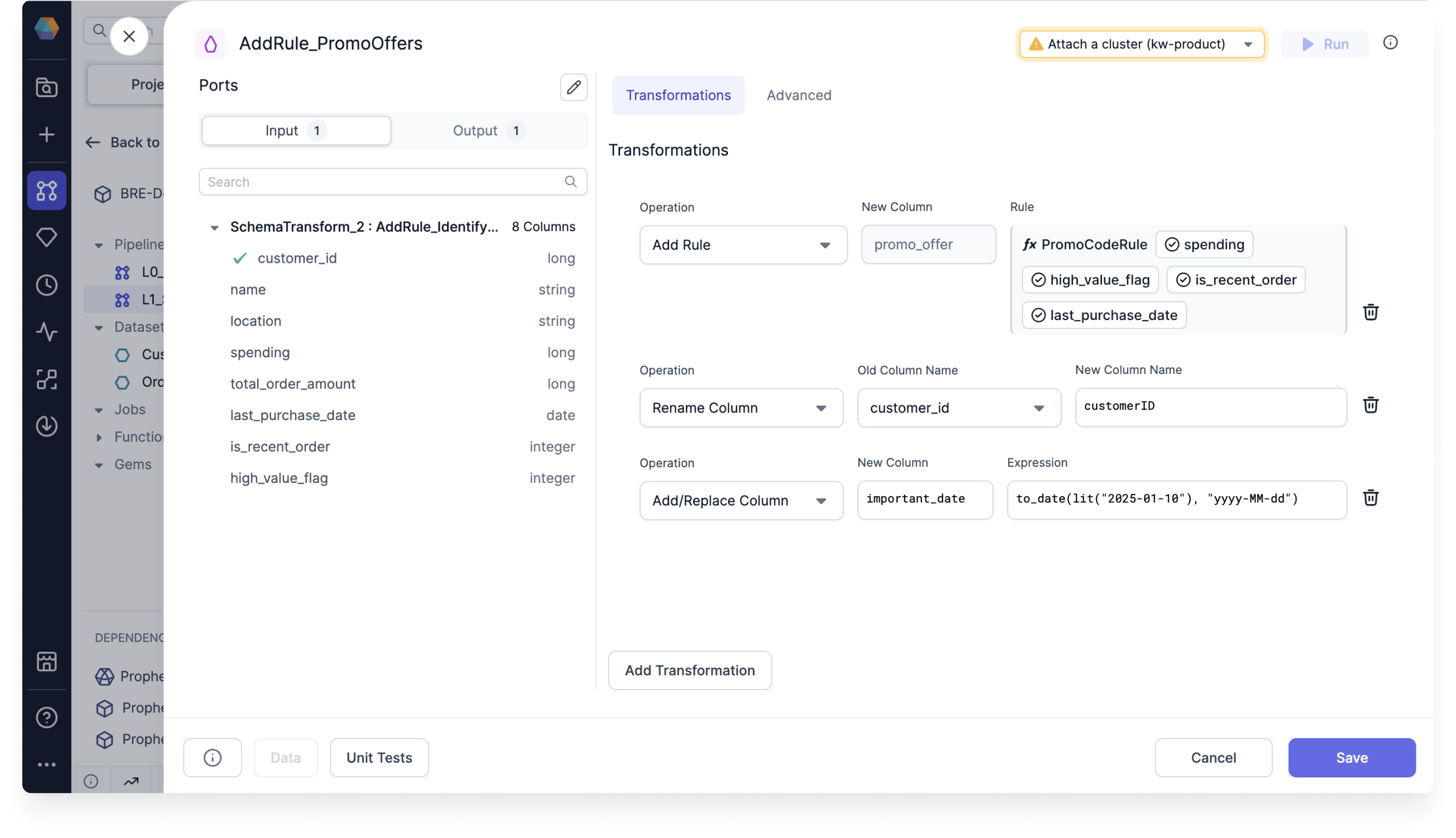
Unlike Reformat which is a set operation where all the transforms are applied in parallel, transformations here are applied in order.
Reformat is a SQL
select and is preferable when making many changes.Operations
Add/Replace Expression
Add a new column or replace an existing one based on an expression.Drop Column
Remove a column from next stage of the Pipeline.Rename Column
Rename an existing column downstream in the Pipeline.Add If Missing
Provide a default value for a column if it is missing from the source.Add Rule
Use a business rule in your Pipeline. Visit the Business rules engine page to learn about business rules.Spark Code
Advanced Import
The Advanced Import feature allows you to bulk import statements that are structured similarly to CSV/TSV files. This can be useful if you have your expressions/transformation logic in another format and just want to quickly configure a SchemaTransform gem based on existing logic.Using Advanced Import
- Click the Advanced tab in the SchemaTransform gem.
- Enter the expressions into the text area.

Format
The format of these expressions isop_type,target_name,target_expr, where op_type is the type of operation (see below); target_name is the desired new column name and target_expr is the Spark expression that will be used to generate the new column. Each op_type has a different number of extra columns that have to be provided, see below for more details.