Dependencies & cluster requirements
Dependencies & cluster requirements
Dependencies:
- ProphecySparkBasicsPython 0.0.1+
- ProphecySparkBasicsScala 0.0.1+
- UC dedicated clusters 14.3+ supported
- UC standard clusters 14.3+ supported
- Livy clusters 3.0.1+ supported
Parameters
Explore the following sections to understand how to configure the WindowFunction gem.Partition By
OrderBy
Order columns are required when the source expression in the WindowUse tab uses ranking or analytical functions. Numeric columns are required when range frame is the selected window frame type.
Frame
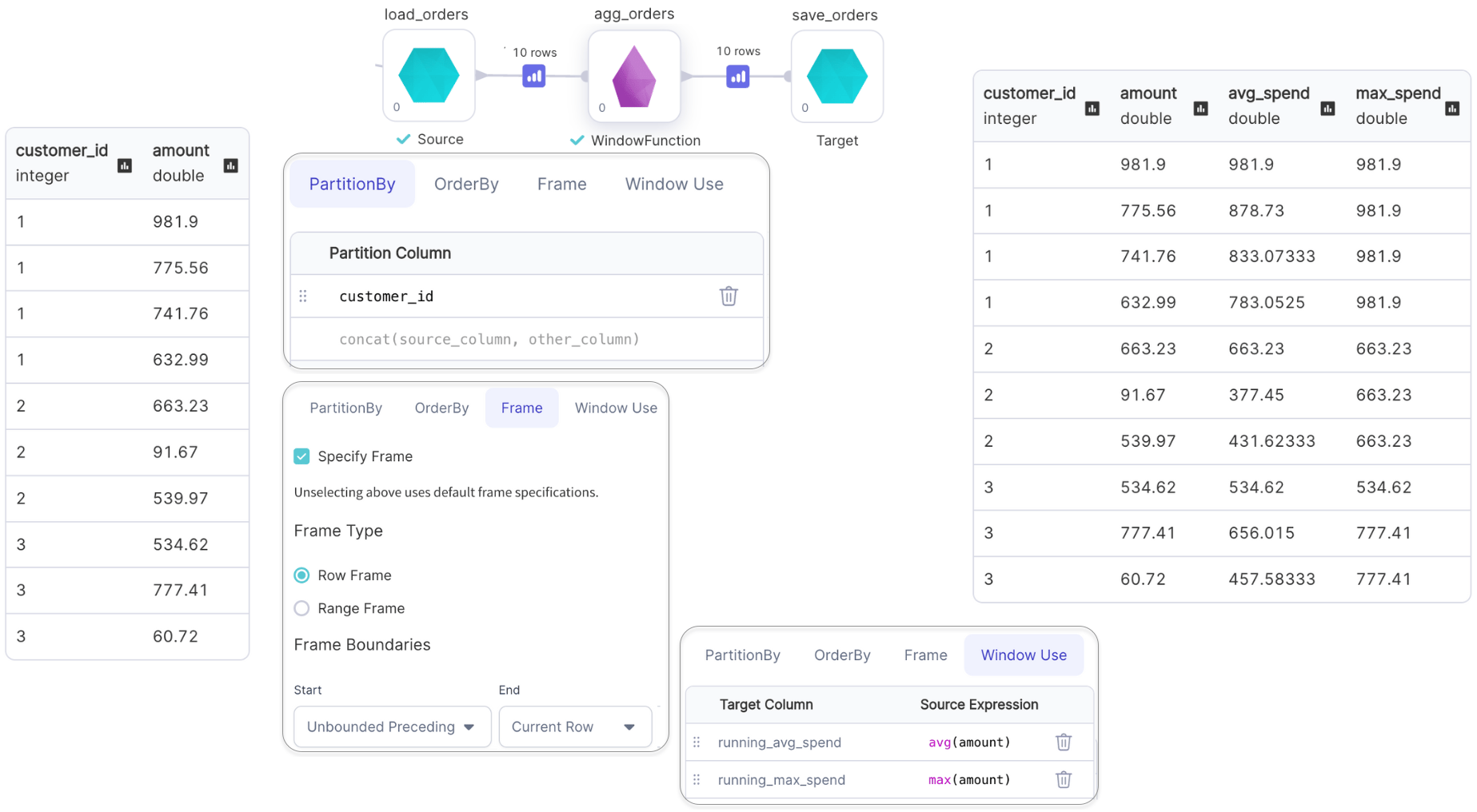
Row Frame
The Row Frame option defines the window size based on the number of rows before and after the current row. You configure the frame by setting a Start and an End boundary. The boundaries can be:- Unbounded Preceding: Includes all rows before the current row.
- Unbounded Following: Includes all rows after the current row.
- Current Row: Starts or ends at the current row.
- Row Number: A specific number of rows before or after the current row.
Range Frame
The Range Frame defines the window using values in the Order By column. You configure the frame by setting a Start and an End boundary. The boundaries can be:- Unbounded Preceding: Includes all rows before the current row.
- Unbounded Following: Includes all rows after the current row.
- Current Row: Starts or ends at the current row.
- Range Value: A numeric or interval value defining how far before or after the current row to look.
WindowUse
Examples
Ranking Functions with Window
Examples of ranking functions are:row_number(), rank(), dense_rank() and ntile().
Only the default window frame
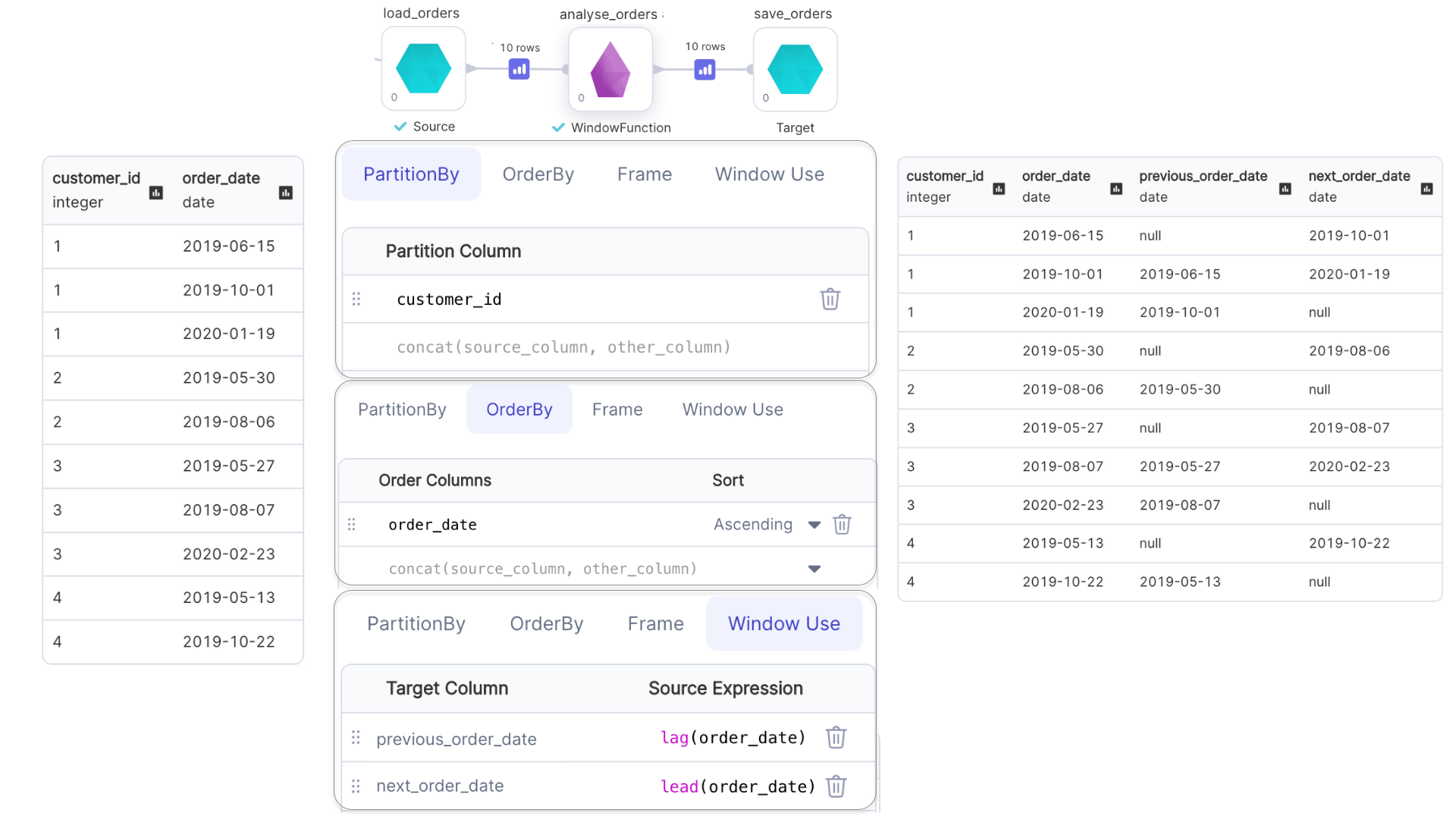
(rowFrame, unboundedPreceding, currentRow) can be used with ranking functions.Analytical Functions with Window
Examples of analytical functions are:lead(), lag(), cume_dist(), etc.
- Window frame for
lead()andlag()can not be specified. - Only the default window frame
(rangeFrame, unboundedPreceding, currentRow)can be used withcume_dist().
Aggregate Functions with Window
Examples of aggregate functions are:min(), max(), avg(), etc.