

Run a Strats template
Click Strats and Pool Selection, review the template, and click Use Template. Custom templates are supported if your deal requires buckets or breakdowns that don’t match the built-in set. The Agent runs, applying the Strats and Pool Selection to your cracked tape. After applying the template, you get:- An analysis (Prophecy’s term for dashboard), which opens automatically.
- A pipeline showing the full transformation logic behind it, all of which are fully inspectable: aggregations, transforms, joins, unions, and so on. To view the pipeline=, click the pipeline icon in the Agent’s response.
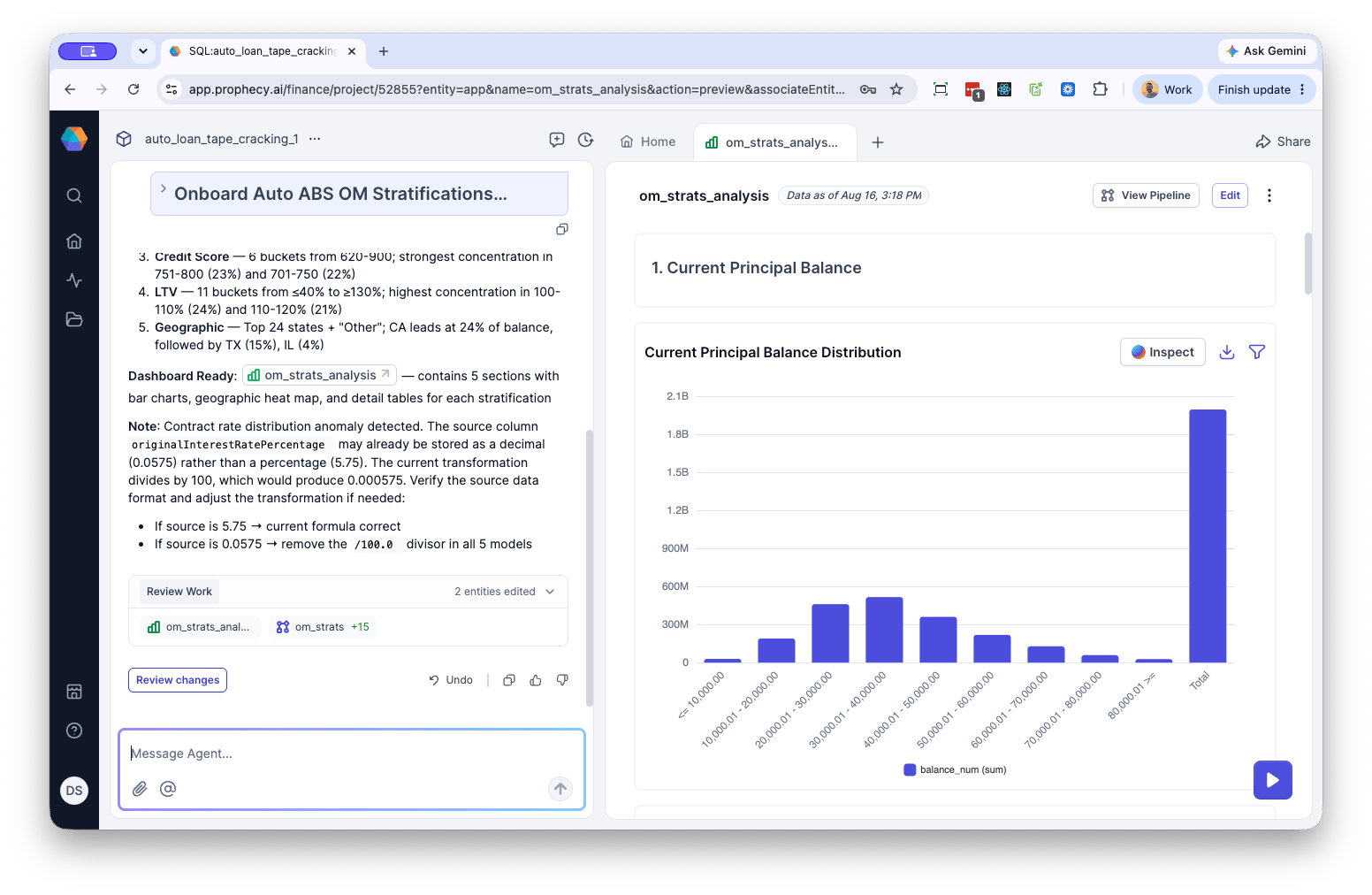
Inspect an analysis
Click Inspect on any part of the analysis to send a prompt to the Agent asking it to show how the values were derived. This makes every result fully explainable rather than a black box. Inspect returns:- Thought summary — a plain-language explanation of what the analysis does and why. For example, a “Current Principal Balance Distribution” workflow groups loan balances by size range to show concentration of value across segments.
- Operations table — the sequence of gems (workflow steps) that make up the analysis:
- Operations — the gem name and type, for example
ref_notional_bucket...(a Function gem) orref_notional_agg(an Aggregate gem) - Description — a short summary of what that gem does, such as assigning each loan to a bucket, totaling balances, or formatting output rows
- Operations — the gem name and type, for example