
SQL lineage helps you understand where data comes from in a pipeline. It traces which source table columns produced each output column and shows how those columns were transformed along the way. Use SQL lineage when you need to inspect how a selected column was created, whether it passed through gems unchanged, or where it was modified in the pipeline.

View column lineage in a pipeline

To view column lineage:
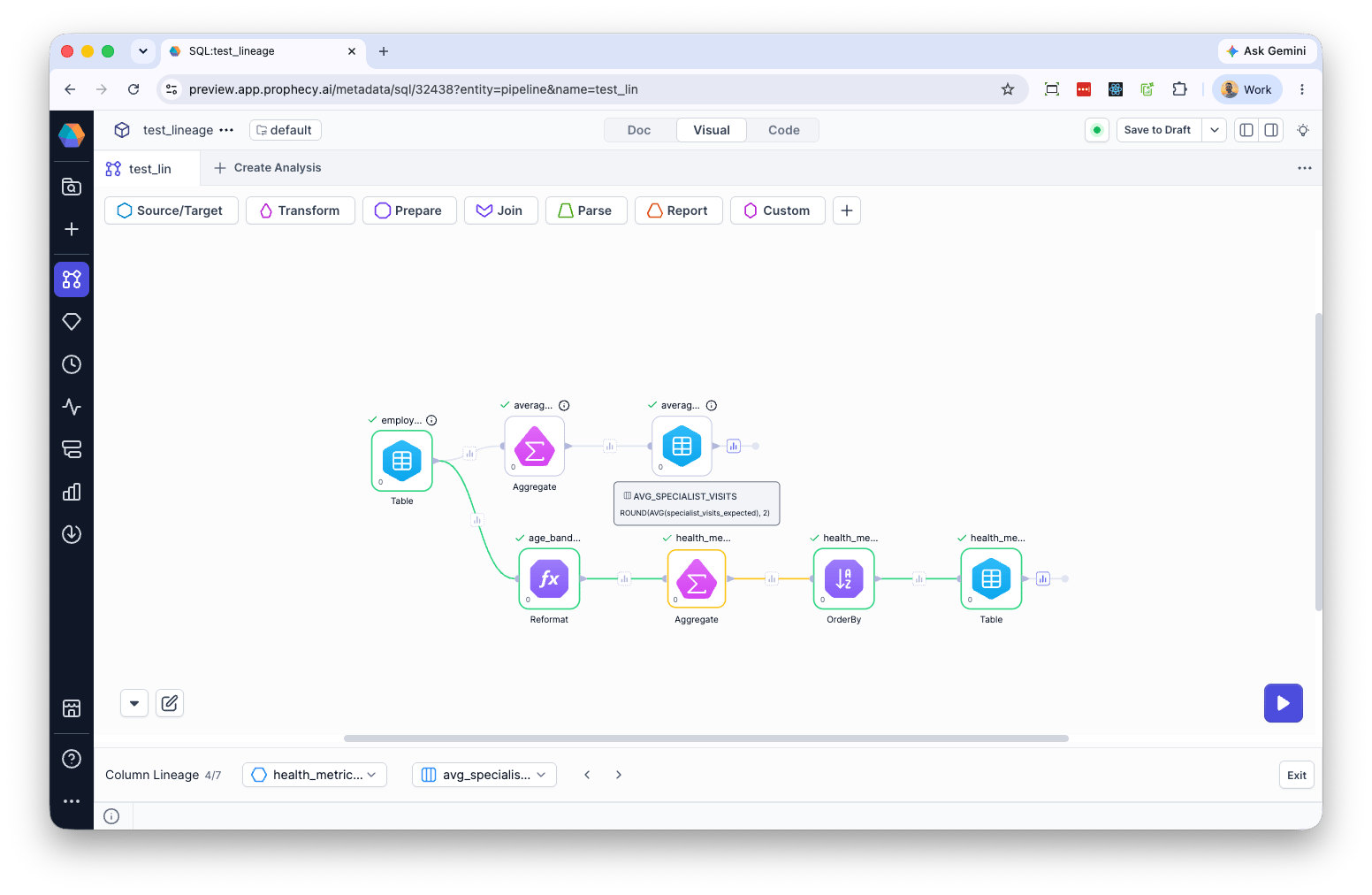
  1. Select Lineage from the pipeline menu. A lineage panel opens at the bottom of the pipeline editor.
  2. Select a dataset and column to see how the column was produced within the pipeline.
Prophecy highlights the gem where the selected column is created and displays the transformation logic used to generate it. For example, selecting AVG_SPECIALIST_VISITS highlights the Aggregate gem and shows the expression ROUND(AVG(specialist_visits_expected), 2) used to create the column. view sql lineage
Current limitations

Lineage is not currently supported for the following: recursive common table expressions, lateral joins, correlated subqueries, and PIVOT/UNPIVOT.